Best Sales Automation Software in 2026: 7 Tools Compared
WLWPLegible EditorsLast verified 22 Nov 2026How we rank11 min read
★ Short answer
HubSpot Sales Hub is our top sales automation pick, combining a free CRM with paid automation and 50 restricted workflows on Starter. Zoho CRM is a more affordable option for lead routing and workflow rules, while Freshsales suits smaller teams that want built-in communication and basic automation.
How we make this list: we compare pricing pages, product documentation and public user reviews, then re-check every price before each update. No product paid for a place. Disclosure.
HubSpot Sales Hub earns 4.4/5 from 14,407 G2 reviews and offers up to 50 restricted workflows on Starter, with a regular price of $20/seat/month.
Zoho CRM offers a free edition for 3 users, while Standard costs $14/user/month billed annually and adds sales cadences and workflow tools.
Freshsales Growth starts at $9/user/month billed annually and includes basic workflows, email templates, chat and phone capabilities.
Close Solo costs $9/month billed annually, but the Growth edition at $99/user/month is needed for advanced workflows and automated follow-ups.
Salesforce Starter Suite costs $25/user/month and combines sales, marketing and service functions, while higher editions expand automation.
lemlist Email costs $55/month with annual billing and supports automated email outreach, CRM integrations and a 650M+ lead database.
What to look for in sales automation software
Sales automation software reduces repetitive tasks throughout the sales process. Common uses include assigning leads, scheduling follow-ups, updating CRM records, sending outreach sequences and notifying representatives when deals require attention.
Start by identifying the tasks your sales team performs manually. A small team might need automatic reminders and lead assignment, while an outbound sales operation may prioritize email sequences, prospect enrichment and multichannel engagement.
Look closely at workflow automation capabilities. Basic subscriptions may support simple record updates and notifications, while advanced plans introduce conditional logic, custom triggers, automated sequences and AI-assisted sales activities.
CRM integration is another important consideration. Automation works better when customer records, email conversations, pipeline stages and activities remain synchronized instead of being spread across disconnected applications.
Finally, compare the true cost of automation. Some vendors advertise affordable CRM subscriptions but reserve meaningful workflow tools for higher editions. Calling charges, AI credits, contact allowances and additional user licenses can increase expenses.
HubSpot Sales Hub is a sales CRM and automation platform for managing contacts, deals, prospecting and follow-ups. Its free tools support up to 2 users, while Starter provides up to 50 workflows with restricted triggers and actions, email templates, meeting scheduling and pipeline management.
The trade off is that Starter's regular price is $20 per seat monthly, despite promotional pricing starting at $7, and advanced sequences and customizable workflows require Professional at $90 per seat monthly with annual billing. It suits businesses building a connected sales process around CRM records.
What we like
Free CRM for small sales teams
Built-in pipeline and contact management
Limited sales automation available on Starter
Email templates and meeting scheduling
Advanced workflow and sequence features on Professional
Watch out for
Starter workflows have restricted triggers and actions
Professional requires paid onboarding
Advanced automation raises the subscription cost
AI features may consume additional credits
Starter adds restricted workflows, more email templates and expanded sales tools.Visit hubspot.com
02
Zoho CRM
4.1/5on G2 (2,959 reviews, checked Nov 2026)
Paid from$14/mo
Best affordable CRM workflow automation
Free editionUp to 3 users
Standard price$14/user/mo annually
Sales automationWorkflows and cadences
Professional price$23/user/mo annually
zoho.com
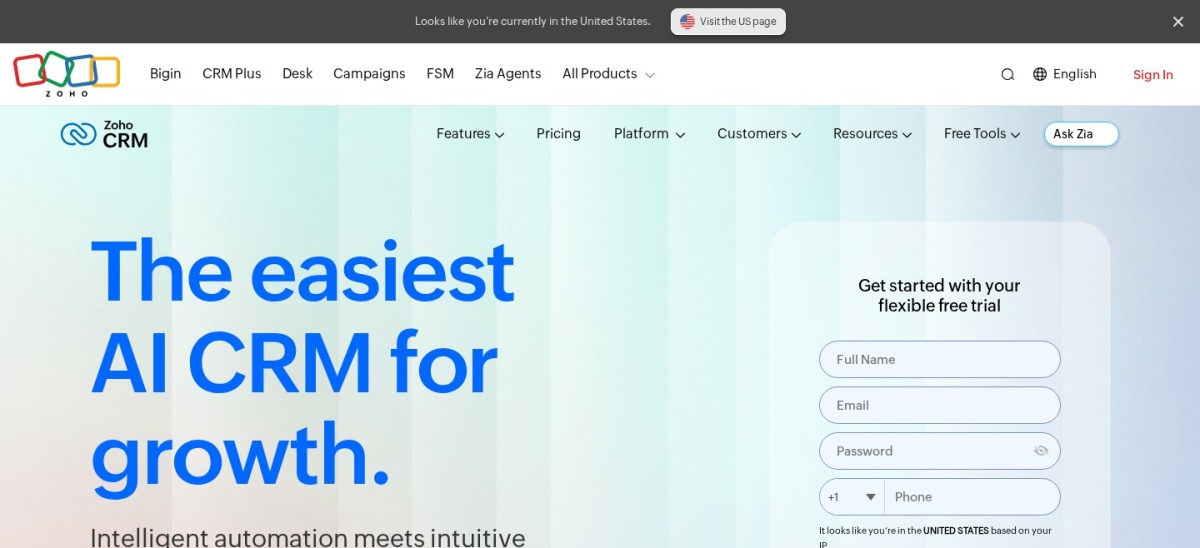
Zoho CRM homepage, captured Nov 2026.
Zoho CRM is a customer relationship management platform for tracking leads, automating sales activities and managing pipelines. Its free edition supports up to 3 users, while Standard costs $14 per user monthly billed annually and includes workflow rules, assignment rules, sales cadences, reporting and integrations.
The trade off is that more advanced sales process management, inventory features and customization require Professional at $23 per user monthly billed annually or higher editions. It suits cost-conscious businesses that want configurable sales automation inside their CRM.
What we like
Free CRM for up to 3 users
Affordable Standard subscription
Automated lead assignment and workflow rules
Sales cadences and pipeline management
Integrates with other Zoho applications
Watch out for
Configuration can be complicated for beginners
Advanced customization requires higher editions
Some AI capabilities are restricted by plan
Standard adds workflow management, assignment rules, cadences and expanded reporting.Visit zoho.com
03
Freshsales
4.5/5on G2 (1,244 reviews, checked Nov 2026)
Paid from$9/mo
Best for small sales teams automating follow-ups
Free editionUp to 3 users
Growth price$9/user/mo annually
Growth automationBasic workflows
Sales sequencesPro edition
freshworks.com
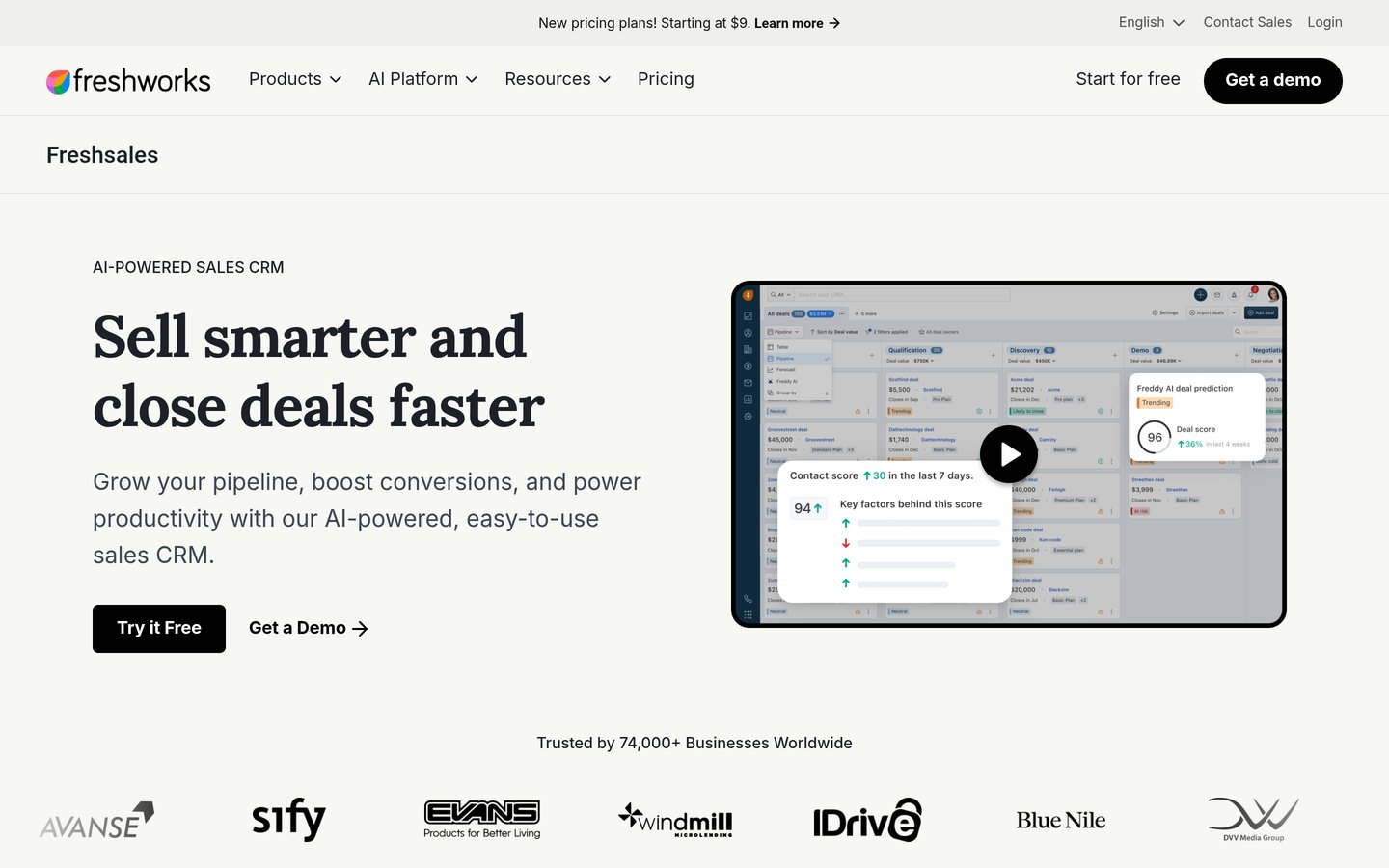
Freshsales homepage, captured Nov 2026.
Freshsales is a sales CRM that combines customer records, pipeline management and communication channels. Its free edition supports up to 3 users, while Growth costs $9 per user monthly billed annually and includes basic workflows, email templates, contact lifecycle stages, chat and phone capabilities.
The trade off is that sales sequences, contact scoring, territory management and deeper sales insights require Pro at $39 per user monthly billed annually. It suits small teams that need straightforward automation and sales communication in the same application.
What we like
Affordable Growth subscription
Free edition for small teams
Basic workflow automation
Email, chat and phone capabilities
Sales sequences available on Pro
Watch out for
Growth does not include advanced sequences
Contact scoring requires Pro
AI agent usage and branded documents may cost extra
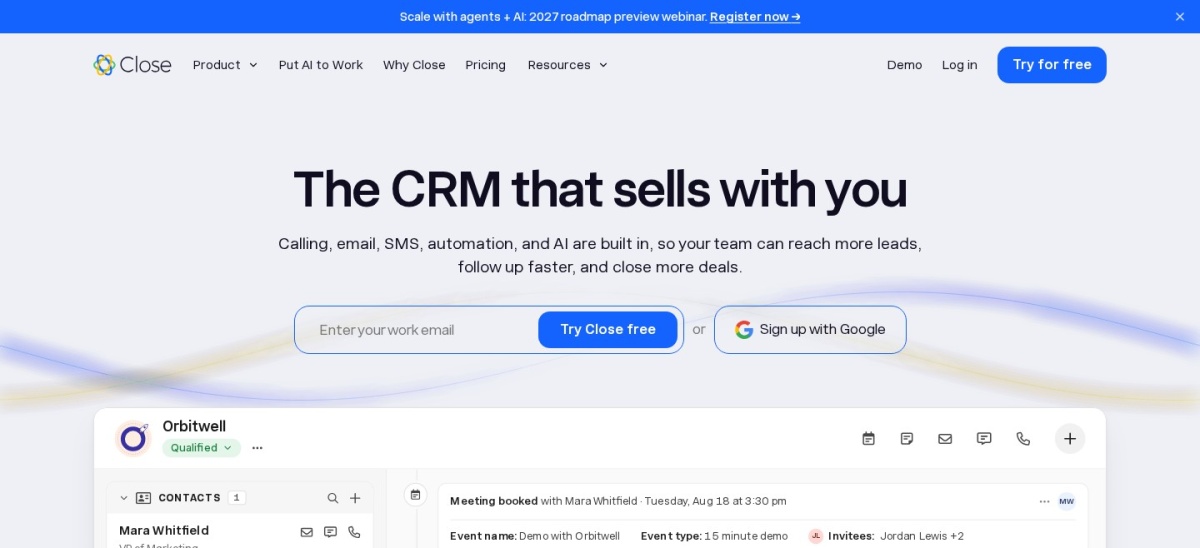
Close is a sales CRM built around calling, email, SMS and pipeline management. Its Solo subscription costs $9 monthly billed annually for an individual seller, while Essentials costs $35 per user monthly billed annually and adds shared sales management, reporting and additional CRM capabilities.
The trade off is that automated follow-up workflows, Power Dialer and AI Playbooks require Growth at $99 per user monthly billed annually, with calling, SMS and extra AI usage charged separately. It suits outbound sales teams that spend substantial time contacting prospects directly.
What we like
Calling and email integrated with CRM
Affordable Solo entry plan
Shared sales management on Essentials
Automated follow-ups and workflows on Growth
AI-assisted sales activities
Watch out for
Solo is limited to an individual seller
Advanced workflows require Growth
Calling and SMS have separate usage charges
Additional AI credits may increase costs
Essentials adds shared leads, team tasks, reporting and Local Presence.Visit close.com
05
Salesforce Sales Cloud
4.4/5on G2 (27,596 reviews, checked Nov 2026)
Paid from$25/mo
Best for scalable enterprise sales processes
Free optionFree Suite
Starter Suite$25/user/mo
Pro Suite$100/user/mo
Automation builderHigher editions
salesforce.com
Salesforce Sales Cloud homepage, captured Nov 2026.
Salesforce Sales Cloud is a CRM platform for managing leads, opportunities, pipelines and sales operations. Its Free Suite provides basic CRM access, while Starter Suite costs $25 per user monthly and combines sales, marketing and service functionality with built-in sales flows and lead routing.
The trade off is that expanded workflow configuration and Flow Builder capabilities require higher subscriptions, including Pro Suite at $100 per user monthly. It suits growing businesses that need structured CRM processes and a platform that can expand with their operational requirements.
What we like
Established CRM and sales automation ecosystem
Free Suite for basic CRM needs
Built-in lead routing on Starter Suite
Advanced automation available in higher editions
Extensive integrations and customization options
Watch out for
Advanced workflow tools require higher plans
Complex configurations can need specialist support
Additional applications and AI features may increase costs
Starter Suite adds expanded sales, marketing and service capabilities with lead routing.Visit salesforce.com
06
Insightly CRM
4.2/5on G2 (950 reviews, checked Nov 2026)
Starts at$29/mo
Best for automating lead and project handoffs
Plus price$29/user/mo annually
Professional price$49/user/mo annually
Workflow automationProfessional
Free trial14 days
insightly.com
Insightly CRM homepage, captured Nov 2026.
Insightly CRM is a customer and project management platform that connects sales records with post-sale work. Its Plus plan costs $29 per user monthly billed annually and includes lead management, contact records, project management, advanced reporting and pre-built business dashboards.
The trade off is that workflow automation, lead assignment and routing, and AI Copilot require Professional at $49 per user monthly billed annually. It suits service businesses that need a structured transition from sales opportunities into ongoing project delivery.
What we like
Sales CRM with project management
Lead and contact management
Reporting and dashboards on Plus
Workflow automation on Professional
Integration automation available through AppConnect
Watch out for
Plus excludes advanced workflow automation
Professional increases per-user costs
AppConnect is a separate paid product
Professional adds workflow automation, lead routing and AI Copilot.Visit insightly.com
07
lemlist
4.6/5on G2 (2,786 reviews, checked Nov 2026)
Starts at$55/mo
Best for automated outbound prospecting
Email plan$55/mo annually
Regular monthly rate$69
Monthly email allowance50,000
Lead database650M+ leads
lemlist.com
lemlist homepage, captured Nov 2026.
lemlist is an outbound sales platform for finding prospects, enriching contact records and automating personalized email outreach. Its Email plan lists $69 on monthly billing or $55 monthly with annual billing and includes a 650M-plus lead database, CRM integrations, API access and email deliverability tools.
The trade off is that LinkedIn and SMS automation require Multichannel at $87 monthly with annual billing, while enrichment data and intent signals have separate allowances or add-on costs. It suits prospecting teams focused on outbound campaigns rather than managing every CRM activity.
The Email plan adds automated outreach, prospect data, CRM integrations and deliverability tools.Visit lemlist.com
Sales automation software vs. CRM: what is the difference?
A CRM stores information about customers, leads and sales opportunities. Sales automation uses that information to trigger activities, such as assigning new leads, creating follow-up tasks or sending personalized messages.
Platforms such as HubSpot, Zoho CRM, Freshsales and Salesforce combine CRM records with automation capabilities. Others, including lemlist, specialize in outbound engagement and connect with an existing CRM.
A combined platform may reduce the number of applications your team manages. A dedicated outreach tool may be more appropriate when the primary requirement is prospecting and automated communication.
Sales processes worth automating first
Lead assignment is a practical starting point. Automatically routing inquiries to the right representative reduces manual administration and makes ownership clearer.
Follow-up reminders and sales sequences are another common use case. Automated activities can help representatives maintain consistent contact without manually recreating tasks after every conversation.
Pipeline updates, meeting preparation and post-sale handoffs can also benefit from automation. Begin with processes that are clearly defined and easy to review before adding complicated decision rules or autonomous AI actions.
Keep human approval for sensitive communications, unusual pricing decisions and important customer commitments. Automation should support sales representatives rather than send inaccurate or inappropriate messages without oversight.
How we chose
We selected established CRM and sales engagement platforms with documented automation features, including lead routing, workflow rules, outreach sequences, AI-assisted activities and pipeline management. The shortlist represents both general sales CRMs and specialized outbound automation software.
Vendor pricing and G2 review information were checked on 22 Nov 2026. Published prices are regular subscription rates or standard annual-billing equivalents, not temporary promotional discounts. Where entry editions lack meaningful automation, we identify the subscription required for more advanced workflows rather than implying every feature is included.
We excluded products with inaccessible official entry pricing, insufficient public reviews or unclear sales automation functionality. We also considered workflow restrictions, user limits, integration availability and potential usage-based charges. No vendor paid for a place, and we do not claim testing for this list.
How to choose the right sales automation software
Identify the repetitive sales activities slowing your team down, then compare automation capabilities, integrations and subscription requirements.
Map your current sales workflow. Document how leads enter your pipeline, who contacts them, when follow-ups happen and how opportunities progress. Prioritize repetitive tasks that have clear conditions and predictable outcomes.
Match features to your sales process. Choose CRM workflow tools for lead routing and pipeline management, sales engagement tools for outbound sequences, or combined platforms when you need both. Check whether advanced features require higher editions.
Verify integrations and data handling. Confirm that the software connects with your email, calendar, CRM and communication systems. Review permissions, duplicate handling and how automation records activities across connected applications.
Calculate the complete cost. Compare user licenses, automation limits, AI credits, calling charges and add-on subscriptions. Include configuration and training effort, then assess whether the expected time savings justify the expense.
FAQ
What is the best sales automation software in 2026?
HubSpot Sales Hub is our overall recommendation because it connects sales automation with CRM records, pipeline management and communication tools. Zoho CRM is a more affordable choice for configurable workflows, while Freshsales is suitable for smaller teams that want basic automation and built-in communication.
What does sales automation software do?
Sales automation software handles repetitive activities such as assigning leads, updating customer records, scheduling follow-ups and sending outreach sequences. Depending on the platform, it can also assist with lead scoring, pipeline management and sales reporting. The goal is to reduce administration and improve process consistency.
Is there free sales automation software?
Yes. HubSpot Sales Hub offers free CRM tools for up to 2 users, and Zoho CRM provides a free edition for up to 3 users. Freshsales also lists a free CRM edition. However, advanced automation features often require paid subscriptions.
Which sales automation software is best for small businesses?
Zoho CRM and Freshsales are practical choices for small businesses because their paid entry subscriptions are relatively affordable. Zoho CRM Standard costs $14 per user monthly billed annually, while Freshsales Growth costs $9. Compare workflow features and ease of configuration before choosing.
What is the difference between sales automation and marketing automation?
Sales automation focuses on activities such as lead assignment, prospect follow-ups, deal progression and sales representative tasks. Marketing automation generally handles campaign delivery, audience segmentation and lead nurturing at a broader scale. Some platforms combine both functions and share customer data between teams.
Can sales automation software send follow-up emails?
Yes. Many sales platforms support email sequences or automated follow-up actions, but the features depend on the subscription. HubSpot reserves advanced sales sequences for Professional, while Freshsales offers sequences on Pro. lemlist specializes in outbound email automation.
Can AI automate sales tasks?
Yes. AI-enabled platforms can help summarize conversations, enrich contact records, suggest actions and generate outreach content. Some also support AI-assisted workflow steps. Teams should review generated messages, control data access and monitor usage-based charges before allowing AI to handle customer communications.
How much does sales automation software cost?
Entry subscriptions range from Freshsales Growth at $9 per user monthly billed annually to lemlist Email at $55 monthly with annual billing. More advanced workflow and AI capabilities often require higher plans. Evaluate the cost of the automation features you actually need rather than relying only on the entry price.
Does sales automation software replace a CRM?
Not necessarily. HubSpot, Zoho CRM, Freshsales, Close and Salesforce combine CRM and automation features. Dedicated outbound tools such as lemlist often work alongside an existing CRM. The best setup depends on whether your main challenge is organizing customer information or automating prospecting and follow-up activities.