Best Professional Landscape Design Software in 2026: 7 Tools Compared
WLWPLegible EditorsLast verified 22 Nov 2026How we rank12 min read
★ Short answer
DynaScape is our top professional landscape design software pick, with Creator starting at $96 monthly and supporting unlimited cloud-based designs. SketchUp is better for flexible 3D modeling, with Go at $129 yearly and desktop Pro at $399 yearly, while Realtime Landscaping offers a $599 perpetual Architect license for detailed residential plans.
How we make this list: we compare pricing pages, product documentation and public user reviews, then re-check every price before each update. No product paid for a place. Disclosure.
DynaScape Creator costs $96 monthly for unlimited landscape designs, while its Capterra rating is 4.2/5 from 207 reviews.
SketchUp Go starts at $129 yearly, but professionals needing desktop modeling, LayOut, and extensions should budget $399 yearly for Pro.
Realtime Landscaping Architect 2026 costs $599 once and includes professional drawing tools and a library of more than 8,000 plants.
iScape Pro costs $29.99 monthly or $299.99 yearly, with a 4.6/5 App Store rating from approximately 29,000 ratings.
D5 Render Pro costs $360 yearly and supports landscape visualization, 16K still images, and 4K animations.
SmartDraw's regular Individual price is $10.95 monthly billed annually, while AutoCAD costs $2,095 yearly for advanced drafting.
What professional landscape design software should include
Professional landscape design software needs to do more than produce attractive garden pictures. Designers may need measured site plans, planting layouts, terrain modeling, hardscape details, irrigation drawings, and clear presentations that contractors can use.
The biggest distinction is between CAD drafting, 3D visualization, and photo-based landscape design. CAD tools focus on accurate dimensions and construction documents. Visualization tools help clients understand proposed spaces, while photo-based applications make early concepts easier to communicate.
Plant libraries also matter. A landscape-specific application should support plant selection, placement, labeling, and ideally quantity calculations. General-purpose 3D modeling software can create detailed outdoor environments but may require extensions or additional workflows for planting schedules.
Consider how projects move from initial concepts to installation. Design-build contractors may benefit from estimating, material takeoffs, and business management integrations, while landscape architecture firms may prioritize BIM, construction documents, and compatibility with other CAD applications.
Finally, compare total cost rather than the entry price alone. Subscriptions, rendering tools, optional extensions, training, and hardware requirements can all affect the expense of delivering professional landscape projects.
The 7 best professional landscape design software tools
01
DynaScape
4.2/5on Capterra (207 reviews, checked Nov 2026)
Starts at$96/mo
Best for professional landscape design firms
Entry productCreator, $96/month
Design allowanceUnlimited designs
Advanced CADDesign, $127/month
PlatformCreator: browser-based
dynascape.com
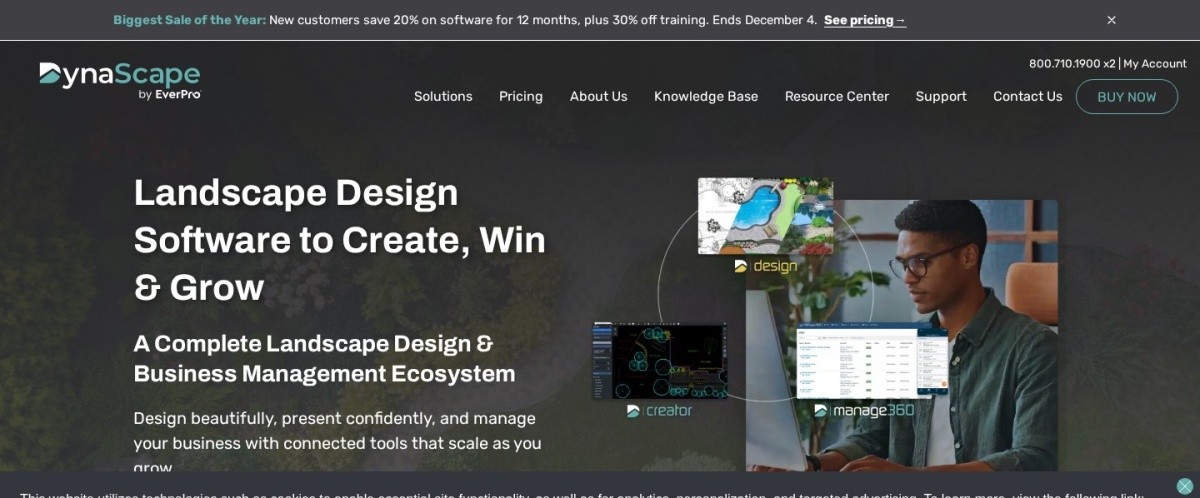
DynaScape homepage, captured Nov 2026.
DynaScape is landscape design software built for professional designers and design-build businesses. Its Creator product costs $96 monthly and includes unlimited cloud-based designs, precision measuring, plant and symbol libraries, raster image imports, and basic cost calculations for preparing client concepts.
The trade off is that Creator does not include the complete CAD drafting workflow of DynaScape Design, which costs $127 monthly or $1,599 at the regular annual price. Rendering enhancements such as Color and Sketch3D also cost extra. It suits landscape businesses that need structured design workflows with room to expand into technical drafting and estimating.
What we like
Designed specifically for landscaping professionals
Creator supports unlimited projects and cloud storage
Best for flexible professional 3D landscape modeling
Entry paid planGo, $129/year
Desktop Pro$399/year regular
Extension supportPro only
DocumentationLayOut included in Pro
sketchup.com
SketchUp homepage, captured Nov 2026.
SketchUp is a general-purpose 3D modeling platform widely applicable to outdoor spaces, hardscapes, buildings, and landscape presentations. Its Go subscription costs $129 yearly and supports web and iPad modeling, while the free web edition provides basic modeling capabilities for learning and personal projects.
The trade off is that professional desktop workflows require Pro at the regular $399 yearly price, rather than Go. Pro includes LayOut, desktop modeling, extensions, and improved CAD compatibility; a temporary Cyber Week discount is advertised separately. It suits landscape designers who need flexible custom models and are comfortable adding specialized tools for planting documentation.
What we like
Flexible modeling for unusual landscape layouts
Large library of downloadable 3D models
Pro includes LayOut for presentation documents
Extensive extension ecosystem
Supports both concept design and detailed modeling
Watch out for
Go does not include the desktop modeler
Planting schedules require additional workflows
Advanced photorealistic rendering may require other software
Large complex models can demand capable hardware
Pro adds desktop modeling, LayOut, extensions, and advanced file compatibilityVisit sketchup.com
03
Realtime Landscaping
4.8/5on Capterra (8 reviews, checked Nov 2026)
Starts at$599 one-time
Best for residential landscape plans with a perpetual license
ProductArchitect 2026
Regular license$599 one-time
Plant library8,000+ plants
Operating systemWindows
ideaspectrum.com
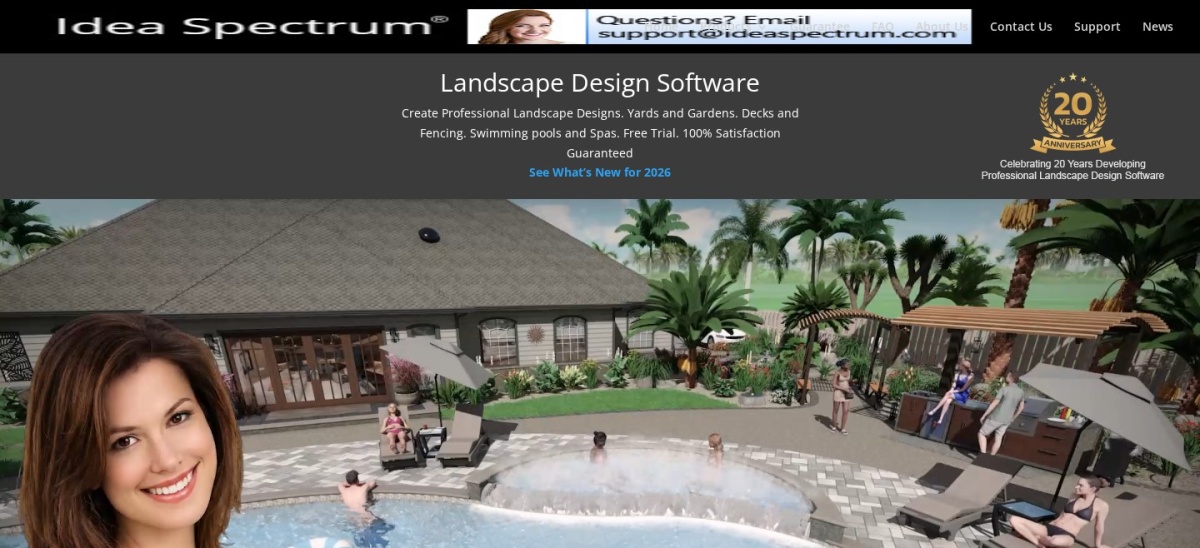
Realtime Landscaping homepage, captured Nov 2026.
Realtime Landscaping is Idea Spectrum's landscape design software family for creating measured plans, gardens, patios, decks, and realistic outdoor presentations. Its professional Architect 2026 edition costs $599 once and includes construction-oriented drawing tools, 3D walkthroughs, and a library containing more than 8,000 plants.
The trade off is that Architect runs on Windows and lacks the broader BIM collaboration capabilities of enterprise CAD platforms. The 4.8/5 Capterra score also comes from only 8 reviews, so its evidence base is smaller than other picks. It suits residential landscape designers who prefer one-time licensing and want planning and visualization together.
4.6/5on App Store (29,000 reviews, checked Nov 2026)
Paid from$299.99/yr
Best for on-site landscape visualization and client proposals
Pro monthly$29.99/month
Pro annual$299.99/year
App Store rating4.6/5
Review volumeApproximately 29K ratings
iscapeit.com
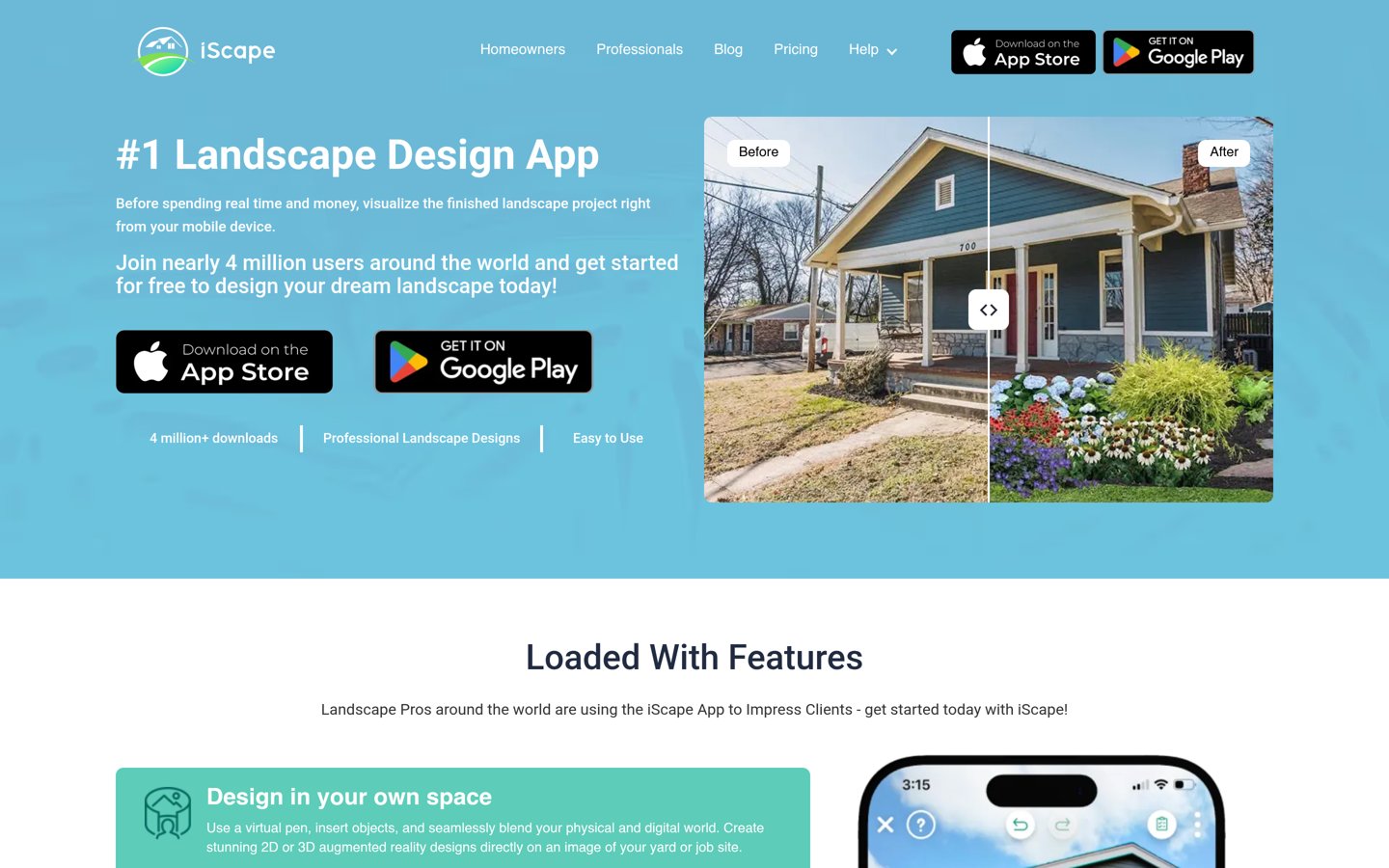
iScape homepage, captured Nov 2026.
iScape is a landscape visualization application that lets designers place plants, hardscapes, and outdoor features into photographs of existing properties. Its free version provides limited access to design assets, while Pro costs $299.99 annually and adds expanded design libraries, unlimited saved designs, and proposal-generation tools.
The trade off is that iScape focuses on visual concepts rather than detailed construction-ready CAD drawings. The alternative monthly Pro subscription costs $29.99, and professional users may still need other software for dimensions, grading, and installation details. It suits landscape contractors who want to show clients proposed changes during consultations.
What we like
Visual designs based on actual property photographs
Useful for on-site client consultations
Pro supports customizable customer proposals
Free version available for initial evaluation
Large public App Store rating base
Watch out for
Limited technical drafting capabilities
Free version restricts design assets
Less suitable for complex grading and engineering
Professional proposals require a paid subscription
Pro expands the design library, saved projects, and customer proposal featuresVisit iscapeit.com
05
D5 Render
4.8/5on G2 (1,100 reviews, checked Nov 2026)
Paid from$360/yr
Best for photorealistic landscape presentations
Pro annual$360/year
Pro monthly$38/month
Still renderingUp to 16K
Video renderingUp to 4K
d5render.com
D5 Render homepage, captured Nov 2026.
D5 Render is a real-time architectural visualization platform that helps landscape professionals create realistic outdoor scenes from existing 3D models. Its Pro subscription costs $360 annually and includes advanced scene controls, terrain tools, vegetation assets, 16K still rendering, and 4K video output.
The trade off is that D5 Render is primarily a visualization tool rather than a complete landscape CAD system. Professional commercial work requires Pro, while the free Community edition is intended for personal learning and evaluation. It suits landscape architects and visualization specialists who need polished presentations from designs prepared in other applications.
What we like
High-quality real-time outdoor visualization
Supports terrain and vegetation placement
Integrates with established 3D design applications
Pro enables commercial use, premium assets, advanced tools, and higher-end presentationsVisit d5render.com
06
AutoCAD
4.4/5on G2 (2,017 reviews, checked Nov 2026)
Starts at$2,095/yr
Best for precise landscape construction drawings
Annual subscription$2,095
Monthly subscription$260
Drawing capabilities2D and 3D CAD
PlatformsWindows and macOS
autodesk.com
AutoCAD homepage, captured Nov 2026.
AutoCAD is Autodesk's professional CAD application for producing accurately dimensioned drawings, layouts, and construction documents. Its annual subscription costs $2,095 and includes desktop software alongside web and mobile access, with tools for detailed 2D drafting and 3D modeling.
The trade off is its comparatively high price and lack of a complete built-in landscape-specific plant database or planting workflow. Its monthly subscription costs $260, while specialized landscape functions may require additional applications or plugins. It suits landscape architecture firms that exchange technical CAD documents with architects, engineers, and contractors.
What we like
Precise drafting and dimensioning tools
Established DWG-based collaboration workflows
Suitable for detailed landscape construction drawings
Customizable through supported extensions
Desktop, web, and mobile access
Watch out for
Higher subscription cost than most alternatives
Landscape-specific functions may need plugins
Steep learning curve for new CAD users
Photorealistic landscape presentations require additional work
The paid subscription provides full AutoCAD functionality and ongoing software updatesVisit autodesk.com
07
SmartDraw
4.5/5on G2 (408 reviews, checked Nov 2026)
Starts at$10.95/mo
Best for simple professional landscape layout drawings
Individual regular price$10.95/month
BillingAnnual
Introductory offer$5.75/month
Design focusScaled 2D plans
smartdraw.com
SmartDraw homepage, captured Nov 2026.
SmartDraw is a diagramming and floor-planning application with landscape design templates for organizing outdoor layouts, paths, planting areas, and property features. Its Individual subscription has a regular price of $10.95 monthly billed annually, while a temporary introductory offer reduces the initial rate to $5.75 monthly.
The trade off is that SmartDraw produces diagrams and scaled plans rather than detailed 3D landscape environments or engineering-grade site models. Its landscape tools are better suited to straightforward layouts than specialized planting schedules and complex grading. It suits contractors and small design teams preparing clear preliminary site plans.
What we like
Affordable regular subscription
Landscape design templates available
Scaled planning and diagramming tools
Useful for quick conceptual layouts
Supports sharing and collaboration
Watch out for
No dedicated photorealistic landscape rendering workflow
Complex grading and irrigation require other software
Introductory discount does not represent renewal pricing
The paid plan provides ongoing access to templates, diagrams, and advanced editingVisit smartdraw.com
CAD drafting vs 3D rendering vs photo-based design
CAD drafting is essential when landscape plans must communicate accurate dimensions, materials, planting locations, or construction details. AutoCAD and the advanced DynaScape Design product focus on technical drawing workflows.
3D modeling helps designers evaluate space, proportions, and material combinations. SketchUp offers flexible models for custom landscapes, while D5 Render turns supported models into detailed client presentations.
Photo-based design is useful during early consultations. iScape lets contractors visualize proposed plants and hardscapes against existing property images, helping clients understand the visual impact of a project.
Dedicated landscape applications can combine these approaches. Realtime Landscaping Architect provides drawing and visualization capabilities in a single purchase, while DynaScape connects design activities with broader landscape business workflows.
Choose the primary application according to the deliverables customers and contractors actually need. High-quality visuals cannot replace accurate installation drawings when a project requires technical construction documentation.
How much does professional landscape design software cost?
Professional landscape software pricing ranges from relatively inexpensive design subscriptions to higher-cost CAD systems. However, entry prices may apply to limited editions rather than the full workflow professionals need.
SketchUp Go costs $129 annually, but its desktop Pro edition costs $399 annually at the regular rate. SmartDraw costs $131.40 annually for an Individual subscription at its regular price, while iScape Pro offers a $299.99 annual subscription.
Specialized tools can cost more. DynaScape Creator costs $96 monthly, while Realtime Landscaping Architect costs $599 as a one-time purchase. AutoCAD's published annual subscription is $2,095.
Visualization software may add another expense. D5 Render Pro costs $360 annually, but it does not replace the software used to prepare technical drawings.
A realistic budget should include software licenses, optional rendering tools, hardware, training, and time spent creating reusable plant and material libraries. Compare costs over several years, especially when weighing perpetual licenses against subscriptions.
How we chose
We researched established landscape design, CAD drafting, 3D modeling, and visualization applications with documented professional landscape use cases. We prioritized products capable of producing landscape layouts, outdoor concepts, technical drawings, or client presentations, rather than general graphic design tools without relevant functionality.
Official vendor pricing and public review pages were checked on 22 Nov 2026. Ratings came from G2, Capterra, and the App Store. We used regular published prices instead of introductory discounts and distinguished perpetual license costs from subscription expenses. The Realtime Landscaping rating has a smaller review sample than the other products and should be interpreted accordingly.
We excluded products with inaccessible published pricing, unclear commercial licensing, or insufficient evidence of current availability. We also distinguished specialized landscape CAD from general 3D modeling and rendering applications, because they serve different project stages. No vendor paid for a place, and we do not claim testing for this list.
How to choose professional landscape design software
Identify the drawings and presentations your clients require, then compare applications according to design workflow, project complexity, and long-term cost.
Identify your required project deliverables. Determine whether you need conceptual garden layouts, detailed planting plans, grading information, construction drawings, or photorealistic presentations. Landscape architecture firms may require technical CAD documents, while residential design-build contractors may prioritize visualization and proposals.
Evaluate landscape-specific design tools. Look for plant libraries, scaled measurements, terrain handling, hardscape tools, labeling, and material quantities. Verify whether these capabilities are included in the entry product or require a higher edition, external extension, or separate subscription.
Check collaboration and software compatibility. Confirm support for the file formats used by clients, architects, engineers, and contractors. Consider whether the application runs on your preferred operating system and can exchange drawings with existing CAD or modeling tools.
Compare the complete ownership cost. Include subscriptions, perpetual licenses, rendering software, extensions, hardware, and training. Compare regular renewal prices rather than temporary discounts. A lower-priced application can become more expensive if important drawing or visualization functions require separate purchases.
FAQ
What is the best professional landscape design software in 2026?
DynaScape is our top choice for landscape firms needing dedicated design workflows and potential integration with estimating tools. SketchUp is better for flexible custom 3D modeling, while Realtime Landscaping Architect suits residential designers who prefer a one-time software purchase.
Which landscape design software is best for landscape architects?
Landscape architects producing technical drawings may benefit from AutoCAD or the advanced DynaScape Design product. Both support detailed drafting workflows, although landscape-specific features differ. Firms should prioritize drawing standards, file compatibility, site modeling, and the documentation requirements of their projects.
Is SketchUp good for professional landscape design?
Yes. SketchUp can model landscapes, patios, retaining walls, outdoor structures, and custom hardscape features. Its Pro edition includes desktop modeling, LayOut, and extensions. However, specialized planting schedules, grading workflows, and landscape construction documentation may require additional tools.
What is the best landscape design software with a one-time payment?
Realtime Landscaping Architect 2026 is a practical option at $599 for a perpetual license. It combines professional landscape drawings and 3D visualization without a mandatory recurring subscription. Buyers should check future upgrade policies and confirm that its Windows-only environment fits their workflow.
What is the difference between landscape CAD and 3D landscape software?
Landscape CAD software focuses on precise measurements, construction drawings, and technical documentation. 3D landscape software focuses on modeling and visualizing proposed outdoor spaces. Some products combine both capabilities, while specialized rendering applications concentrate on realistic images and animations.
Can professional landscape design software calculate materials?
Some professional applications include material quantities, plant counts, or takeoff functions. DynaScape Design supports plant and material takeoffs, while other products may require extensions or manual calculations. Confirm whether estimating information can be exported or connected to your business management software.
Is free landscape design software suitable for professional projects?
Free software can help with early concepts and learning, but commercial licensing and export limitations matter. SketchUp offers a free web edition, while D5 Render Community is limited to noncommercial use. Professional deliverables may require paid licensing, technical drafting tools, and additional documentation.
Which landscape design software is best for 3D rendering?
D5 Render is well suited to realistic landscape imagery and animation when combined with compatible modeling software. SketchUp provides flexible 3D modeling, while Realtime Landscaping includes integrated landscape visualization. Choose according to whether you need modeling, rendering, or both.
How much does professional landscape design software cost?
Entry prices in this comparison range from SmartDraw at $131.40 annually to AutoCAD at $2,095 annually. Specialized products such as DynaScape have monthly subscriptions, while Realtime Landscaping offers perpetual licensing. The total cost depends on required editions, extensions, rendering tools, and renewal policies.