Best Procurement Software in 2026: 7 Tools Compared
WLWPLegible EditorsLast verified 22 Nov 2026How we rank5 min read
★ Short answer
Precoro leads for dedicated procure-to-pay workflows with Core starting at $499/month billed annually and a 4.7 rating across 226 G2 reviews. Ramp suits teams wanting a free tier with Plus at $15/user/month, while ApprovalMax fits Xero and QuickBooks approval rules from $49.50/month.
How we make this list: we compare pricing pages, product documentation and public user reviews, then re-check every price before each update. No product paid for a place. Disclosure.
Precoro starts at $499/month billed annually ($5,988/yr) for Core and holds 4.7/5 across 226 G2 reviews.
Ramp offers a free base tier and Plus at $15/user/month with a 4.8/5 rating on G2.
BILL starts at $45/user/month on Essentials and holds a 4.4/5 rating across 4,193 G2 reviews.
ApprovalMax starts at $49.50/month per organization with a 4.6/5 rating across 105 G2 reviews.
ProcureDesk starts at $830/month billed annually ($9,960/yr) on Startup and holds a 4.4/5 rating across 51 G2 reviews.
What to look for in procurement software
Good procurement software puts spend controls ahead of payment rather than chasing receipts after bills arrive. Core building blocks include purchase requisitions, multi-step approval routing, purchase orders, receiving logs, and two- or three-way invoice matching.
Pricing models vary sharply across vendors. Some charge per active user each month, while others bill flat monthly or annual packages by tier, add AP modules separately, or attach transaction and foreign exchange fees to card and bank payouts.
Accounting and ERP sync matters just as much as intake workflows. Check whether a tool offers native two-way sync with QuickBooks Online, Xero, NetSuite, or Sage Intacct so purchase orders, budgets, and approved bills stay aligned without manual exports.
Finally, separate dedicated procure-to-pay suites from card-led spend platforms. Card-first tools excel at employee card limits and fast receipt capture, whereas dedicated procurement tools give deeper catalog controls, custom approval matrices, and pre-spend budget gates.
Precoro is a procure-to-pay platform for small and midsize teams covering requisitions, purchase orders, receiving, and two- or three-way invoice matching. Its Core plan starts at $499/month billed annually and includes custom approval workflows, supplier management, and accounting sync.
The trade off is the $499/month annual starting price ($5,988/yr), while features like real-time budget tracking and PunchOut sit in higher tiers. It suits midsize teams that want structured purchase-order control ahead of invoice payment.
What we like
Clear purchase requisition, PO, and 2- or 3-way invoice matching flow
4.7/5 rating across 226 G2 reviews with strong ease-of-use feedback
Published starting prices for Core, Automation, and AP add-ons
Supports QuickBooks Online, Xero, and NetSuite connections
Watch out for
No free tier and a $499/month annual entry commitment
Budget tracking and PunchOut catalogs sit on higher-priced tiers
Higher tiers and add-ons add real-time budget tracking, Automation at $999/month, and extra company entities.Visit precoro.com
02
Ramp
4.8/5on G2 (2,578 reviews, checked Nov 2026)
Paid from$15/mo
Best free option for cards, expenses, and AP
Paid entryRamp Plus at $15/user/mo
Free tierAvailable with cards & AP
ProcurementPOs & 3-way match on Plus
G2 rating4.8/5 (2,578 reviews)
ramp.com
Ramp homepage, captured Nov 2026.
Ramp is a spend and finance platform combining corporate cards, expense tracking, bill pay, and purchase orders. Its free tier includes unlimited cards and basic bill pay, while Ramp Plus starts at $15/user/month plus a team-size platform fee.
The trade off is that full purchase-order management and three-way matching require Ramp Plus at $15/user/month ($180/yr per user), and card limits can tie to cash balances. It suits growing teams that want cards, expenses, and bills in one system.
What we like
Free base tier covers corporate cards, receipt capture, and bill pay
4.8/5 rating on G2 with fast setup and mobile workflows
Ramp Plus adds custom approval rules, POs, and three-way matching
Watch out for
Purchase orders and deeper ERP controls require upgrading to Plus
Platform fee applies on top of per-user pricing on Plus
Ramp Plus ($15/user/month plus platform fee) unlocks custom approval routing, purchase orders, and three-way matching.Visit ramp.com
03
BILL
4.4/5on G2 (4,193 reviews, checked Nov 2026)
Starts at$45/mo
Best for AP and AR workflows with broad accounting sync
Paid entryEssentials at $45/user/mo
Core focusAP & AR bill workflows
Extra feesACH, check & card fees
G2 rating4.4/5 (4,193 reviews)
bill.com
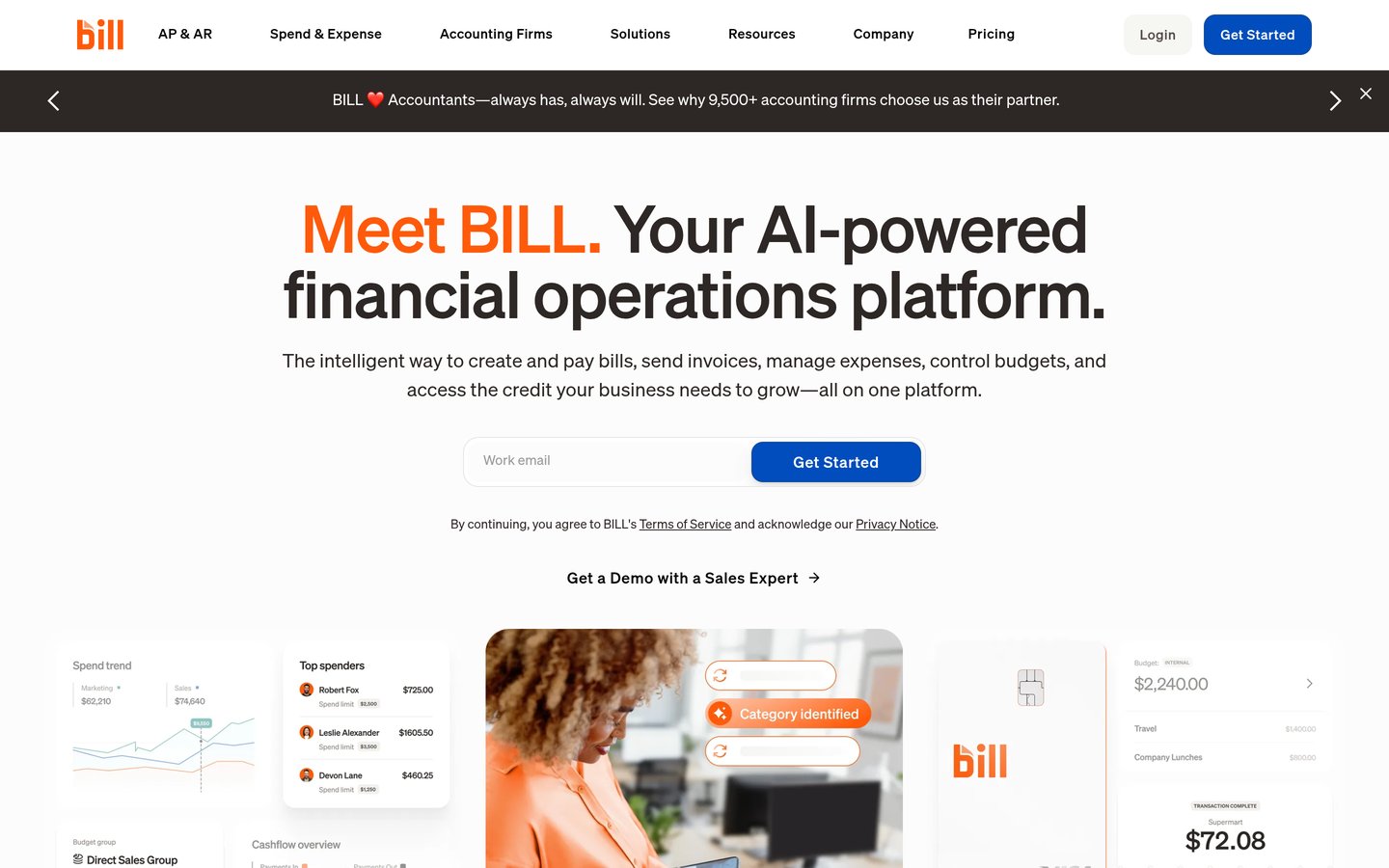
BILL homepage, captured Nov 2026.
BILL is a business payments and accounts payable platform that routes vendor bills, approvals, and payouts alongside receivables. Paid plans start on Essentials at $45/user/month ($540/yr per user), while BILL Spend & Expense offers a free card-and-budget option.
The trade off is per-user pricing starting at $45/user/month plus transaction fees on payment methods like ACH, checks, and cards. It suits small and midsize finance teams focused on bill approvals, vendor payments, and accounting sync.
What we like
Large review base with 4.4/5 across 4,193 G2 reviews
Established sync with major small-business and mid-market accounting tools
Separates bill approvals, vendor payouts, and spend card controls
Watch out for
Per-user pricing adds up as approval and finance headcount grows
Payment transaction fees apply on top of monthly user subscriptions
Higher plans add two-way accounting sync, custom roles, and broader accounts payable and receivable controls.Visit bill.com
04
ApprovalMax
4.6/5on G2 (105 reviews, checked Nov 2026)
Starts at$49.50/mo
Best for multi-step PO and bill approvals on Xero or QBO
Paid entryFrom $49.50/org/mo
Core focusPO & bill approval matrices
Budget checkLive budget comparison
G2 rating4.6/5 (105 reviews)
approvalmax.com
ApprovalMax homepage, captured Nov 2026.
ApprovalMax is an approval automation layer for purchase orders, bills, and expenses connected to Xero and QuickBooks Online. Pricing starts from $49.50/month per organization ($594/yr), letting teams build multi-step approval matrices and budget checks.
The trade off is that it acts as an approval and matching layer alongside an accounting ledger rather than a full catalog or sourcing suite. It suits Xero and QuickBooks Online teams that need strict approval rules and audit trails.
What we like
Multi-step approval rules based on amount, role, department, or supplier
Budget checking helps flag spend against budgets before approval
4.6/5 rating across 105 G2 reviews for clear audit trails
Watch out for
Relies on supported accounting systems rather than acting as a standalone ERP
Lacks full punchout catalogs and strategic sourcing workflows
Higher tiers and add-ons expand workflow depth, capture tools, and multi-entity or ERP support.Visit approvalmax.com
05
Tradogram
4.3/5on G2 (38 reviews, checked Nov 2026)
Starts at$99/mo
Best for modular POs, suppliers, and small-team entry
Paid entryEssentials from $99/mo
ModulesPOs, suppliers & invoices
Add-onsBudgets, RFx & requisitions
G2 rating4.3/5 (38 reviews)
tradogram.com
Tradogram homepage, captured Nov 2026.
Tradogram is a modular procurement platform covering purchase orders, supplier records, invoice matching, and expense tracking. Its Essentials plan starts at $99/month ($1,188/yr), with optional add-ons for requisitions, budgets, and RFx sourcing.
The trade off is that capabilities like requisitions, receiving, real-time budget tracking, and custom approval routing are add-ons on Essentials, and extra users cost more. It suits smaller teams that want a low entry price for purchase orders and vendor tracking.
What we like
Accessible entry price starting at $99/month for core PO and vendor tools
Covers purchase orders, supplier management, and invoice matching
4.3/5 rating across 38 G2 reviews with helpful support noted
Watch out for
Key workflows like requisitions, receiving, and budgets are add-ons on Essentials
Additional user seats and extra modules increase total cost
Paid add-ons and higher tiers unlock purchase requisitions, receiving (GRN), real-time budgets, and RFx sourcing.Visit tradogram.com
06
ProcureDesk
4.4/5on G2 (51 reviews, checked Nov 2026)
Starts at$830/mo
Best for guided implementation and 3-way PO matching
Entry planStartup at $830/mo (annual)
MatchingAutomated 3-way matching
OnboardingGuided setup in 2–4 weeks
G2 rating4.4/5 (51 reviews)
procuredesk.com
ProcureDesk homepage, captured Nov 2026.
ProcureDesk is a procure-to-pay platform handling requisitions, approvals, purchase orders, receiving, and automated three-way invoice matching. Its Startup plan starts at $830/month billed annually ($9,960/yr) for 10 users with guided setup included.
The trade off is an annual commitment starting at $9,960/year, plus $20/month per extra seat beyond the plan allowance. It suits growing teams that want guided onboarding, budget checks, and three-way matching.
What we like
Combines purchase requests, approvals, receiving, and three-way invoice matching
Guided setup helps teams configure approval rules and accounting sync
4.4/5 rating across 51 G2 reviews with responsive support
Watch out for
Starts at $830/month billed annually, which is steep for tiny teams
Extra user seats cost $20/month above the base tier allowance
Growth ($1,250/month billed annually) and add-ons expand seat limits, inventory tracking, and custom workflows.Visit procuredesk.com
07
Spendwise
4.7/5on G2 (76 reviews, checked Nov 2026)
Starts at$9/mo
Best low-cost option for simple purchase orders
Paid entryBasic at $9/user/mo
Plan capUp to 5 users, 10 tx/mo
Higher tierPro at $19/user/mo
G2 rating4.7/5 (76 reviews)
spendwise.com
Spendwise homepage, captured Nov 2026.
Spendwise is a lightweight purchasing and purchase-order tool built to replace paper or spreadsheet order tracking. Its Basic plan starts at $9/user/month ($108/yr per user) for up to 5 users and 10 monthly transactions, with Pro at $19/user/month.
The trade off is a 10-transaction monthly cap and 5-user limit on Basic, plus lighter automation than full procure-to-pay suites. It suits small teams moving away from manual purchase orders without complex ERP needs.
What we like
Low entry price starting at $9/user/month on the Basic plan
4.7/5 rating across 76 G2 reviews for straightforward PO creation
Easy to look up past purchase orders and keep order records organized
Watch out for
Basic plan caps usage at 5 users and 10 transactions per month
Less suited to complex multi-entity ERP or high-volume AP automation
Pro ($19/user/month) supports 5 to 50 users with unlimited transactions for growing teams.Visit spendwise.com
Procurement software vs. accounts payable tools
Accounts payable software focuses on receiving, approving, and paying vendor invoices after an order is placed. Procurement software starts earlier in the cycle by capturing employee requests, checking budgets, routing approvals, and issuing purchase orders.
If your main problem is surprise spend or unapproved orders, prioritize pre-spend requisitions, budgets, and purchase orders. If your bottleneck is invoice data entry and bill payments, prioritize invoice capture, three-way matching, and accounting sync.
How we chose
We shortlisted established procurement, spend-management, and purchase-order platforms widely compared by finance and operations teams.
All ratings, review counts, and published starting prices were checked on 22 Nov 2026 from vendor pricing pages and G2 listings.
We excluded enterprise-only quote-gated suites without public starting prices and tools lacking clear procurement or approval workflows. No vendor paid for a place, and we do not claim testing for this list.
How to choose procurement software
Follow four practical steps to match a procurement tool to how your team buys and pays.
Map your current purchasing bottlenecks first. List where requests stall or budgets slip, whether that is unapproved orders, missing receipts, or slow invoice matching.
Check accounting and ERP sync before booking demos. Confirm native two-way sync with your general ledger so purchase orders, cost centers, and bills match your chart of accounts.
Model total cost across seats, add-ons, and fees. Compare per-user rates against flat package pricing, and check whether budgets, three-way matching, or payment fees cost extra.
Test approval speed with real everyday requesters. Have non-finance staff submit a sample request and approvers review it on desktop and mobile to spot workflow friction early.
FAQ
What is the main difference between a purchase order and an invoice?
A purchase order is issued by the buyer to authorize an order and set expected items and prices before delivery. An invoice is sent by the vendor requesting payment for goods or services delivered, which finance matches against the purchase order.
Do small businesses need dedicated procurement software?
Not every small business needs a heavy suite right away. Teams with simple purchasing can often start with a lightweight PO tool or spend platform, moving to dedicated procure-to-pay software once approval chains, budgets, and multi-way matching grow complex.
What is three-way invoice matching?
Three-way matching compares three documents before paying a vendor: the purchase order, the receiving record or goods receipt, and the supplier invoice. Matching all three helps catch duplicate bills, wrong quantities, and price mismatches.
Why do procurement tools charge per user versus per plan?
Per-user pricing scales with active seats and can get pricey when many staff request or approve purchases. Flat package or organization pricing can be more predictable for larger teams, though tiers may cap seats, entities, or modules.
Can procurement software integrate with QuickBooks or Xero?
Yes, many small and midsize procurement and spend tools connect with QuickBooks Online and Xero. Always verify whether a specific tier includes two-way sync, line-item mapping, and automated bill creation.
When should a company look beyond entry-level tools?
Look for higher tiers or specialized platforms when you need multi-entity controls, strict budget enforcement, PunchOut catalogs, contract tracking, or deeper ERP integration across multiple departments.