Best Accounting Software for Data Capture in 2026: 7 Tools Compared
WLWPLegible EditorsLast verified 22 Nov 2026How we rank6 min read
★ Short answer
QuickBooks Online leads for data capture in 2026 with receipt capture, automated bank feeds, and a $38/mo Simple Start plan. For dedicated document extraction and lower entry prices, Dext starts at $25.21/mo billed annually, while Wave offers digital receipt scanning on its $19/mo Pro plan.
How we make this list: we compare pricing pages, product documentation and public user reviews, then re-check every price before each update. No product paid for a place. Disclosure.
QuickBooks Online Simple Start starts at $38/mo regular price with receipt capture and automated bank feeds.
Xero US Early starts at $27/mo with Smart Document Capture and bank reconciliation, capped at 20 invoices and 5 bills per month.
Wave Pro adds unlimited receipt scanning and auto-categorized bank feeds for $19/mo or $190/yr.
Dext starts at $25.21/mo billed annually ($302.50/yr) for 250 documents/month and 5 users across connected accounting ledgers.
Zoho Books Standard starts at $15/mo billed annually with a document autoscan add-on available from $8/mo for 50 scans.
What to look for in accounting software with data capture
Automated data capture turns paper receipts, supplier bills, and bank activity into ledger entries without typing every line by hand. Strong tools read vendor names, dates, and totals accurately, then attach source files to transactions so audits stay straightforward.
Some platforms bundle receipt scanning and bank feeds directly into their core accounting plans, while others charge separately per scan pack or connect a dedicated extraction app to your ledger. Checking monthly document caps, user limits, and line-item splitting helps prevent surprise upgrades.
Before committing, check whether a plan's advertised price is a temporary promo or the regular rate, and verify how well capture rules match your recurring vendors and tax categories.
4.3/5on Capterra (8,555 reviews, checked Nov 2026)
Starts at$38/mo
Best for all-in-one small business data capture
Regular entry planSimple Start ($38/mo)
Included users1 user + accountant
Capture featuresReceipt capture & bank feeds
Free option30-day free trial
quickbooks.intuit.com
QuickBooks Online homepage, captured Nov 2026.
QuickBooks Online is cloud accounting software that combines receipt capture, automated bank feeds, and income and expense tracking in one workspace. New subscribers can start with a 30-day free trial and connect bank accounts or mobile receipt snaps directly to their ledger.
The trade off is paying $38/mo regular price on Simple Start after any promotional discount ends, and adding seats requires higher tiers. It suits small businesses that want built-in receipt and bank ingestion inside a mainstream ledger.
What we like
Combines receipt capture and automated bank feeds in the entry plan
Broad third-party app ecosystem and accountant access
30-day free trial available before paying regular rates
Watch out for
Regular Simple Start price is $38/mo once promo periods end
Entry plan covers a single business user seat
Higher tiers add multi-user and advanced inventory tools
Higher plans add more users, bill management, multiple currencies, and inventory tracking.Visit quickbooks.intuit.com
02
Xero
4.4/5on G2 (1,863 reviews, checked Nov 2026)
Starts at$27/mo
Best for Smart Document Capture and Xero users
Regular entry planEarly ($27/mo US)
Monthly caps20 invoices, 5 bills
Capture featuresSmart Document Capture
Free optionFree trial available
xero.com
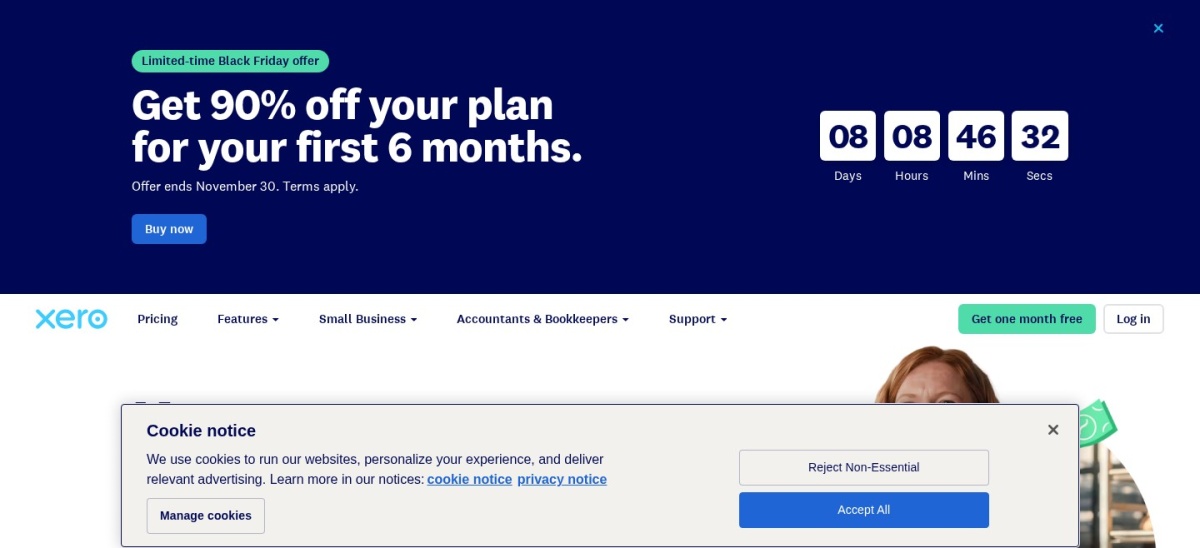
Xero homepage, captured Nov 2026.
Xero is small business accounting software that includes Smart Document Capture to pull receipts and bills into Xero alongside bank transaction reconciliation. Its US Early plan starts at $27/mo regular price and includes bank reconciliation, invoicing, and bill tracking.
The trade off is a strict cap of 20 invoices and 5 bills per month on Early, pushing busier teams to Growing at $59/mo. It suits light-volume US businesses that want built-in document capture and Xero workflows.
What we like
Smart Document Capture is included on the US Early plan
Matches bank statement activity with recorded transactions
Includes 1099 reporting and sales tax tools
Watch out for
Early plan caps activity at 20 invoices and 5 bills per month
Higher volume requires upgrading to Growing at $59/mo
No permanent free plan in the US
Growing unlocks unlimited invoices and bills plus automated bank reconciliation.Visit xero.com
03
Dext
4.6/5on G2 (450 reviews, checked Nov 2026)
Starts at$25.21/mo
Best for high-accuracy receipt and invoice extraction
Regular entry plan$25.21/mo billed yearly
Included capacity250 docs/mo, 5 users
Capture featuresReceipt, bill & statement AI
Free option14-day free trial
dext.com
Dext homepage, captured Nov 2026.
Dext is a data extraction and bookkeeping automation platform built to capture receipts, supplier invoices, and statements and sync them with accounting software. Its base business plan starts at $25.21/mo billed annually ($302.50/yr) for 250 documents per month and up to 5 users.
The trade off is no standalone accounting ledger of its own and extra add-on fees above included extraction credits. It suits teams and bookkeepers that process lots of receipts and bills and want specialized extraction.
What we like
Purpose-built receipt and bill capture with accounting integrations
Includes 250 documents per month and 5 users on base annual tier
Offers optional line-item, supplier, and bank statement extraction
Watch out for
Requires an accounting ledger rather than acting as a full ledger alone
Exceeding document caps or specialist credits adds extra cost
No free tier after the 14-day trial
Add-ons expand line-item extraction, supplier statement checks, bank statement conversion, and storage.Visit dext.com
04
Wave
4.4/5on Capterra (1,726 reviews, checked Nov 2026)
Paid from$19/mo
Best budget pick for receipt scanning and bank feeds
Regular entry planPro ($19/mo or $190/yr)
Free tierStarter ($0/mo)
Capture featuresReceipt scan & bank feeds
Payment feesCard processing fees apply
waveapps.com
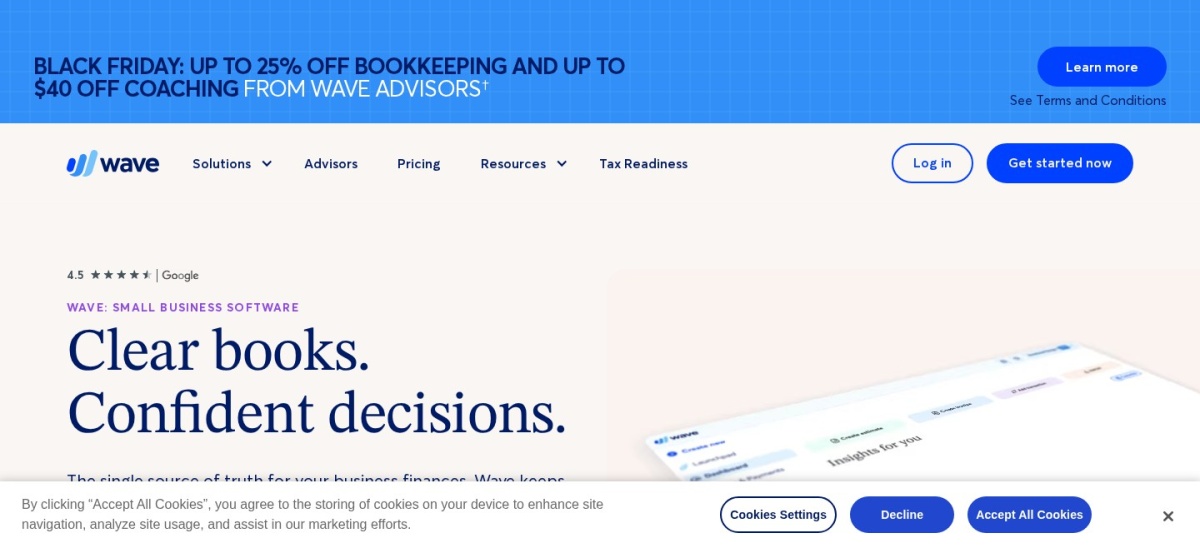
Wave homepage, captured Nov 2026.
Wave is small business invoicing and accounting software with a free Starter tier for unlimited invoicing and bookkeeping records. Upgrading to the Pro plan at $19/mo (or $190/yr) unlocks digital receipt capture plus automated bank transaction imports and categorization.
The trade off is that receipt scanning and auto-imported bank feeds sit behind the paid Pro plan rather than the free tier. It suits freelancers and small businesses wanting affordable receipt capture and bookkeeping.
What we like
Low $19/mo regular price ($190/yr) on the Pro plan
Digital receipt capture and auto-categorized bank feeds in Pro
Free Starter tier available for basic invoicing and records
Watch out for
Receipt scanning and automated bank imports are not in the free tier
Payment processing carries per-transaction fees
Less suited to complex multi-entity or inventory-heavy accounting
Optional add-ons cover payroll and hands-off bookkeeping through Wave Advisors.Visit waveapps.com
05
Zoho Books
4.4/5on G2 (332 reviews, checked Nov 2026)
Paid from$15/mo
Best low-cost ledger with scan add-ons
Regular entry planStandard ($15/mo annual)
Free tierFree plan for small orgs
Capture featuresDocument autoscans add-on
Included users3 users on Standard
zoho.com
Zoho Books homepage, captured Nov 2026.
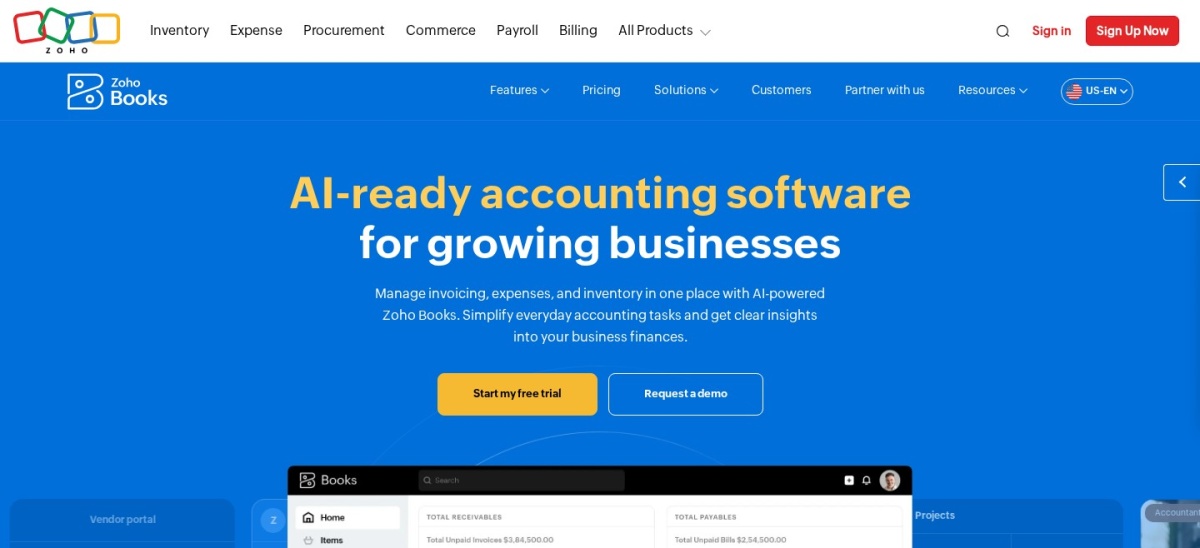
Zoho Books is cloud accounting software with a free plan for eligible micro businesses and a Standard tier starting at $15/mo billed annually. Users can add document autoscans starting at $8/mo for 50 scans billed annually to automate expense and bill entry.
The trade off is paying extra for document autoscans on top of the base subscription as scan volume grows. It suits budget-conscious small teams that want low entry pricing and optional scan packs.
What we like
Low $15/mo annual starting price on the Standard plan
Includes 3 users on Standard and offers a free tier
Optional document autoscans add-on from $8/mo for 50 scans
Watch out for
Document autoscans are billed as a separate add-on
Higher tiers add purchase orders, approvals, and higher bill limits
Monthly billing costs more than annual billing
Upper plans expand user seats, purchase orders, vendor portals, and annual bill limits.Visit zoho.com
06
ZipBooks
4.7/5on G2 (86 reviews, checked Nov 2026)
Paid from$15/mo
Best simple ledger for receipt tracking and tagging
Regular entry planSmarter ($15/mo annual)
Free tierStarter ($0/mo)
Capture featuresReceipt & expense tracking
Team accessUp to 5 team members
zipbooks.com
ZipBooks homepage, captured Nov 2026.
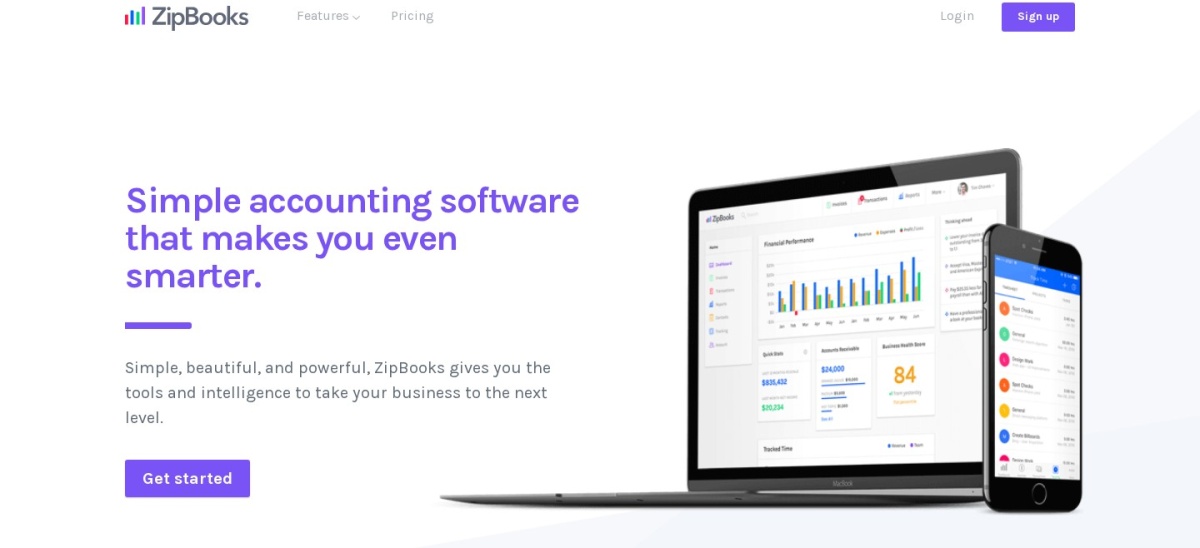
ZipBooks is cloud accounting software offering a free Starter plan for basic invoicing and a Smarter plan starting at $15/mo billed annually. It supports receipt tracking, expense categorization, and recurring billing with a straightforward interface.
The trade off is lighter reporting depth and fewer third-party integrations than larger accounting suites. It suits solo owners and small teams that want simple expense and receipt tracking without heavy setup.
What we like
Low $15/mo annual price on the Smarter plan
Free Starter tier lets you test basic invoicing and tracking
Clean interface with expense and receipt support
Watch out for
Free plan limits customers, vendors, and bank connections
Less granular reporting than larger accounting platforms
Smaller add-on ecosystem than QuickBooks or Xero
Higher plans add smart tagging, book locking, and multi-location reporting.Visit zipbooks.com
07
Hubdoc
4.3/5on G2 (88 reviews, checked Nov 2026)
Starts at$12/mo
Best low-cost bill and receipt capture companion
Regular entry plan$12/mo standalone
Included capacityUnlimited capture
Ledger syncXero & QuickBooks Online
Free option30-day free trial
hubdoc.com
Hubdoc homepage, captured Nov 2026.
Hubdoc is a document capture tool that extracts data from bills and receipts via mobile, desktop, or email and syncs with Xero or QuickBooks Online. Standalone pricing is $12/mo after a 30-day free trial and includes unlimited capture and multiple collaborators.
The trade off is that it only syncs with Xero and QuickBooks Online rather than acting as a standalone accounting system. It suits small teams using QuickBooks Online or Xero that want low-cost document capture.
What we like
Low $12/mo standalone price with a 30-day free trial
Captures receipts and bills by mobile app, upload, or email
Syncs extracted data and documents to Xero and QuickBooks Online
Watch out for
Not a full accounting ledger on its own
Limited to Xero and QuickBooks Online sync
Fewer advanced coding features than specialized AP tools
Included with Xero business plans or available standalone for QuickBooks Online users.Visit hubdoc.com
Built-in capture vs. dedicated capture tools
All-in-one accounting suites like QuickBooks Online and Wave keep receipt capture, bank feeds, and financial statements under one login. That setup reduces app switching and keeps your chart of accounts in one place.
Dedicated capture apps like Dext and Hubdoc focus on reading documents and pushing structured records into your ledger. They often fit better when multiple staff or clients submit high volumes of receipts and bills that need review before posting.
How we chose
We selected established cloud accounting and document capture products that support receipt, bill, or bank data capture for small businesses.
All US regular prices and review ratings were verified on 22 Nov 2026 from vendor pricing pages and review directories.
We excluded tools without verifiable regular pricing or active maintenance, and skipped promotional intro rates when calculating regular plan costs. No vendor paid for a place, and we do not claim testing for this list.
How to choose the right data capture setup
Follow four practical steps to match capture features and plan limits to your monthly paperwork.
Count your monthly receipts, bills, and bank lines. Check whether a plan caps monthly documents, invoices, or bills so your workflow does not hit a wall mid-month.
Decide between all-in-one accounting and a capture add-on. Pick a unified ledger if basic receipt and bank sync covers your needs, or pair a capture tool with your accounting software for higher document volume.
Check regular pricing after any intro discount. Compare full monthly or annual regular rates rather than short-term promotional offers.
Verify user seats and add-on fees before signing up. Factor in extra user seats, scan packs, or payment processing fees that can raise your real cost.
FAQ
What is the best accounting software for data capture?
QuickBooks Online is our top pick overall because it pairs receipt capture and automated bank feeds with full small business accounting. For dedicated document extraction, Dext stands out for receipt, bill, and statement capture.
Do I need a separate app for receipt and bill capture?
Not always. QuickBooks Online, Xero, and Wave Pro include receipt or document capture features directly, while tools like Dext and Hubdoc specialize in document extraction and syncing to a ledger.
Why do some accounting plans look cheaper at checkout than their regular price?
Many accounting vendors run limited-time introductory discounts for the first few months before billing at the regular monthly or annual rate. Always check the ongoing rate to budget accurately.
Can I get receipt scanning on a free plan?
Wave includes digital receipt capture on its $19/mo Pro plan rather than its free Starter plan, while Zoho Books offers a document autoscans add-on starting at $8/mo for 50 scans. Always check which features sit inside free tiers versus paid upgrades.
What should I review after automated data capture?
Even with automated extraction, you should check vendor names, dates, totals, tax amounts, and expense categories before finalizing entries in your ledger.