Best Presentation Platforms in 2026: 7 Tools Compared
WLWPLegible EditorsLast verified 22 Nov 2026How we rank12 min read
★ Short answer
Canva is the best presentation platform for most users, with a free plan offering 1.6 million-plus templates and Pro starting at $18 monthly. Microsoft PowerPoint suits traditional business presentations, while Prezi is better for interactive storytelling and zoom-based navigation.
How we make this list: we compare pricing pages, product documentation and public user reviews, then re-check every price before each update. No product paid for a place. Disclosure.
Canva leads for accessible slide design, with 1.6M+ free templates and a 4.7/5 G2 rating from 7,850 reviews.
Microsoft PowerPoint remains a strong business option, with Microsoft 365 Personal regularly priced at $99.99/year and a 4.6/5 G2 rating.
Prezi Standard starts at $7/month billed annually and offers 500 AI credits alongside unlimited presentations.
Google Slides is free for personal use, while Google Workspace Starter costs $7/user/month with an annual commitment.
Visme Starter costs $12.25/month billed annually, making it an option for presentations that combine charts, infographics and branded visuals.
Beautiful.ai Pro starts at $14.50/month billed annually and focuses on AI-assisted slides with automatically adjusting layouts.
What makes a good presentation platform?
A presentation platform should help you organize ideas, create readable slides and communicate clearly. Most modern tools combine templates, multimedia, charts and sharing options, but their design flexibility and editing workflows differ considerably.
Start with the type of presentation you create most often. Business reports need charts and consistent formatting, sales teams may need reusable decks, and educators often benefit from interactive navigation or audience engagement.
Check how the platform handles collaboration, PowerPoint compatibility, PDF exports and offline presenting. Export support matters when colleagues or clients use different software.
AI presentation generators can create outlines, layouts and initial slide content, but their output still requires fact-checking and editing. Compare AI limits, branding controls and the ability to revise generated slides manually.
Finally, examine regular subscription prices rather than temporary discounts. Some free plans are suitable for ongoing use, while others restrict downloads, private sharing, premium assets or AI generation.
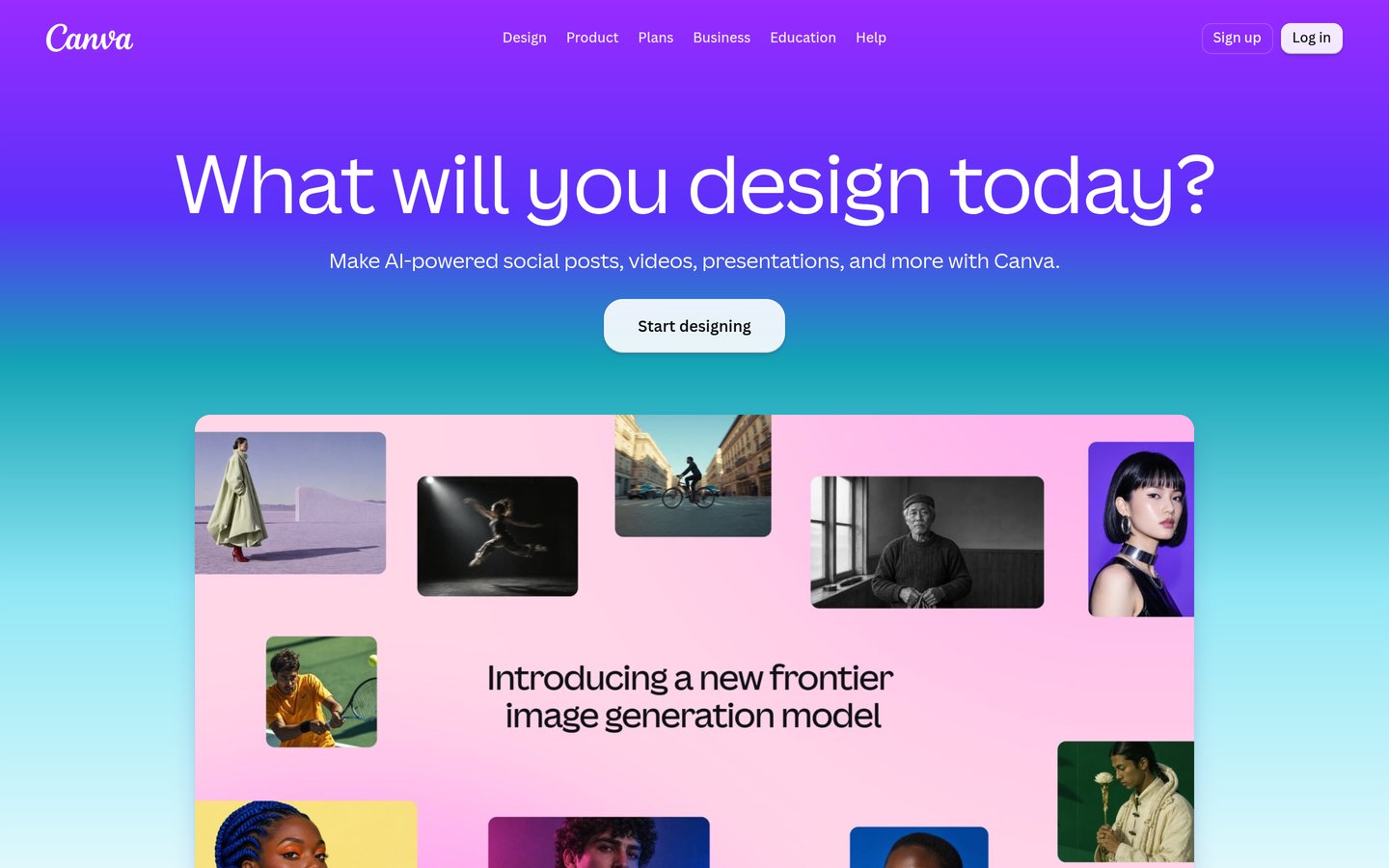
Canva is an online visual design platform for presentations, documents, videos and marketing materials. Its free plan includes 1.6 million-plus templates, 4.7 million-plus creative assets and 5 GB of storage, while Pro expands the library to 3.6 million-plus templates and 141 million-plus premium assets.
The trade off is that premium assets, additional brand controls and higher AI allowances require Pro at the regular price of $18 per month, although an introductory discount may apply. It suits individuals and teams that want attractive presentations without advanced design skills.
What we like
Large selection of free presentation templates
Drag-and-drop slide editing
AI-assisted design and writing tools
Presentations, videos and graphics in one platform
Supports PowerPoint and PDF exports
Watch out for
Many premium assets require Pro
Complex slide formatting offers less control than PowerPoint
AI generation uses plan-based allowances
Pro adds premium templates, more AI usage, Brand Kits and 100 GB of storage.Visit canva.com
02
Microsoft PowerPoint
4.6/5on G2 (4,400 reviews, checked Nov 2026)
Paid from$99.99/yr
Best for professional business presentations
Free versionPowerPoint for web
Desktop applicationMicrosoft 365 Personal
Cloud storage1 TB with Personal
Paid plan$99.99/yr
microsoft.com
Microsoft PowerPoint homepage, captured Nov 2026.
Microsoft PowerPoint is a presentation application for building detailed business, academic and professional slide decks. Its free web version supports essential editing and collaboration, while Microsoft 365 Personal includes desktop PowerPoint, other Office applications and 1 TB of cloud storage.
The trade off is that the full desktop application requires a paid subscription, with Microsoft 365 Personal regularly priced at $99.99 annually rather than its temporary promotional rate. It suits professionals who need precise layouts, animations and compatibility with existing PowerPoint files.
What we like
Detailed control over slide layouts and animations
Strong compatibility with PPTX files
Desktop and web editing options
Charts, tables and presenter tools
Integrates with other Microsoft 365 applications
Watch out for
Full desktop functionality requires payment
Complex formatting can take time
Advanced AI functionality depends on subscription features
Microsoft 365 Personal adds desktop PowerPoint, Office applications and cloud storage.Visit microsoft.com
03
Prezi
4.2/5on G2 (5,725 reviews, checked Nov 2026)
Paid from$7/mo
Best for interactive visual storytelling
Free planBasic
Standard AI500 credits
Paid projectsUnlimited
Paid planStandard, $7/mo
prezi.com
Prezi homepage, captured Nov 2026.
Prezi is a visual presentation platform that uses a zoomable canvas instead of relying exclusively on conventional slide sequences. Its free Basic plan supports presentation creation, while Standard costs $7 per month billed annually and includes unlimited visual projects, privacy controls and 500 Prezi AI credits.
The trade off is that offline access, PDF export, recording and unlimited AI usage require the $19-per-month Plus plan. It suits educators, speakers and creative professionals who want to explain relationships between ideas through visual movement.
What we like
Distinctive zoom-based navigation
Useful for non-linear storytelling
Free entry plan
AI-assisted presentation creation
Supports importing existing content
Watch out for
Movement can distract from content if overused
Offline access requires Plus
Less familiar editing workflow than standard slide tools
Standard adds private projects, unlimited content and 500 AI credits.Visit prezi.com
04
Visme
4.5/5on G2 (512 reviews, checked Nov 2026)
Paid from$12.25/mo
Best for data-rich visual presentations
Free planBasic
Project creationUnlimited on Basic
Design toolsSlides, charts, infographics
Paid planStarter, $12.25/mo
visme.co
Visme homepage, captured Nov 2026.
Visme is a visual content creation platform for presentations, infographics, reports and branded business materials. Its free Basic plan supports unlimited projects with limited templates and assets, while Starter begins at $12.25 per month billed annually and unlocks additional premium design and download features.
The trade off is that advanced brand governance, team collaboration and certain analytics capabilities require higher subscriptions, with Pro starting at $24.75 per month billed annually. It suits marketers and business teams that frequently combine presentation slides with data visualizations.
What we like
Supports presentations and infographics
Useful charts and visual content tools
Free plan with unlimited projects
Templates for business communication
AI-assisted content creation
Watch out for
Free downloads and assets are restricted
Advanced branding requires higher plans
Collaboration features can increase subscription costs
Starter unlocks additional premium assets, design tools and downloads.Visit visme.co
05
Beautiful.ai
4.6/5on G2 (196 reviews, checked Nov 2026)
Starts at$14.50/mo
Best for automatically formatted slides
Free trial14 days
Layout systemSmart Slides
AI contentUnlimited generation
Paid planPro, $14.50/mo
beautiful.ai
Beautiful.ai homepage, captured Nov 2026.
Beautiful.ai is an AI presentation platform that automatically adjusts slide layouts as content changes. Its Pro plan costs $14.50 per month billed annually and includes unlimited AI content generation, image generation, custom branding, writing assistance and presentation design features.
The trade off is that there is no permanent free plan, only a 14-day trial, and automatically managed layouts offer less unrestricted positioning than traditional slide editors. It suits professionals who create recurring business presentations and want consistent formatting with less manual design work.
What we like
Automatically adjusting slide layouts
Unlimited AI content generation on Pro
Presentation branding controls
AI writing and image generation
Useful for recurring business decks
Watch out for
No permanent free plan
Smart layouts can restrict manual positioning
Team functionality requires a different subscription
Pro provides unlimited AI generation, Smart Slides and custom brand styling.Visit beautiful.ai
06
Google Slides
4.6/5on G2 (Google Workspace) (48,217 reviews, checked Nov 2026)
Paid from$7/mo
Best for collaborative presentations
Personal useFree
CollaborationReal-time editing
Workspace storage30 GB per user on Starter
Paid planBusiness Starter, $7/mo
google.com
Google Slides homepage, captured Nov 2026.
Google Slides is a browser-based presentation editor included with Google accounts and Google Workspace. Personal use is free, while Workspace Business Starter costs $7 per user per month with an annual commitment and includes 30 GB of pooled storage per user alongside business collaboration services.
The trade off is that Google Slides offers fewer advanced animation and layout controls than desktop-focused presentation software. The 4.6/5 G2 rating reflects Google Workspace as a suite, not Slides alone. It suits distributed teams that regularly co-edit presentations and share feedback.
What we like
Free for personal use
Real-time collaborative editing
Easy sharing and commenting
Integrates with Google Drive
Supports PowerPoint file imports and exports
Watch out for
Fewer advanced visual effects than PowerPoint
Complex imported files may need formatting adjustments
G2 suite reviews do not isolate Slides performance
Workspace Starter adds business administration, email and pooled storage.Visit google.com
07
Gamma
4.2/5on G2 (88 reviews, checked Nov 2026)
Paid from$108/yr
Best for AI-generated presentation drafts
Free AI generationUp to 10 slides per prompt
Plus generationUp to 100 slides per prompt
Export formatsPDF, PPTX, PNG, Slides
Paid planPlus, $108/yr
gamma.app
Gamma homepage, captured Nov 2026.
Gamma is an AI content creation platform for presentations, documents, websites and other visual materials. Its free plan generates up to 10 slides per prompt and supports PDF, PPTX, PNG and Google Slides exports, while Plus is advertised at $108 per seat annually and increases the generation limit to 100 slides per prompt.
The trade off is that higher-end AI models, custom branding and detailed analytics require Pro, while generated content still needs editorial review. Plus costs $108 annually, or $9 per month equivalent. It suits creators who need quick first drafts from prompts, notes or existing documents.
What we like
Creates presentations from text prompts
Free plan supports common export formats
Can import PDF and PowerPoint content
Paid plan removes Gamma branding
Useful for drafting presentations quickly
Watch out for
AI-generated facts need checking
Custom branding and detailed analytics require Pro
Less granular layout control than traditional slide editors
Plus removes Gamma branding, increases generation limits and adds advanced AI images.Visit gamma.app
AI presentation makers vs. traditional slide editors
Traditional editors such as PowerPoint and Google Slides provide direct control over text, graphics, slide structure and presentation order. They work well when you already know what each slide should contain.
AI-first tools such as Gamma and Beautiful.ai can generate drafts from a topic or outline. This reduces initial formatting work but does not guarantee accurate figures, appropriate images or a logical narrative.
Canva and Prezi combine conventional editing with AI assistance. The better choice depends on whether your main challenge is preparing content, formatting slides or presenting ideas effectively.
Which presentation formats should you check?
PPTX matters when clients or colleagues need editable PowerPoint files. PDF is suitable for fixed-layout distribution, while shareable presentation links are useful for review and collaboration.
Check whether downloaded presentations preserve fonts, animations, video and interactive elements. A platform may support PPTX export without reproducing every effect available in its online editor.
If you frequently present without reliable internet access, confirm whether the specific subscription supports offline viewing or editing. Some browser-first platforms depend more heavily on a live connection.
How we chose
We shortlisted established presentation platforms with documented slide creation, visual design, collaboration or AI generation capabilities. The selection covers traditional desktop editing, browser-based collaboration, zoomable storytelling, visual content creation and AI-assisted presentations.
Prices and ratings were checked on 22 Nov 2026 using official pricing pages and G2 reviews. We used regular published rates instead of introductory offers and calculated annual equivalents where applicable. Google Slides uses Google Workspace's suite-level G2 rating because it is evaluated as part of that product.
We excluded products with inaccessible or quote-only entry pricing, insufficient public review history or unclear paid-plan costs. We also distinguished permanent free plans from limited trials and identified paid upgrades that control important features. No vendor paid for a place, and we do not claim testing for this list.
How to choose the best presentation platform
Identify your presentation goals, compare editing workflows and check the features included in each subscription before choosing a platform.
Choose the presentation style you need. Use traditional slides for business reports and detailed charts, visual storytelling for educational content, or AI-generated drafts when creating the initial structure takes the most time.
Compare editing and collaboration features. Check whether you can adjust layouts manually, maintain consistent branding, invite collaborators and manage comments. Teams should verify how sharing permissions and paid seats work.
Verify export and presenting options. Confirm support for PPTX, PDF, offline access and presenter notes where needed. Check whether animations, fonts and embedded media remain usable after export.
Calculate the regular subscription cost. Compare annual totals, renewal prices, AI allowances and additional user charges. Start with a free plan when practical, then upgrade for features you will use regularly.
FAQ
What is the best presentation platform in 2026?
Canva is our overall pick because it combines accessible slide editing, a large free template library and AI-assisted design features. PowerPoint is better for detailed business decks, while Prezi offers a distinctive approach to visual storytelling. The right choice depends on your editing and collaboration requirements.
What is the best free presentation platform?
Google Slides is a practical choice for free collaborative editing, while Canva provides more visual templates and creative assets. PowerPoint also offers a free web version. Each platform handles advanced formatting, premium assets and offline access differently, so compare those features before committing.
Which presentation platform is best for business?
Microsoft PowerPoint is a strong option for businesses exchanging editable slide decks and using detailed charts or formatting. Canva suits marketing teams preparing branded visuals, while Google Slides supports collaborative editing. Beautiful.ai is worth considering when consistent layouts and AI-assisted slide creation are priorities.
Can AI create an entire presentation?
Yes. Tools such as Gamma and Beautiful.ai can generate presentation drafts from prompts or outlines. However, the generated text, figures and visuals should be reviewed before presenting. AI can accelerate preparation, but it does not replace subject knowledge, accurate sourcing or effective storytelling.
Is Canva better than PowerPoint?
Canva is generally easier for template-based visual design and creating presentations alongside other marketing assets. PowerPoint offers more detailed slide formatting, animation controls and compatibility with established business workflows. Canva is often preferable for quick visual content, while PowerPoint suits complex professional decks.
What is the difference between Prezi and PowerPoint?
Prezi emphasizes visual navigation across a zoomable canvas, allowing presenters to move between related ideas. PowerPoint uses a conventional slide sequence with detailed object editing and animation controls. Prezi suits non-linear storytelling, while PowerPoint is useful for structured reports and widely shared business presentations.
Which presentation platform is best for team collaboration?
Google Slides is a practical option because collaborators can edit shared presentations simultaneously and leave comments. Canva also supports collaborative design workflows, while paid business platforms provide additional controls. Compare permission settings, version history and seat pricing before choosing a service for your team.
How much does presentation software cost?
Several platforms offer permanent free plans. Prezi Standard starts at $7 per month billed annually, Visme Starter costs $12.25 per month billed annually, and Beautiful.ai Pro costs $14.50 per month billed annually. Regular prices and included features can change, so review the vendor's checkout details.
Can online presentation platforms export PowerPoint files?
Many can. Canva, Google Slides and Gamma support PowerPoint-compatible exports, while other platforms offer export functionality on particular paid subscriptions. Exported files may require formatting adjustments, especially when presentations contain custom fonts, interactive features or animation effects that differ between applications.