Best Interactive Presentation Tools in 2026: 7 Tools Compared
WLWPLegible EditorsLast verified 22 Nov 2026How we rank8 min read
★ Short answer
Visme is the best interactive presentation tool overall, combining clickable hotspots, quizzes, and forms with a 4.5-star rating across 719 Capterra reviews. For live audience polling during webinars, Mentimeter runs real-time word clouds and Q&A, while Slido embeds live polls directly into PowerPoint and Google Slides.
How we make this list: we compare pricing pages, product documentation and public user reviews, then re-check every price before each update. No product paid for a place. Disclosure.
Visme leads for self-paced interactive decks with forms, hotspots, and HTML5 export starting at $147/yr.
Mentimeter supports live polls, word clouds, and Q&A on a free plan capped at 50 participants per month.
Slido adds live polling and Q&A directly inside PowerPoint and Google Slides, starting at $210/yr for 200 participants.
AhaSlides offers the lowest regular entry price at $8.95/mo billed yearly ($107.40/yr) for up to 100 live participants.
Canva combines 1.6M+ free templates and clickable buttons with a 4.7-star rating across 13,469 Capterra reviews.
What makes a presentation tool genuinely interactive
Standard slide decks push information in one direction, whereas interactive presentation tools let viewers click, vote, answer quizzes, or explore non-linear paths. Depending on your goal, interactivity splits into two distinct workflows: live audience participation during meetings and webinars, or self-paced clickable content shared via web links.
For live sessions, look at participant caps per event, question variety, and whether attendees can join via QR code without creating accounts. Many free tiers restrict you to 50 participants or limit the number of active poll questions per deck.
For asynchronous decks, focus on clickable hotspots, embedded forms, branching navigation, and export formats like HTML5 or password-protected links. Check whether removing vendor watermarks or exporting editable files requires upgrading from an entry tier.
Visme is a visual presentation platform built for interactive hotspots, embedded forms, quizzes, and non-linear slide branching. Its free Basic plan includes unlimited draft projects, 50 slides per project, 500 MB of storage, and 10 AI credits per month without requiring a credit card.
The trade off is that Starter at $12.25/mo ($147/yr) only unlocks JPG, PNG, and PDF downloads, keeping HTML5, editable PPTX, and analytics on the $24.75/mo ($297/yr) Business tier. It suits marketing and sales teams creating self-paced web presentations.
What we like
Supports clickable hotspots, audio/video triggers, and embedded lead forms
Includes 1,000+ presentation layouts and interactive data widgets
Unlimited projects even on the $0 Basic plan
4.5-star rating across 719 verified Capterra reviews
Watch out for
Free plan does not allow public sharing or file downloads
HTML5 offline export and analytics require the $297/yr Business plan
Starter removes slide limits, unlocks premium templates, and adds 200 monthly AI credits.Visit visme.co
02
Mentimeter
4.4/5on Capterra (101 reviews, checked Nov 2026)
Paid from$14/mo
Best for live audience polls and Q&A
InteractivityPolls, word clouds, quizzes, Q&A
Free tier50 participants/mo, 23 slide types
Entry paid planBasic ($14/mo billed $168/yr)
IntegrationsPowerPoint, Keynote, PDF import
mentimeter.com
Mentimeter homepage, captured Nov 2026.
Mentimeter is a live audience engagement platform that turns slide decks into real-time polls, word clouds, quizzes, and moderated Q&A sessions. Its Free plan gives presenters access to 23 slide types and Menti AI for up to 50 participants per month.
The trade off is a strict 50-participant monthly cap on Free and annual-only billing starting at $14/presenter/mo ($168/yr) for Basic, while custom branding requires Pro at $28/presenter/mo ($336/yr). It suits trainers, speakers, and facilitators running live workshops.
What we like
Audience members join instantly via link or QR code with no login
Dynamic word clouds, ranking scales, and live Q&A built into slides
Imports existing PowerPoint, Keynote, and PDF decks on Basic
Academic discounts lower Basic to $11/mo billed yearly
Watch out for
Free plan locks presentation creation for 30 days after 50 participants
No monthly billing option on Basic or Pro plans
Basic unlocks unlimited participants, deck imports, and Excel or PDF result exports.Visit mentimeter.com
03
Slido
4.8/5on Capterra (261 reviews, checked Nov 2026)
Paid from$17.50/mo
Best for adding polls to PowerPoint and Slides
InteractivityLive Q&A, polls, surveys, quizzes
Free tierBasic ($0 forever)
Entry paid planEngage ($17.50/mo billed $210/yr)
Slide add-insPowerPoint, Google Slides, Teams
slido.com
Slido homepage, captured Nov 2026.
Slido is an audience interaction tool that embeds live polls, surveys, quizzes, and upvoted Q&A directly inside PowerPoint, Google Slides, Microsoft Teams, and Webex. It holds a 4.8-star rating across 261 Capterra reviews and includes a permanent free Basic tier.
The trade off is a higher entry price at $17.50/mo billed annually ($210/yr) for the Engage plan, which caps sessions at 200 participants unless you upgrade further. It suits corporate presenters who want to keep building slides in PowerPoint or Google Slides.
What we like
Native plugins for PowerPoint and Google Slides eliminate tab switching
Highest user rating on this list at 4.8 out of 5 on Capterra
Offers a $60 one-time event option for single conferences
Supports image polls, surveys, and downloadable session exports
Watch out for
Annual entry plan starts higher than AhaSlides and Mentimeter
Engage tier caps attendance at 200 participants per meeting
Engage unlocks unlimited polls and quizzes, image polls, surveys, and data exports.Visit slido.com
04
AhaSlides
4.5/5on Capterra (102 reviews, checked Nov 2026)
Paid from$8.95/mo
Best budget live polling and quiz tool
InteractivityPolls, spinner wheel, live quizzes
Free tierUp to 50 live participants, unlimited events
AhaSlides is a web-based interactive presentation builder featuring live polls, spinner wheels, team games, word clouds, and an AI quiz generator. Its Free tier allows unlimited events per month for up to 50 live participants with 2 question types per presentation.
The trade off is that monthly billing jumps to $26.95/mo for Essential, whereas paying annually drops it to $8.95/mo ($107.40/yr) for up to 100 participants. It suits educators, trainers, and small teams seeking low-cost live engagement.
What we like
Lowest annual entry price among dedicated live polling tools at $107.40/yr
Free tier supports unlimited events per month up to 50 participants
Includes gamified spinner wheels and AI quiz generation from PDFs
Education plans start as low as $2.95/mo billed yearly
Watch out for
Free tier limits each presentation to 2 interactive question types
Month-to-month billing costs nearly three times the annual rate
Essential expands capacity to 100 live participants and unlocks unlimited question types.Visit ahaslides.com
05
Prezi
4.6/5on Capterra (2,213 reviews, checked Nov 2026)
Prezi replaces rigid slide sequences with an open, zoomable canvas that lets presenters jump non-linearly between big-picture concepts and granular details. Backed by a 4.6-star rating across 2,213 Capterra reviews, its free Basic tier includes 500 AI credits and PDF/PPT import.
The trade off is that presentations built on the free Basic plan are publicly visible and carry Prezi watermarks until you upgrade to Standard at $9/mo billed annually ($108/yr). It suits keynote speakers and educators explaining interconnected systems.
What we like
Spatial zooming canvas lets presenters adapt topic order on the fly
500 AI credits and PowerPoint import included even on Free
Affordable $9/mo annual entry tier with a 14-day free trial
Over 2,200 verified Capterra reviews with a 4.6-star score
Watch out for
Free presentations cannot be made private and include watermarks
Motion-heavy transitions take practice to pace smoothly
Standard adds private presentation controls and removes Prezi watermarks.Visit prezi.com
06
Canva
4.7/5on Capterra (13,469 reviews, checked Nov 2026)
Paid from$12/mo
Best template library and visual ease of use
InteractivityClickable buttons, embeds, live presenter Q&A
Free tier1.6M+ templates, 5 GB cloud storage
Entry paid planPro ($144/yr or $18/mo for 1 person)
Assets4.7M+ free media assets, 141M+ on Pro
canva.com
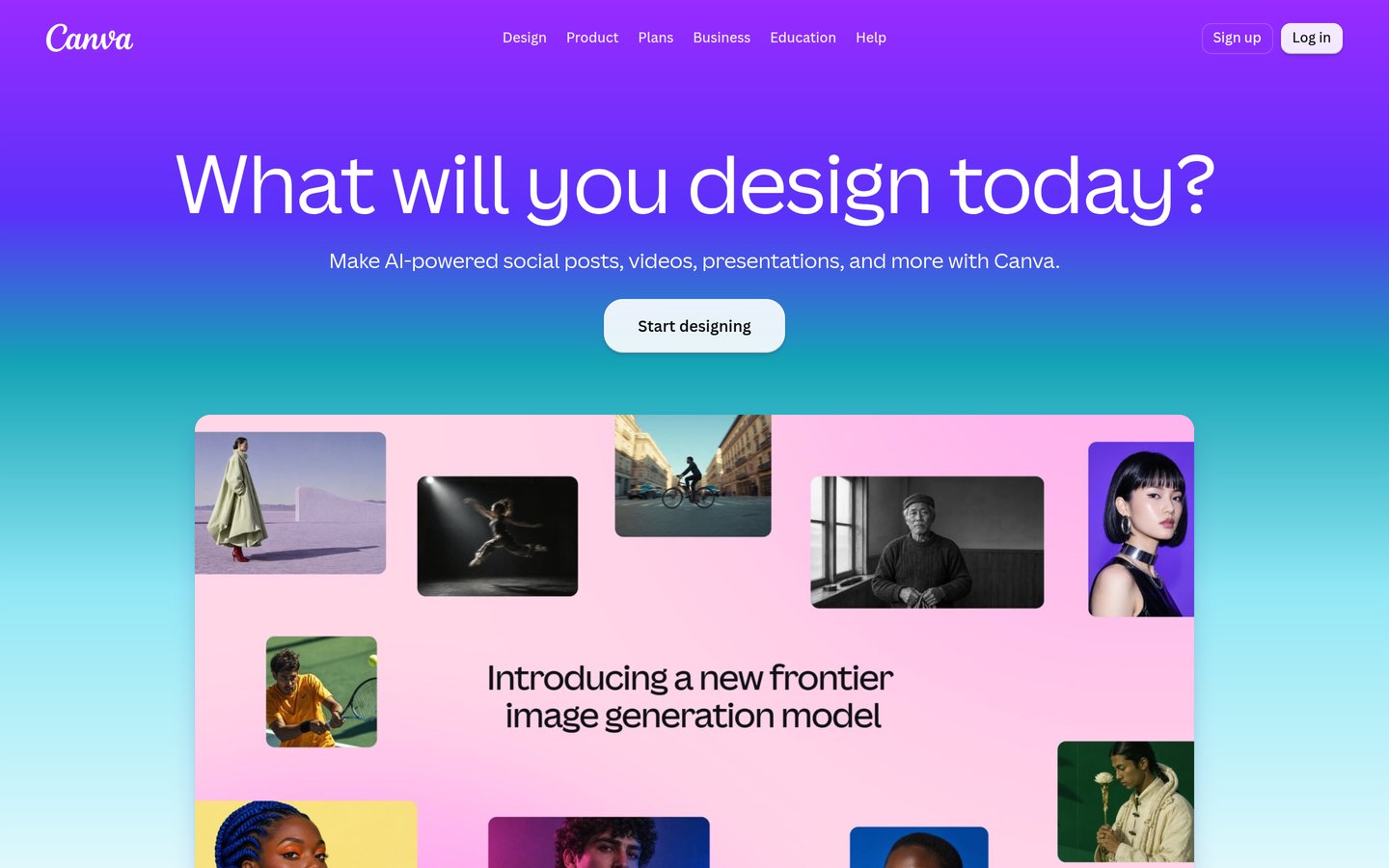
Canva homepage, captured Nov 2026.
Canva is a browser-based design suite with a presentation editor that supports clickable navigation buttons, embedded videos, live presenter Q&A, and real-time co-editing. Its Free plan provides over 1.6 million templates, 4.7 million free media assets, 1 Brand Kit, and 5 GB of storage.
The trade off is that Canva lacks native branching logic or complex quiz scoring, and Pro ($144/yr or $18/mo) is strictly a single-seat license. It suits non-designers and small businesses wanting fast, polished decks.
What we like
Massive library of 1.6M+ free templates and 141M+ Pro stock assets
Supports clickable slide links, embedded media, and live audience Q&A
4.7-star rating across 13,469 Capterra reviews
Exports cleanly to editable PPTX, PDF, MP4, and shareable web links
Watch out for
Pro is limited to one person; multi-user teams need Business at $250/user/yr
Lacks advanced branching scenarios and SCORM eLearning exports
Pro unlocks 3.6M+ templates, background removal, 5 Brand Kits, and 100 GB of storage.Visit canva.com
07
Kahoot!
4.7/5on Capterra (2,887 reviews, checked Nov 2026)
Paid from$17/mo
Best for gamified trivia and competitive quizzes
InteractivityTimed trivia, leaderboards, live polls
Question toolsAI question generator and question bank
kahoot.com
Kahoot! homepage, captured Nov 2026.
Kahoot! is a game-based presentation and quiz platform built around timed multiple-choice questions, points streaks, and live competitive leaderboards. Rated 4.7 stars across 2,887 Capterra reviews, it offers a free tier for basic quiz creation and live hosting.
The trade off is that Kahoot! prioritizes fast-paced trivia over traditional informational slides, and business plans start at $17/user/mo ($204/yr) with strict player caps on lower tiers. It suits classrooms, onboarding sessions, and team icebreakers.
What we like
High-energy competitive leaderboards keep large groups engaged
Participants join from any phone browser using a simple game PIN
Built-in AI question generator speeds up quiz creation
4.7-star score backed by 2,887 verified Capterra reviews
Watch out for
Not suited for data-heavy or traditional executive presentations
Business pricing starts at $204/yr per host with player limits
Paid plans expand player capacity, unlock advanced question types, and add detailed reports.Visit kahoot.com
Live audience response vs. clickable web decks
Choosing the right interactive presentation tool depends on whether your audience watches together in real time or clicks through on their own schedule. Tools like Mentimeter, Slido, AhaSlides, and Kahoot! rely on a shared room code or QR scan so attendees can vote on polls, submit Q&A questions, and view aggregated charts live on screen.
Conversely, Visme, Prezi, and Canva focus on visual layout interactivity. Instead of collecting live votes, they let viewers trigger pop-up hotspots, fill out embedded forms, or zoom non-linearly across topics inside a shared browser link.
How we chose
We evaluated standalone presentation builders and live audience engagement platforms with at least 100 verified user reviews on Capterra. Each tool had to support either real-time audience participation (polls, quizzes, Q&A) or viewer-driven slide interactivity (hotspots, branching, embedded forms).
All prices, participant limits, review counts, and ratings were verified directly from vendor pricing pages and Capterra listings on 22 Nov 2026. Where vendors offer both monthly and annual billing, we listed the regular annual equivalent price for the lowest paid individual or business tier.
We excluded enterprise-only kiosk platforms without transparent public pricing, legacy desktop tools lacking native web interactivity, and tools with fewer than 50 verified reviews. No vendor paid for a place, and we do not claim testing for this list.
How to choose an interactive presentation tool
Match your presentation format and audience size to the right feature set before paying for an annual seat.
Decide between live participation and self-paced exploration. Pick Mentimeter, Slido, or AhaSlides if you want live polls and Q&A during a call, or choose Visme and Prezi for clickable links shared asynchronously.
Check free-tier participant and question caps. Many free plans cap live sessions at 50 participants or restrict presentations to two interactive slides, which can interrupt larger webinars.
Verify PowerPoint and Google Slides compatibility. If your team already builds decks in PowerPoint or Google Slides, Slido lets you insert live polls without rebuilding your slides from scratch.
Confirm export and watermark rules on entry plans. Entry tiers on tools like Visme and Prezi remove branding and allow PDF downloads, while HTML5 exports and team brand kits sit on higher tiers.
FAQ
What is the best free interactive presentation tool?
AhaSlides and Slido offer the most practical free tiers for live events, allowing unlimited sessions per month with up to 50 participants on AhaSlides. For designing clickable visual decks with no time limit, Canva Free provides 1.6 million templates and 5 GB of storage.
Which tool adds live polls directly into PowerPoint?
Slido integrates natively with both PowerPoint and Google Slides so you can run live polls, quizzes, and Q&A without leaving your slide deck. Mentimeter also supports importing existing PowerPoint files starting on its Basic plan.
What is the difference between Visme and Mentimeter?
Visme focuses on designing rich visual presentations with clickable hotspots, forms, and animations for self-paced viewing. Mentimeter specializes in live meetings and classrooms, letting audiences submit real-time poll votes and word clouds from their phones.
Can I pay monthly for interactive presentation software?
Visme, Canva, and AhaSlides offer month-to-month billing, though annual plans save 16% to 67%. Mentimeter and Slido restrict their standard Basic and Engage plans to annual billing, with Slido offering a $60 single-event pass.
Do audience members need an account to participate?
No. Live engagement tools including Mentimeter, Slido, AhaSlides, and Kahoot! let participants join from any smartphone or desktop browser by scanning a QR code or entering a short numeric event code.