Gusto leads for full-service payroll and time tracking, serving 500,000+ businesses with automated tax filings and paid plans starting at $49/mo plus $6/mo per person. Connecteam suits mobile shift crews with a free plan for up to 10 users, while Clockify offers low-cost time tracking starting at $3.99/user/month billed annually.
How we make this list: we compare pricing pages, product documentation and public user reviews, then re-check every price before each update. No product paid for a place. Disclosure.
Gusto starts at $49/mo plus $6/mo per person on Simple, holding a 4.6/5 rating across 14,238 G2 reviews.
Connecteam is free for up to 10 users and starts at $29/mo for the first 30 users on monthly paid plans.
Square Payroll runs $35/mo plus $6/mo per person for full-service payroll, or $6/mo per person for contractors only.
Clockify starts at $3.99 per seat/month billed annually after a 5-user free tier, holding a 4.5/5 rating on G2.
Hubstaff starts at $4.99 per user/month billed annually with a 2-seat minimum and no free tier.
What to look for in payroll time clock software
Payroll time clock tools fall into two groups: platforms that process paychecks and file taxes directly, and time-clock apps that export approved hours to a separate payroll provider. Deciding which model fits avoids paying twice for overlapping timesheets and pay runs.
Hourly and shift-based teams need mobile clock-ins, geofencing, overtime rules, and break tracking so timecards match labor rules before pay day. Office or project teams often care more about billable rates, project budgets, and clean exports into accounting software.
Pricing structures vary widely across base fees, per-person fees, and per-location charges. Always check whether contractor payments, faster direct deposit, and multi-state tax filings sit inside the base tier or cost extra.
Gusto is a cloud payroll, benefits, and HR platform used by 500,000+ businesses, with Simple starting at $49/mo plus $6/mo per person for unlimited payrolls and automated tax filings. Time tracking and scheduling are available on Simple via Time & Attendance Plus at $6/mo per person and built into Plus at $80/mo plus $12/mo per person.
The trade off is that per-person fees and optional extras like same-day pay ($90 per payroll) or instant pay ($100 per payroll) on lower tiers add up as headcount grows. It suits small and growing businesses that want payroll, tax filing, and timecards connected in one system.
What we like
Unlimited monthly pay runs and federal and state tax filings on Simple
Clean employee and employer apps for clock-ins, pay stubs, and PTO
Strong G2 rating of 4.6/5 across 14,238 reviews
Watch out for
No free plan and per-person charges scale with team size
Same-day and instant pay cost extra on Simple and Plus
Plus ($80/mo + $12/mo per person) includes built-in time tracking, scheduling, and next-day pay.Visit gusto.com
02
Connecteam
4.6/5on G2 (3,506 reviews, checked Nov 2026)
Paid from$29/mo
Best for mobile shift teams and free entry
Free planFree up to 10 users
Entry paidBasic ($29/mo for first 30 users)
Clock-inMobile GPS clock-in & payroll export
Extra users$0.80/user/mo on Basic Operations
connecteam.com
Connecteam homepage, captured Nov 2026.
Connecteam is a mobile-first workforce app serving 500,000+ users, with a free Small Business plan for up to 10 users and paid Operations plans starting at $29/mo for the first 30 users. Core features include GPS clock-in and clock-out, shift scheduling, forms, tasks, and payroll integrations.
The trade off is that it relies on payroll integrations rather than running payroll natively, and geofencing or auto clock-out sit on higher tiers starting at $49/mo. It suits deskless teams in retail, field service, and hospitality that manage shifts on phones.
What we like
Free plan covers up to 10 users with GPS time clock and scheduling
Flat $29/mo base tier covers the first 30 users on monthly billing
Combines time tracking, shift updates, checklists, and team chat in one app
Watch out for
Does not process payroll natively; exports data to external payroll tools
Geofencing and auto clock-out require upgrading past the Basic tier
Advanced ($49/mo for 30 users) adds geofencing up to 10 sites, auto clock-out, and recurring shift templates.Visit connecteam.com
03
Homebase
4.6/5on Capterra (1,158 reviews, checked Nov 2026)
Paid from$30/mo
Best for hourly local shops and POS teams
Free plan$0/mo (1 location, up to 10 staff)
Entry paidEssentials ($30/mo per location)
Payroll add-on$49/mo base + $6/mo per employee paid
IntegrationsSquare, Clover, Toast POS
joinhomebase.com
Homebase homepage, captured Nov 2026.
Homebase is a scheduling, time clock, and team management platform for hourly businesses, offering a free Basic plan for 1 location and up to 10 employees, with Essentials starting at $30/mo per location. Its optional Payroll add-on runs $49/mo base plus $6/mo per employee paid ($29/mo for teams up to 5).
The trade off is that each extra location multiplies the base plan fee and adding payroll layers a separate monthly fee on top. It suits single- or multi-location restaurants, retail stores, and clinics that sync hours with POS systems.
What we like
Free Basic plan includes time tracking, scheduling, and POS sync for up to 10 staff
Essentials unlocks unlimited employees per location on a per-location rate
Optional Payroll add-on includes W-2s, 1099s, and tax filings
Watch out for
Costs rise quickly when managing multiple locations
Tip Manager ($25/mo/location) and Task Manager ($13/mo/location) cost extra
Essentials ($30/mo per location) removes the 10-employee cap and adds advanced scheduling and team messaging.Visit joinhomebase.com
04
Square Payroll
4.7/5on Capterra (622 reviews, checked Nov 2026)
Starts at$35/mo
Best for Square POS merchants running payroll
Entry plan$35/mo + $6/mo per person paid
Contractors only$6/mo per person paid
TimecardsSquare POS & Team App import
Tax filingsFederal & state included
squareup.com
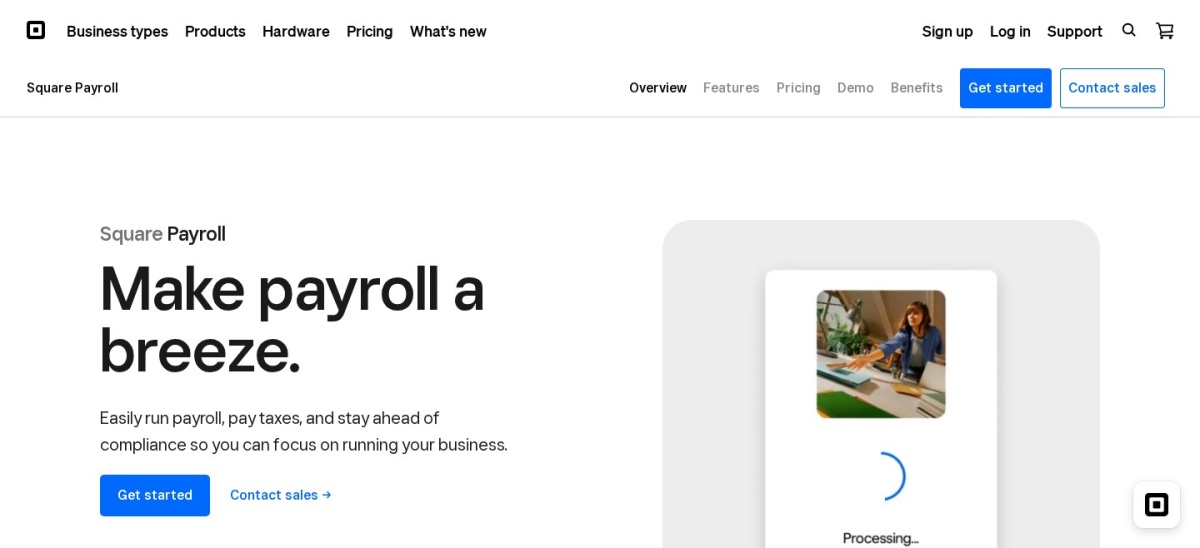
Square Payroll homepage, captured Nov 2026.
Square Payroll is a payroll and tax-filing service built to pull hours, tips, and shifts directly from Square POS and the Square Team App, starting at $35/mo plus $6/mo per person paid. A contractor-only option costs $6/mo per person paid with no monthly base fee.
The trade off is that it lacks a free tier and is most natural when your time tracking and sales already live in Square. It suits retail shops, cafes, and service businesses already running Square hardware or POS.
What we like
Imports timecards, overtime, and tips directly from Square POS and Team App
Unlimited pay runs and automated federal and state tax filings included
Lower $6/mo per-contractor rate with no base fee for contractor-only pay
Watch out for
No free plan and paper W-2/1099 mailings cost $3 per form
Designed around Square workflows rather than standalone time-tracking suites
Full-service payroll ($35/mo + $6/mo per person) adds employee pay runs, multi-state filings, and benefit deductions.Visit squareup.com
05
Clockify
4.5/5on G2 (205 reviews, checked Nov 2026)
Paid from$3.99/mo
Best low-cost time tracker for payroll exports
Free plan$0/mo (up to 5 users)
Entry paidBasic ($3.99/seat/mo billed annually)
Kiosk seatsFrom $0.79/seat/mo billed annually
Payroll roleTimesheet tracking & exports
clockify.me
Clockify homepage, captured Nov 2026.
Clockify is a time-tracking and timesheet tool from CAKE.com with a free plan for up to 5 users and paid plans starting at $3.99 per seat/month billed annually ($4.99 monthly). You can export tracked hours for payroll and add kiosk seats starting at $0.79 per seat/month billed annually.
The trade off is that Clockify does not run payroll itself, and its April 2026 free-plan update capped free workspaces at 5 users while moving CSV/Excel exports and kiosk features to paid plans. It suits teams that want inexpensive timesheets to feed an existing payroll tool.
What we like
Low entry price at $3.99 per seat/month billed annually with discounted kiosk seats
Free plan supports up to 5 users for basic time tracking
Fast setup across web, desktop, mobile, and shared kiosk devices
Watch out for
No built-in payroll processing or tax filing
Free tier no longer includes CSV/Excel exports or kiosk clock-in
Standard ($5.49/seat/mo annually) and Pro ($7.99/seat/mo annually) add invoicing, time off, scheduling, and GPS tracking.Visit clockify.me
06
Hubstaff
4.4/5on G2 (2,346 reviews, checked Nov 2026)
Starts at$4.99/mo
Best for remote timesheets and automated payouts
Entry planStarter ($4.99/user/mo billed annually)
Seat minimum2-seat minimum
Free tierNone (14-day trial available)
Payouts & payrollPayments on Team ($10/seat/mo annually)
hubstaff.com
Hubstaff homepage, captured Nov 2026.
Hubstaff is a workforce time-tracking platform for remote and field teams, starting at $4.99 per user/month billed annually ($7.00 monthly) on Starter with a 2-seat minimum. It tracks hours, timesheets, activity levels, and project budgets, while automated payments and payroll tools sit on the Team plan at $10/seat/month annually.
The trade off is that there is no free plan, a 2-seat minimum applies, and GPS geofencing or full payroll workflows require higher tiers or add-ons. It suits distributed teams and contractors that tie pay to tracked hours and project tasks.
What we like
Low entry rate at $4.99 per user/month billed annually on Starter
Detailed timesheets, project budgets, and activity reporting for remote teams
Supports automated payments and payroll integrations on Team
Watch out for
No free plan and requires at least 2 seats
Automated payments and GPS geofencing cost more than the Starter tier
Team ($10/seat/mo billed annually) adds automated payments, shift scheduling, tasks, and unlimited integrations.Visit hubstaff.com
07
When I Work
4.4/5on G2 (428 reviews, checked Nov 2026)
Starts at$2.50/mo
Best budget shift scheduler and time clock
Entry plan$2.50/user/month (Single Location)
Multi-location$5.00/user/month
Free tierNone (free trial available)
Payroll syncExports timecards to payroll tools
wheniwork.com
When I Work homepage, captured Nov 2026.
When I Work is a scheduling and time-tracking tool for hourly teams, starting at $2.50/user/month for single-location teams and $5.00/user/month for multi-location operations. It covers shift templates, time-off requests, geofencing, and timecard exports to payroll providers.
The trade off is that it does not process payroll on its own and has no permanent free tier. It suits small shops, restaurants, and local crews that already use separate payroll software.
What we like
Low $2.50/user/month starting rate for single-location hourly teams
Fast drag-and-drop shift scheduling, swap requests, and conflict alerts
Exports approved hours cleanly into external payroll systems
Watch out for
No built-in payroll processing or tax filing
Multi-location plan doubles the per-user rate to $5.00/user/month
Multi-location plan ($5.00/user/month) supports multi-site visibility, scheduling, and payroll exports across locations.Visit wheniwork.com
Should you pick built-in payroll or a time-clock export?
Choosing a platform with native payroll like Gusto or Square Payroll reduces handoffs because approved hours, tips, and pay rates feed directly into tax withholdings and filings. That saves time when you want one vendor handling pay runs and compliance.
Dedicated time-clock tools such as Clockify, Hubstaff, and When I Work keep per-user software costs lower if you already like your payroll provider. Just verify that CSV or direct payroll exports preserve overtime and tip breakdowns accurately before switching.
How we chose
We built this shortlist from established SaaS payroll and time-clock platforms with public review histories and clear pricing details for small and growing teams. Each entry reflects standalone software rather than WordPress plugins or custom quote-only enterprise contracts.
Ratings, review counts, and regular list prices were checked on 22 Nov 2026 across vendor pricing pages and review directories including G2 and Capterra. Where promotional offers appeared, we recorded the standard non-sale pricing in US dollars.
We excluded tools without verifiable current pricing or established public review traction, as well as software lacking active time-clock or payroll workflows. No vendor paid for a place, and we do not claim testing for this list.
How to pick the right payroll time clock in 4 steps
Follow these four checks before committing your team to a time clock and payroll stack:
Decide whether you need native payroll or a time-clock export. Pick an all-in-one payroll service if you want tax filings and pay runs handled in one place, or pair a dedicated time clock with your existing payroll provider.
Match clock-in rules to how your people work. Check whether your team needs mobile GPS clock-ins, shared kiosk PINs or QR codes, break tracking, or project timers.
Calculate real monthly cost at your actual headcount and locations. Add base fees, per-user or per-location rates, contractor fees, and add-ons like same-day pay instead of judging by the headline starting price.
Test timesheet approval and export accuracy before rollout. Confirm how managers edit missed punches, approve overtime, and send hours to payroll without manual re-entry.
FAQ
What is the difference between payroll software and time clock software?
Time clock software records when employees start and finish work and calculates hours, while payroll software calculates net pay, withholds taxes, issues payments, and files payroll tax forms. Some platforms include both, while others export approved hours to a separate payroll provider.
Are there free plans for payroll time clock software?
Free plans exist on the time-tracking side, such as Connecteam up to 10 users, Homebase up to 10 employees at one location, and Clockify up to 5 users. Full-service payroll generally requires a paid subscription because of compliance and tax-filing responsibilities.
How do per-user and per-location pricing models differ?
Per-user pricing scales directly with every active worker added, whereas per-location pricing charges by site and can include unlimited employees per location on paid tiers. Flat base tiers with per-seat overages sit in between.
Can time clock tools prevent buddy punching?
Many shift and field tools offer controls such as GPS location checks, geofences, PIN codes, QR kiosks, or photo and facial verification at clock-in. Check which plan tier includes the specific verification method you need.
How do contractors affect payroll pricing?
Some payroll services charge a per-contractor fee only in months when you pay them, while contractor-only options may skip a monthly base fee. Always check whether 1099 contractors count toward seat limits on time-tracking plans.
What should I check before switching time clock tools mid-year?
Export historical timecards and pay reports, verify how PTO balances and overtime rules transfer, and align the cutover date with the start of a pay period.
SaaS SEO and WordPress specialist with about 8 years of experience. Rakib compares WordPress plugins, themes, hosting and software using public pricing, documentation and user reviews. See how we rank.