Manager.io is the top non-subscription choice because its free desktop edition includes double-entry bookkeeping, invoicing, inventory, and multi-currency tracking with no time limits. GnuCash fits solo users who want free open-source double-entry accounting across desktop platforms, while Express Accounts suits small businesses wanting a one-time license.
How we make this list: we compare pricing pages, product documentation and public user reviews, then re-check every price before each update. No product paid for a place. Disclosure.
Manager.io provides a free desktop edition with no usage limits, while its Cloud and Server options carry a $590/yr regular rate.
GnuCash offers free double-entry accounting and investment tracking on Windows, macOS, and Linux, with release 5.17 shipped in September 2026.
Express Accounts starts at $69.95 as a one-time basic license on desktop and runs promotional pricing around $139 to $195 in November 2026.
TallyPrime offers a one-time license starting at $405 on international plans (or INR 22,500 on Indian plans) alongside monthly options.
Cashbook Complete starts at $85 as a one-time lifetime registration on Windows with free updates and email support.
What to look for in non-subscription accounting software
Most cloud accounting platforms charge every month for as long as you keep your books online. Non-subscription options shift you toward local desktop files, open-source installs, or one-time licenses so you keep access to past records without paying a monthly toll.
Before choosing a tool, check whether you need true double-entry business accounting or personal and sole-trader cash tracking. Tools built for small businesses handle invoices, customer balances, and inventory, while personal finance managers focus on bank registers, budgets, and investments.
Pay close attention to updates, bank feeds, and multi-user access. Many offline desktop tools require manual statement imports or extra add-ons for live bank connections, and newer versions or cloud hosting may cost extra later.
Back up your local data files regularly on an external drive or encrypted storage. Because desktop and self-hosted tools store files on your own hardware, your backup routine is part of your accounting setup.
The 7 best non-subscription accounting software tools
01
Manager.io
4.8/5on Capterra (74 reviews, checked Nov 2026)
Paid from$590/yr
Best for free desktop double-entry accounting
DeploymentDesktop, Cloud, Server
PlatformsWindows, macOS, Linux
Free tierFree desktop edition
Recent releaseMay 2026 (26.5.15)
manager.io
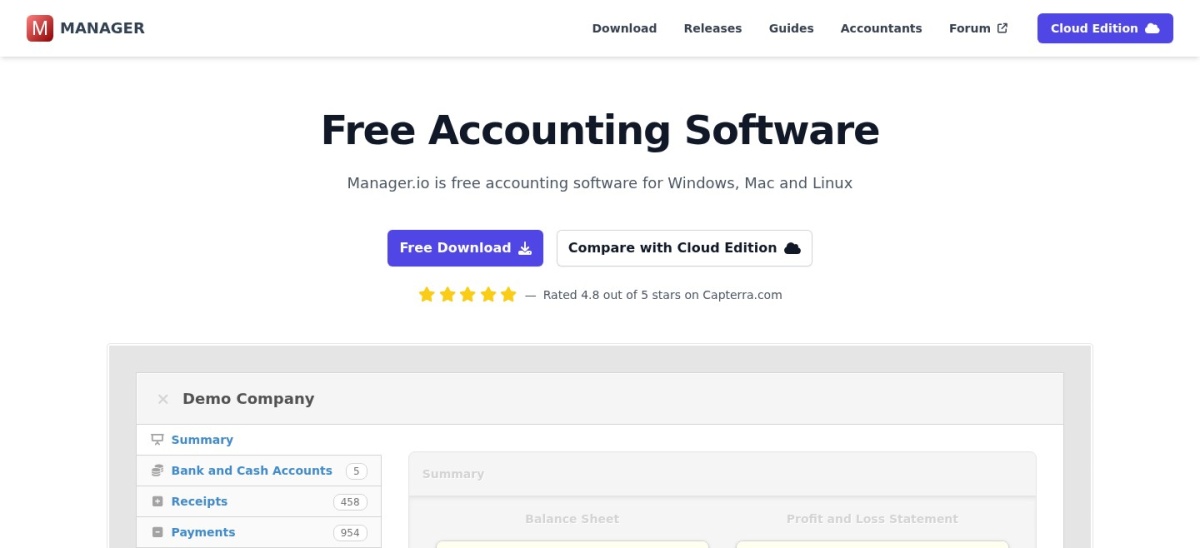
Manager.io homepage, captured Nov 2026.
Manager.io is double-entry accounting software for small businesses and accountants that offers a free desktop edition with no time or usage limits. It covers invoicing, expense tracking, inventory, fixed assets, multi-currency records, and financial reports offline.
The trade off is that moving to the Cloud or self-hosted Server edition starts at $590/yr at regular pricing, and the interface feels utilitarian with limited third-party integrations. It suits solo owners and small firms happy to manage local files on one computer.
What we like
Free desktop edition has no time limits, ads, or feature locks
Universal data file format works across Windows, macOS, and Linux
Includes inventory, invoicing, and financial statements out of the box
Watch out for
Desktop edition is single-user and lacks built-in cloud syncing
Paid Cloud and Server plans cost $590/yr
Interface has a learning curve for new bookkeepers
Paid Cloud and Server editions add multi-user access and hosting starting at $590/yr.Visit manager.io
02
GnuCash
4.5/5on Capterra (53 reviews, checked Nov 2026)
PriceFree
Best for free open-source double-entry ledgers
LicenseFree open source
PlatformsWindows, macOS, Linux
AccountingDouble-entry & investments
Recent releaseSep 2026 (5.17)
gnucash.org
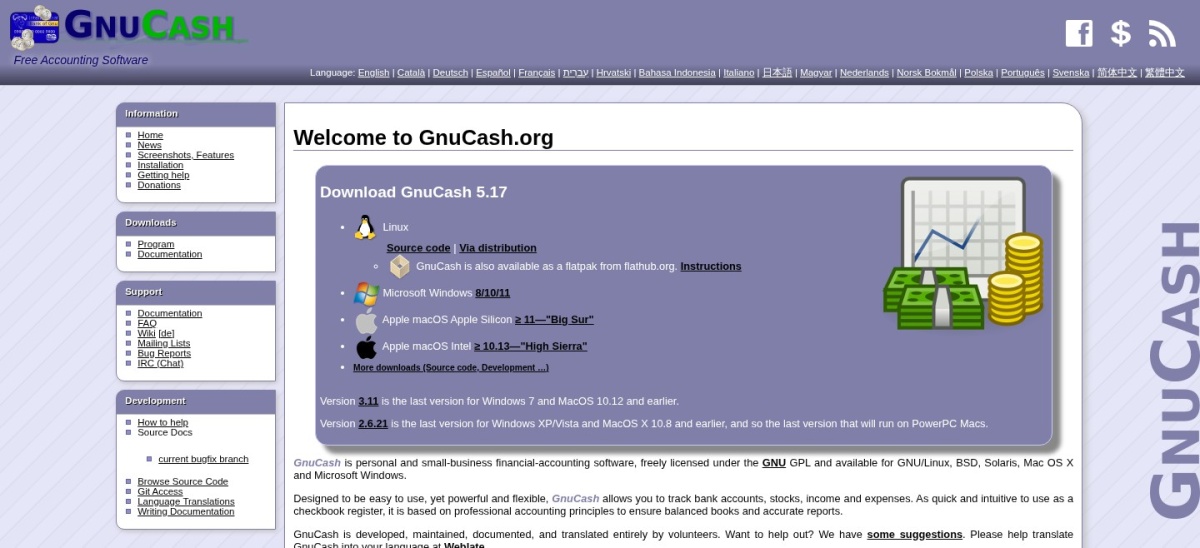
GnuCash homepage, captured Nov 2026.
GnuCash is free, open-source personal and small-business accounting software built around double-entry bookkeeping and checkbook-style registers. It supports scheduled transactions, QIF and OFX imports, multi-currency accounts, and stock or mutual fund tracking.
The trade off is that there is no paid support plan or official cloud sync at $0/yr, and reporting or bank imports take extra setup. It suits budget-minded users and small operators who know basic accounting terms and want zero recurring fees.
What we like
Completely free and open source with no subscription or paid tier
Tracks investments, scheduled items, and double-entry balances
Actively maintained with quarterly releases including 5.17 in 2026
Watch out for
No official vendor support or native mobile app
Steeper setup and manual work than commercial cloud apps
Charts and reporting feel dated compared with newer tools
No paid plan exists; the software is free under an open-source license.Visit gnucash.org
03
Express Accounts
3.9/5on Software Advice (7 reviews, checked Nov 2026)
Paid from$69.95 one-time
Best for simple small-business invoicing and orders
Pricing modelOne-time license & free tier
PlatformsWindows & macOS
Core toolsInvoices, orders, AR/AP
PromotionsNovember 2026 discounts noted
nchsoftware.com
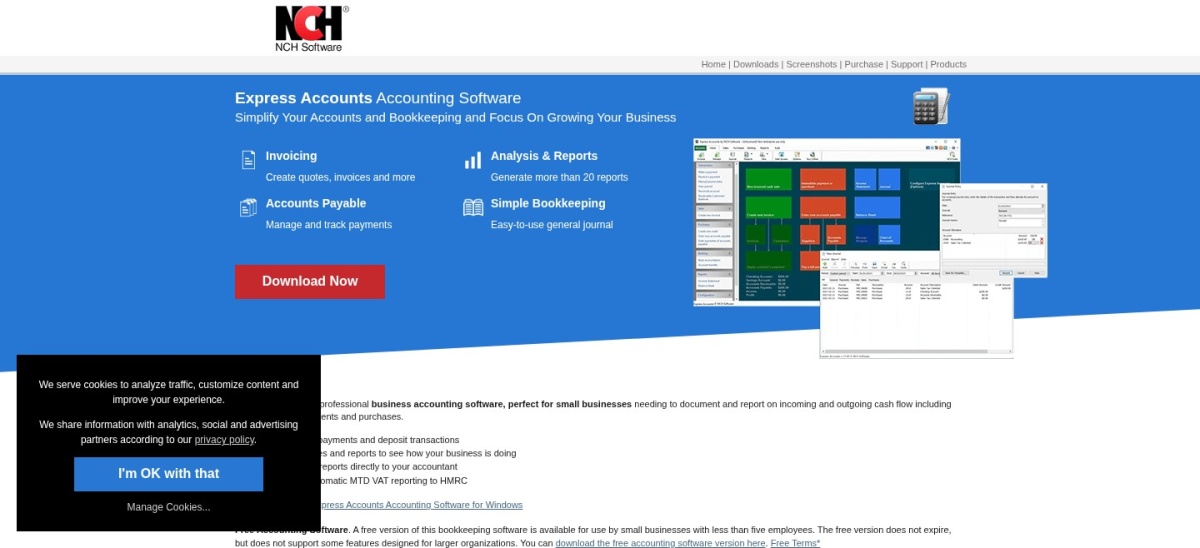
Express Accounts homepage, captured Nov 2026.
Express Accounts is desktop accounting software from NCH Software that handles quotes, orders, invoices, accounts receivable and payable, and basic financial reports. A free edition is available for small businesses, with one-time paid licenses starting at $69.95.
The trade off is that its interface is basic, advanced multi-user or payroll workflows are limited, and November 2026 store listings show promotional pricing alongside higher Plus tiers. It suits small shops and contractors that want simple invoices without a monthly bill.
What we like
Offers a one-time license starting at $69.95 plus a free version
Covers quotes, purchase orders, invoicing, and ledger reports
Available on both Windows and macOS
Watch out for
Basic interface and lighter reporting than full ERP suites
Store promotions and higher Plus editions can confuse buyers
Optional support and add-ons cost extra
Paid licenses and Plus editions expand business tools beyond the basic free version.Visit nchsoftware.com
04
Cashbook Complete
4.6/5on Capterra (5 reviews, checked Nov 2026)
Starts at$85 one-time
Best for non-accountants wanting a lifetime license
Pricing modelOne-time registration
UpdatesFree version upgrades included
SupportFree email support
Trial90-day free trial
acclaimsoftware.com
Cashbook Complete homepage, captured Nov 2026.
Cashbook Complete is a Windows cashbook and small-business accounting program that uses plain language instead of heavy accounting jargon. Its lifetime registration starts at $85 as a one-time payment and includes free version upgrades, email support, and bank statement imports.
The trade off is that there is no free permanent tier after the 90-day trial and no native mobile app at the $85 one-time starting price. It suits sole traders and small businesses on Windows that want a one-time purchase with free updates.
What we like
One-time lifetime registration from $85 with free updates included
Plain-English layout designed for owners without accounting training
Supports bank statement imports and Dropbox backup
Watch out for
No free tier once the 90-day trial ends
Windows-focused with no mobile app
Smaller public review count than mainstream cloud tools
Best for inventory-heavy businesses and tax compliance
Pricing modelOne-time or subscription
Key strengthsInventory, banking, tax reports
Recent releaseRel 7.2 (2026)
Trial7-day free trial
tallysolutions.com
TallyPrime homepage, captured Nov 2026.
TallyPrime is desktop business accounting and inventory software from Tally Solutions that handles invoicing, cash flow, banking, and statutory tax compliance. Its non-subscription license starts at $405 one-time on international plans (or INR 22,500 on Indian plans), with Rel 7.2 released in 2026.
The trade off is a higher upfront cost of $405 one-time compared with lightweight tools, and Tally also offers monthly subscription options. It suits product-based businesses and accountants that need deep stock tracking and structured voucher entry.
What we like
Strong inventory, banking, and accounting workflows in one package
Supports both one-time license purchases and subscription plans
Actively updated in 2026 with Release 7.2
Watch out for
Higher upfront license cost starting at $405
Keyboard-driven workflow takes time to learn for newcomers
Regional license variants apply by country
Tally Software Services adds connected services, updates, and cloud or mobile extras.Visit tallysolutions.com
06
KMyMoney
4.4/5on G2 (20 reviews, checked Nov 2026)
PriceFree
Best for personal budgets and investment tracking
LicenseFree open source
PlatformsLinux, macOS, Windows
Core toolsBudgets, schedules, investments
Recent releaseFeb 2026 (5.2.2)
kmymoney.org
KMyMoney homepage, captured Nov 2026.
KMyMoney is a free, open-source personal finance manager built on KDE frameworks that tracks accounts, budgets, scheduled bills, loans, and investments. It uses double-entry bookkeeping and shipped version 5.2.2 in February 2026 with stability and report improvements.
The trade off is that there is no paid tier or built-in business invoicing suite at $0/yr, and it targets personal finances rather than company accounting. It suits individuals and sole traders tracking household or personal cash flow without subscriptions.
What we like
Free open-source software with no subscription fees
Handles budgets, scheduled transactions, loans, and investments
Updated in February 2026 with version 5.2.2
Watch out for
Built for personal finance rather than full business invoicing
No official vendor helpdesk beyond community channels
Desktop-focused with no native mobile app
No paid plan exists; KMyMoney is distributed free under open-source licenses.Visit kmymoney.org
07
HomeBank
4.4/5on G2 (20 reviews, checked Nov 2026)
PriceFree
Best for fast, lightweight personal expense tracking
LicenseFree open source
PlatformsWindows, Linux, macOS
ImportsQIF, OFX, QFX, CSV
Recent releaseNov 2026 (5.10.4)
gethomebank.org
HomeBank homepage, captured Nov 2026.
HomeBank is free, open-source personal finance software for tracking bank accounts, budgets, and charts without a recurring fee. It supports QIF, OFX, QFX, and CSV statement imports, duplicate detection, and release 5.10.4 arrived on 12 Nov 2026.
The trade off is that there is no paid support plan or business invoicing and inventory module at $0/yr, and macOS relies on Homebrew or MacPorts. It suits individuals who want quick budget charts and simple file imports.
What we like
Free with no subscription and actively updated through November 2026
Easy budget setup, charts, and duplicate detection on imports
Includes a portable Windows installer option
Watch out for
Not designed for small-business invoicing, payroll, or inventory
No official mobile app or dedicated customer support desk
No paid plan exists; the project is free software supported by community donations.Visit gethomebank.org
Desktop files vs. cloud access when avoiding subscriptions
Most non-subscription accounting tools store your ledger locally on your computer rather than on a vendor's cloud servers. That keeps ongoing software fees low, while letting you open past records years later without an active account.
The main cost of local storage is convenience: accessing books from another device or sharing files with a bookkeeper takes manual file transfers or extra hosting. If you need multi-user cloud access, compare the added cost against a standard subscription.
How we chose
We built this shortlist by searching official vendor websites, release notes, and public software review directories for accounting and personal bookkeeping tools that do not require an ongoing subscription.
Pricing, editions, and review ratings were checked on 22 Nov 2026 from official vendor pages and review listings, using the regular starting price for paid plans and noting current promotions separately.
We excluded discontinued apps, tools without a verified price or recent release activity, and subscription-only cloud accounting platforms.
No vendor paid for a place, and we do not claim testing for this list.
How to pick the right non-subscription tool
Follow four quick checks before you install or buy:
Match the tool to business or personal books. Pick double-entry business software like Manager.io or TallyPrime for invoices and inventory, or personal ledgers like GnuCash, KMyMoney, and HomeBank for household budgets.
Check how bank data enters the app. Confirm whether you will import CSV, OFX, or QIF files manually or rely on a regional bank connection.
Verify update and support terms upfront. Check whether bug fixes, major upgrades, and email or phone support are free forever or sold as separate add-ons.
Set up local backups on day one. Save copies of your accounting files to an external drive or encrypted backup folder so hardware loss does not wipe your records.
FAQ
Is there truly free accounting software with no subscription?
Yes. Tools such as GnuCash, KMyMoney, and HomeBank are free to download and use with no subscription fees, and Manager.io offers a free desktop edition with no time limit.
What is the catch with non-subscription accounting software?
You usually manage local files yourself instead of getting automatic cloud syncing across devices. Some tools also charge extra for major upgrades, multi-user access, or live bank feeds.
Can I use personal finance tools like HomeBank or KMyMoney for a small business?
They work for very simple sole-proprietor income and expense tracking, but they lack full business invoicing, accounts receivable, and inventory tools. Dedicated accounting software fits businesses that bill clients or track stock.
Do one-time license tools require paying again every year?
A one-time license lets you keep using the purchased software without a monthly fee, though major version upgrades or support renewals may cost extra depending on the vendor. Always read the license terms before buying.
Why do some vendors show a lower price during November?
Software makers often run seasonal promotions that discount licenses or bundles for a limited window. Comparing the regular price helps you judge true long-term cost.
How do I share books with an accountant if my software is offline?
Most desktop accounting tools let you export reports as PDF or CSV files or share a copy of the data file. Ask your accountant which file format they prefer before setting up your chart of accounts.
SaaS SEO and WordPress specialist with about 8 years of experience. Rakib compares WordPress plugins, themes, hosting and software using public pricing, documentation and user reviews. See how we rank.