Best Payroll Software Canada in 2026: 7 Tools Compared
WLWPLegible EditorsLast verified 22 Nov 2026How we rank6 min read
★ Short answer
Wagepoint is the best payroll software in Canada for most small teams, with published base pricing starting at $20 per month plus $4 per worker and a 4.4/5 rating from 56 G2 reviews. Knit People fits teams wanting combined HR and payroll workflows, while Deel Payroll suits companies hiring across borders.
How we make this list: we compare pricing pages, product documentation and public user reviews, then re-check every price before each update. No product paid for a place. Disclosure.
Wagepoint starts at $20/mo plus $4/worker on its Solo tier, with a 4.4/5 rating across 56 G2 reviews.
Knit People lists Lite payroll starting at $40/mo plus $6/employee/mo, holding a 4.7/5 rating from 141 Capterra reviews.
QuickBooks Payroll lists Payroll Core at $25/mo plus $5/employee/mo on its accountant payroll page, with a 4.5/5 rating from 999 Capterra reviews.
Deel Payroll starts at $29 per employee/mo for global and multi-country payroll, backed by 4.6/5 across 10,000 Trustpilot reviews.
Every platform on this list is a paid subscription service rather than a permanent free tool.
What to look for in Canadian payroll software
Running payroll in Canada requires accurate handling of federal and provincial rules, statutory deductions such as CPP and EI, and year-end filings like T4 slips and Records of Employment. Because provincial minimum wages and employment standards vary across jurisdictions, software needs clear pay-run controls and up-to-date tax tables.
Pricing models vary sharply between providers. Some charge a monthly base fee plus a per-person rate, while others calculate fees per pay run or require a custom quote based on headcount and pay frequency.
Before committing, check whether you need built-in time tracking, employee self-service portals, accounting sync, or multi-country contractor support. Paying for HR modules you do not use can raise monthly costs quickly.
Also confirm how support works when a pay date is approaching. Fast answers during tax remittances and year-end reconciliation matter far more than extra dashboard widgets.
Wagepoint is payroll software aimed at small businesses and bookkeepers, with its Solo plan starting at $20 per month plus $4 per employee or contractor for one payroll run per month. It supports direct deposit and serves more than 30,000 small businesses, accountants, and bookkeepers across Canada.
The trade off is that Solo caps you at one payroll run per month and a single pay group, while higher tiers like Unlimited start at $40 per month plus $6 per person. It suits small teams with predictable monthly pay schedules that want clear published pricing.
What we like
Clear published base and per-worker pricing on entry tiers
Built for small businesses and accounting or bookkeeping workflows
Direct deposit included on the Solo plan
Watch out for
Solo plan limits you to one payroll run per month
No permanent free tier
Per-person fees scale as headcount grows
Higher tiers such as Unlimited ($40/mo + $6/person) and Plus ($80/mo + $10/person) add unlimited monthly payroll runs and pay groups.Visit wagepoint.com
02
Knit People
4.7/5on Capterra (141 reviews, checked Nov 2026)
Starts at$40/mo
Best for combined payroll and HR tools
Base plan$40/mo + $6/employee
Pay runsUnlimited per month
Free planNo (trial available)
Capterra rating4.7/5 (141 reviews)
knitpeople.com
Knit People homepage, captured Nov 2026.
Knit People is a payroll and HR platform whose Lite plan starts at $40 per month plus $6 per employee per month, with unlimited payroll runs and automated CRA source deduction remittances. It also covers year-end T4 generation, Record of Employment filing, and self-onboarding portals.
The trade off is that its base price is higher than entry-level options, and add-ons like Time & Attendance cost an extra $4 per person per month. It suits growing teams that want employee self-onboarding and payroll in one place.
What we like
Unlimited monthly payroll runs included on the Lite plan
Automates CRA remittances, T4s, and ROEs
Employee self-onboarding checklists and portals
Watch out for
Higher monthly base fee than basic payroll tools
Time and attendance tracking costs extra per person
QuickBooks Payroll is Intuit's payroll service for Canadian businesses, with Payroll Core listed at $25 per month plus $5 per employee per month on its accountant payroll page. It calculates CPP, EI, and income tax withholdings, supports T4 and T4A slips, and provides digital pay stubs via QuickBooks Workforce.
The trade off is that its main workflow advantage centers on staying inside QuickBooks, while higher tiers like Payroll Premium ($55/mo + $8/employee) add scheduling and time tracking. It suits businesses already running their books on QuickBooks.
What we like
Calculates CPP, EI, and income tax withholdings automatically
Generates T4 and T4A slips alongside employee pay stub access
Keeps payroll records and accounting data connected
Watch out for
Less compelling if you do not use QuickBooks accounting
Time tracking and scheduling sit on higher tiers
Monthly per-employee fees add up across larger teams
Payroll Premium ($55/mo + $8/employee) and Payroll Elite ($80/mo + $15/employee) add time tracking, scheduling, and project tools.Visit quickbooks.intuit.com
04
Deel Payroll
4.6/5on Trustpilot (10,000+ reviews, checked Nov 2026)
Starts at$29/mo
Best for global and multi-country payroll
Starting rate$29/employee/mo
Coverage130+ countries
Free planNo
Trustpilot rating4.6/5 (10K+ reviews)
deel.com
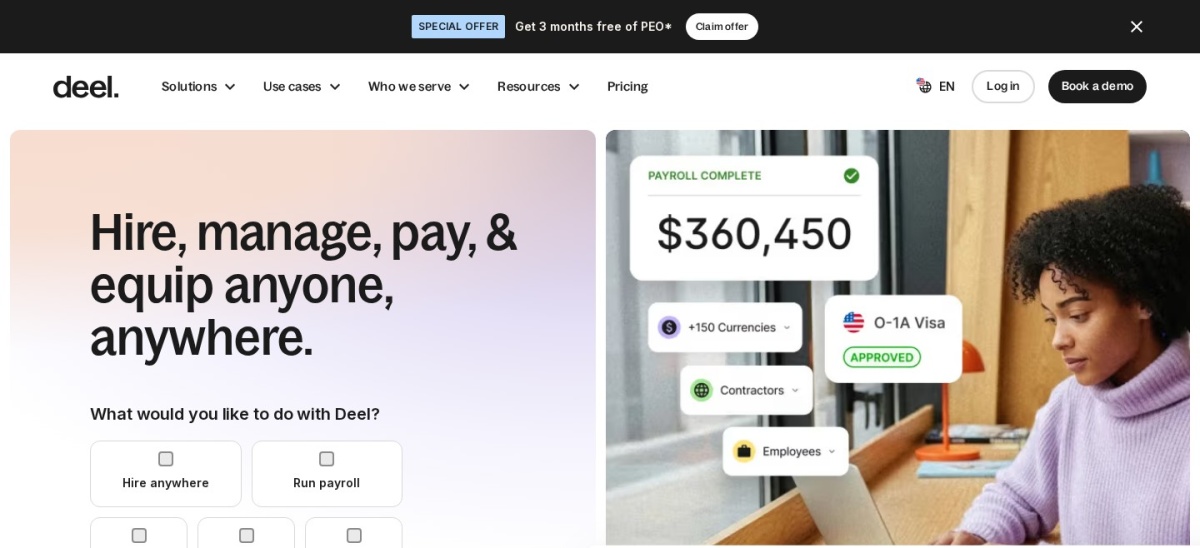
Deel Payroll homepage, captured Nov 2026.
Deel Payroll is a global payroll and workforce platform starting at $29 per employee per month, supporting Canadian payroll alongside multi-country teams. It handles CRA remittances, T4s, ROEs, and Quebec payroll items while connecting global contractors and employees in one platform.
The trade off is that its per-employee pricing model can cost more than local-only tools if your team is small and strictly domestic. It suits companies managing Canadian staff alongside international contractors or overseas entities.
What we like
Supports Canadian payroll and global teams in one system
Covers CRA remittances, T4s, ROEs, and Quebec filings
Includes built-in HRIS workflows and contractor tools
Watch out for
Per-employee pricing can be pricey for small domestic-only teams
Broader platform features take time to configure
Some international payout or conversion fees may apply
Add-on workforce modules and global EOR or contractor plans expand coverage beyond standard direct-employee payroll runs.Visit deel.com
05
Rippling
4.6/5on Trustpilot (3,000+ reviews, checked Nov 2026)
Starts at$8/mo
Best for unifying HR, IT, and payroll
Core platformFrom $8/user/mo
Pricing modelModular per-user/base
Free planNo
Trustpilot rating4.6/5 (3K+ reviews)
rippling.com
Rippling homepage, captured Nov 2026.
Rippling is a modular workforce platform with core HRIS pricing starting at $8 per user per month, combining employee records with payroll and operational modules. Centralizing employee data helps keep pay rates, time off, and onboarding aligned without manual re-entry.
The trade off is that modules and base fees stack up as you add capabilities, and payroll quotes or add-ons require checking exact bundle terms. It suits growing companies that want payroll tied directly to HR and IT workflows.
What we like
Unifies employee records, payroll, and broader HR modules
Reduces duplicate data entry when staff details change
Strong self-service portal for employees and managers
Watch out for
Modular add-ons can increase total monthly spend
Steeper setup and learning curve than basic payroll tools
Off-cycle payroll fees may apply in certain jurisdictions
Adding dedicated payroll, time tracking, benefits, or IT modules expands Rippling from basic employee records into full workforce automation.Visit rippling.com
06
ADP Workforce Now
4.4/5on Capterra (7,294 reviews, checked Nov 2026)
PricingCustom quote
Best for mid-sized and larger teams
PricingCustom quote
Team fit50–1,000+ employees
Free planNo
Capterra rating4.4/5 (7,294 reviews)
adp.com
ADP Workforce Now homepage, captured Nov 2026.
ADP Workforce Now is a broad human capital management suite offering payroll, time and attendance, benefits administration, and reporting for growing and larger organizations. It supports multi-location teams and complex pay policies across Canadian and international operations.
The trade off is that pricing requires a custom quote rather than public self-serve tiers, and initial configuration takes more effort. It suits mid-sized and larger teams that need deep HR and compliance depth.
What we like
Combines payroll, time tracking, and HR tools in one suite
Handles complex schedules, locations, and workforce reporting
Proven fit for larger teams with multi-layered HR needs
Watch out for
No published self-serve pricing; requires a sales quote
Initial setup and menus can feel heavy for small teams
Some custom reporting options can cost extra
Optional HR advisory, benefits administration, and expanded analytics modules tailor the suite to larger workforces.Visit adp.com
07
Payworks
4.6/5on Capterra (200+ reviews, checked Nov 2026)
PricingCustom quote
Best for per-run Canadian payroll and service
PricingCustom per-run quote
Billing ruleActive paid staff only
Free planNo
Capterra rating4.6/5
payworks.ca
Payworks homepage, captured Nov 2026.
Payworks is a Canadian workforce management provider offering payroll, absence tracking, scheduling, and HR modules with a focus on local compliance and client support. It charges per pay run only for active paid employees rather than billing for inactive staff.
The trade off is that exact pricing is quote-based rather than listed as a flat public rate card. It suits Canadian businesses that want per-run billing transparency and dedicated client service.
What we like
Focused on Canadian payroll rules, remittances, and reporting
Charges per run only for employees paid in that cycle
Offers integrated time capture, scheduling, and HR modules
Watch out for
Requires requesting a quote rather than instant self-serve signup
Interface can feel dense when first navigating less common menus
Less suited for teams looking for broad global EOR coverage
Optional time management, absence tracking, applicant tracking, and managed payroll services expand the core payroll setup.Visit payworks.ca
How Canadian payroll pricing models differ
Monthly base plus per-person pricing is common among small-business tools like Wagepoint and Knit People. You pay a recurring platform fee plus a set amount per active employee or contractor each month.
Per-run and quote-based models—used by providers such as Payworks and ADP Workforce Now—scale with pay frequency, headcount, and selected modules. Always ask whether off-cycle pay runs, year-end forms, or add-ons carry separate charges.
How we chose
We built this shortlist by reviewing Canadian payroll guides, vendor documentation, and public software review directories to identify active platforms serving businesses in Canada.
All pricing figures, review scores, and product details were checked on 22 Nov 2026 from official vendor pages and review directories such as G2, Capterra, and Trustpilot.
We excluded tools lacking verifiable public pricing or review details on opened pages, as well as outdated or unmaintained options. No vendor paid for a place, and we do not claim testing for this list.
How to pick the right payroll software
Follow four practical steps to narrow down a Canadian payroll platform before you sign up:
Map your pay schedule and worker mix. Count full-time employees, hourly staff, and contractors, and note whether you run payroll monthly, biweekly, or weekly.
Confirm statutory deductions and year-end filings. Verify how the platform handles CPP, EI, income tax withholdings, remittances, T4 slips, and Records of Employment.
Check accounting and time-tracking connections. See whether your bookkeeping software and timesheets sync cleanly so you avoid re-keying hours or journal entries.
Estimate true total cost across a full year. Multiply base fees, per-person charges, and pay-run counts across 12 months, including any paid add-ons.
FAQ
What is the best payroll software in Canada for a small business?
Wagepoint is a strong starting point for small Canadian businesses that want straightforward payroll and published pricing, starting at $20 per month plus $4 per worker on its Solo plan. If you want built-in HR onboarding alongside payroll, Knit People is another option to compare.
What payroll deductions do Canadian employers have to manage?
Canadian payroll typically involves calculating and remitting Canada Pension Plan contributions, Employment Insurance premiums, and federal and provincial income taxes. Employers also issue year-end T4 slips and file Records of Employment when staff leave.
How much does payroll software in Canada usually cost?
Small-business plans often start around $20 to $40 per month plus a per-employee fee, though exact costs depend on headcount, pay frequency, and add-ons. Full-service or enterprise platforms often use custom quotes based on workforce size.
Should I choose per-employee pricing or per-run pricing?
Per-employee monthly pricing works well when your headcount and pay schedule are predictable. Per-run pricing can fit businesses that run payroll less often or want costs tied strictly to active pay periods.
Do I need separate HR software if I buy payroll software?
Not always. Some platforms bundle onboarding, time off, or time tracking with payroll, while others focus strictly on pay runs and tax filings. Choose an all-in-one HR suite only if you will use those extra tools regularly.
What should I check before switching payroll providers mid-year?
Gather year-to-date earnings, statutory deductions, remittance history, and employee tax details so opening balances match cleanly. Switching near a pay period boundary or year-end makes reconciling T4s and remittances much easier.