Gusto is the top choice for small-business payroll and accounting integration, holding a 4.6 out of 5 rating across 14,238 G2 reviews with a $49 monthly base plan. OnPay suits teams wanting straightforward pricing at $49 per month plus $6 per person, while Zoho Books fits budget-minded businesses with a free plan.
How we make this list: we compare pricing pages, product documentation and public user reviews, then re-check every price before each update. No product paid for a place. Disclosure.
#2 Runner-up
OnPay
Transparent payroll pricing with HR and accounting tools
Gusto holds a 4.6/5 rating across 14,238 G2 reviews, starting at a $49 monthly base fee plus per-person charges.
OnPay earns a 4.8/5 rating across 424 G2 reviews, priced at $49 per month plus $6 per person.
Zoho Books offers a $0 free tier and starts paid plans at $15 per month billed annually ($180/yr) for three users.
Xero charges $27 per month on its Early plan (before promotional discounts) with unlimited user seats.
Patriot Software starts Basic Payroll at $17 per month plus $4 per worker paid before introductory discounts.
What to look for in payroll and accounting software
Combining payroll and accounting reduces manual journal entries, tax filing mistakes, and month-end reconciliation delays. Some platforms handle full-service payroll with accounting syncs, while accounting-first tools pair ledger tracking with native or partner payroll modules.
Check whether base subscription fees exclude per-employee or per-contractor charges, multi-state tax filing fees, or payment processing costs. A low starting base rate can climb quickly as headcount, pay runs, or state filings expand.
Review how each tool handles contractor payments, employee self-service portals, time tracking, and accountant access. Direct general ledger mapping saves hours when closing monthly books or preparing year-end tax forms.
Best for small-business payroll and accounting sync
Entry planSimple ($49/mo base)
G2 rating4.6/5 (14,238 reviews)
Customer base500,000+ businesses
Annual base$588/yr before per-person fees
gusto.com
Gusto homepage, captured Nov 2026.
Gusto is a cloud payroll, benefits, and people platform used by over 500,000 businesses. Its Simple plan starts at a $49 monthly base fee plus per-person charges, covering payroll runs, tax filings, and accounting integrations.
The trade off is that per-person fees and optional add-ons—such as a $30/mo plus $3/mo per person priority support add-on on Simple—raise total costs as headcount grows. It suits small businesses wanting streamlined payroll workflows connected to their accounting stack.
What we like
High usability and onboarding scores across 14,238 G2 reviews
Automated tax filings and accounting software integrations
Supports W-2 employees and contractor payments in one system
Watch out for
Per-person fees increase monthly cost as teams scale
Priority support requires an extra paid add-on on Simple
Higher tiers and add-ons expand HR features, benefits administration, and priority support.Visit gusto.com
02
OnPay
4.8/5on G2 (424 reviews, checked Nov 2026)
Starts at$49/mo
Best for straightforward pricing and accountant workflows
Base pricing$49/mo + $6/person
G2 rating4.8/5 (424 reviews)
Pay runsUnlimited monthly pay runs
Annual base$588/yr before per-person fees
onpay.com
OnPay homepage, captured Nov 2026.
OnPay is a payroll and HR platform rated 4.8 out of 5 across 424 G2 reviews. Its pricing starts at a $49 monthly base fee plus $6 per person, including unlimited pay runs, tax filings, and accountant-friendly access.
The trade off is that adding team members multiplies the $6 per-person monthly fee on top of the $49 base rate. It suits small businesses and accounting firms that want predictable base pricing without complex tier gates.
What we like
Strong 4.8/5 rating on G2 across 424 reviews
Includes unlimited pay runs and tax filings in the core structure
Accountant-friendly permissions and integrations
Watch out for
Per-person fee applies on top of the monthly base fee
Less suited to large enterprises needing multi-layered global HR suites
Core payroll includes HR basics, tax filings, and benefits administration support.Visit onpay.com
03
Zoho Books
4.4/5on G2 (332 reviews, checked Nov 2026)
Paid from$15/mo
Best for low-cost accounting and automation
Free plan$0/mo for micro businesses
Entry paid planStandard at $15/mo billed annually
G2 rating4.4/5 (332 reviews)
Annual paid base$180/yr ($15/mo annual)
zoho.com
Zoho Books homepage, captured Nov 2026.
Zoho Books is a cloud accounting platform rated 4.4 out of 5 across 332 G2 reviews. It offers a $0 free tier for solopreneurs and micro businesses, while its Standard paid tier starts at $15 per month billed annually ($20 monthly) for three users.
The trade off is that US payroll is not native inside Zoho Books and requires third-party integration, while extra users cost $2.50 per user/month billed annually. It suits budget-conscious teams and Zoho ecosystem users who pair accounting with external payroll.
What we like
Free plan available alongside low-cost Standard pricing at $180/yr billed annually
Clean dashboard, bank rules, and workflow automation
Tight integration with other Zoho business applications
Watch out for
No built-in US payroll without third-party tools
Vendor bills and higher user counts require upgrading plans or add-ons
Higher tiers and add-ons unlock vendor bills, inventory, warehouses, and extra seats.Visit zoho.com
04
Patriot Software
4.8/5on G2 (630 reviews, checked Nov 2026)
Starts at$17/mo
Best for low-cost US payroll and accounting
Entry payrollBasic at $17/mo + $4/worker
G2 rating4.8/5 (630 reviews)
Full-service payroll$37/mo + $5/worker
Annual base$204/yr before worker/add-on fees
patriotsoftware.com
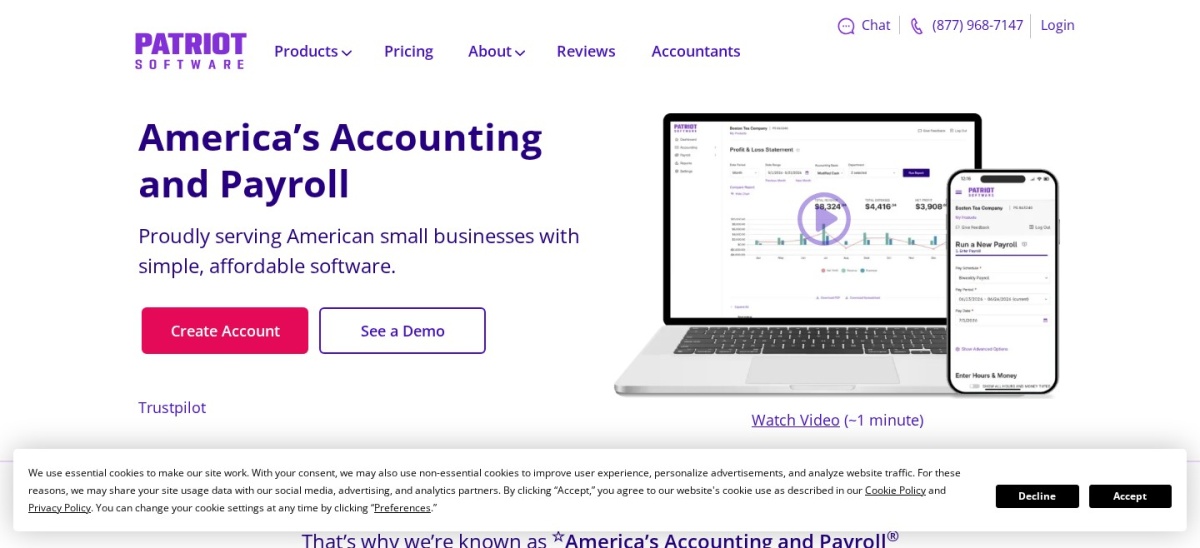
Patriot Software homepage, captured Nov 2026.
Patriot Software provides modular US payroll and accounting software with a 4.8 out of 5 rating across 630 G2 reviews. Its Basic Payroll starts at a regular $17 monthly base fee plus $4 per worker paid (excluding promotional discounts).
The trade off is that Basic Payroll leaves tax filing and deposits to you, while Full Service Payroll costs $37/mo plus $5/worker and additional modules cost extra. It suits small US businesses watching monthly software spend closely.
What we like
4.8/5 rating on G2 across 630 reviews
Low entry pricing with unlimited payroll runs per month
Modular options let you add accounting, HR, or time tracking as needed
Watch out for
Basic Payroll does not handle tax filing and deposits for you
Multi-state filing on Full Service Payroll adds $12 per additional state
Full Service Payroll adds automated tax filing, while separate modules add accounting and HR.Visit patriotsoftware.com
05
Xero
4.4/5on G2 (1,864 reviews, checked Nov 2026)
Starts at$27/mo
Best for unlimited user seats on accounting plans
Entry planEarly at $27/mo regular price
G2 rating4.4/5 (1,864 reviews)
User limitNo per-user license fees
Annual base$324/yr ($27/mo before promos)
xero.com
Xero homepage, captured Nov 2026.
Xero is a cloud accounting platform rated 4.4 out of 5 across 1,864 G2 reviews. Its Early plan has a regular price of $27 per month (before promotional discounts) and includes no per-user license fees.
The trade off is that the Early plan caps monthly invoices at 20 and bills at 5, while Xero Payroll costs an optional $36/mo plus $6 per employee or contractor. It suits growing teams that want unlimited user seats and bank reconciliation.
What we like
No per-user license fees across plans
Clean bank reconciliation and broad third-party app ecosystem
Optional payroll add-on connects directly with accounting workflows
Watch out for
Early plan caps monthly invoices and bill entries
Payroll is an extra monthly fee on top of the accounting subscription
Growing and Established plans remove invoice and bill limits and add multi-currency or projects.Visit xero.com
06
FreshBooks
4.5/5on G2 (983 reviews, checked Nov 2026)
Starts at$23/mo
Best for client invoicing and service billing
Entry planLite at $23/mo regular price
G2 rating4.5/5 (983 reviews)
Payroll add-on$40/mo + $6/person (US)
Annual base$276/yr ($23/mo before promos)
freshbooks.com
FreshBooks homepage, captured Nov 2026.
FreshBooks is an invoicing and accounting platform holding a 4.5 out of 5 rating across 983 G2 reviews. Its Lite plan lists at a regular $23 per month (before promotional discounts) for up to five billable clients.
The trade off is that Lite caps billable clients at five, extra team members cost $11/mo each, and US payroll costs an extra $40/mo plus $6 per person. It suits freelancers and client-service businesses prioritizing billing and time tracking.
What we like
Strong invoicing, time tracking, and client billing experience
Rated 4.5/5 across 983 G2 reviews
Optional US payroll integrates into your workflow
Watch out for
Client caps and extra team member fees can add up
Less suited to heavy inventory or complex multi-entity accounting
Plus and Premium tiers raise client limits and add proposals, accountant access, and profitability reports.Visit freshbooks.com
07
QuickBooks Online
4.4/5on G2 (403 reviews, checked Nov 2026)
Starts at$38/mo
Best for broad accounting depth and third-party apps
Entry planSimple Start at $38/mo
G2 rating4.4/5 (403 reviews)
Payroll optionAdd-on payroll available
Annual base$456/yr ($38/mo before promos)
quickbooks.intuit.com
QuickBooks Online homepage, captured Nov 2026.
QuickBooks Online is a cloud accounting platform rated 4.4 out of 5 across 403 G2 reviews. Its Simple Start plan lists at $38 per month (before promotional discounts) for one user with accountant access.
The trade off is that Simple Start supports one user and payroll is billed separately on top of the accounting subscription. It suits small businesses that want deep financial reporting and broad third-party integrations.
What we like
Comprehensive reporting, expense tracking, and bank sync tools
Large ecosystem of accounting and business integrations
Clear upgrade path from Simple Start through higher tiers
Watch out for
Monthly costs climb across higher tiers and payroll add-ons
Entry tier limits active user seats
Higher plans add more users, bill management, inventory tracking, and project profitability tools.Visit quickbooks.intuit.com
Accounting-first vs. payroll-first platforms
Accounting-first platforms like Zoho Books, Xero, FreshBooks, and QuickBooks Online focus on ledgers, invoices, expenses, and financial statements, often pairing with native or partner payroll modules.
Payroll-first platforms like Gusto, OnPay, and Patriot Software center on pay runs, tax filings, and worker onboarding while syncing journal entries into your accounting software.
How we chose
We built this shortlist from established business accounting and payroll platforms with active maintenance and public user ratings on G2.
Pricing, plan structures, and G2 ratings were reviewed on 22 Nov 2026 using regular US subscription pricing before introductory promotions.
We excluded unverified tools, quote-only enterprise suites without published entry pricing, and products lacking clear payroll or accounting capabilities. No vendor paid for a place, and we do not claim testing for this list.
How to choose payroll and accounting software
Follow four practical steps to match a platform to your team size and bookkeeping workflow.
Map your headcount and worker types. List how many W-2 employees and 1099 contractors you pay each month so you can model per-person and base fees accurately.
Check whether payroll and accounting live in one bill or two. Decide whether you prefer an accounting tool with an optional payroll add-on or a payroll platform that syncs into your ledger.
Compare regular rates against introductory promos. Look past first-month or first-quarter discounts to check the ongoing monthly or annual rate you will pay long term.
Verify tax filing and accountant access needs. Confirm whether tax filings are automated and whether your bookkeeper or accountant gets free or included access.
FAQ
Should I pick accounting software with a payroll add-on or dedicated payroll software?
Choose accounting-first software if invoicing, expense tracking, and financial reports are your primary daily focus and you only need straightforward payroll. Pick a payroll-first platform if automated pay runs, tax compliance, and worker onboarding are your main priority.
Why do payroll software prices often show a base fee plus a per-person fee?
Many payroll providers charge a monthly base subscription for platform access and compliance infrastructure, then add a per-employee or per-contractor charge for each worker paid. Total monthly spend scales with headcount and pay frequency.
Do accounting and payroll tools offer promotional discounts?
Yes, several vendors run introductory discounts or free trials for new accounts before switching to regular list pricing. Always check the regular post-discount rate when budgeting for a full year.
Can I pay both W-2 employees and 1099 contractors?
Most payroll platforms and integrated payroll add-ons support paying both W-2 employees and 1099 contractors, though per-worker fees or plan tiers can differ by worker type.
How does accountant access typically work?
Many platforms let you invite an accountant or bookkeeper to review records, reconcile accounts, or manage client files, either included in a tier or via partner tools. Confirm seat limits before upgrading plans.
What extra costs should I watch for beyond the base subscription?
Watch for per-worker charges, multi-state tax filing fees, payment processing fees, extra user seats, and optional add-ons like time tracking or priority support.
SaaS SEO and WordPress specialist with about 8 years of experience. Rakib compares WordPress plugins, themes, hosting and software using public pricing, documentation and user reviews. See how we rank.