Organimi is the top choice for dedicated organisation chart software, starting at $10/month billed annually with automated CSV and Excel imports. For teams that need general diagramming alongside org charts, Lucidchart starts at $9/month with a free tier, while Sift automates live directory syncs from $3,800/year.
How we make this list: we compare pricing pages, product documentation and public user reviews, then re-check every price before each update. No product paid for a place. Disclosure.
Dedicated org chart builders like Organimi start at $120/year ($10/month billed annually) and include a free plan for up to 25 people.
General diagramming tools such as Lucidchart ($108/year) and Microsoft Visio ($60/year) handle org charts plus flowcharts and process maps.
Automated HRIS-connected platforms like Sift start at $3,800/year for up to 250 employees, eliminating manual roster updates.
Workforce restructuring tools like Functionly cost $24/seat/month billed annually (3-seat minimum, or $864/year) for headcount and cost modeling.
Every listed tool holds at least a 4.2 out of 5 rating on G2 across 20 to 13,873 verified reviews.
What to look for in organisation chart software
Static slides and spreadsheets break down as soon as a company hires, promotes, or reorganizes teams. Modern organisation chart software builds reporting trees automatically from employee rosters and keeps layouts aligned when managers change.
Start by separating simple visual diagramming from live HR data sync. General diagramming suites let you draw reporting lines quickly and export slides, whereas dedicated HR platforms connect to directory or payroll systems so every hire and title change updates the chart without manual edits.
Check how pricing scales before committing. Diagramming tools typically bill per editor seat each month, while dedicated org chart platforms bill by total charted headcount or flat organizational tiers.
Organimi is a cloud platform built specifically for creating and sharing organizational structures rather than general flowcharts. Its free plan supports up to 25 people with 1 admin and 1 chart, while the Basic plan starts at $10/month billed annually for unlimited traditional charts and CSV or Excel imports.
The trade off is that direct directory integrations like Google Workspace, Azure Active Directory, and Salesforce require the Premium tier starting at $20/month billed annually, and prices scale up as charted headcount grows. It suits small to mid-sized organizations that want clean, purpose-built org charts without enterprise HR suite pricing.
What we like
Purpose-built auto-layout for hierarchical, matrix, and governance charts
Permanent free tier for teams up to 25 employees
Flat headcount-based pricing with unlimited viewer sharing
Supports scenario duplication for modeling restructures
Watch out for
Direct HRIS and directory connectors require the Premium tier
Free plan exports include a watermark
Basic unlocks unlimited traditional charts, 3 admins, and watermark-free exports.Visit organimi.com
02
Lucidchart
4.5/5on G2 (9,152 reviews, checked Nov 2026)
Paid from$9/mo
Best for teams needing org charts plus general diagramming
Entry planFree (3 documents, 60 shapes each)
Paid start$9/mo Individual billed annually
Data importCSV, Excel, Google Sheets
Export formatsPDF, PNG, Visio (VSDX), CSV
lucid.co
Lucidchart homepage, captured Nov 2026.
Lucidchart is a web-based visual diagramming application that generates organizational charts from imported spreadsheets alongside flowcharts and system maps. Its free tier includes 3 editable documents with up to 60 shapes each and 100 templates, while the Individual plan costs $9/month billed annually for unlimited documents and shapes.
The trade off is that multi-user collaboration features, version history, and Microsoft 365 or Jira integrations require upgrading to the Team plan at $10/user/month billed annually. It suits cross-functional teams that want one browser tool for both org charts and process documentation.
What we like
Imports employee hierarchies directly from CSV, Excel, or Google Sheets
Generous 100-template library on the free tier
Supports Visio file import and export on paid plans
Real-time co-editing and commenting on shared canvases
Watch out for
Free plan caps diagrams at 60 shapes, too small for mid-sized firms
Lacks native HRIS connectors and headcount budgeting rollups
Individual removes the 3-document and 60-shape caps and adds Visio import/export.Visit lucid.co
03
Microsoft Visio
4.2/5on G2 (693 reviews, checked Nov 2026)
Starts at$5/mo
Best for Microsoft 365 organizations
Entry plan$5/user/mo paid yearly (Plan 1)
Desktop tier$15/user/mo paid yearly (Plan 2)
Data syncExcel, Exchange, Microsoft Entra ID
DeploymentWeb, Microsoft Teams, Windows desktop
microsoft.com
Microsoft Visio homepage, captured Nov 2026.
Microsoft Visio is a business diagramming tool that builds reporting trees automatically from Excel workbooks, Exchange, or Microsoft Entra ID. Visio Plan 1 costs $5/user/month paid yearly for web and Microsoft Teams access, and a basic web edition is also bundled with select Microsoft 365 commercial plans.
The trade off is that the full Windows desktop application and live external data linking require Visio Plan 2 at $15/user/month paid yearly, and macOS lacks a native desktop client. It suits IT and HR teams standardized on Microsoft 365 that want low-cost per-editor licensing.
What we like
Lowest per-editor starting price at $5/user/month paid yearly
Pulls employee titles and photos from Exchange and Entra ID
Embeds directly inside Microsoft Teams channels and SharePoint
Watch out for
No native desktop app for macOS users
Automated data-linked org chart wizard requires Plan 2 on desktop
Plan 1 unlocks full web and Teams diagramming; Plan 2 adds the Windows desktop client.Visit microsoft.com
04
Creately
4.4/5on G2 (1,346 reviews, checked Nov 2026)
Paid from$5/mo
Best budget canvas with two-way data sync
Entry planFree (45 shapes per diagram)
Paid start$5/mo billed annually ($8/mo monthly)
Business tier$89/mo billed annually (unlimited users)
ExportsPDF, SVG, PNG, JPEG
creately.com
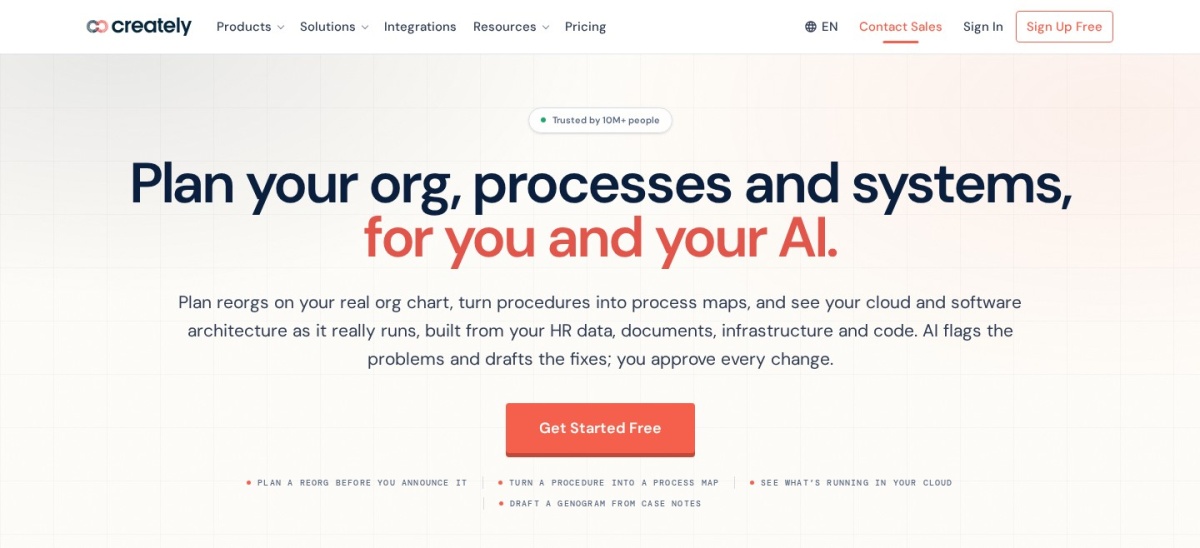
Creately homepage, captured Nov 2026.
Creately combines an infinite visual whiteboard with structured data cards so every employee node can hold custom role and department fields. Its free tier includes unlimited canvases capped at 45 shapes per diagram, while paid individual plans start at $5/month billed annually ($8/month billed monthly) for unlimited shapes and vector exports.
The trade off is that unlimited connected data sources, admin role controls, and audit logs require the Business plan at $89/month billed annually ($149/month monthly). It suits budget-conscious teams that want database-backed org cards without paying per-employee fees.
What we like
Low $5/month annual entry price with unlimited shapes and diagrams
Business tier covers unlimited users for a flat $89/month annual fee
Every shape acts as a structured data card with custom properties
Watch out for
Free plan blocks PNG, JPEG, PDF, and SVG file exports
Lacks pre-built payroll connectors compared with dedicated HR tools
Paid plans unlock unlimited shapes per canvas, private share links, and PDF/SVG exports.Visit creately.com
05
Miro
4.6/5on G2 (13,873 reviews, checked Nov 2026)
Paid from$8/mo
Best for collaborative reorg workshops
Entry planFree (3 editable boards)
Paid start$8/member/mo billed yearly
Templates7,000+ board and chart templates
Integrations250+ apps including Slack, Teams, Jira
miro.com
Miro homepage, captured Nov 2026.
Miro is a collaborative online whiteboard that turns CSV spreadsheets into editable organizational trees on an infinite canvas. Its free plan supports unlimited team members across 3 active editable boards with 7,000+ templates, while the Starter plan costs $8/member/month billed yearly for unlimited private boards and high-resolution PDF exports.
The trade off is that Miro does not maintain a live bidirectional HRIS sync, and boards with hundreds of employee cards can feel sluggish during large meetings. It suits leadership and HR teams running live restructuring workshops rather than maintaining a permanent employee directory.
What we like
Highest G2 review volume (13,873 reviews at 4.6/5) for real-time collaboration
Free plan allows unlimited collaborators on 3 editable boards
Built-in voting, timers, and sticky notes for planning sessions
Watch out for
No live sync with HRIS or payroll systems after initial CSV import
Per-member billing adds up quickly if every employee needs edit access
Starter removes the 3-board cap and adds private boards and high-res PDF/JPG exports.Visit miro.com
06
Functionly
4.9/5on G2 (24 reviews, checked Nov 2026)
Starts at$72/mo
Best for scenario planning and accountability mapping
Functionly is an organizational design platform built to separate reporting lines from functional accountabilities and model future restructures. Its Starter plan costs $24/seat/month billed annually with a 3-seat minimum ($72/month, or $864/year) and includes unlimited charted people, CSV imports, and compensation fields with access controls.
The trade off is that multi-scenario comparisons, FTE cost forecasting, and privacy mode require the Advanced plan at $49/seat/month billed annually, and HRIS data connectors are sold as add-ons. It suits founders, consultants, and HR leaders modeling growth or post-merger reorganizations.
What we like
Maps functional responsibilities separately from formal reporting lines
Includes unlimited charted employees and positions on every paid tier
Tracks open vacancies and department headcount targets
Watch out for
No permanent free tier (22-day trial only) and a 3-seat minimum
Automated HRIS integrations cost extra on top of base seat fees
Starter covers 3 editor seats with unlimited charted employees and role templates.Visit functionly.com
07
Sift
4.7/5on G2 (538 reviews, checked Nov 2026)
Starts at$3,800/yr
Best for automated enterprise directories and Teams
Sift is an automated people directory and org chart platform that syncs directly with HRIS and identity providers so hierarchies stay accurate without manual edits. Its Sift Org Chart tier starts at $3,800/year for organizations up to 250 employees, covering unlimited viewers, dedicated setup support, and scenario planning.
The trade off is that Sift requires a 2-year agreement billed annually and is priced well above lightweight diagramming apps. It suits mid-sized and enterprise companies with 150+ employees that want a self-updating directory inside Microsoft Teams or Slack.
What we like
Syncs automatically with HRIS, Active Directory, and Google Workspace
Includes scenario planning with live headcount and compensation rollups
Native Microsoft Teams app with fast search across large organizations
Watch out for
High $3,800/year entry cost with a 2-year agreement requirement
Employee skill profiles and analytics require Sift Complete ($7,300/yr)
Sift Org Chart covers up to 250 employees with live HR sync and scenario planning.Visit justsift.com
Per-editor vs. per-employee pricing explained
Diagramming tools like Lucidchart ($9/month) and Microsoft Visio ($5/user/month) charge per editor seat. If only two HR managers build the chart and everyone else views a shared link or PDF, your annual software bill stays under $250 regardless of company size.
Dedicated HR platforms like Sift ($3,800/year for up to 250 people) price by total company headcount. They cost significantly more upfront, but they eliminate manual CSV uploads by pulling new hires, manager changes, and departures directly from your payroll or identity provider.
How we chose
We evaluated dedicated organisational chart platforms, visual whiteboards, and general diagramming suites to cover both simple chart drawing and live HRIS-synced directories. Every selected vendor had to publish transparent pricing and hold an established review footprint on G2.
All pricing tiers, plan limits, and G2 ratings were verified directly on vendor pricing pages and G2 product profiles on 22 Nov 2026. Yearly prices reflect standard non-promotional annual billing rates for the lowest paid tier.
We excluded enterprise-only vendors that hide all pricing behind sales quotes (such as ChartHop and Ingentis org.manager) as well as tools with fewer than 20 verified user reviews. No vendor paid for a place, and we do not claim testing for this list.
How to choose the right organisation chart software
Match your software choice to how often your reporting lines change and who needs to view the chart.
Audit your update frequency. If your team changes once a quarter, a CSV import in Organimi or Lucidchart takes minutes. If you hire weekly, prioritize automated directory sync in Sift or Microsoft Visio.
Separate editors from viewers. Count how many HR or operations staff actually edit the chart versus employees who only look up colleagues, then pick a pricing model that does not charge for read-only viewers.
Check sensitive field permissions. If you plan to include salary bands, open requisitions, or succession notes on nodes, verify that the tool supports field-level access controls before sharing links company-wide.
Test exports and intranet embeds. Confirm the platform exports clean multi-page PDFs for board decks or provides live iframe embeds for Notion, Confluence, or SharePoint.
FAQ
What is the best free organisation chart software?
Organimi offers the best dedicated free plan for up to 25 employees with 1 chart, while Lucidchart and Miro offer free tiers limited to 3 editable documents or boards for small teams.
Can Microsoft Excel or Visio build an org chart automatically?
Yes. Microsoft Visio Plan 2 ($15/user/month paid yearly) includes an Organization Chart Wizard that generates reporting trees directly from Excel spreadsheets, Exchange, or Microsoft Entra ID.
How much does organisation chart software cost?
General diagramming tools start between $60 and $120 per year per editor, while automated HR-synced platforms like Sift start at $3,800 per year for organizations up to 250 employees.
What is the difference between a diagramming tool and HR org chart software?
Diagramming tools like Lucidchart draw static shapes that you update manually or by re-uploading a CSV. HR org chart software connects directly to your payroll or identity provider to update reporting lines automatically.
Which org chart tool is best for planning a company restructure?
Functionly ($24/seat/month billed annually, 3-seat minimum) is built specifically for restructuring, letting leaders clone the live org chart, model department changes, and compare headcount costs privately.
SaaS SEO and WordPress specialist with about 8 years of experience. Rakib compares WordPress plugins, themes, hosting and software using public pricing, documentation and user reviews. See how we rank.