WLWPLegible EditorsLast verified 22 Nov 2026How we rank12 min read
★ Short answer
Organimi is our top org chart software pick for HR teams, offering unlimited traditional charts and CSV imports on Basic, starting at $13 per month with annual billing. Functionly is better for workforce restructuring, while Lucidchart suits teams that need organizational diagrams alongside other visual workflows.
How we make this list: we compare pricing pages, product documentation and public user reviews, then re-check every price before each update. No product paid for a place. Disclosure.
Organimi Basic starts at $13/month billed annually, or $156/year, with unlimited traditional organizational charts.
Functionly Starter lists $29/month for three editor seats, with unlimited people and positions, CSV imports and real-time collaboration.
Lucidchart Individual costs $9/month and includes unlimited documents and shapes, compared with three editable documents on Free.
Microsoft Visio Plan 1 costs $5/user/month billed annually and includes advanced organizational chart layouts and employee photo fields.
Miro Starter costs $8/member/month billed annually, while its free plan includes three editable boards and 7,000+ templates.
SmartDraw Individual renews at $10.95/month billed annually, while Canva Pro costs $18/month before introductory promotions.
What to look for in org chart software
Org chart software helps businesses visualize employees, departments, management relationships and reporting structures. It makes organizational information easier to understand, especially when teams grow or responsibilities change.
Start by deciding whether you need a static diagram or a continuously updated employee directory. Basic diagram tools are suitable for occasional presentations, while dedicated org chart platforms help maintain reporting relationships and employee information.
Look for data imports and synchronization if your organization changes frequently. CSV imports reduce manual entry, while integrations with HR systems can help keep employee records and reporting lines current.
Collaboration and access controls matter when multiple managers maintain the structure. Useful features include shared editing, employee profiles, private charts, export options and permissions for sensitive workforce information.
Finally, compare pricing models carefully. Some products charge per editor, while others price plans according to employees charted or included functionality. A low monthly rate may still require annual billing or additional seats.
Organimi is dedicated organizational chart software for creating employee hierarchies, directories and reporting structures, with a 4.5/5 G2 rating from 150 reviews. Basic includes unlimited traditional charts, CSV and Excel imports, customizable employee fields and chart sharing, with allowances determined by the selected organization size.
The trade off is that advanced integrations, single sign-on and matrix or governance charts require Premium. Basic starts at $13 per month billed annually, or $156 a year, before a temporary Black Friday discount. It suits HR teams that need maintainable employee charts rather than general-purpose drawings.
Premium adds SSO, matrix charts, analytics and directory integrationsVisit organimi.com
02
Functionly
4.9/5on G2 (24 reviews, checked Nov 2026)
Starts at$29/mo
Best for workforce restructuring and organizational planning
Starter editor seats3
People and positionsUnlimited
Starter trial22 days
Paid planStarter, $29/mo
functionly.com
Functionly homepage, captured Nov 2026.
Functionly is an organizational design platform for visualizing reporting structures, responsibilities and workforce changes, with a 4.9/5 G2 rating from 24 reviews. Starter includes unlimited people and positions, CSV imports, dotted-line relationships, vacancy planning, shared links and real-time collaboration for its minimum three editor seats.
The trade off is that sophisticated forecasting, scenario comparisons and external data integrations require Advanced. Starter lists $29 per month for three seats billed monthly, equivalent to $348 over twelve months. It suits HR leaders planning reorganizations, workforce expansion and changes to management responsibilities.
What we like
Dedicated workforce planning functionality
Unlimited people and positions
Vacancy and headcount planning
Real-time collaboration and shared views
Support for dotted-line reporting relationships
Watch out for
Three editor seats required
Advanced forecasting requires a higher plan
External integrations require paid upgrades
Additional editor seats increase costs
Advanced adds scenario comparisons, forecasting and expanded integrationsVisit functionly.com
03
Lucidchart
4.5/5on G2 (9,161 reviews, checked Nov 2026)
Paid from$9/mo
Best for org charts alongside business diagrams
Free documents3 editable
Free shapes60 per document
Individual documentsUnlimited
Paid planIndividual, $9/mo
lucid.co
Lucidchart homepage, captured Nov 2026.
Lucidchart is an online diagramming application for organizational charts, process maps, flowcharts and other business visuals. Its free plan includes three editable documents, 60 shapes per document and basic data linking. The broader Lucid Visual Collaboration Suite has a 4.5/5 G2 rating from 9,161 reviews.
The trade off is that Lucidchart is primarily a diagram editor rather than a complete employee directory. Individual costs $9 per month, or $108 over twelve months, and removes document and shape restrictions. It suits teams that need organizational charts alongside process diagrams and other visual documentation.
What we like
Free plan available
Unlimited documents on Individual
Templates for organizational charts
Data linking and visual formatting
Broad business diagramming capabilities
Watch out for
Free plan restricts editable documents and shapes
Advanced collaboration requires Team
Not a full HR management system
Employee information may need manual maintenance
Individual adds unlimited diagrams, shapes and premium librariesVisit lucid.co
04
Microsoft Visio
4.2/5on G2 (693 reviews, checked Nov 2026)
Starts at$5/mo
Best for organizations using Microsoft 365
Plan 1 price$5/user/mo
BillingAnnual
AppWeb and Teams
Paid planVisio Plan 1, $60/yr
microsoft.com
Microsoft Visio homepage, captured Nov 2026.
Microsoft Visio is a diagramming platform for organizational charts, flowcharts, network diagrams and business processes, with a 4.2/5 G2 rating from 693 reviews. Plan 1 includes web-based diagramming, advanced organization chart layouts, employee photos, custom fields and collaboration through Microsoft Teams.
The trade off is that Plan 1 does not include the full desktop application, which requires Plan 2. Plan 1 costs $5 per user per month billed annually, totaling $60 per user annually. It suits organizations already using Microsoft tools that want formal diagrams without purchasing dedicated HR chart software.
Plan 1 adds advanced chart layouts; Plan 2 adds desktop diagrammingVisit microsoft.com
05
Miro
4.6/5on G2 (13,828 reviews, checked Nov 2026)
Paid from$8/mo
Best for collaborative organizational planning
Free editable boards3
Available templates7,000+
Integrations250+
Paid planStarter, $8/member/mo annually
miro.com
Miro homepage, captured Nov 2026.
Miro is a collaborative visual workspace for organizational charts, team planning, workshops and process diagrams, with a 4.6/5 G2 rating from 13,828 reviews. Its free plan includes three editable boards, access to 7,000+ templates and 250+ integrations, making it useful for drafting and discussing team structures.
The trade off is that Miro is a shared whiteboard rather than a dedicated HR directory. Starter costs $8 per member per month billed annually, or $96 per member annually, and adds unlimited private boards and visitor editing. It suits distributed teams collaborating on organizational changes.
What we like
Real-time collaborative editing
Free plan for basic organization charts
7,000+ available templates
Unlimited private boards on Starter
Useful for workshops and reorganization discussions
Watch out for
No built-in employee directory management
Free plan limits editable boards
Per-member pricing increases costs
Large organizational charts can become difficult to navigate
SmartDraw is a business diagramming platform supporting organizational charts, flowcharts, floor plans and technical drawings, with a 4.5/5 G2 rating from 410 reviews. It includes organizational chart templates, automatic diagram layout, data connections and AI-assisted diagram creation.
The trade off is that SmartDraw is primarily a diagramming solution rather than a dedicated HR records system. Individual costs $10.95 per month billed annually, totaling $131.40 a year, compared with a $5.75 introductory rate. It suits businesses preparing formal organizational charts and other professional diagrams.
What we like
Automatic organizational chart layout
AI-assisted diagram creation
Data visualization capabilities
Supports more than 70 diagram types
Microsoft and Google integration options
Watch out for
No permanent free plan
Introductory price increases on renewal
Employee directory functionality is limited
Team licensing has a minimum seat requirement
The paid license provides complete diagramming and export capabilitiesVisit smartdraw.com
07
Canva
4.7/5on G2 (7,922 reviews, checked Nov 2026)
Paid from$18/mo
Best for visually appealing organization charts
Free templates1.6M+
Pro templates3.6M+
Pro cloud storage100GB
Paid planPro, $18/mo
canva.com
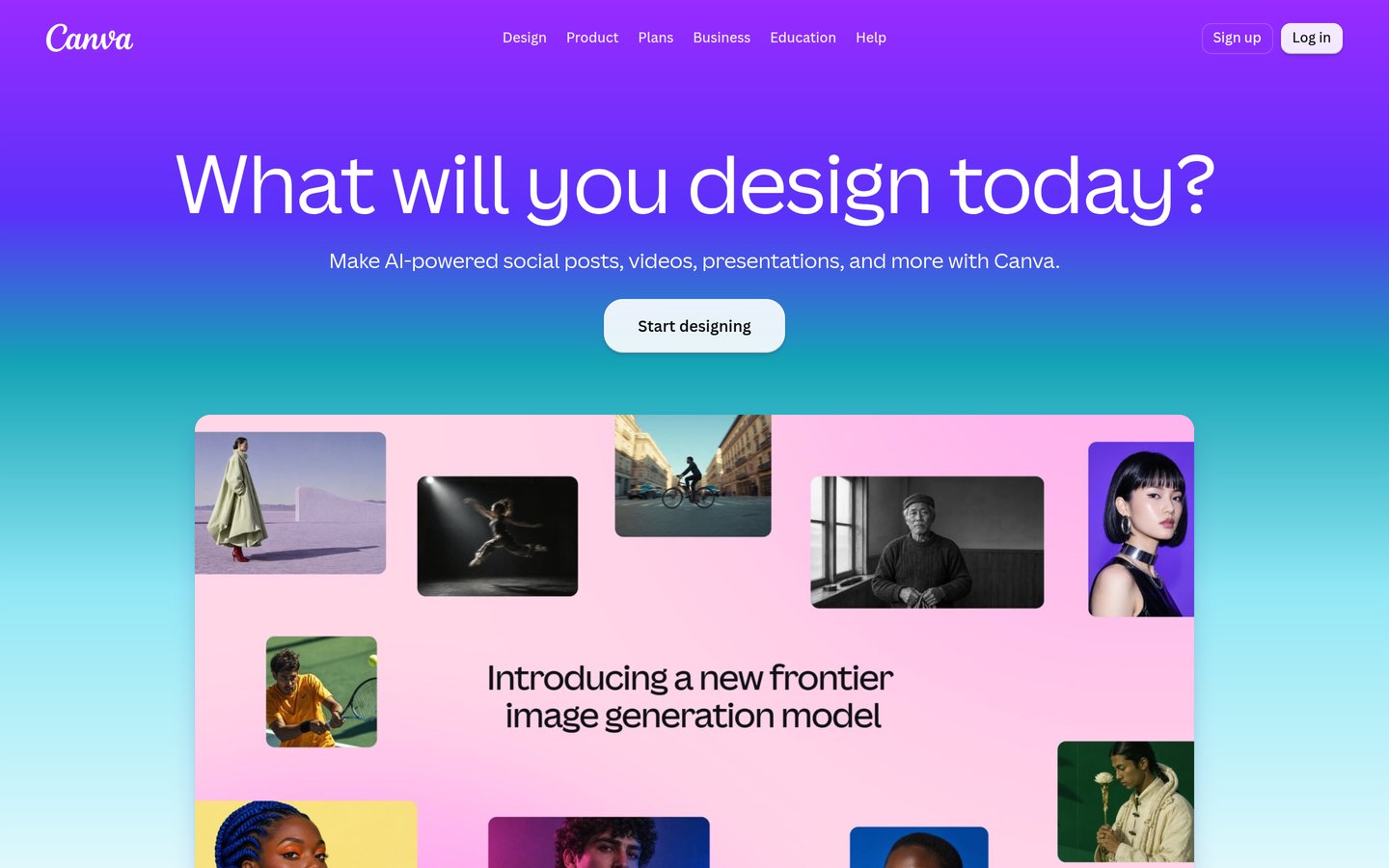
Canva homepage, captured Nov 2026.
Canva is an online visual design platform for creating organizational charts, presentations and branded business documents, with a 4.7/5 G2 rating from 7,922 reviews. Its free plan provides drag-and-drop design tools, organizational chart templates and shared editing, allowing teams to create charts without specialist diagram software.
The trade off is that Canva charts are primarily visual documents rather than automatically synchronized employee hierarchies. Pro normally costs $18 per month, or $216 over twelve months, with a temporary introductory discount displayed. It suits smaller organizations preparing polished charts for presentations, websites and employee onboarding.
What we like
Free design and organizational chart templates
Easy visual customization
Real-time design collaboration
Presentation and document creation
Premium brand tools available
Watch out for
No native HRIS synchronization
Employee changes generally require manual updates
Limited organizational analysis
Pro costs more than basic diagramming subscriptions
Pro adds premium templates, Brand Kits, more storage and design toolsVisit canva.com
Dedicated org chart software vs general diagramming tools
Dedicated org chart software focuses on employee information, reporting relationships and organizational structure. Organimi and Functionly are built around maintaining these relationships rather than simply drawing connected boxes.
General diagramming tools such as Lucidchart, Visio and SmartDraw provide organizational chart layouts alongside flowcharts, process maps and technical diagrams. They are useful when teams need occasional charts or already maintain employee records elsewhere.
Collaborative visual platforms such as Miro and Canva emphasize editing, sharing and presenting organizational structures. They are suitable for brainstorming changes or communicating a structure to employees.
If organizational charts change frequently, prioritize imports, integrations and structured employee records. If you only need a chart for a presentation, a general diagramming tool may be sufficient.
How to keep organizational charts accurate
An organizational chart becomes less useful when employee information falls behind actual reporting relationships. Assign responsibility for maintaining the chart and establish a clear process for recording new hires, departures and transfers.
For smaller teams, regular spreadsheet imports may be sufficient. Larger organizations should evaluate whether automatic synchronization with an HR system is available on their selected subscription.
Pay attention to access permissions when charts include employee information beyond names and job titles. Compensation, performance details and sensitive workforce planning information should only be visible to authorized users.
Finally, decide whether the chart will be shared as a static document or a continuously accessible online view. Live charts can reduce outdated copies, while exported diagrams remain useful for presentations and records.
How we chose
We shortlisted established organizational chart and diagramming products used by HR teams, business managers and organizational planners. The comparison includes dedicated org chart applications, structured diagram editors and collaborative visual tools. We evaluated published feature documentation, data import options, sharing controls and customer reviews.
Official pricing pages and G2 review listings were reviewed on 22 Nov 2026. We compared the cheapest published paid plans using regular prices rather than promotional offers and converted monthly subscriptions into annual equivalents. Published ratings and review counts were taken from the referenced G2 product listings.
We excluded unsupported plugins, services without a confirmable starting price and products lacking meaningful organizational chart capabilities. Dedicated HR tools received priority for employee management, while general diagramming platforms were evaluated for affordability, accessibility and collaboration. No vendor paid for a place, and we do not claim testing for this list.
How to choose the right org chart software
Identify how frequently your organization's structure changes, who maintains employee information and how the finished chart will be used.
Determine whether you need static or live charts. Choose a diagramming tool for occasional presentations and organizational documentation. Consider dedicated org chart software when managers need to search employees, maintain reporting relationships or access regularly updated structures.
Check employee data import and synchronization. Review CSV and Excel imports, supported HR integrations and update methods. If employee information changes frequently, prioritize systems that reduce duplicate data entry and provide a dependable process for keeping charts current.
Evaluate collaboration and access permissions. Decide who can edit charts, view employee profiles and access sensitive planning information. Compare private sharing, read-only links, export options and administrative controls before inviting the wider organization.
Calculate the cost for your team and organization size. Compare annual fees, minimum editor seats, employee limits and premium integrations. Estimate what your organization will pay as departments expand and additional managers need editing access.
FAQ
What is the best org chart software for businesses?
Organimi is a strong overall choice for businesses that need dedicated organizational charts, employee information and reporting structures. Its Basic plan starts at $13 per month with annual billing. Functionly is more suitable for workforce restructuring, while Lucidchart is useful when organizational charts are part of broader diagramming work.
Can I create organizational charts for free?
Yes. Lucidchart, Miro and Canva provide free options for building organizational charts. Lucidchart allows three editable documents, while Miro offers three editable boards. Canva includes free design templates. These options are useful for occasional charts, although dedicated employee synchronization and advanced functionality may require paid software.
What is the difference between an org chart and an employee directory?
An organizational chart displays reporting relationships and how departments fit together. An employee directory focuses on searchable staff information, such as job titles, departments and contact details. Dedicated products may combine both, while general diagramming tools usually emphasize the visual hierarchy.
Which org chart software is best for HR teams?
Organimi is designed for maintaining organizational structures and employee records, while Functionly adds workforce planning, vacancies and organizational change capabilities. HR teams should compare employee imports, reporting relationships, access controls and synchronization with their existing systems before choosing.
Can org chart software update automatically?
Some dedicated platforms support integrations that refresh organizational information from connected systems. Organimi offers directory synchronization through higher-tier integrations. General diagramming tools may require manual editing or separate data connections. Always verify which integrations are included in the plan you intend to purchase.
Is Microsoft Visio good for organizational charts?
Yes. Microsoft Visio Plan 1 includes advanced organization chart layouts, employee photos, custom fields and web-based diagram editing. It costs $5 per user per month billed annually. Visio works well for formal diagrams, but it does not replace a complete HR employee management system.
Which org chart software is best for remote teams?
Miro is useful for distributed teams because it supports real-time collaboration and shared boards for discussing organizational changes. Lucidchart and Functionly also provide collaborative editing capabilities. Teams should compare editing permissions and whether they need a live employee directory or a shared planning document.
How much does org chart software cost?
Prices vary by functionality and billing model. Microsoft Visio Plan 1 costs $60 per user annually, Miro Starter costs $96 per member annually and Lucidchart Individual costs $108 over twelve months at its published monthly rate. Dedicated solutions such as Organimi and Functionly use different pricing structures.
Can I add organizational charts to my website?
Yes. Many diagramming and org chart platforms provide sharing or export options. You can publish an exported chart as an image or document, while some dedicated systems support embedded or shared views. Check whether your plan includes embedding and whether employee details should be publicly accessible.