ShiftCare leads for roster scheduling and mobile caregiver notes with a 4.5 rating across 201 Capterra reviews. Carecenta fits agencies wanting a $99 flat-rate entry tier with EVV and billing, while Connecteam suits small teams up to 10 users on its free plan.
How we make this list: we compare pricing pages, product documentation and public user reviews, then re-check every price before each update. No product paid for a place. Disclosure.
#2 Runner-up
Carecenta
Scheduling, EVV, and billing for up to 100 patients
ShiftCare starts at $8 per user per month billed annually (5-user minimum) and holds a 4.5/5 rating from 201 Capterra reviews.
Carecenta offers a free tier plus a $99/month flat-rate plan for up to 100 active patients with a $799 setup fee.
Connecteam is free for up to 10 users and starts at $29/month billed annually for up to 30 users on Operations Basic.
Aaniie starts at $195/month for up to 15 clients at signing with all-in-one scheduling, billing, payroll, and CRM tools.
Generations Homecare System starts at $300/month for standard software with three user licenses and unlimited caregivers.
AxisCare serves more than 4,500 providers and starts at $325/month on its listed basic tier with a 4.7/5 G2 rating.
What matters in non-medical home care software
Non-medical home care software centers on caregiver scheduling, shift tracking, visit notes, and billing rather than complex clinical or skilled nursing charts. Agencies running personal care, companionship, or homemaker visits need clear shift rosters that flag open slots, missed clock-ins, and caregiver availability before payroll runs.
Electronic visit verification (EVV) and mobile apps shape daily operations for field staff. Caregivers need reliable clock-in and clock-out workflows, task checklists, and accessible care instructions from their phones so office coordinators do not chase paper timesheets.
Pricing models vary widely across vendors and often change your real cost as your agency grows. Some tools charge per active client, others charge per staff seat or set a minimum user count, and several add setup fees, training charges, or extra modules for EVV and payroll.
Before committing to a platform, check how billing and accounting fit your payer mix. Agencies handling private pay, Medicaid, or third-party payers should confirm invoice exports, claim workflows, and accounting integrations alongside contract terms and onboarding support.
Best for roster scheduling and mobile progress notes
Entry plan$8/user/mo annual ($9 monthly)
Minimum size5 users minimum ($480/yr)
Trial7-day free trial on Premium
Core focusRostering, GPS clock-in, notes
shiftcare.com
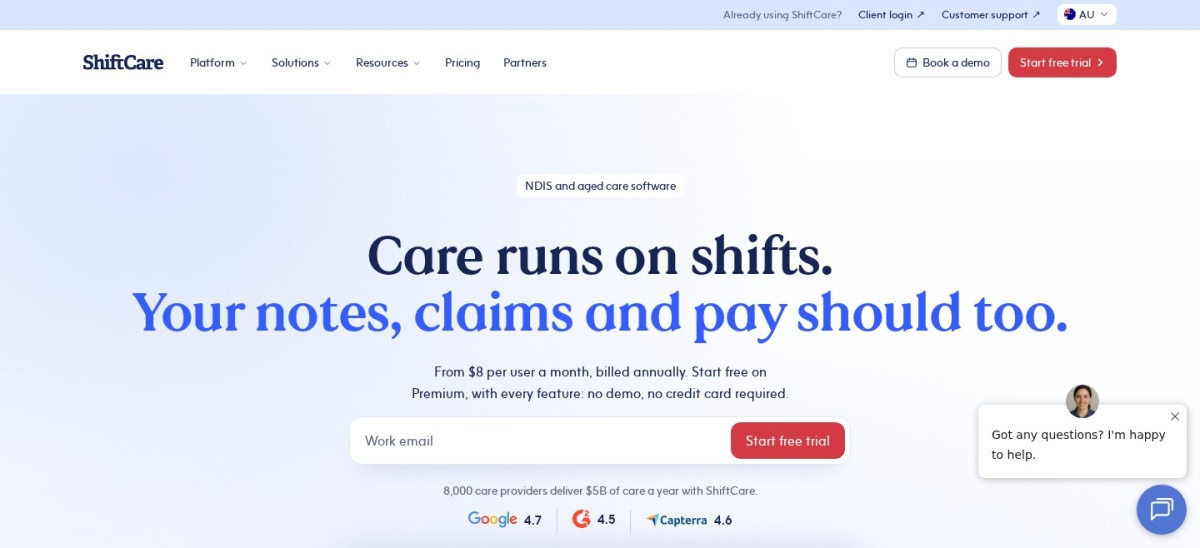
ShiftCare homepage, captured Nov 2026.
ShiftCare is a scheduling and care management platform with mobile clock-ins, progress notes, and invoicing tools. Its Basic plan starts at $8 per user per month billed annually ($9 monthly) for a 5-user minimum, coming to $480 per year.
The trade off is that invoicing starts in Professional at $13 per user per month annually ($15 monthly), and per-seat pricing adds up as headcount grows. It suits agencies wanting straightforward rostering and mobile notes for field staff.
What we like
Clear published per-user pricing with a 7-day free trial on Premium
GPS clock-in and out, shift scheduling, and progress notes included on Basic
4.5 out of 5 rating across 201 Capterra reviews
Watch out for
Requires a minimum of 5 users on published plans
Invoicing and team messaging sit on higher tiers rather than Basic
Higher tiers add vacant-shift filling, bulk invoicing, client fund tracking, and custom forms.Visit shiftcare.com
02
Carecenta
4.5/5on Capterra (65 reviews, checked Nov 2026)
Paid from$99/mo
Best for flat-rate client billing and EVV
Entry plan$99/mo flat rate (up to 100 patients)
Setup fee$799 setup fee listed on tier
Free tierFree version available
Core focusEVV, billing, patient scheduling
carecenta.com
Carecenta homepage, captured Nov 2026.
Carecenta is a home care management system covering scheduling, electronic visit verification, and electronic billing. It offers a free version and lists a $99 per month flat-rate plan ($1,188 per year) for up to 100 active patients.
The trade off is a $799 setup fee on the $99/month tier, and reviewers note initial learning time for office staff. It suits agencies that prefer patient-count tiers over per-caregiver seat fees.
What we like
Offers a free version alongside a $99/month flat-rate tier
Includes electronic billing and EVV workflows
4.5 out of 5 rating across 65 Capterra reviews
Watch out for
$799 setup fee applies on the listed $99/month plan
Some office workflows take extra time to learn initially
Higher tiers scale patient capacity and add broader multi-payer and agency options.Visit carecenta.com
03
Connecteam
4.6/5on G2 (3,506 reviews, checked Nov 2026)
Paid from$29/mo (billed annually)
Best for small teams starting free on mobile time tracking
Free planFree for up to 10 users
Paid start$29/mo annual for first 30 users
Extra users$0.80/user/mo on Operations Basic
Core focusTime clock, scheduling, forms, chat
connecteam.com
Connecteam homepage, captured Nov 2026.
Connecteam is a workforce operations app with GPS time clocks, shift scheduling, checklists, and team messaging. Its Small Business plan is free for up to 10 users, and Operations Basic starts at $29 per month billed annually ($348 per year) for the first 30 users.
The trade off is that it is a general mobile workforce app rather than a specialized home care billing and Medicaid claims platform. It suits small non-medical teams needing affordable shift scheduling and mobile check-ins.
What we like
Free plan covers up to 10 users with core mobile tools
Operations Basic covers 30 users at $29/month billed annually
4.6 out of 5 rating across 3,506 G2 reviews
Watch out for
Lacks specialized home care Medicaid claims and payer billing
Additional hubs and higher tiers add extra monthly charges
Paid hubs and higher tiers add geofencing, recurring shift templates, automation, and API access.Visit connecteam.com
04
Aaniie
4.6/5on G2 (67 reviews, checked Nov 2026)
Starts at$195/mo
Best for all-in-one scheduling, billing, payroll, and CRM
Entry planStarting at $195/mo (up to 15 clients)
Growth tierFrom $13/client/mo for 16+ clients
Billing cadenceAnnual or monthly plans available
Core focusScheduling, billing, payroll, CRM
aaniie.com
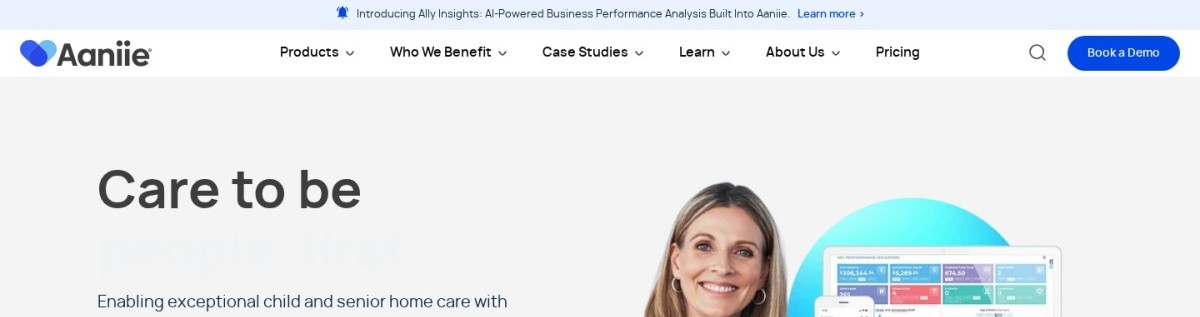
Aaniie homepage, captured Nov 2026.
Aaniie is an all-in-one home care platform combining scheduling, EVV, billing, payroll, and caregiver onboarding. Its all-inclusive plan starts at $195 per month ($2,340 per year) for up to 15 clients at signing.
The trade off is moving to $13 per client per month once an agency signs 16 or more clients, which increases costs as client counts climb. It suits agencies wanting scheduling, payroll, and CRM under one roof.
What we like
Published starting price of $195/month for up to 15 clients
Bundles scheduling, billing, payroll, and onboarding workflows
4.6 out of 5 rating across 67 G2 reviews
Watch out for
Per-client pricing starts at $13/client/month for 16 or more clients
Higher total spend than entry scheduling-only tools for new agencies
Higher client tiers and enterprise plans scale capacity and multi-site agency needs.Visit aaniie.com
05
Generations Homecare System
4.5/5on G2 (11 reviews, checked Nov 2026)
Starts at$300/mo
Best for unlimited caregivers on a flat base rate
Standard plan$300/mo ($25 each extra user)
Caregivers/clientsUnlimited caregivers and clients
EVV add-on$25/mo plus visit verification fees
Core focusScheduling, care plans, billing, payroll
g2.com
Generations Homecare System homepage, captured Nov 2026.
Generations Homecare System is a home care management platform covering scheduling, care plans, invoicing, and payroll. Its standard plan is listed at $300 per month ($3,600 per year) with three user licenses and unlimited caregivers.
The trade off is paying $25 per month plus visit verification fees for the EVV add-on, alongside $25 per extra user license. It suits agencies with larger caregiver rosters that want predictable base pricing.
What we like
Includes unlimited caregivers and clients on the $300/month plan
Covers scheduling, care plans, invoicing, and payroll
4.5 out of 5 rating on G2
Watch out for
EVV add-on costs $25/month plus visit verification fees
Additional user licenses cost $25 each and extra locations $100 each
Paid add-ons cover EVV interfaces, extra user seats, and additional agency locations.Visit g2.com
06
AxisCare
4.7/5on G2 (248 reviews, checked Nov 2026)
Starts at$325/mo
Best for growing agencies needing scheduling, EVV, and billing
Listed base tier$325/mo on G2 (custom quotes)
Provider reach4,500+ providers reported
Free trialDemo-led rather than self-serve trial
Core focusScheduling, EVV, billing, portals
axiscare.com
AxisCare homepage, captured Nov 2026.
AxisCare is a home care management platform used by more than 4,500 providers for scheduling, EVV, billing, and caregiver or client portals. Its basic tier is listed at $325 per month ($3,900 per year), with quotes tailored by agency size.
The trade off is that exact pricing requires a sales quote based on client count, with no self-serve signup. It suits established agencies looking for broad scheduling, billing, and portal tools.
What we like
4.7 out of 5 rating across 248 G2 reviews
Supports scheduling, EVV, billing, custom forms, and family portals
Serves more than 4,500 providers across multiple agency sizes
Watch out for
Requires a sales quote rather than transparent self-serve checkout
Some users note reporting limits and older training videos
Higher agency tiers and add-ons expand reporting, AI tools, and multi-location support.Visit axiscare.com
07
WellSky Personal Care
4.4/5on G2 (144 reviews, checked Nov 2026)
PricingCustom/yr
Best for large multi-office personal care agencies
Pricing modelCustom quote by agency scope
G2 rating4.4/5 across 144 reviews
Capterra rating4.0/5 on comparison data
Core focusEnterprise scheduling, EVV, back office
wellsky.com
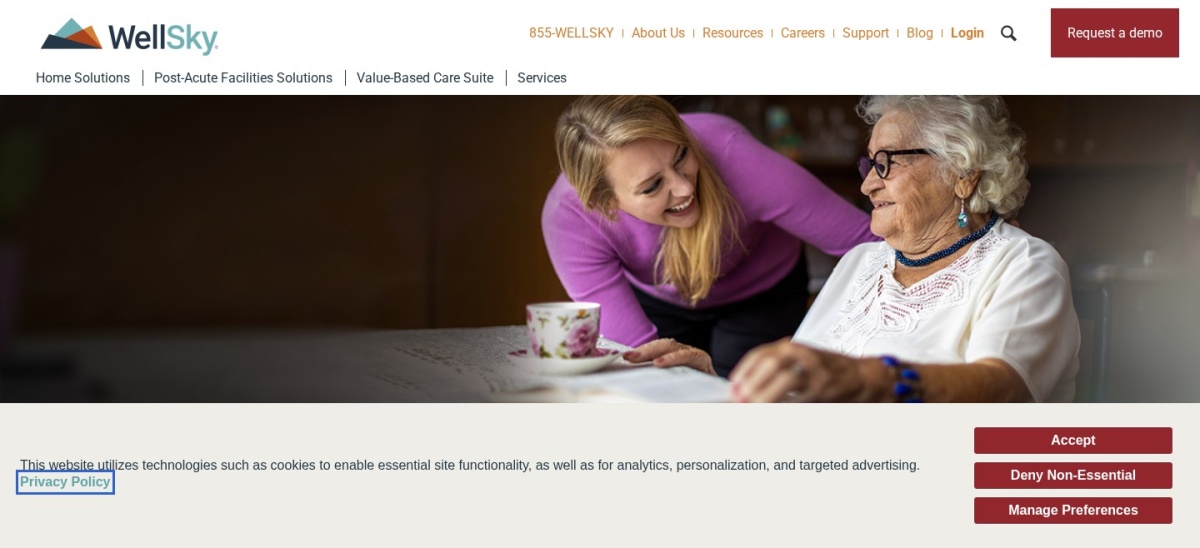
WellSky Personal Care homepage, captured Nov 2026.
WellSky Personal Care is a back-office and scheduling platform built for personal care agencies managing staff, shifts, and compliance. It holds a 4.4 out of 5 rating across 144 G2 reviews and uses custom-quoted pricing.
The trade off is that pricing is not publicly fixed upfront, and several reviewers report mobile app or support friction. It suits larger agencies with complex multi-office operations and custom implementation needs.
What we like
Built for personal care scheduling, caregiver management, and back-office workflows
Supports multi-office operations and custom reporting
144 reviews on G2 with a 4.4 out of 5 score
Watch out for
Custom quote pricing provides no published entry rate
Reviewers cite occasional mobile clock-in and support frustrations
Scoped proposals tailor implementation services, modules, and enterprise support to agency size.Visit wellsky.com
Pricing models and hidden fees to watch
Home care software usually prices by caregiver or user seat, by active client count, or as a bundled flat base rate. Per-user plans like ShiftCare can scale up as you hire more caregivers, while client-based plans like Aaniie or Carecenta rise as your active client roster grows.
Watch for setup fees, add-on charges, and minimum commitments before signing. A platform may advertise an accessible monthly rate while charging a separate setup fee, EVV add-on fee, or extra per-user charges for additional staff seats.
How we chose
We compiled established non-medical home care and workforce scheduling platforms using industry comparisons, software directories, and vendor documentation.
Ratings, review counts, and published pricing details were checked on 22 Nov 2026 from vendor pricing pages and review directories including G2 and Capterra.
We excluded discontinued tools, skilled-only clinical suites that do not fit non-medical workflows, and products without verifiable public pricing or review data.
No vendor paid for a place, and we do not claim testing for this list.
How to choose non-medical home care software
Follow four practical steps to match a platform to your agency size and billing setup.
Map your core daily workflows first. List whether your agency needs shift scheduling, mobile clock-ins, visit notes, EVV, invoicing, or payroll in one place.
Model costs against your headcount and client volume. Compare per-user, per-client, and flat-rate plans using your current caregiver and client counts plus projected growth.
Check setup fees and add-on charges. Ask about one-time onboarding fees, extra user licenses, EVV add-ons, and contract lengths before signing.
Test mobile usability with field caregivers. Have schedulers and caregivers check clock-ins, visit tasks, and schedules on mobile devices during a trial or demo.
FAQ
How much does non-medical home care software cost?
Published plans vary widely by model. ShiftCare starts at $8 per user per month billed annually, Connecteam starts at $29 per month billed annually for up to 30 users after a 10-user free tier, Carecenta lists a $99/month plan, and Aaniie starts at $195/month.
Is there free non-medical home care software?
Connecteam offers a free Small Business plan for up to 10 users, and Carecenta offers a free version alongside its paid plans. Most dedicated home care platforms require a paid subscription or custom quote.
Should an agency pick per-user or per-client pricing?
Per-user pricing works well when caregiver headcount is small or stable, while client-based pricing can fit teams with fewer clients and more staff. Always calculate total monthly cost across both metrics.
Do caregivers need a mobile app for non-medical care?
A mobile app or mobile-friendly workflow helps caregivers view schedules, clock in and out, and submit visit notes on site. Check whether mobile features work smoothly when cell coverage is spotty.
What extra fees should agencies ask about before buying?
Ask about one-time setup or onboarding fees, additional user seat charges, EVV or SMS add-ons, and minimum contract terms. Those extras can change total first-year cost significantly.
Can small home care startups use these tools?
Yes, small agencies often start with tools that have lower entry tiers or flexible client counts, such as ShiftCare, Carecenta, Connecteam, or Aaniie. Confirm whether billing and compliance features match your payer mix.
SaaS SEO and WordPress specialist with about 8 years of experience. Rakib compares WordPress plugins, themes, hosting and software using public pricing, documentation and user reviews. See how we rank.