BugBug leads for web teams wanting flat pricing and a free plan with unlimited local test runs, starting at $99/mo billed annually on Core. Katalon suits broader web, mobile, and API coverage with a free tier and paid plans from $1,800/yr per seat, while Ghost Inspector fits scheduled cloud runs starting at $109/mo billed annually.
How we make this list: we compare pricing pages, product documentation and public user reviews, then re-check every price before each update. No product paid for a place. Disclosure.
BugBug offers a free plan with unlimited local runs and paid plans starting at $99/mo billed annually ($1,188/yr).
Katalon pairs a free local plan with Professional at $1,800/yr per seat (about $150/mo) and holds 234 reviews on G2.
Ghost Inspector starts at $109/mo billed annually ($1,308/yr) or $125/mo monthly for 10,000 test runs and a 14-day trial.
TestDriver charges $24/mo per seat plus $0.08 per testing minute after a 14-day or 360-minute trial.
Endtest lists paid plans starting at $175/mo with a 4.6/5 rating across 60 G2 reviews.
What to look for in no code test automation tools
Teams without dedicated automation engineers often look for browser recorders, visual step builders, or plain-English test authoring so product managers and QA staff can build checks quickly. A recorder captures clicks and assertions fast, whereas plain-English or AI-assisted flows reduce how often minor UI edits break a test suite.
Pricing models vary sharply across vendors. Some charge a flat rate with unlimited runs or users on upper tiers, while others meter by test runs, parallel browser sessions, device minutes, or seats.
Execution scope also separates tools. Some platforms focus strictly on browser flows or Chromium-based browsers, while others cover mobile devices, desktop apps, APIs, or scheduled production checks.
BugBug is a browser-based test automation recorder for web apps with a free plan limited to 1 user, 1 project, 15 tests, and local runs. Annual billing saves up to 17% across its paid tiers, excluding VAT.
The trade off is that paid plans start at $99/mo billed annually ($1,188/yr) for Core and focus on Chromium-based browsers rather than native mobile apps. It suits lean web teams that want predictable costs and YAML export without per-run metering.
What we like
Free plan includes unlimited local browser runs for solo testing
Flat subscription pricing without per-test run meters on paid tiers
Supports visual editing, test import/export, and AI-assisted creation
Watch out for
Core plan caps workspace size at 3 users, 3 projects, and 50 tests
Chromium-focused browser support rather than full cross-platform device coverage
Core at $99/mo billed yearly adds unlimited cloud runs, scheduled runs, and up to 3 users.Visit bugbug.io
02
Katalon
4.4/5on G2 (234 reviews, checked Nov 2026)
Paid from$1,800/yr
Best for broad web, API, and mobile coverage
Entry paid plan$1,800/yr per seat (~$150/mo)
Free planYes, local authoring (up to 10 suites)
G2 rating4.4/5 (234 reviews)
CoverageWeb, mobile, API, desktop
katalon.com
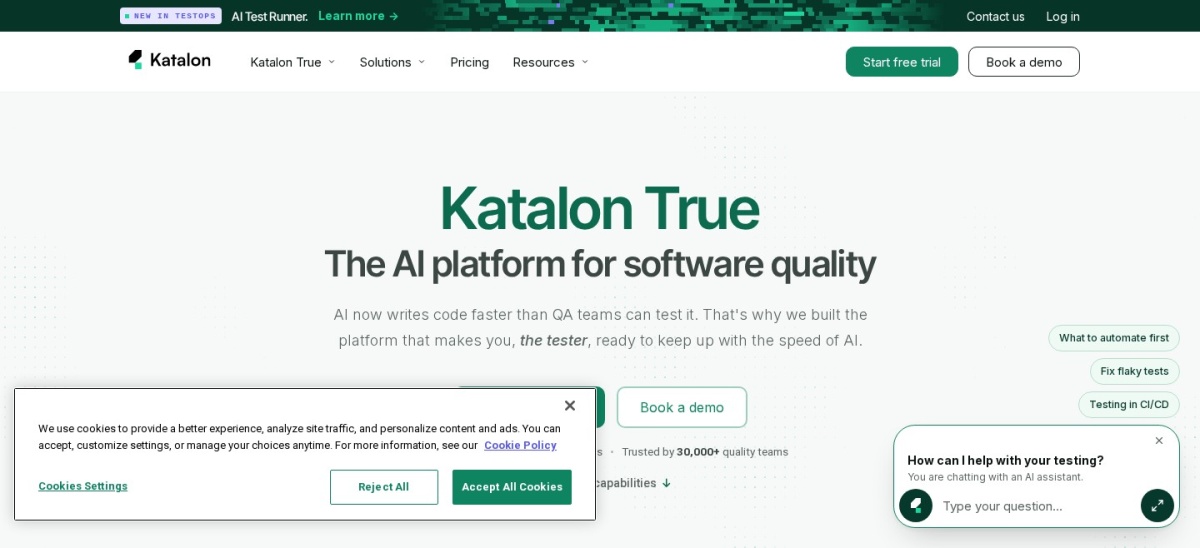
Katalon homepage, captured Nov 2026.
Katalon is a test automation platform combining record-and-playback with optional scripting across web, mobile, API, and desktop targets. Its free plan lets users author and run tests locally with up to 10 static test suites.
The trade off is per-seat annual pricing starting at $1,800/yr per seat (about $150/mo) on Professional, which adds up as headcount grows. It suits QA teams wanting one platform across web, API, and mobile workflows.
What we like
Free plan available for local test authoring and execution
Covers web, mobile, API, and desktop testing in one ecosystem
Includes a 30-day free trial and structured enterprise options
Watch out for
Per-seat annual pricing can become costly for larger teams
Broad feature set can feel heavy for simple single-app testing
Professional at $1,800/yr per seat adds desktop testing, AI self-healing, parallel execution, and BDD.Visit katalon.com
03
Ghost Inspector
4.6/5on G2 (30 reviews, checked Nov 2026)
Starts at$109/mo
Best for scheduled cloud browser checks
Entry paid plan$109/mo yearly ($125/mo monthly)
Free planNo (14-day trial without card)
G2 rating4.6/5 (30 reviews)
Included runs10,000 test runs/mo on starter
ghostinspector.com
Ghost Inspector homepage, captured Nov 2026.
Ghost Inspector is a cloud-based browser testing tool that lets teams record user flows via browser extension or visual editor and run them on schedules or in CI. Every plan starts with a 14-day trial with no credit card required.
The trade off is that there is no permanent free tier and paid plans start at $109/mo billed annually ($1,308/yr) or $125/mo monthly for 10,000 runs. It suits teams monitoring live web flows on recurring schedules.
What we like
Straightforward browser recording and scheduled cloud execution
14-day free trial requires no credit card upfront
Integrates with CI/CD pipelines, webhooks, and team alerts
Watch out for
No free plan after the 14-day trial period
Monthly run quotas require tracking as test frequency scales
Paid plans scale by monthly run volume (10,000, 30,000, or 100,000 runs) with CI and scheduling.Visit ghostinspector.com
04
Endtest
4.6/5on G2 (60 reviews, checked Nov 2026)
Starts at$175/mo
Best for no-code web and mobile with fixed tiers
Entry paid plan$175/mo (Starter)
Free planNo (free trial available)
G2 rating4.6/5 (60 reviews)
Execution1-5 parallel tests on Starter
endtest.io
Endtest homepage, captured Nov 2026.
Endtest is a no-code automated testing platform for web and mobile apps featuring test scheduling, video playback, and version history. Reviewers on G2 and Capterra frequently highlight its approachable interface and support responsiveness.
The trade off is no permanent free plan and a $175/mo starting price ($2,100/yr) on Starter, with Pro at $225/mo for longer retention. It suits teams wanting no-code web and mobile execution with predictable monthly tiers.
What we like
Supports no-code web and mobile testing with video playback
Includes 1-5 parallel test slots on Starter and Pro plans
4.6/5 rating across 60 G2 reviews and 4.3/5 across 45 Capterra reviews
Watch out for
Higher starting monthly cost than entry-level browser recorders
30-day test result retention on Starter requires upgrading for 90 days
Pro at $225/mo extends test result retention from 30 days to 90 days.Visit endtest.io
05
testRigor
4.6/5on G2 (48 reviews, checked Nov 2026)
PricingCustom (quote)
Best for plain-English end-to-end test steps
Free planYes, public open-source tests
Paid pricingPay As You Go / custom quote
G2 rating4.6/5 (48 reviews)
AuthoringPlain-English commands
testrigor.com
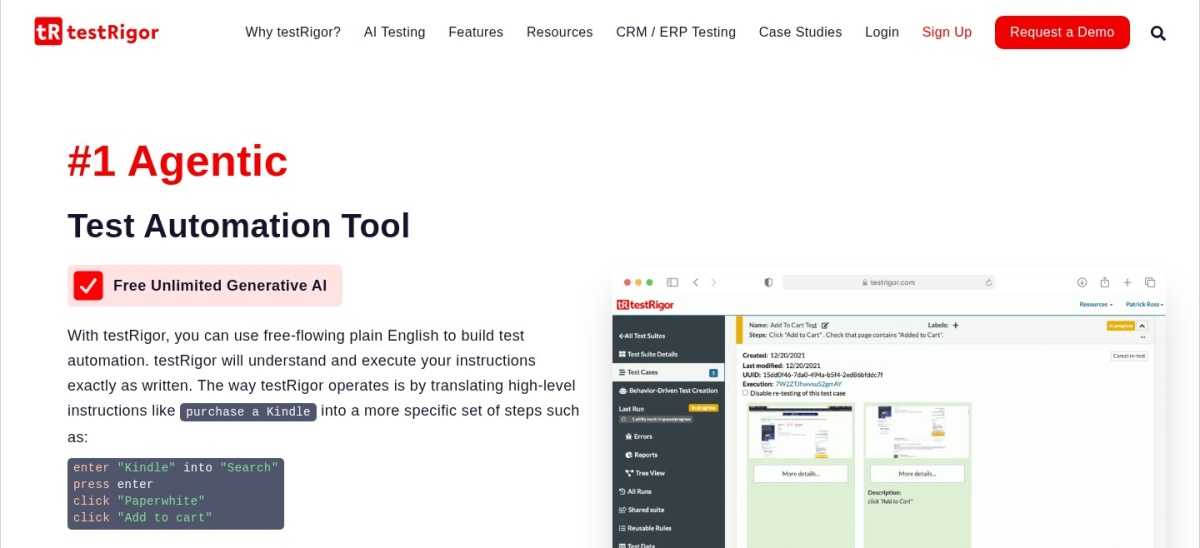
testRigor homepage, captured Nov 2026.
testRigor lets teams write end-to-end tests in plain English across web, mobile, and desktop environments without relying on fragile CSS or XPath selectors. It offers a free public open-source plan alongside Pay As You Go and custom enterprise tiers.
The trade off is that private test cases and custom execution scale into Pay As You Go or quote-based pricing rather than a fixed self-serve sticker price. It suits teams that want readable natural-language test steps across browsers and devices.
What we like
Plain-English test syntax makes flows readable to non-coders
Free public plan available for open-source test suites
4.6/5 rating across 48 G2 reviews and 4.6/5 across 5 Capterra reviews
Watch out for
Private test suites require paid or quote-based plans
Server and parallel execution costs can rise with suite size
Paid plans add private test cases, test data, screenshots, and custom parallel execution.Visit testrigor.com
06
TestDriver
4/5on Capterra (20 reviews, checked Nov 2026)
Starts at$24/mo
Best for virtual desktop and GitHub PR UI checks
Entry paid plan$24/mo per seat + $0.08/min
Free trial14 days or 360 testing minutes
Included minutes360 testing minutes per period
ExecutionCloud sandbox & 2 parallel tests
testdriver.ai
TestDriver homepage, captured Nov 2026.
TestDriver runs AI-driven UI checks on pull requests and test runs inside real desktop sandboxes, supporting web apps and browser extensions. Teams start with a 14-day trial capped at 360 testing minutes.
The trade off is metered usage at $24/mo per seat ($288/yr per seat) plus $0.08 per testing minute beyond the 360-minute allowance. It suits GitHub-centric teams validating pull requests in a live sandbox environment.
What we like
Executes UI tests in real desktop sandboxes for pull requests
Includes 360 testing minutes per billing period and 2 parallel tests on Pro
Offers VSCode and Chrome extensions alongside test analytics
Watch out for
Metered per-minute billing can increase costs on long test runs
Trial ends after 14 days or 360 minutes, whichever comes first
Enterprise moves to custom pricing with unlimited testing minutes and self-hosted options.Visit testdriver.ai
07
mabl
4.4/5on G2 (40 reviews, checked Nov 2026)
PricingCustom (quote)
Best for unified browser, API, and visual CI testing
Pricing modelCustom quote (14-day trial)
Free planNo public free tier
G2 rating4.4/5 (40 reviews)
CoverageWeb, mobile, API, visual
mabl.com
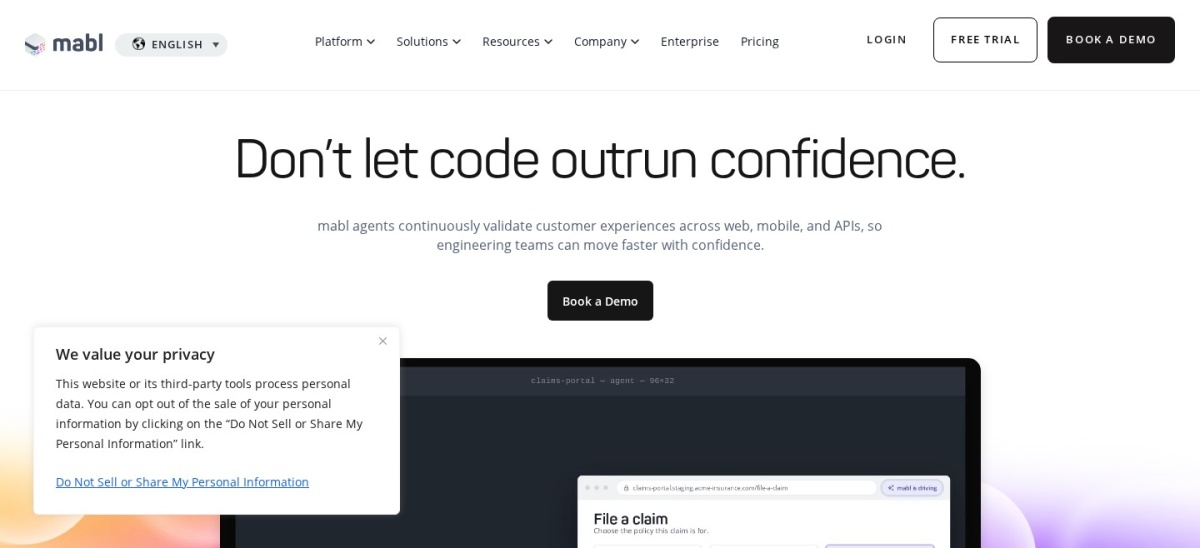
mabl homepage, captured Nov 2026.
mabl is a low-code and AI-assisted testing platform covering browser, mobile, API, accessibility, and visual checks with auto-healing and CI/CD integrations. It includes unlimited local and CI runner executions with cloud runs drawing from an annual credit pool.
The trade off is custom quote-based pricing rather than self-serve public tiers, and no permanent free plan. It suits growth and enterprise teams standardizing cross-stack testing in CI/CD.
What we like
Combines browser, mobile, API, and visual checks in one workflow
Unlimited local and CI runner runs with auto-healing features
4.4/5 rating across 40 G2 reviews
Watch out for
No public self-serve prices or free tier
Cloud test runs consume credits from an annual plan allocation
Custom plans scale cloud test credits, environments, and enterprise support options.Visit mabl.com
Flat plans vs. usage meters
No code test automation tools typically bill in one of three ways: flat subscription tiers, per-seat licenses, or usage-based meters tied to test runs, parallel slots, or execution minutes. Flat plans are easier to forecast when you run frequent regression checks, while usage pricing can fit lighter or intermittent schedules.
Before committing to an annual contract, check how extra parallel runs, test result retention, and team seats are priced. A low entry price can change once you add concurrent executions or longer history retention.
How we chose
We selected standalone no code and low-code test automation platforms with active 2026 product updates, clear authoring workflows, and established public review profiles.
Prices, trial terms, and ratings were checked on 22 Nov 2026 from each vendor's official pricing or product pages and public software review directories.
We excluded code-only open-source frameworks when the focus is codeless authoring, and we left out tools without verifiable public pricing or review data.
No vendor paid for a place, and we do not claim testing for this list.
How to choose a no code test automation tool
Follow four practical steps to narrow down the right testing platform for your team.
List the exact platforms and browsers you must cover. Confirm whether your product needs Chrome and Edge web checks, mobile devices, desktop apps, or API assertions so you do not outgrow the tool.
Match the authoring style to who writes tests. Pick a visual recorder if your team prefers clicking through flows, or plain-English steps if non-technical teammates review test logic.
Model your real run volume and concurrency. Estimate how often suites run in CI or on schedules and check whether parallel runs or execution minutes cost extra.
Start with a free plan or trial on a real workflow. Build one core user flow—such as sign-up or checkout—during the trial to see how easily locators and assertions hold up.
FAQ
What is the best no code test automation tool overall?
BugBug is a strong fit for web teams wanting a free local tier and flat pricing starting at $99/mo billed annually. Teams needing web, mobile, and API coverage in one platform often look at Katalon.
Are there free no code test automation tools?
Yes. BugBug offers a free plan for local browser runs up to 15 tests, Katalon offers a free local tier with up to 10 static suites, and testRigor offers a free public plan.
Do no code testing tools still need maintenance?
Yes. Even with recorders, selectors, or plain-English steps, major UI redesigns or changing workflows can require updating steps or assertions, though self-healing and selector strategies help reduce routine breakage.
What is the difference between record-and-playback and plain-English tests?
Record-and-playback captures browser actions as you click through a page, while plain-English tools express steps as readable statements. Both reduce manual scripting, though complex edge cases may still need custom steps.
How do cloud test runs differ from local runs?
Local runs execute in your own browser or environment, whereas cloud runs execute on vendor-hosted machines or sandboxes on schedules or in CI pipelines.
Should small teams pay annually or monthly?
Annual billing typically lowers the effective monthly rate on tools with published annual tiers, such as BugBug and Ghost Inspector. Monthly billing or free tiers can make sense while validating a workflow.
SaaS SEO and WordPress specialist with about 8 years of experience. Rakib compares WordPress plugins, themes, hosting and software using public pricing, documentation and user reviews. See how we rank.