Zapier is the top pick for broad app coverage with a free plan of 100 tasks per month. Make suits complex branching workflows, while n8n fits teams that want self-hosting options.
How we make this list: we compare pricing pages, product documentation and public user reviews, then re-check every price before each update. No product paid for a place. Disclosure.
Zapier holds a 4.5/5 rating across 2,170 G2 reviews and starts at $19.99/mo billed annually on Professional.
Make holds a 4.6/5 rating across 514 G2 reviews and starts at $144/yr (about $12/mo) on Core.
n8n holds a 4.7/5 rating across 328 G2 reviews with a free self-hosted option and cloud Starter from EUR 20/mo billed annually.
Microsoft Power Automate holds a 4.4/5 rating across 1,094 G2 reviews and starts at $15/user/mo paid yearly on Premium.
Activepieces holds a 4.8/5 rating across 142 G2 reviews with a free tier and Plus at $20/mo.
What to look for in a no-code automation tool
Most automation platforms meter usage by tasks, actions, credits, or workflow executions. A workflow that loops through many records or runs on a tight schedule can burn through a monthly quota faster than expected.
Check whether a tool charges per step or per complete workflow run. Step-based pricing scales with branch count, whereas execution-based pricing counts a full workflow run even when it has multiple steps.
Verify native connectors, webhook support, and data hosting rules before committing. Some teams need deep integration with an existing suite like Microsoft 365, while others prefer self-hosting to keep data on their own servers.
Paid plans on many tools also unlock multi-step branches, shared team workspaces, or custom AI model keys. Match the entry tier to your team size and workflow volume rather than paying for unused capacity upfront.
Entry paid tierProfessional at $19.99/mo billed annually
Entry quota750 tasks/mo
G2 rating4.5/5 (2,170 reviews)
zapier.com
Zapier homepage, captured Nov 2026.
Zapier is a cloud workflow automation platform that connects apps through triggers and actions without custom code. Its free plan includes 100 tasks per month, unlimited Zaps, and access to Tables and Forms.
The trade off is task-based billing that can climb on high-volume workflows, with Professional starting at $19.99/month billed annually ($240/yr). It suits small teams and operators that want quick setup across many SaaS apps.
What we like
Large app directory with straightforward trigger-to-action setup.
Free plan lets users build workflows and test automations with 100 tasks/month.
Filters, Paths, and Formatter steps do not count toward task limits on paid plans.
Watch out for
Monthly task volume can grow quickly on workflows that process many items.
Shared team folders and SAML SSO sit on higher tiers rather than entry plans.
Professional adds multi-step Zaps, unlimited premium apps, and webhooks.Visit zapier.com
02
Make
4.6/5on G2 (514 reviews, checked Nov 2026)
Paid from$144/yr
Best for branching visual scenarios on a budget
Free plan1,000 credits/mo
Entry paid tierCore at $144/yr (10K credits/mo)
Monthly alternativeCore at $16/mo for 10K credits
G2 rating4.6/5 (514 reviews)
make.com
Make homepage, captured Nov 2026.
Make is a visual automation builder that links apps on a flowchart-style canvas with routers and filters. Its free plan provides 1,000 credits per month and a 15-minute minimum run interval.
The trade off is credit consumption on frequent polling schedules or multi-module scenarios, with Core starting at $144/year ($16/month billed monthly). It suits builders who map out branching workflows visually and watch credit usage closely.
What we like
Visual scenario canvas makes multi-branch routing easier to inspect.
Lower annual entry price than many cloud automation suites.
Free tier includes 1,000 monthly credits to test multi-step scenarios.
Watch out for
Frequent scheduled checks consume credits even when no new records appear.
Diagnosing errors in complex scenarios can take extra troubleshooting.
Core unlocks unlimited active scenarios, finer scheduling, and API access.Visit make.com
03
n8n
4.7/5on G2 (328 reviews, checked Nov 2026)
Paid from$276/yr
Best for self-hosting and execution-based billing
Self-hosted optionCommunity edition on own server
Cloud entry tierStarter at EUR 20/mo billed annually
Cloud quota2.5K workflow executions/mo
G2 rating4.7/5 (328 reviews)
n8n.io
n8n homepage, captured Nov 2026.
n8n is a workflow automation tool with a node canvas, AI nodes, and both self-hosted and cloud hosting options. Self-hosting on your own server is free, while cloud Starter runs EUR 20/month billed annually (about $23/month or $276/year).
The trade off is server maintenance when self-hosting and a steeper learning curve than basic linear tools. It suits technical teams and operations that want execution-based cloud billing or self-hosted control.
What we like
Charges per workflow execution rather than per individual step on cloud plans.
High user rating on G2 for flexibility and workflow control.
Watch out for
Self-hosted setups require your team to manage hosting and updates.
New users can face a learning curve when wiring complex flows.
Cloud Starter adds managed hosting, 2,500 monthly executions, and AI nodes.Visit n8n.io
04
Microsoft Power Automate
4.4/5on G2 (1,094 reviews, checked Nov 2026)
Starts at$180/yr
Best for Microsoft 365 shops and desktop flows
Entry paid tierPower Automate Premium at $15/user/mo
Billing cadencePaid yearly ($180/user/yr)
Trial option30-day free trial available
G2 rating4.4/5 (1,094 reviews)
microsoft.com
Microsoft Power Automate homepage, captured Nov 2026.
Microsoft Power Automate is a workflow and desktop automation platform built to connect Microsoft 365 apps, Dataverse, and external services. Its paid Power Automate Premium plan starts at $15/user/month paid yearly ($180/year) after a 30-day trial.
The trade off is per-user licensing and extra fees for unattended bots or add-ons, with Premium at $15/user/month yearly. It suits organizations standardized on Microsoft 365, Teams, and SharePoint.
What we like
Strong fit with Microsoft 365 apps and enterprise governance.
Supports desktop flows alongside cloud workflows.
Broad adoption with over 1,000 G2 reviews.
Watch out for
Per-user and per-bot pricing adds up across larger teams.
Debugging complex or multi-step flows can feel rigid.
Power Automate Premium adds premium and custom connectors plus attended desktop flows.Visit microsoft.com
05
Airtable
4.6/5on G2 (3,305 reviews, checked Nov 2026)
Paid from$240/yr
Best for automations tied to relational tables
Free plan100 automation runs/mo
Entry paid tierTeam at $20/seat/mo billed annually
Monthly billingTeam at $24/seat/mo
G2 rating4.6/5 (3,305 reviews)
airtable.com
Airtable homepage, captured Nov 2026.
Airtable is a relational database and app workspace where automations trigger directly off record updates and views. Its free tier includes 100 automation runs per month and up to 1,000 records per base.
The trade off is per-seat pricing for collaborators, with Team at $20/seat/month billed annually ($240/seat/year) or $24/seat/month. It suits teams that want data tracking and record-driven automations in one place.
What we like
Combines structured tables, interfaces, and workflow triggers in one workspace.
Free plan lets small projects start with 100 monthly automation runs.
Large review base on G2 across business teams.
Watch out for
Per-seat billing increases costs as more editors join a base.
Less suited to heavy cross-app orchestration than dedicated iPaaS tools.
Team expands record limits, automation capacity, and collaborative base features.Visit airtable.com
06
Activepieces
4.8/5on G2 (142 reviews, checked Nov 2026)
Paid from$240/yr
Best for open-source workflows and flat-rate cloud
Free plan1,000 credits/mo, up to 5 users
Entry paid tierPlus at $20/mo
Entry quota10,000 credits/mo
G2 rating4.8/5 (142 reviews)
activepieces.com
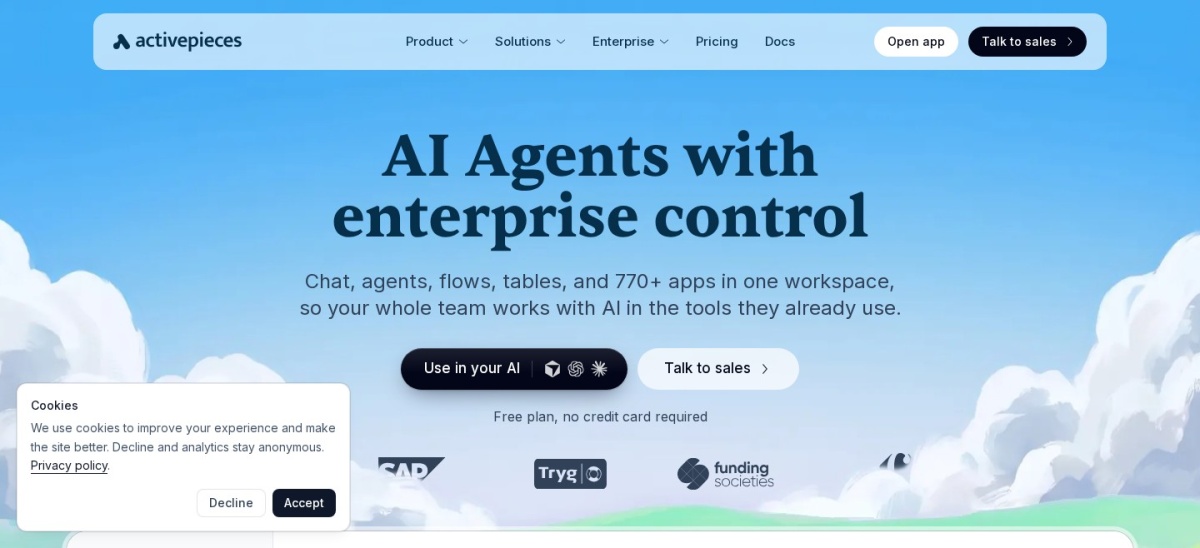
Activepieces homepage, captured Nov 2026.
Activepieces is a workflow automation platform available both on managed cloud and as an open-source self-hosted project. Its free plan includes 1,000 monthly credits, unlimited flows, and up to five users.
The trade off is a smaller connector catalog than legacy giants, with Plus priced at $20/month ($240/year). It suits teams that want a modern builder with self-hosting flexibility and transparent entry pricing.
What we like
Free plan includes 1,000 credits/month and up to five users with no card required.
Supports both cloud hosting and self-hosting.
High G2 score across 142 reviews.
Watch out for
Fewer pre-built app connectors than larger cloud directories.
AI model steps consume extra credits unless you bring your own API keys.
Plus provides 10,000 monthly credits, pay-as-you-go overages, and custom AI keys.Visit activepieces.com
07
Bardeen
4.8/5on G2 (36 reviews, checked Nov 2026)
Paid from$120/yr
Best for browser-based data collection and playbooks
Free tierStarter with 500 credits
Entry paid tierProfessional at $10/mo
Billing modelCredit-based automations and playbooks
G2 rating4.8/5 (36 reviews)
bardeen.ai
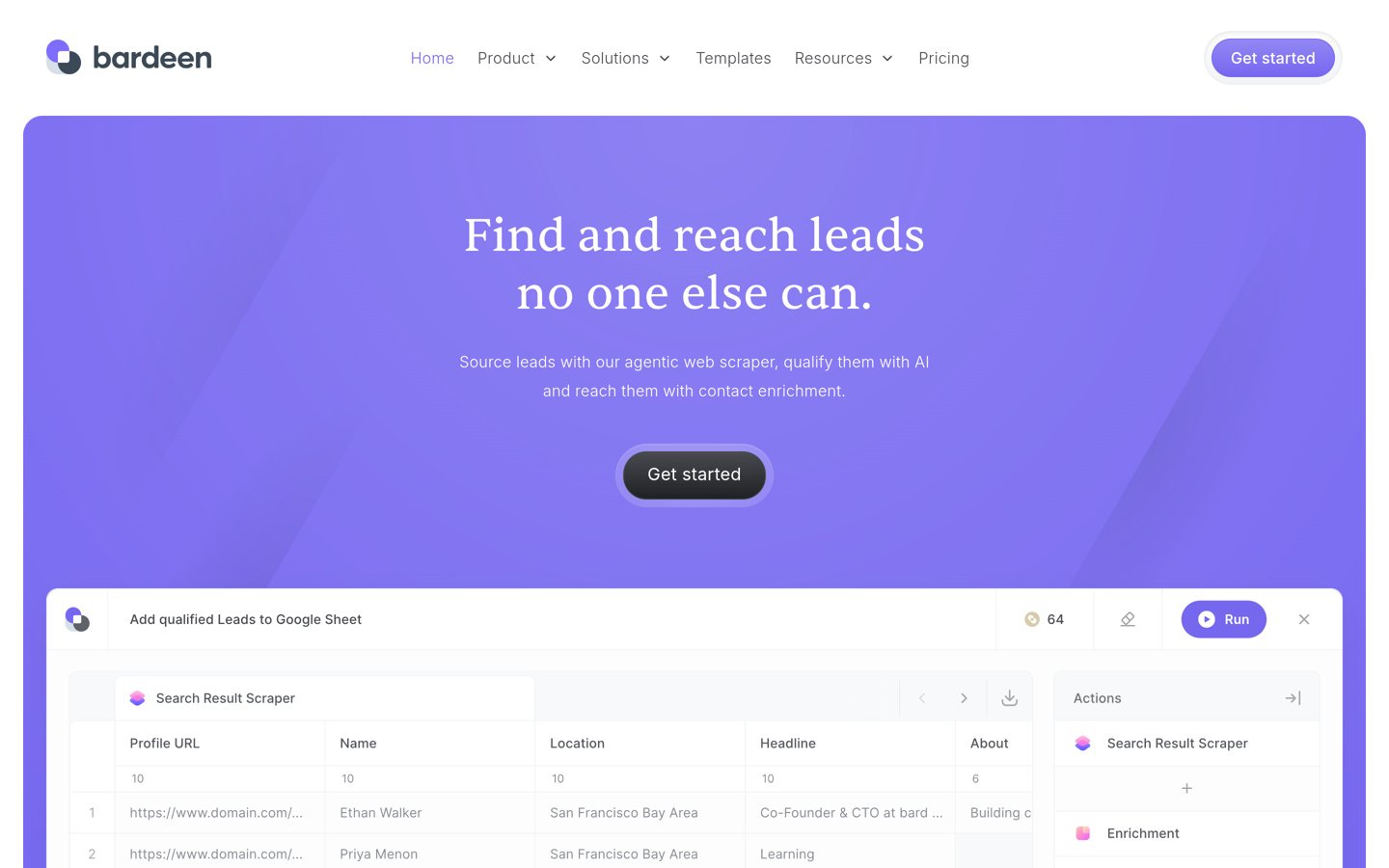
Bardeen homepage, captured Nov 2026.
Bardeen is a browser-focused automation tool that runs playbooks and extracts data from web pages into apps like Sheets or Notion. Its Starter tier starts free with 500 credits.
The trade off is credit limits on premium automations and browser execution overhead, with Professional listed at $10/month ($120/year). It suits researchers, sales reps, and operators automating browser tasks.
What we like
Strong fit for scraping web data and running browser playbooks.
Low entry pricing starting with a free tier and $10/month paid option.
4.8/5 rating on G2.
Watch out for
Browser-heavy automations can be resource-intensive on local machines.
Smaller review count on G2 (36 reviews) than broad workflow suites.
Professional unlocks uncapped AI automations and premium integrations.Visit bardeen.ai
How we chose
We selected established standalone no-code automation platforms with active maintenance, public pricing, and verified user review profiles.
Pricing tiers, free plan limits, and G2 ratings were checked on 22 Nov 2026 from official vendor pages and public review listings.
We excluded enterprise-only tools without self-serve pricing and skipped any product whose entry price could not be confirmed from public sources. No vendor paid for a place, and we do not claim testing for this list.
How to pick the right automation tool
Follow four practical steps to narrow down the right platform before subscribing.
Map your core triggers and apps first. List the exact tools you need connected and check whether native connectors or webhooks cover them.
Estimate monthly runs and step counts. Multiply expected events per day by 30 and check whether your target tool bills per task, per credit, or per execution.
Decide between cloud and self-hosted control. Choose managed cloud if you want zero server upkeep, or evaluate self-hosting if your team manages its own infrastructure.
Test on a free tier or trial before scaling. Build one real workflow first to see how error handling, rate limits, and billing behave under normal load.
FAQ
What is the best no-code automation tool for beginners?
Zapier is often the easiest starting point because its trigger-and-action setup is straightforward and its free plan includes 100 tasks per month to test simple workflows.
Which tool is better for complex branching logic: Zapier or Make?
Make uses a visual canvas with routers and filters that makes multi-branch workflows easy to see at a glance, while Zapier favors linear trigger-to-action flows with Paths and Filters.
Do any of these tools offer a free plan?
Yes. Zapier, Make, n8n, Airtable, Activepieces, and Bardeen all offer free tiers or self-hosted community editions, while Microsoft Power Automate offers a 30-day free trial.
How does execution pricing differ from task or credit pricing?
Execution pricing counts a full workflow run as one unit even if it has several steps, whereas task or credit models can meter individual actions, steps, or AI usage.
When does self-hosting make sense?
Self-hosting makes sense when you want full control over your runtime environment and data, provided your team is comfortable maintaining the server.
Should Microsoft 365 teams pick Power Automate?
If your daily work centers on Outlook, Teams, SharePoint, and Microsoft 365 governance, Power Automate fits naturally into that stack.
SaaS SEO and WordPress specialist with about 8 years of experience. Rakib compares WordPress plugins, themes, hosting and software using public pricing, documentation and user reviews. See how we rank.