TrueNAS leads for dedicated storage thanks to OpenZFS data integrity and a free Community Edition. Unraid fits mixed-drive home servers with a $49 one-time Starter license, while DiskStation suits buyers wanting turnkey hardware and software together.
How we make this list: we compare pricing pages, product documentation and public user reviews, then re-check every price before each update. No product paid for a place. Disclosure.
TrueNAS holds a 4.8 out of 5 rating across 53 Capterra reviews and offers a free Community Edition.
Unraid starts at a $49 one-time Starter fee for up to 6 storage devices and a 30-day free trial.
DiskStation holds a 4.6 out of 5 rating across 94 G2 reviews and comes bundled with Synology NAS hardware.
OpenMediaVault is free under GPL-3.0 on Debian Linux, with release 8.6.0 published in October 2026.
ZimaOS offers a free tier up to 4 disks and 3 members, with a $29 one-time Plus license for larger setups.
What to look for in NAS software
Choosing NAS software starts with your filesystem and hardware plan. ZFS and Btrfs provide checksums and snapshots that detect and help heal silent data corruption, whereas parity arrays and software RAID handle drive redundancy differently.
Decide whether you are bringing your own x86 or ARM hardware or buying a prebuilt appliance with vendor support. Open-source operating systems cost nothing up front for the core OS, while commercial licenses charge either once per server or per socket annually.
Check how each platform handles containers, virtual machines, and remote access. Many modern NAS systems run Docker apps, virtual machines, and encrypted remote connections alongside SMB, NFS, and iSCSI file shares.
Virtualization platform combining VMs, LXC, and storage
$137/yr
Free plan
4.6/5
Price ladder: cheapest paid plan per year
List prices, USD, checked Nov 2026
TrueNASFree
DiskStationHardware
OMVFree
QNAP NASHardware
ZimaOSFREE$29
Unraid$49
Proxmox VEFREE$137
The 7 best NAS software
01
TrueNAS
4.8/5on Capterra (53 reviews, checked Nov 2026)
PriceFree
Best for OpenZFS storage integrity and custom hardware
FilesystemOpenZFS
Current branch25.10 Goldeye
App supportDocker & LXC
Cloud managementTrueNAS Connect
truenas.com
TrueNAS homepage, captured Nov 2026.
TrueNAS is an open-core storage operating system built on OpenZFS for file, block, and container workloads, with a free Community Edition for your own hardware. The 25.10 Goldeye release brings OpenZFS 2.3.4, Docker apps, LXC containers, and NVMe over Fabrics support.
The trade off is a steeper learning curve around ZFS pool layout and memory sizing compared with consumer NAS interfaces. It suits homelab builders, media servers, and businesses that want self-healing storage without mandatory software fees.
What we like
OpenZFS snapshots, compression, and checksums protect against bit rot.
Free Community Edition runs on custom hardware with no license paywall for core storage.
Supports Docker containers, LXC containers, and virtual machines.
Watch out for
Requires more planning for ZFS pools and hardware than plug-and-play home boxes.
Dual-controller high availability and enterprise appliances require commercial hardware tiers.
TrueNAS Connect Plus adds cloud replication management and ransomware protection tools for a paid subscription.Visit truenas.com
02
Unraid
4/5on Trustpilot (20 reviews, checked Nov 2026)
Starts at$49 one-time
Best for mixing different hard drive sizes and running apps
Starter license$49 one-time
Starter drive limitUp to 6 devices
FilesystemsArray, ZFS, Btrfs, XFS
Free trial30 days
unraid.net
Unraid homepage, captured Nov 2026.
Unraid is a storage operating system that pairs a parity-protected disk array with high-performance pools supporting ZFS, Btrfs, and XFS, starting with a 30-day free trial. Users can mix drives of different sizes, run Docker containers and virtual machines, and install community apps.
The trade off is that the $49 Starter license caps storage at 6 devices and includes 1 year of updates before optional $36 annual update extensions. It suits home server builders who want to reuse mismatched drives and host Docker apps easily.
What we like
Lets you mix disks of different capacities in the parity array and expand gradually.
Perpetual license model with no recurring subscription required to keep running your installed version.
Strong support for Docker containers, virtual machines, and Tailscale or VPN access.
Watch out for
Starter tier is limited to 6 attached storage devices.
Major feature updates past the first year on Starter or Unleashed require a $36 extension fee.
Unleashed costs $109 one-time for unlimited devices, and Lifetime is $249 one-time with lifetime updates.Visit unraid.net
03
DiskStation
4.6/5on G2 (94 reviews, checked Nov 2026)
PricingHardware (no paid plan)
Best turnkey NAS OS for home and small business appliances
DeploymentSynology NAS hardware
Core rolesFile, backup, sync
Access controlGranular permissions
Target useHome & SMB
synology.com
DiskStation homepage, captured Nov 2026.
DiskStation is Synology's web-based NAS operating system that comes bundled with Synology DiskStation hardware for centralized file sharing, backups, and media tools. Reviewers highlight its straightforward setup, granular user permissions, and predictable day-to-day operation across home and small-business teams.
The trade off is that it runs on Synology NAS hardware rather than arbitrary DIY builds, so your entry cost depends on the appliance you buy. It suits buyers who want a unified appliance experience with lower ongoing maintenance overhead.
What we like
Accessible web interface with straightforward setup and user permission controls.
Built-in backup, sync, and file-sharing workflows suited to small teams and households.
Consistent hardware-software integration on dedicated NAS enclosures.
Watch out for
Not a standalone software download for generic custom PCs.
Hardware pricing and platform lock-in can cost more than DIY alternatives.
Software capabilities come included with Synology NAS hardware rather than as a separate software subscription.Visit synology.com
04
OpenMediaVault
4.7/5on SourceForge (125+ reviews, checked Nov 2026)
PriceFree
Best lightweight Debian NAS OS for low-power and older hardware
Base OSDebian Linux
LicenseGPL-3.0
Latest release8.6.0 (Oct 2026)
ProtocolsSMB, NFS, SSH, rsync
openmediavault.org
OpenMediaVault homepage, captured Nov 2026.
OpenMediaVault is a free, open-source Debian-based NAS distribution licensed under GPL-3.0, with release 8.6.0 published on October 28, 2026. It provides SMB/CIFS, NFS, SSH, and rsync services, software RAID, S.M.A.R.T. monitoring, and plugin extensions for containers and backups.
The trade off is a utilitarian interface and community-driven support rather than commercial vendor backing or a flashier consumer dashboard. It suits home offices and hobbyists turning spare PCs or single-board computers into lean file servers.
What we like
Free and open source under GPL-3.0 with no paid software tier required.
Built on Debian Linux with active releases in 2026 and wide hardware support.
Modular plugins extend storage and container capabilities without heavy overhead.
Watch out for
Interface is functional and assumes basic Linux and networking familiarity.
Relies on community documentation and forums rather than commercial ticket support.
Best appliance NAS for multi-bay storage and app versatility
DeploymentQNAP NAS hardware
Core rolesStorage, sync, apps
Access controlACL permissions
Target useHome & business
qnap.com
QNAP NAS homepage, captured Nov 2026.
QNAP NAS software powers QNAP storage appliances with network file sharing, backup utilities, access control lists, and container or virtual machine apps. Reviewers note its broad feature set across entry and business-oriented enclosures.
The trade off is mixed review feedback around interface speed, third-party app reliability, and support experiences compared with simpler setups. It suits buyers looking at QNAP appliances who want built-in backup and virtualization options out of the box.
What we like
Supports broad storage, backup, and app workloads across home and business models.
Includes granular ACL permission controls and network sharing options.
Available across compact desktop units up to higher-bay business hardware.
Watch out for
Lower G2 rating at 3.9 out of 5 across 18 reviews than several competing platforms.
Some users report UI lag or friction with third-party apps and remote tools.
Core QNAP NAS software is included with QNAP NAS hardware purchases.Visit qnap.com
06
ZimaOS
4.5/5on Zima Space (100+ reviews, checked Nov 2026)
Paid from$29 one-time
Best modern home NAS OS with a low-cost lifetime upgrade
Free limitUp to 4 disks, 3 users
Plus license$29 one-time
RAID modesRAID 0, 1, 5, 6 & ZFS
App catalog800+ apps
zimaspace.com
ZimaOS homepage, captured Nov 2026.
ZimaOS is a Linux-based NAS and personal cloud operating system for x86 hardware, offering a free tier for up to 4 disks and 3 members. It supports RAID 0, 1, 5, and 6, ZFS options, 3-2-1 backup tasks, ZVM virtual machines, and over 800 apps.
The trade off is that the free edition caps disk and member counts, and the $29 Plus license binds to one device with transfer rules after a year. It suits home users and small teams wanting a visual app store and straightforward backups.
What we like
Free tier covers core NAS features, remote client access, and apps for up to 4 disks.
ZimaOS Plus is a $29 one-time payment rather than a recurring subscription.
Combines RAID options, backup jobs, virtual machines, and an 800+ app catalog.
Watch out for
Free edition limits you to 4 disks and 3 users.
Plus license is tied to a single device at a time.
ZimaOS Plus costs $29 one-time and removes the 4-disk and 3-user limits on a device.Visit zimaspace.com
07
Proxmox VE
4.6/5on G2 (39 reviews, checked Nov 2026)
Paid from$137/yr
Best virtualization platform combining VMs, LXC, and storage
LicenseGNU AGPLv3
WorkloadsKVM VMs & LXC
Storage optionsZFS, Ceph, iSCSI
Entry subscription€120/yr per socket
proxmox.com
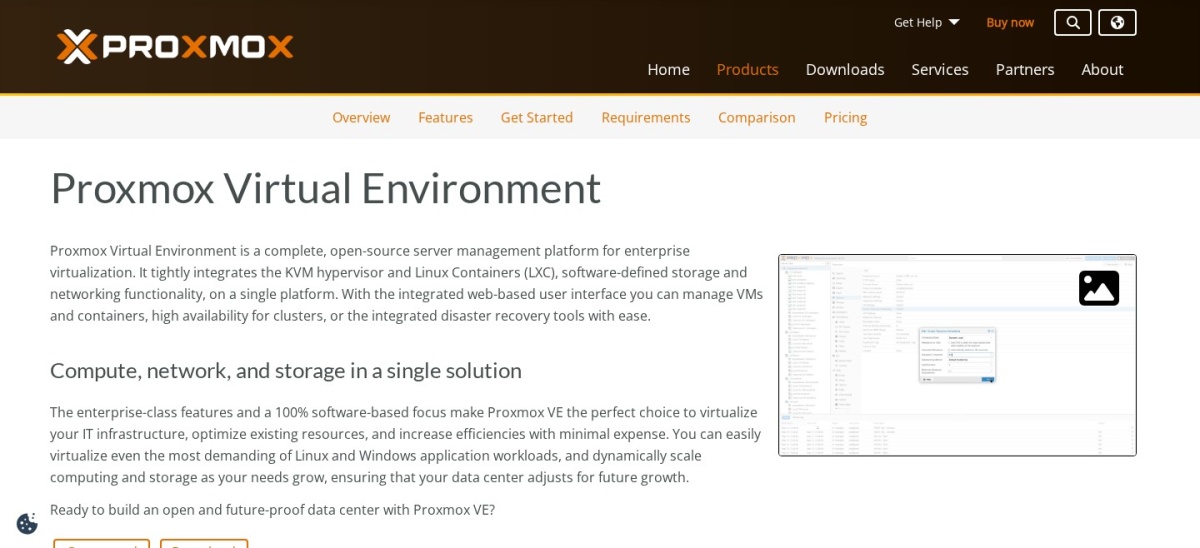
Proxmox VE homepage, captured Nov 2026.
Proxmox VE is a free, open-source virtualization platform under GNU AGPLv3 that manages KVM virtual machines, LXC containers, and ZFS or Ceph storage. Administrators can run dedicated NAS virtual machines or file servers alongside clusters, live migration, and software-defined networking.
The trade off is that it is a hypervisor first rather than a dedicated plug-and-play NAS interface, and commercial subscriptions start at €120 per CPU socket per year. It suits technical homelabs and IT teams consolidating virtual machines and storage.
What we like
Free and open source under GNU AGPLv3 with full virtualization and clustering capabilities.
Supports ZFS replication, Ceph storage, and guest VM or container workloads on one host.
Scales from single nodes to multi-node clusters with API and automation support.
Watch out for
Less streamlined for pure NAS file management than a dedicated storage OS.
Subscriptions are billed annually per physical CPU socket rather than per server.
Paid subscriptions start at €120 per year per socket (roughly $137 at reference rates) for the Enterprise Repository.Visit proxmox.com
ZFS vs. parity arrays: how storage layouts differ
ZFS-based platforms like TrueNAS stripe and mirror or use RAID-Z vdevs with block-level checksums that detect and repair silent corruption when redundant copies exist. Expanding vdevs often follows stricter layout rules than adding single disks to a parity array.
Parity-array systems such as Unraid let you combine disks of different sizes and add drives one at a time while keeping data readable on individual drives outside an array rebuild. The trade off is different write performance and array mechanics compared with striped ZFS pools.
How we chose
We selected established NAS and server storage platforms from active homelab, enterprise storage, and self-hosting ecosystems, focusing on software options with ongoing maintenance and clear public documentation.
We checked pricing pages, product documentation, and public review listings on 22 Nov 2026 to capture current tiers, release status, and user ratings.
We excluded discontinued or inactive projects and skipped products where we could not confirm a current public rating or clear pricing structure from a source opened during research. No vendor paid for a place, and we do not claim testing for this list.
How to choose NAS software in 4 steps
Follow these four steps to match NAS software to your hardware and data goals.
Audit your existing or planned hardware. Check whether you are building on x86 or ARM hardware, reusing mixed spare disks, or buying a dedicated NAS appliance.
Match the filesystem to your data risk. Pick a platform with checksums and snapshots such as OpenZFS or Btrfs when protecting irreplaceable files against silent corruption.
List required apps and protocols. Confirm whether you only need SMB and NFS file shares or also want Docker containers, virtual machines, and remote client access.
Compare upfront and ongoing costs. Factor in free open-source tiers, one-time device licenses, per-socket subscriptions, and storage expansion drives.
FAQ
What is the best free NAS software for DIY hardware?
TrueNAS Community Edition is a top free choice for ZFS storage on custom hardware, while OpenMediaVault is a strong free Debian-based option for lighter or older machines.
Is Unraid a subscription or a one-time purchase?
Unraid uses one-time perpetual licenses starting at $49 for Starter and $109 for Unleashed, with 1 year of updates included and optional $36 annual update extensions afterward.
Can I run Docker containers and media apps on NAS software?
Yes, platforms such as TrueNAS, Unraid, and ZimaOS support containerized applications alongside network file sharing.
Do I need ECC RAM to run ZFS NAS software?
ZFS can run on standard systems without ECC memory, though careful RAM planning and reliable hardware matter for stability and caching performance on larger storage pools.
Should I buy a prebuilt NAS appliance or build my own?
Prebuilt appliances from vendors like Synology or QNAP simplify setup and hardware integration, while DIY software on custom hardware offers lower software licensing cost and flexible component choices.
Does RAID replace a separate backup?
No, drive redundancy or parity protects against a disk failure during operation, not accidental deletion, ransomware, or site-wide loss, so maintain separate backups.
SaaS SEO and WordPress specialist with about 8 years of experience. Rakib compares WordPress plugins, themes, hosting and software using public pricing, documentation and user reviews. See how we rank.