Trello is the best kanban app for most teams, with a free plan for 10 collaborators and 10 boards and Standard at five dollars per user a month billed annually. Pick ClickUp for the most features per dollar and monday for the most visual boards.
How we make this list: we compare pricing pages, product documentation and public user reviews, then re-check every price before each update. No product paid for a place. Disclosure.
Trello is the simplest pure kanban tool, free for 10 collaborators and 10 boards, with Standard at $5 per user a month.
ClickUp packs the most features per dollar, with a free plan for unlimited members and Core at a $12 regular price.
monday.com has the highest G2 rating among the large tools at 4.7 out of 5 from 17,182 reviews, with Basic at $9 a seat.
Jira is the pick for software teams, with native WIP limits, sprint boards and a free plan for up to 10 users.
Every tool here has a free plan, and paid plans run from $5 to $10.99 per user a month billed annually.
What a kanban app should cover
A kanban app shows work as cards moving across columns, from To do to Doing to Done. Anyone can see what is in progress, what is stuck and what is finished without opening a report.
The features that matter most are WIP limits, which stop a team from starting more work than it can finish, swimlanes for splitting work by type or person, and a free plan that covers the whole team before any payment.
Most tools in this list include a free plan, so a team of two to ten people can run real work on a board for months before deciding whether to pay. The paid plans mostly add more boards, automations, views and reporting. Our guide on kanban apps for small business compares a smaller set for tiny teams.
Small teams should watch the per-user price closely. A $5 difference per user a month becomes $600 a year for a ten-person team, and some tools sell seats in blocks, so adding one person can mean paying for five.
Trello is the kanban original: boards, lists and cards that anyone can learn in minutes. The free plan covers up to 10 collaborators and 10 boards per Workspace, and Standard costs $5 per user a month billed annually for unlimited boards and collaborators, custom fields, advanced checklists and 1,000 automation runs a month.
The trade off is depth. Trello has no built-in timelines, dependencies or workload views, and those arrive only on Premium at $10 per user a month. It suits small teams that want a board and nothing else.
What we like
Simplest board to learn, free for 10 collaborators
ClickUp is the all-in-one workspace with kanban boards beside docs, goals, whiteboards and chat. The free plan covers unlimited members and tasks with 60 MB of storage, and Core costs $12 per user a month billed yearly for unlimited storage, Gantt charts, custom fields and 1,000 automation actions a month.
The trade off is complexity. ClickUp packs in so many features that new users can take one to three weeks to set it up well, and the $9 headline price on its pricing page is a promotion against a $12 regular price. It suits small teams that want one subscription instead of three or four separate tools.
What we like
Most features per dollar in this list
Free plan with unlimited members and tasks
WIP limits built in, which matters for real kanban
monday.com is the most visual tool in this list, with color-coded status columns, automations and dashboards that make the state of work obvious at a glance. The free plan covers up to 2 seats and 3 boards, and Basic costs $9 per seat a month billed annually for unlimited boards and items.
The trade off is automations. Basic has none at all, and the Standard plan at $12 per seat a month billed annually is the one most small teams actually need. It suits non-technical teams that want a board everyone understands at a glance.
What we like
Highest G2 rating among the large tools at 4.7 out of 5
Boards need almost no training to use
Strong dashboards and status columns
Watch out for
No automations on the Basic plan
Free plan limited to 2 seats and 3 boards
Costs climb quickly as the team grows
Standard adds timelines, Gantt and 250 automation actionsVisit monday.com
04
Asana
4.4/5on G2 (14,129 reviews, checked Nov 2026)
Paid from$10.99/mo
Best for structure plus kanban
Free planUp to 2 users
Paid planStarter, $10.99/user/mo
WIP limitsWith rules on paid plans
Timeline and GanttYes, on Starter
asana.com
Asana homepage, captured Nov 2026.
Asana is a work management platform that treats kanban as one view among several: the same project shows as a board, a list, a timeline or a calendar. The Personal plan is free for up to 2 users, and Starter costs $10.99 per user a month billed annually for Timeline and Gantt, dashboards, forms, custom fields and unlimited automations.
The trade off is price and setup. Starter is the most expensive entry plan in this list, and key features such as portfolios and approvals need the Advanced plan at $24.99. It suits teams that need real project structure alongside their boards.
Jira is Atlassian's tracker for software teams, with kanban boards, backlogs, sprints and advanced reporting. The free plan covers up to 10 users, and Standard costs $8.48 per user a month for more storage, user roles and audit logs.
The trade off is the learning curve. Jira is the deepest tool in this list, and small non-technical teams often find it heavy. It suits small software teams that need WIP limits, flow diagrams and sprint boards beside their kanban.
Notion is a docs-first workspace where kanban boards are views on databases, so a task card can hold specs, meeting notes and embedded files without leaving the page. The free plan covers unlimited pages for individuals, and Plus costs $10 per member a month billed annually for unlimited file uploads and longer page history.
The trade off is that Notion is not a dedicated kanban tool. It has no native sprint planning or built-in time tracking, and heavy boards can feel slow on large databases. It suits teams whose work already lives in documents and who want tasks beside their notes.
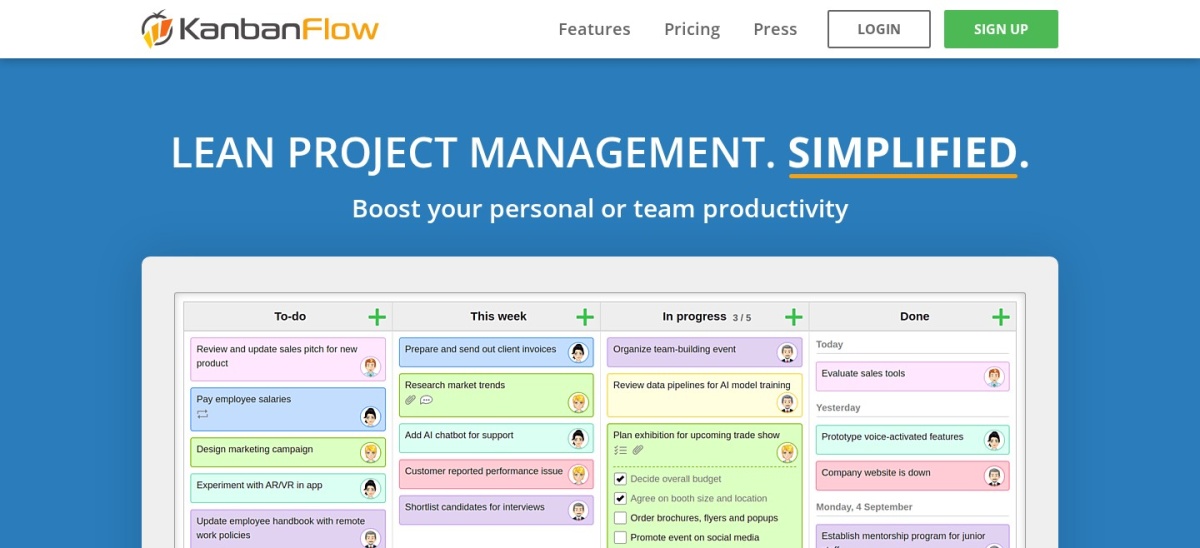
KanbanFlow is a lean kanban tool built around one idea: a simple board with a Pomodoro timer for focused work. The free plan has no time limit and includes WIP limits, swimlanes and time tracking, and Premium costs $5 per user a month for more features and reports.
The trade off is scale. KanbanFlow has a small review base, 4.3 out of 5 from 32 G2 reviews, and no Gantt, docs or chat. It suits individuals and tiny teams that want a focused board with time tracking built in.
Wrike is a work management platform with kanban boards beside Gantt charts, reporting and approvals. The free plan covers small teams, and Team costs $10 per user a month for Gantt charts, dependencies and portfolios.
The trade off is complexity and cost. Business costs $25 per user a month for workload, request forms and proofing, and Wrike can feel heavy for very small teams. It suits agencies and growing teams that juggle client work across many projects.
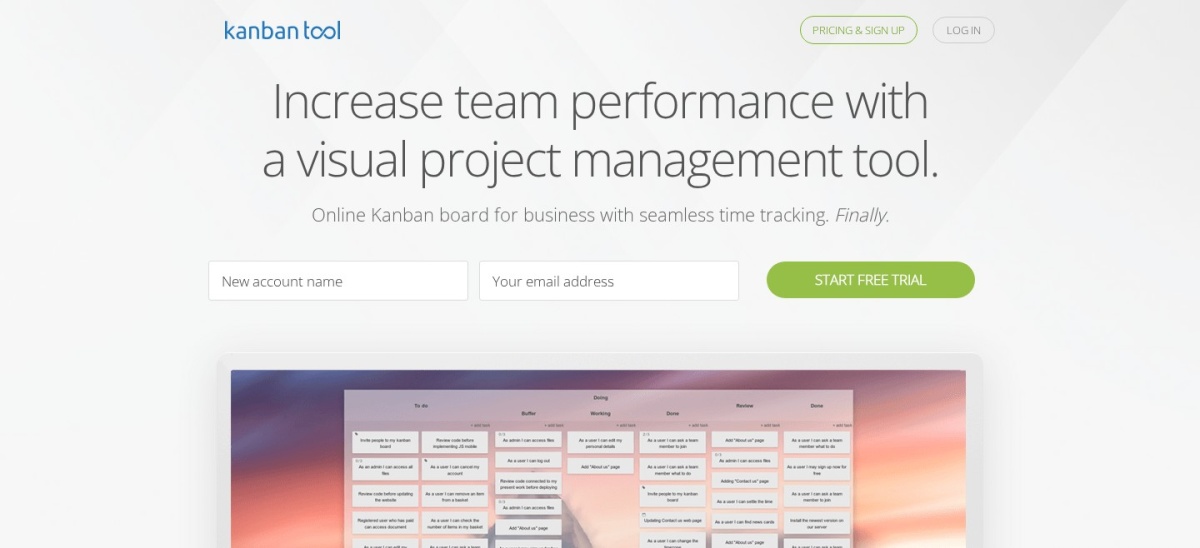
Kanban Tool is a lightweight board with swimlanes, WIP limits and built-in time tracking. The free plan covers 2 users and 2 boards, and Team costs $6 per user a month for more boards and users.
The trade off is the small review base. G2 shows 4.8 out of 5, the highest rating in this list, but from only 41 reviews. It suits small teams that want a focused kanban board with time tracking and no extra workspace features.
Free plans cover the basics well. Most include boards, cards, labels and some automations.
Paid plans mostly add scale and views. You get unlimited boards, timelines, dashboards and more automation runs.
If your team is small, a free plan can last for months. Pay when you hit a cap that actually slows your work, not before.
How we chose
We started from the kanban tools with the largest review bases on G2, then kept those with a useful free plan and a published paid price. We checked each vendor's pricing page and review listing on 25 November 2026.
Prices come from each vendor's pricing page, checked on 25 November 2026, with ClickUp shown at its $12 regular price rather than its $9 promotion. Ratings and review counts come from G2 on the same day, except monday.com, whose pricing page rendered no figures today.
We left out tools with no verifiable rating on G2, Capterra or Trustpilot. No vendor paid for a place, and we do not claim hands-on testing for this list.
How to choose a kanban app
Start with the size of your team, then check WIP limits and the price per seat.
Count your team first. Free plans cap users or boards, so check the limit against your real team size before you fall in love with a board.
Check WIP limits are included. A kanban board without WIP limits is just a list. Confirm limits are in your plan, not only on a higher tier.
Price it for a year, per seat. Multiply the monthly per-user price by 12 and by your headcount. A small monthly gap becomes hundreds of dollars a year.
Pilot with real work for two weeks. Run one real project on the free plan before paying. If the team stops updating the board, the tool is not the problem.
FAQ
What is the best kanban app?
Trello is the best kanban app for most teams. Its free plan covers 10 collaborators and 10 boards, Standard costs $5 per user a month billed annually, and the board takes minutes to learn. Teams that need more structure should look at Asana or ClickUp instead.
Is there a free kanban app?
Yes, every tool in this list has a free plan. Trello is free for up to 10 collaborators and 10 boards, ClickUp is free for unlimited members and tasks, and Jira is free for up to 10 users. Free plans usually limit boards, storage or automations, so check the caps before you commit.
What is the difference between Trello and monday.com?
Trello is a pure kanban board: simple, cheap and quick to learn, with Standard at $5 per user a month. monday.com is a visual work platform where kanban is one view among many, with Basic at $9 per seat a month. Pick Trello for simple boards and monday.com for dashboards and status tracking.
Do kanban apps have WIP limits?
Most do, but not always on the free plan. Trello, Jira, KanbanFlow and Kanban Tool include WIP limits, while Asana and Wrike put them behind rules on paid plans. If limiting work in progress matters to your team, confirm it is in the plan you will actually pay for.
Which kanban app is best for software teams?
Jira is the best kanban app for software teams. It pairs kanban boards with backlogs, sprints and flow reports, and it is free for up to 10 users. Trello is simpler and cheaper, but it has no sprint planning or built-in reporting for development work.
How much does a kanban app cost?
Paid plans in this list run from $5 to $10.99 per user a month billed annually. Trello and KanbanFlow are the cheapest at $5, ClickUp Core lists at $12 regular with a $9 promotion, and Asana Starter is the most expensive entry plan at $10.99.
SaaS SEO and WordPress specialist with about 8 years of experience. Rakib compares WordPress plugins, themes, hosting and software using public pricing, documentation and user reviews. See how we rank.