Best Invoice Software for Landscaping in 2026: 7 Tools Compared
WLWPLegible EditorsLast verified 22 Nov 2026How we rank12 min read
★ Short answer
Jobber is the best invoice software for landscaping businesses needing estimates, job scheduling and online payments, with Core starting at $29 monthly billed annually. LawnPro offers landscaping-specific recurring billing and a free plan, while GorillaDesk is a strong choice for managing invoices across multiple service routes.
How we make this list: we compare pricing pages, product documentation and public user reviews, then re-check every price before each update. No product paid for a place. Disclosure.
Jobber Core starts at $29/month billed annually, or $49/month without a commitment, and includes estimates, invoices and online payments.
LawnPro offers a free Solo plan; Startup costs $39/month or $29/month billed annually, with a 4.6/5 Capterra rating from 187 reviews.
GorillaDesk Basic costs $49/month per route with unlimited users and has a 4.8/5 G2 rating from 43 reviews.
Wave Starter includes unlimited invoices for free, while Pro costs $19/month and adds automated late-payment reminders.
FreshBooks Lite costs $23/month at regular pricing and supports invoicing up to 5 clients.
QuickBooks Simple Start costs $38/month at regular pricing, while Zoho Invoice offers free invoicing without a paid subscription.
What landscaping businesses need from invoicing software
Landscaping businesses often bill customers differently from other service companies. Some charge for individual mowing visits, while others send recurring invoices for maintenance contracts, seasonal cleanups or larger installation projects.
Start with recurring invoicing and estimates. The software should let you create professional quotes, convert approved work into invoices and bill customers according to their service agreements.
Next, consider whether billing needs to connect with scheduling. A dedicated landscaping system can record completed visits, update customer accounts and generate invoices using job information. General accounting tools usually require more manual coordination.
Payment collection matters too. Look for online payment links, card processing, bank transfers and overdue invoice reminders. Check transaction fees separately from subscription costs because payment processing can become a significant expense.
Finally, consider the size of your business. Solo landscapers may need little more than mobile invoicing and expense tracking, while growing crews benefit from route management, employee access, customer histories and accounting integrations.
Jobber is a field service management platform that connects landscaping estimates, scheduling, customer records and invoicing. Core costs $29 monthly billed annually for 1 user and includes professional quotes, invoices, online payment collection and a customer portal. Clients can review approved work and pay outstanding invoices online.
The trade off is that automated invoice follow-ups, recurring payment collection and QuickBooks Online synchronization require Connect, starting at $99 monthly billed annually. Core costs $49 monthly without a commitment. It suits landscaping businesses that want billing connected to service visits and customer management.
What we like
Quotes, scheduling and invoicing in one workspace
Online payments and customer portal
Mobile access for field service operations
Client records and job history
14-day free trial
Watch out for
Core supports only 1 user
Automated invoice reminders require Connect
QuickBooks synchronization requires a higher plan
Monthly flexible billing costs more
Connect adds invoice automation, recurring payments and QuickBooks syncingVisit getjobber.com
02
LawnPro
4.6/5on Capterra (187 reviews, checked Nov 2026)
Paid from$39/mo
Best for recurring lawn care and landscaping invoices
Free planSolo
Entry paid planStartup
Regular monthly price$39
Annual-billing rate$29/month
lawnprosoftware.com
LawnPro homepage, captured Nov 2026.
LawnPro is landscaping business software for customer management, estimates, scheduling, recurring visits and invoicing. Its Solo plan is free, while Startup costs $39 monthly or $29 monthly billed annually. The platform supports recurring service schedules, automated invoices, client portals, online payments and property-based job records.
The trade off is that Startup payment processing carries an additional 1% application fee, and advanced operations may require higher plans. Some accounting integrations and automation features also depend on subscription level or add-ons. It suits lawn care and landscaping companies managing repeat maintenance visits.
What we like
Free Solo plan
Recurring landscaping visits and invoices
Property-based customer records
Estimates, online payments and client portal
4.6/5 Capterra rating from 187 reviews
Watch out for
Additional payment fee on Startup
Advanced functionality requires upgrades
Some integrations have separate charges
More features than invoice-only businesses may need
GorillaDesk is field service software that combines scheduling, recurring service routes, estimates, work orders and invoicing. Basic costs $49 monthly for the first route and includes unlimited users, customizable invoices and flexible invoice frequencies. Its workflow helps landscaping companies organize repeat visits and collect payments.
The trade off is that pricing grows with the number of service routes rather than employee seats. Basic charges additional amounts for extra routes, and Pro costs $99 monthly for the first route. It suits landscaping businesses that organize work around regular service routes and need billing connected to those schedules.
What we like
Recurring service schedules and invoices
Unlimited users on every plan
Flexible invoice frequencies
Customer management and route scheduling
14-day free trial without a credit card
Watch out for
Additional routes increase subscription costs
Some advanced automation requires Pro
Hourly billing workflows may need workarounds
Broad field service features take time to configure
Pro adds more advanced workflows and business management capabilitiesVisit gorilladesk.com
04
Wave
4.3/5on G2 (329 reviews, checked Nov 2026)
Paid from$19/mo
Best free invoicing and bookkeeping option
Free planStarter
Paid planPro
Regular monthly price$19
Free invoicesUnlimited
waveapps.com
Wave homepage, captured Nov 2026.
Wave is accounting and invoicing software for small service businesses that need billing without a full scheduling platform. Starter is free and includes unlimited invoices, estimates, bills and bookkeeping records. Pro costs $19 monthly and adds automatic bank transaction imports, receipt capture and automated late-payment reminders.
The trade off is that Wave does not manage landscaping routes, crew assignments or completed service visits. Payment processing also carries transaction fees, even when the software subscription is free. It suits solo landscapers and small contractors whose primary needs are customer invoices, payments and basic financial records.
What we like
Unlimited invoices on the free plan
Free estimates and bookkeeping
Mobile invoice creation
Online payment collection
Automated reminders on Pro
Watch out for
No dedicated landscaping scheduling system
Free plan has limited automation
Payment processing fees apply
Crew and property management require separate software
Pro adds bank imports, receipt capture and automated payment remindersVisit waveapps.com
05
FreshBooks
4.5/5on G2 (982 reviews, checked Nov 2026)
Starts at$23/mo
Best for landscaping invoices and expense tracking
Entry planLite
Regular monthly price$23
Billable clients5
Free trial30 days
freshbooks.com
FreshBooks homepage, captured Nov 2026.
FreshBooks is accounting software that helps landscaping contractors create invoices, prepare estimates, track expenses and accept online payments. Lite costs $23 monthly at its regular price and supports invoicing up to 5 clients. It includes expense tracking, tax-time reports and payment collection through supported payment methods.
The trade off is that Lite limits billable clients and does not include the complete recurring billing and accounting feature set. Plus costs $43 monthly at regular pricing and increases the client allowance to 50. It suits independent landscapers handling estimates, invoices and financial records without needing route scheduling.
What we like
Professional invoice and estimate templates
Expense and payment tracking
Mobile access for invoicing
Online payment options
30-day free trial
Watch out for
Lite supports only 5 billable clients
Advanced recurring billing requires Plus
Additional team members cost extra
No built-in landscaping route planning
Plus adds more clients, recurring billing and accounting reportsVisit freshbooks.com
06
QuickBooks Online
4/5on G2 (3,897 reviews, checked Nov 2026)
Paid from$38/mo
Best for landscaping invoicing with accounting
Entry paid planSimple Start
Regular monthly price$38
Included users1
Free plan invoices2/month without Payments eligibility
quickbooks.intuit.com
QuickBooks Online homepage, captured Nov 2026.
QuickBooks Online is accounting software that combines invoicing, expense tracking, payments and financial reporting. Its free offering supports basic financial records and limited invoicing, while Simple Start costs $38 monthly at regular pricing. The paid plan includes invoicing, income and expense tracking and access for accountants.
The trade off is that QuickBooks is primarily an accounting platform, not a landscaping scheduling or routing system. More advanced project and team management capabilities require higher plans or integrations. It suits landscaping businesses that prioritize bookkeeping and need invoices connected directly to their financial records.
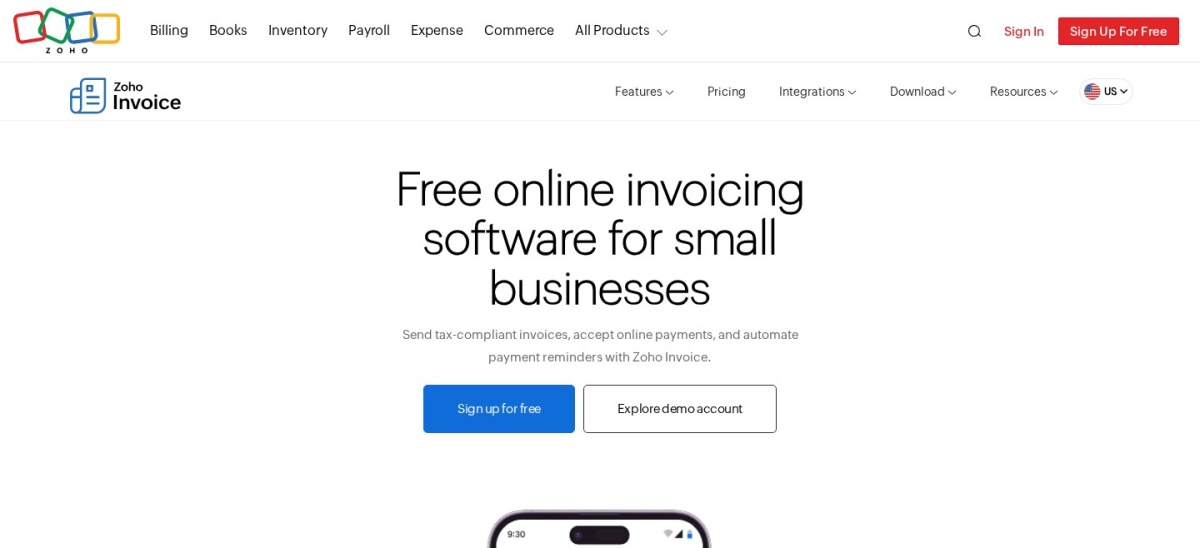
Zoho Invoice is free invoicing software for creating estimates, sending invoices, collecting payments and managing customer records. Its official pricing page lists a $0 subscription with recurring invoices, automated payment reminders, expense tracking, timesheets and a self-service customer portal. It also integrates with other Zoho business applications.
The trade off is that Zoho Invoice does not offer a paid upgrade within the product, and some broader accounting or business management requirements need separate software. It also lacks landscaping route scheduling and crew dispatch. It suits small contractors looking for free billing and recurring invoice tools rather than an all-in-one landscaping system.
What we like
Completely free subscription
Recurring invoices and payment reminders
Professional estimates and templates
Customer payment portal
Expense and timesheet tracking
Watch out for
No landscaping scheduling or dispatch
Broader accounting requires separate products
Not designed for multi-crew landscaping operations
Payment processing may involve external transaction fees
No paid plan; separate Zoho products add broader business capabilitiesVisit zoho.com
Which landscaping billing method works best?
Per-visit invoicing works well for one-time lawn mowing, hedge trimming and seasonal cleanup jobs. The invoice records the completed service and its agreed price, giving customers a clear connection between work performed and payment requested.
Recurring monthly billing is often more convenient for maintenance contracts. Dedicated landscaping platforms such as LawnPro and GorillaDesk connect recurring visits with customer records and invoicing workflows.
For larger landscaping projects, estimates and staged payments become more important. Contractors may need deposits, progress invoices and final balances rather than a single bill after completion.
Choose software that matches your primary billing approach. Landscaping-specific platforms are usually better when invoices depend on completed routes or visits, while general accounting software works well when billing is managed separately from field operations.
How landscaping invoicing software pricing works
Landscaping invoicing software ranges from free tools to subscriptions that include scheduling and crew management. Zoho Invoice is free, Wave Starter supports unlimited free invoices, and LawnPro offers a free Solo plan.
Jobber Core starts at $29 monthly billed annually, compared with $49 monthly without a commitment. GorillaDesk Basic costs $49 monthly for the first route, with additional routes increasing the price.
Invoice-focused accounting tools use different pricing. Wave Pro costs $19 monthly, FreshBooks Lite costs $23 monthly and QuickBooks Simple Start costs $38 monthly at their regular prices.
Transaction fees should be evaluated separately. Online card payments, additional employees, accounting integrations and automated billing features may increase total spending. Compare the full cost of sending and collecting invoices rather than just the base subscription.
How we chose
We selected established landscaping field service and invoicing applications with publicly accessible official pricing and independent review histories. The shortlist includes dedicated landscaping platforms, route-based field service software and general invoicing tools suited to small contractors. We compared estimates, recurring invoices, payment collection, scheduling connections, accounting and mobile usability.
Official vendor pricing and independent review pages were checked on 23 Nov 2026 for this article dated 22 Nov 2026. Published regular prices were used instead of temporary promotional discounts, with annual-billing options explained separately. Ratings and review counts come from G2 or Capterra, and annual cost equivalents use the displayed subscription amounts.
We excluded tools without verifiable official entry pricing or sufficient independent reviews. We also distinguished landscaping operations software from general bookkeeping applications and identified where free plans lacked advanced features. No vendor paid for a place, and we do not claim testing for this list.
How to choose invoice software for landscaping
Identify how your landscaping business bills customers, then compare software that supports those workflows without unnecessary costs.
Match the software to your billing frequency. Decide whether you primarily charge per visit, send recurring maintenance invoices or bill larger installation projects in stages. Check recurring invoice scheduling, estimate conversion, deposits and payment reminders before choosing.
Check connections between jobs and invoices. If crews complete multiple service visits, consider tools that connect schedules, customer records and completed jobs. Solo contractors who manage appointments elsewhere may prefer simpler accounting software.
Compare payment options and accounting. Look for online payment links, card processing, bank transfers and invoice status tracking. Confirm whether payment reminders, bank synchronization and accounting integrations are included in the entry plan or cost extra.
Calculate total costs as the business grows. Compare subscription fees, employee limits, additional routes, payment charges and integrations. Check monthly versus annual commitments and choose a tool that supports future customer and crew growth.
FAQ
What is the best invoice software for landscaping in 2026?
Jobber is our top choice because it connects customer estimates, scheduling, invoices and online payments. Core starts at $29 monthly billed annually. LawnPro is particularly useful for recurring lawn maintenance billing, while GorillaDesk is suitable for businesses organizing jobs around service routes.
Is there free landscaping invoicing software?
Yes. LawnPro offers a free Solo plan, while Wave Starter includes unlimited invoices and estimates without a subscription. Zoho Invoice is also free and supports recurring invoices, payment reminders and customer portals. Dedicated free tools may have operational or integration limitations.
How much does landscaping invoice software cost?
Subscription prices vary by features. Wave Pro costs $19 monthly, FreshBooks Lite costs $23 monthly and Jobber Core starts at $29 monthly billed annually. GorillaDesk Basic costs $49 monthly per route. Payment transaction fees and additional functionality may increase overall costs.
Can landscaping invoice software send recurring invoices?
Yes. LawnPro supports recurring service billing, GorillaDesk provides flexible invoice frequencies, and Zoho Invoice includes recurring invoices. Other products offer recurring billing on particular paid plans. Confirm whether an invoice can be generated from completed visits or follows a fixed schedule.
Which invoicing software is best for a solo landscaper?
Wave and Zoho Invoice are suitable when the main requirement is creating estimates and collecting payments. LawnPro Solo offers a landscaping-specific free alternative. Jobber Core may be more appropriate if the owner also wants customer scheduling and service management in one application.
Can customers pay landscaping invoices online?
Most products in this comparison support online payments through integrated or connected payment services. Jobber, LawnPro, Wave, FreshBooks and Zoho Invoice all provide payment collection options. Processing rates, supported methods and account requirements vary, so review payment terms separately.
What is the difference between landscaping software and accounting software?
Landscaping software focuses on service operations such as scheduling, routes, property records and recurring jobs, often linking those activities to invoices. Accounting software focuses on invoices, payments, expenses and financial reporting. Growing landscaping companies may use both systems together.
Does landscaping invoice software integrate with QuickBooks?
Some dedicated field service products do. Jobber offers QuickBooks Online synchronization on Connect and higher plans, while LawnPro provides QuickBooks integration capabilities. Check which records synchronize, whether the integration costs extra and how duplicate transactions are prevented.
What should a landscaping invoice include?
A landscaping invoice should identify the customer, service location, completed work, service dates, itemized charges, taxes when applicable, payment terms and accepted payment methods. Maintenance invoices should also distinguish recurring contract charges from additional services to reduce billing disputes.