Best Documentation Software in 2026: 7 Tools Compared
WLWPLegible EditorsLast verified 22 Nov 2026How we rank8 min read
★ Short answer
BetterDocs is the top pick for WordPress sites, offering 30,000+ active installs, a 4.8 out of 5 rating, and built-in AI tools. Echo Knowledge Base suits support teams needing modular add-ons, while weDocs fits small product teams wanting simple setup from $39/yr.
How we make this list: we compare pricing pages, product documentation and public user reviews, then re-check every price before each update. No product paid for a place. Disclosure.
BetterDocs leads with 30,000+ active installs, 517 ratings at 4.8/5, and a regular entry price of $69/yr.
Echo Knowledge Base holds the highest rating at 4.9/5 across 124 reviews with 10,000+ active installs.
weDocs is the lowest-cost commercial option at $39/yr regular price for a single site.
EazyDocs brings a SaaS-style sidebar layout to WordPress starting at $49/yr with 2,000+ installs.
Hosted SaaS platforms like GitBook ($65/mo) and ReadMe ($79/mo) cost $780/yr to $948/yr, far above self-hosted WordPress plugins.
What to look for in documentation software
Good documentation software lets customers and teammates find answers without filing support tickets. The core features that matter most are fast live search, clear category hierarchy, and clean article templates that work well on mobile screens.
You also need to decide between a self-hosted WordPress plugin and a standalone SaaS documentation platform. WordPress plugins keep your docs on your own domain and start around $39/yr to $69/yr, while hosted SaaS tools charge monthly per site or per seat and often cross $700/yr.
For technical products, look for code block formatting, OpenAPI or Git sync, and version control. For customer support portals, prioritize article feedback buttons, search analytics showing zero-result queries, and optional AI chat trained on your published pages.
4.8/5on WordPress.org (517 reviews, checked Nov 2026)
Paid from$69/yr
Best for all-in-one WordPress docs
PlatformWordPress
Free versionYes (WordPress.org)
Entry paid plan$69/yr (1 site)
AI & MCPIncluded in core
betterdocs.co
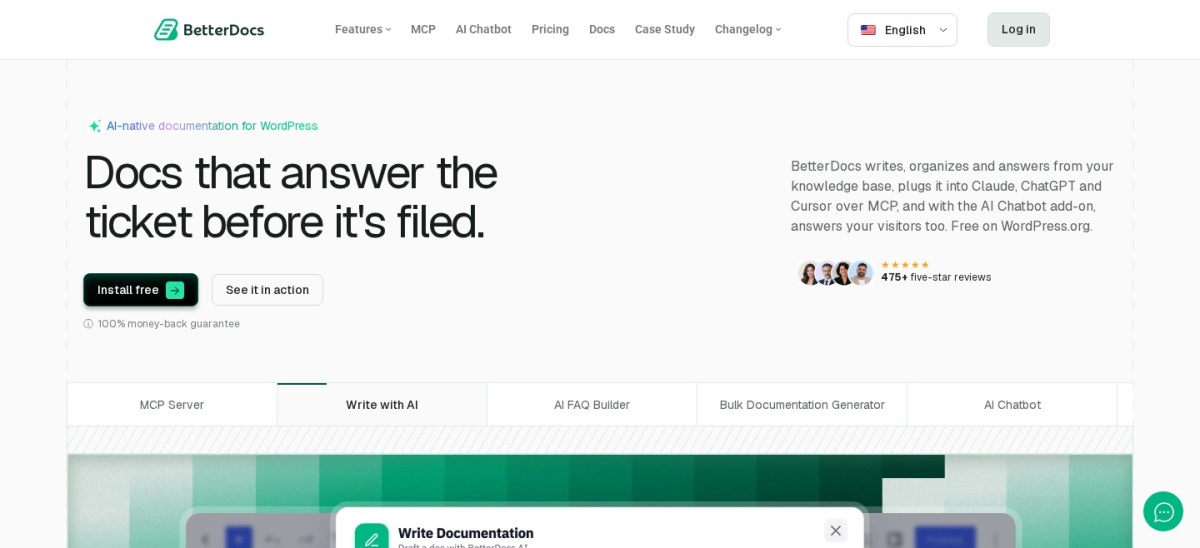
BetterDocs homepage, captured Nov 2026.
BetterDocs is a WordPress knowledge base and documentation plugin with 30,000+ active installations and a 4.8 out of 5 rating across 517 reviews. The free plugin includes ready-made landing and single-doc layouts, a sticky table of contents, live search, Gutenberg blocks, Elementor widgets, AI writing tools, and MCP server support.
The trade off is that multiple knowledge bases, internal access controls, attachments, and analytics require upgrading to Pro at $69/yr regular price ($48/yr on current promotion). It suits WordPress site owners who want designed templates and AI features without stitching together separate add-ons.
What we like
30,000+ active installs and 4.8/5 rating on WordPress.org
Generous free tier with ready-made templates and live search
Works natively with both Gutenberg blocks and Elementor
Includes MCP server connection for AI assistants
Watch out for
Multiple knowledge bases and analytics require Pro
AI Chatbot addon is sold separately from the core Pro plan
Pro ($69/yr) unlocks multiple knowledge bases, internal docs, analytics, and glossaries.Visit betterdocs.co
02
Echo Knowledge Base
4.9/5on WordPress.org (124 reviews, checked Nov 2026)
Paid from$53/yr
Best for modular help centers
PlatformWordPress
Free versionYes (WordPress.org)
Entry bundle$53/yr renewal (1 site)
LayoutsBasic, Tabs, Categories
echoknowledgebase.com
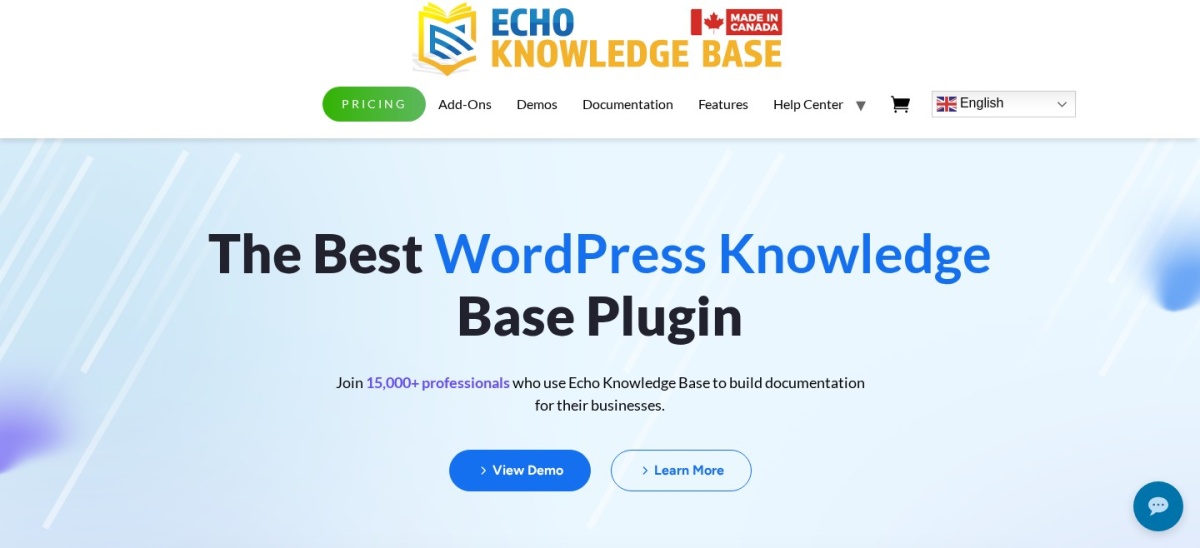
Echo Knowledge Base homepage, captured Nov 2026.
Echo Knowledge Base is a WordPress documentation and FAQ plugin with 10,000+ active installations and a 4.9 out of 5 rating on WordPress.org. The free core plugin supports hierarchical categories, instant search, breadcrumbs, and theme compatibility out of the box.
The trade off is its modular pricing model, where features like Multiple Knowledge Bases ($90 for 2–3 sites) and the Basic Add-ons bundle ($53/yr renewal for 1 site) are billed separately. It suits support teams that want a lightweight free base and only pay for specific extras.
What we like
Highest WordPress.org rating in this group at 4.9 out of 5
Expired licenses do not disable already-installed features
Includes test and development site usage on paid licenses
Watch out for
Add-on pricing splits features across separate bundles
Advanced AI features and CSV import/export cost extra
4.6/5on WordPress.org (69 reviews, checked Nov 2026)
Paid from$39/yr
Best budget WordPress docs
PlatformWordPress
Free versionYes (WordPress.org)
Entry paid plan$39/yr (Starter)
Hierarchy7-layer nested articles
wedocs.co
weDocs homepage, captured Nov 2026.
weDocs is a lightweight WordPress documentation plugin by weDevs with 5,000+ active installations and a 4.6 out of 5 rating across 69 reviews. Its free version provides unlimited document creation, drag-and-drop article ordering, and instant search that inherits your active theme styles.
The trade off is minimal visual customization in the free plugin, though upgrading to Starter costs just $39/yr (or $125 one-time on sale from $179). It suits solo creators and small plugin teams who want fast setup on a tight budget.
What we like
Lowest paid entry price at $39/yr for a single site
Lifetime license options available starting at $125
Watch out for
Free version has very few layout and styling controls
Smaller template library than BetterDocs
Starter ($39/yr) unlocks templates, doc duplication, and advanced analytics.Visit wedocs.co
04
EazyDocs
4.7/5on WordPress.org (99 reviews, checked Nov 2026)
Paid from$49/yr
Best SaaS-style WordPress UI
PlatformWordPress
Free versionYes (WordPress.org)
Entry paid plan$49/yr (1 site)
Layout3-column sidebar + TOC
spider-themes.net
EazyDocs homepage, captured Nov 2026.
EazyDocs is a WordPress knowledge base and wiki plugin with 2,000+ active installations and a 4.7 out of 5 rating on WordPress.org. It mirrors hosted developer portals with a collapsible left sidebar, center reading pane, right-hand table of contents, and Elementor widgets.
The trade off is a smaller install base than BetterDocs, with Pro plans starting at $49/yr for single-site access. It suits software and SaaS companies running WordPress that want a dedicated three-column documentation interface.
Pro ($49/yr) adds private docs, role permissions, analytics, and dark mode.Visit spider-themes.net
05
GitBook
4.7/5on G2 (150+ reviews, checked Nov 2026)
Paid from$65/mo
Best for Git-synced technical docs
PlatformHosted SaaS
Free versionYes (1 site)
Entry paid plan$65/mo per site
SyncGitHub & GitLab
gitbook.com
GitBook homepage, captured Nov 2026.
GitBook is a hosted documentation platform built for engineering and product teams, offering a free plan for single public sites and two-way GitHub and GitLab synchronization. Writers can edit in a visual block editor while developers commit Markdown changes directly in Git.
The trade off is steep per-site pricing once you need custom domains, analytics, or AI features, starting at $65/mo ($780/yr). It suits software teams that treat documentation like code without maintaining a WordPress site.
What we like
Two-way GitHub and GitLab sync keeps docs aligned with code
Supports OpenAPI imports and built-in AI assistant
Zero server maintenance or plugin updates required
Watch out for
Paid plans start at $65/mo ($780/yr) per site
Hosted off-site rather than inside your WordPress database
Paid plans ($65/mo) add custom domains, site insights, and OpenAPI reference.Visit gitbook.com
06
ReadMe
4.7/5on G2 (120+ reviews, checked Nov 2026)
Paid from$79/mo
Best for interactive API portals
PlatformHosted SaaS
Free versionYes (Starter)
Entry paid plan$79/mo
API standardOpenAPI / Swagger
readme.com
ReadMe homepage, captured Nov 2026.
ReadMe is a hosted developer portal platform designed around interactive API references, changelogs, and onboarding guides. Developers can test live API endpoints directly inside the documentation pages using their own API keys.
The trade off is cost, as paid plans start at $79/mo ($948/yr) and scale up based on team seats and usage. It suits API-first SaaS companies that prioritize interactive endpoint testing over general help center articles.
What we like
Interactive API explorer lets users run live requests in browser
Automatic syncing with OpenAPI and Swagger specifications
Built-in developer metrics and changelog publishing
Watch out for
Starts at $79/mo ($948/yr), making it costly for non-API docs
Overbuilt for standard customer support knowledge bases
Paid plans ($79/mo) add custom domains, API logs, and team permissions.Visit readme.com
07
Mintlify
4.8/5on G2 (50+ reviews, checked Nov 2026)
Paid from$150/mo
Best for MDX developer docs
PlatformHosted SaaS
Free versionYes (Hobby)
Entry paid plan$150/mo (Startup)
AuthoringMDX + Git
mintlify.com
Mintlify homepage, captured Nov 2026.
Mintlify is a hosted developer documentation platform built on MDX, OpenAPI, and Git workflows, offering a free tier for individual projects and fast out-of-the-box typography. It automatically generates interactive API playgrounds and exposes documentation via MCP.
The trade off is high entry pricing for commercial teams, with paid plans starting around $150/mo ($1,800/yr). It suits funded developer-tool startups that want polished MDX docs without building a custom frontend.
What we like
Clean out-of-the-box typography and fast page loads
Native MDX components and OpenAPI playground generation
Built-in MCP support for AI coding assistants
Watch out for
Paid plans start at $150/mo ($1,800/yr)
Requires comfort with Markdown, MDX, and Git repositories
Startup plans ($150/mo) unlock custom domains, analytics, and AI assistant.Visit mintlify.com
WordPress plugins vs. hosted SaaS documentation tools
WordPress documentation plugins like BetterDocs ($69/yr) and weDocs ($39/yr) store articles inside your existing WordPress database. You keep full ownership of your URLs, SEO authority, and content without recurring monthly per-seat fees.
Hosted SaaS platforms like GitBook ($65/mo) and ReadMe ($79/mo) make sense when your engineering team already writes docs in Git repositories using Markdown or OpenAPI specs. If your primary audience is everyday customers rather than API developers, a WordPress plugin delivers comparable search and AI chat at roughly one-tenth the annual cost.
How we chose
We evaluated both self-hosted WordPress documentation plugins and standalone SaaS documentation platforms to cover customer help centers and developer portals. Every candidate had to be actively maintained and carry established public user reviews.
All active install counts, ratings, review totals, and regular entry prices were verified directly from WordPress.org, G2, and official vendor pricing pages on 22 Nov 2026.
We excluded abandoned plugins not updated in the past 12 months, tools without transparent public pricing, and general note-taking apps that lack public knowledge base navigation. No vendor paid for a place, and we do not claim testing for this list.
How to choose the right documentation software
Follow these four steps to pick a documentation platform that matches your workflow and budget.
Decide where your documentation will live. If your main marketing site already runs on WordPress, a plugin like BetterDocs or Echo Knowledge Base keeps your docs under your existing domain and theme. Choose a hosted SaaS tool only if you want docs decoupled from WordPress.
Match the editor to your writers. Support agents usually prefer visual block editors like Gutenberg or Elementor, while software engineers favor Git-synced Markdown and MDX workflows in GitBook or Mintlify.
Check search and zero-result analytics. Instant autocomplete search helps visitors find answers in seconds, while search logs reveal which topics are missing from your help center.
Compare multi-year renewal costs. A $39/yr to $69/yr WordPress plugin costs under $350 over five years, whereas a $65/mo to $150/mo SaaS subscription reaches $3,900 to $9,000 over the same span.
FAQ
What is the best free documentation software for WordPress?
BetterDocs is the strongest free option on WordPress.org, offering 30,000+ active installs, ready-made templates, live search, a sticky table of contents, and Gutenberg and Elementor support at no cost.
How much does documentation software cost per year?
Self-hosted WordPress documentation plugins cost between $39/yr and $69/yr at regular single-site rates. Hosted SaaS documentation tools like GitBook and ReadMe start between $780/yr and $948/yr.
Should I use a WordPress plugin or a separate SaaS tool for docs?
Use a WordPress plugin if you want lower annual costs, full SEO control on your main domain, and visual editing. Use a SaaS platform if your engineers need two-way GitHub sync or interactive OpenAPI playgrounds.
Which documentation tool is best for API documentation?
ReadMe and Mintlify are built specifically for API documentation, generating interactive endpoint playgrounds directly from OpenAPI and Swagger files.
Can documentation software reduce customer support tickets?
Yes. Pairing instant live search with structured categories and AI answer widgets lets customers resolve routine setup and billing questions before submitting a support ticket.