Microsoft Access is the best desktop database software for most Windows teams, because it is the default relational database most businesses already know, with tables, forms, queries and reports in one application. Use Claris FileMaker for cross-platform custom apps, or Ninox when you want the highest-rated low-code database.
How we make this list: we compare pricing pages, product documentation and public user reviews, then re-check every price before each update. No product paid for a place. Disclosure.
Microsoft Access is the best pick for most Windows teams, with tables, forms, queries and reports in one application for 179.99 dollars once.
Claris FileMaker is the best cross-platform pick, building real custom apps on Mac, Windows, iPhone, iPad and the web.
Ninox is the highest-rated tool here at 4.7 on G2, with AI-assisted building and a genuinely free plan.
Airtable is the most popular cloud-first alternative, with linked records, views and automations from 20 dollars a user a month.
LibreOffice Base is the best free desktop database, with tables, forms, queries and reports at zero cost.
What desktop database software does
Desktop databases store data on your own machines. Your data stays local, there is no monthly fee ticking forever, and a well-built Access or FileMaker app can run for a decade without attention. Cloud tools win on collaboration; desktop tools win on control, cost and independence.
The tools split three ways. Access and LibreOffice Base are classic desktop databases, FileMaker, Ninox and Alpha Anywhere build custom apps across desktop, web and mobile, and Airtable and Knack are cloud-first databases with desktop apps attached.
Pricing splits the same way. Access costs 179.99 dollars once, Base costs nothing, and the rest charge monthly: FileMaker from 22 dollars a user a month, Airtable from 20, Knack at 49 flat, and Ninox at 25 euros a user a month.
Platform is the first filter. Access is Windows-only, so Mac teams need FileMaker, Ninox, Airtable or Base, and anyone who needs the database on a phone should look at FileMaker and Ninox, which handle mobile natively.
List prices in each vendor's currency, checked Nov 2026
NinoxFREE€25
BaseFree
Access$180
AirtableFREE$240
FileMaker$264
Knack$588
AlphaFREE$1,188
The 7 best desktop database software
01
Microsoft Access
4/5on G2 (855 reviews, checked Nov 2026)
Starts at$179.99 (one-time)
Best desktop database software overall
Free planNo
Price$179.99 one-time
PlatformWindows only
UpgradeSQL Server, Azure SQL
microsoft.com
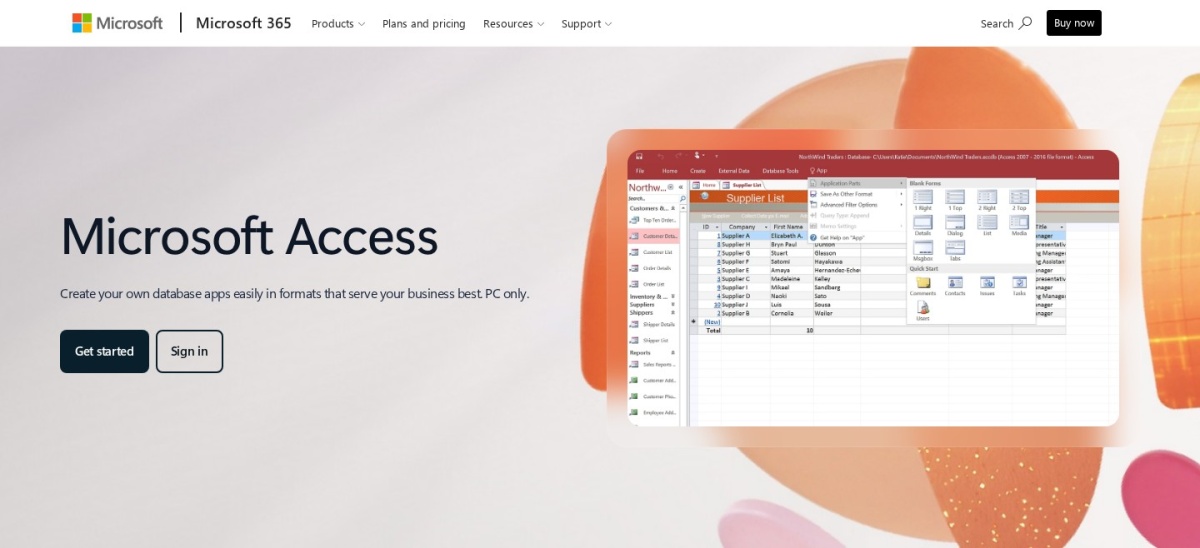
Microsoft Access homepage, captured Nov 2026.
Microsoft Access is the desktop database most businesses already know: tables, forms, queries and reports in one Windows application, with templates that let a non-developer build an inventory tracker or customer database in an afternoon. It also plays well with the Microsoft ecosystem, storing data in SQL Server or Azure SQL when an app outgrows a local file.
The trade off is platform and scale. Access is Windows-only and it always will be, and single users and small teams are its sweet spot, while dozens of simultaneous users or web access will fight the tool. It suits Windows-based small businesses that want the safest, most documented desktop database.
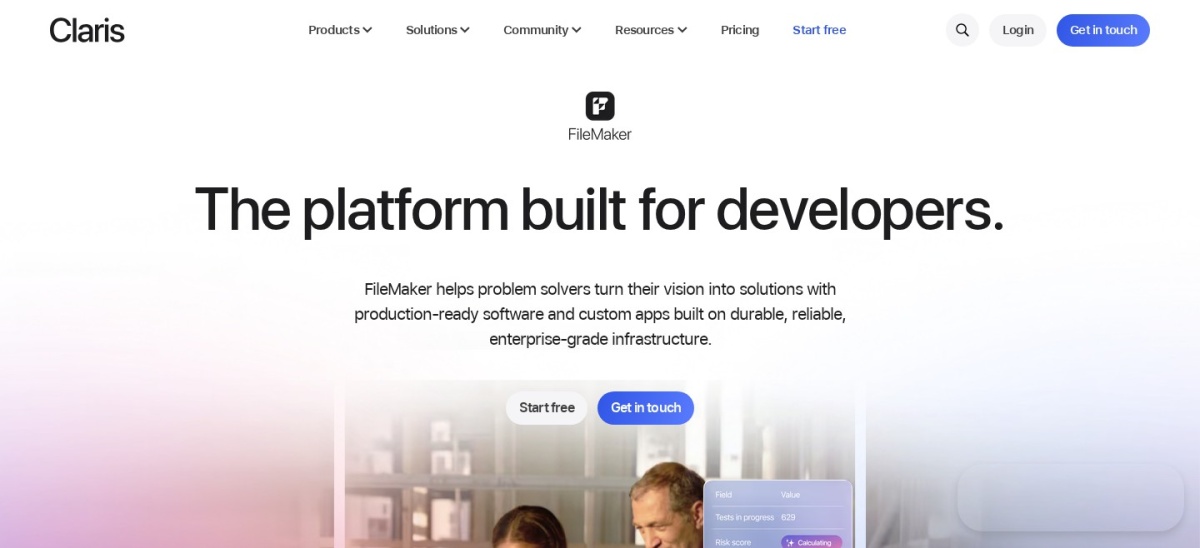
Claris FileMaker is a genuine cross-platform database app builder from an Apple company, running on Mac, Windows, iPhone, iPad and the web, with drag-and-drop layouts, automation and integrations through Claris Connect. Small businesses build CRMs, inventory systems and workflow tools that look and feel like real software, with print-ready reports.
The trade off is cost and minimums. FileMaker Cloud starts at $22 a user a month billed annually for 5 to 10 users, with the Max tier at $45, and the five-user minimum prices out solo users. It suits teams that span Mac and Windows or need the same database on phones.
What we like
Rated 4.5 out of 5 on G2 from 579 reviews
Builds real custom apps on Mac, Windows, and mobile
Ninox is a modern low-code database platform with an AI-native twist: describe what your business needs and Ninox helps build it, then grow it with automation, document generation and email linking as your processes mature. The free plan is genuinely free, with up to 5 users, 5,000 records and 100 MB of storage.
The trade off is pricing transparency and depth. Paid-tier pricing is not published in USD, with the euro list price at 25 euros a user a month, and deeper logic still needs scripting. It suits teams that want the easiest on-ramp to a real business database across desktop, web and mobile.
Airtable is a spreadsheet-style database platform that suits teams tracking assets, campaigns and content in grids, with linked records, lookups, rollups and automations that turn a table into a project tracker. Its gallery and kanban views make asset libraries browsable, and Interface Designer builds a branded front end for clients.
The trade off is that Airtable is cloud-first, not a classic desktop database. Data lives on Airtable's servers rather than your machines, and edit-seat costs can rise with larger teams. It suits teams that prefer a web-first workspace with desktop apps for Mac and Windows.
Knack is a no-code relational database and app builder that charges by records and storage, not by seat, so every plan includes unlimited users and a 50-person team costs the same as a 2-person one at equal data volume. Starter costs $49 a month billed annually for 20,000 records, with forms, user roles and automations included.
The trade off is entry price and design depth. Starter is the highest entry price in this list, and design flexibility trails prettier rivals, while the G2 review base of 115 reviews is thinner than Airtable's. It suits internal teams running ops dashboards, CRMs or portals with many users.
LibreOffice Base is the free, open-source answer to Access: build tables, design forms, write queries and generate reports, all inside the LibreOffice suite, at zero cost on Windows, Mac and Linux. It can connect to existing databases including Access files, which makes it a practical escape route if you want off Microsoft without losing your data.
The trade off is polish and support. Base does the job but shows its age, and you will lean on community forums rather than vendor support, while its G2 rating rests on only 15 reviews. It suits small businesses or nonprofits with no database budget that need a real desktop database.
Alpha Anywhere is a low-code platform for building offline-capable mobile and desktop applications where databases meet the real world: mobile forms with validation and barcode scanning, offline operation for disconnected environments, automated workflows and real-time dashboards. Manufacturers and field service companies digitise inspections and compliance processes on it.
The trade off is positioning and rating depth. Alpha is pitched at operational teams and enterprises, with custom demos rather than buy-now pricing, and its G2 rating of 4.9 rests on only 13 reviews. It suits teams whose database must work on a factory floor or in the field with no internet.
Access costs 179.99 dollars once, and LibreOffice Base costs nothing, which is why desktop databases appeal to cost-conscious buyers. No monthly fee ticks forever, and a well-built Access app can run for a decade without attention.
Subscriptions buy sync and collaboration. FileMaker at 22 dollars a user a month, Airtable at 20 and Knack at 49 flat all keep data in the cloud, accessible from any device, with updates included.
Model three years of costs before deciding. A 10-person team on FileMaker pays over 7,900 dollars in three years, while Access costs 179.99 dollars once per licence, so the cheapest choice now is rarely the cheapest choice twice.
How we chose
We started from the desktop database tools that 2026 guides recommend most, covering classic desktop databases, cross-platform app builders and cloud-first alternatives, and kept those with an active vendor site and a verifiable G2 rating.
Prices come from each vendor's pricing page or published price list, checked on 25 November 2026. Access costs 179.99 dollars as a one-time purchase from the Microsoft Store, FileMaker Cloud starts at 22 dollars a user a month billed annually, Airtable Team is 20 dollars a user a month, and Knack Starter is 49 dollars a month flat.
Ninox prices in euros at 25 euros a user a month, so its price_year is 0 rather than a converted dollar figure. We left out 4D because its G2 rating rests on only 2 reviews, and Tap Forms, My Visual Database and Kexi because no G2, Capterra or Trustpilot rating could be verified. No vendor paid for a place, and we do not claim hands-on testing for this list.
How to choose desktop database software
Start with who builds it, then check where it must run.
Decide who builds it. Non-technical builders need visual, template-driven tools; developers can use Alpha Anywhere.
Decide where it must run. Windows-only teams have the widest choice; mixed Mac and Windows teams need FileMaker, Ninox or Airtable.
Think two years ahead. The database you build today becomes the system you depend on, so check migration paths before you commit.
Compare one-time and subscription costs. Access costs 179.99 dollars once; most rivals charge monthly per user, so model three years of costs.
FAQ
What is the best desktop database software?
Microsoft Access is the best desktop database software for most Windows teams, because it is the default relational database most businesses already know, with tables, forms, queries and reports in one application. Claris FileMaker suits cross-platform custom apps, and Ninox is the highest-rated low-code database here.
How much does desktop database software cost?
Access costs 179.99 dollars as a one-time purchase, while FileMaker Cloud starts at 22 dollars a user a month billed annually and Airtable Team is 20 dollars a user a month. Knack Starter is 49 dollars a month flat, Ninox lists 25 euros a user a month, and LibreOffice Base is free.
Is there a free desktop database?
Yes. LibreOffice Base is completely free and open source, with tables, forms, queries and reports on Windows, Mac and Linux. Ninox has a genuinely free plan for up to 5 users, and Airtable offers a free tier with 1,000 records per base.
What is the best Microsoft Access alternative?
Claris FileMaker is the closest one-to-one replacement for Access power users, with a visual form designer and print-ready reports on Mac, Windows and mobile. Ninox is the highest-rated alternative here, and Airtable is the most popular cloud-first option.
Does Microsoft Access work on Mac?
No. Microsoft Access is Windows-only and has no Mac version. Mac teams should look at Claris FileMaker, Ninox or Airtable, which all run on macOS, Windows and mobile, or LibreOffice Base, which is free on Windows, Mac and Linux.
What is the difference between a desktop database and a cloud database?
A desktop database stores data on your own machines, often for a one-time price, with no monthly fee and no internet needed. A cloud database syncs across devices and charges monthly per user, which suits teams that collaborate from different locations.
SaaS SEO and WordPress specialist with about 8 years of experience. Rakib compares WordPress plugins, themes, hosting and software using public pricing, documentation and user reviews. See how we rank.