Best Data Preparation Software in 2026: 7 Tools Compared
WLWPLegible EditorsLast verified 22 Nov 2026How we rank6 min read
★ Short answer
KNIME is the top data preparation pick for teams wanting a free, open-source visual workflow platform that connects to 300+ data sources. For BI-centric prep and lower entry pricing, Microsoft Power BI starts at $14/mo per user billed annually and EasyMorph starts at $900/yr per user.
How we make this list: we compare pricing pages, product documentation and public user reviews, then re-check every price before each update. No product paid for a place. Disclosure.
KNIME holds a 4.5/5 rating across 118 G2 reviews with a free open-source desktop option and paid hub plans starting at $19/mo.
Microsoft Power BI holds a 4.5/5 rating across 1,671 G2 reviews and starts at $14/user/month billed annually for Pro.
OpenRefine offers free local data cleaning and clustering with a 4.6/5 rating across 12 G2 reviews.
EasyMorph starts at $75/mo billed annually ($900/yr) for no-code desktop ETL with a time-unlimited free edition.
Alteryx holds a 4.6/5 rating across 968 G2 reviews with starting pricing around $5,195/user/year.
What to look for in data preparation software
Data preparation software profiles, cleans, reshapes, and blends raw records before they enter business intelligence dashboards, warehouses, or machine learning models. The right fit depends on whether your bottlenecks are messy text strings, recurring multi-source pipelines, or collaborative model training.
Check how each tool handles row volume, memory limits, and scheduling. Free desktop utilities excel at one-off cleanup jobs, while hosted or server-backed tools handle recurring refreshes, team sharing, and governance rules.
Pay close attention to licensing structure before committing. Some tools charge per builder seat while keeping viewers free, whereas enterprise suites bundle workflow automation with higher annual minimums.
Best for free visual workflows and data science prep
Starting paid$19/mo (Pro)
Free tierYes (open source)
G2 rating4.5/5 (118)
Connectors300+ sources
knime.com
KNIME homepage, captured Nov 2026.
KNIME is a visual workflow platform for data blending, transformation, and analytics that connects to 300+ data sources. Its free open-source desktop software handles numerical, text, and time-series data without a per-seat license fee.
The trade off is that cloud automation and deployment start at $19/mo on KNIME Hub Pro, and large files can strain local memory. It suits analysts and data teams building repeatable visual pipelines on a tight budget.
What we like
Free open-source desktop option with no per-seat fee
Node-based visual builder supports Python and Java extensions
Connects to 300+ data sources and services
Paid Pro plan starts at $19/mo
Watch out for
Initial learning curve for new visual workflow users
KNIME Hub Pro starts at $19/mo and adds 120 workflow runtime credits plus 500 monthly K-AI interactions.Visit knime.com
02
Microsoft Power BI
4.5/5on G2 (1,671 reviews, checked Nov 2026)
Paid from$14/mo
Best for Excel and Microsoft BI reporting teams
Starting paid$14/user/mo (Pro)
Free tierYes (Desktop)
G2 rating4.5/5 (1,671)
Model cap (Pro)1 GB, 8 refreshes/day
microsoft.com
Microsoft Power BI homepage, captured Nov 2026.
Microsoft Power BI is a business analytics suite with built-in Power Query data preparation for shaping and cleaning tables from spreadsheets and databases. Power BI Desktop is free to download for individual report building.
The trade off is that sharing reports and collaborating typically requires Power BI Pro at $14/user/month billed annually ($168/yr), with 1 GB model limits on Pro. It suits teams already standardized on Excel, SQL Server, and Microsoft 365.
What we like
Power Query integrates directly with Excel and Power BI workflows
Free Desktop app for individual data modeling and prep
Pro tier at $14/user/month billed annually is widely adopted
Strong security and enterprise governance controls
Watch out for
Sharing and team collaboration add per-user license costs
DAX and advanced data modeling have a learning curve
Pro caps models at 1 GB and 8 scheduled refreshes daily
Power BI Pro at $14/user/month billed annually adds report sharing, collaboration, and up to 8 daily refreshes.Visit microsoft.com
03
OpenRefine
4.6/5on G2 (12 reviews, checked Nov 2026)
PriceFree
Best for free cleanup of messy text and duplicates
Starting paidFree (open source)
Free tierYes (BSD license)
G2 rating4.6/5 (12)
DeploymentLocal browser app
openrefine.org
OpenRefine homepage, captured Nov 2026.
OpenRefine is a free, open-source tool for cleaning, standardizing, and reconciling messy text datasets locally in your browser. Faceting, text clustering, and full undo history make it straightforward to spot spelling variants and duplicate rows.
The trade off is that there is no paid vendor support tier, no built-in job scheduler, and memory limits apply on very large files. It suits researchers, analysts, and teams tackling one-off or project-based cleanup jobs.
What we like
Free and open source under the BSD license with no seat fees
Clustering and faceting speed up messy text standardization
Runs locally with full undo and redo step history
Watch out for
Lacks built-in scheduling or automated production pipelines
Large datasets can hit local memory constraints
Relies on community documentation rather than commercial SLAs
OpenRefine is open-source software with no commercial paid license tier.Visit openrefine.org
04
EasyMorph
4.1/5on G2 (14 reviews, checked Nov 2026)
Paid from$900/yr
Best for affordable no-code ETL and file automation
Starting paid$75/mo billed yearly ($900/yr)
Free tierYes (up to 20 actions)
G2 rating4.1/5 (14)
Connectors50+ sources & apps
easymorph.com
EasyMorph homepage, captured Nov 2026.
EasyMorph is a visual no-code data preparation and ETL tool that connects spreadsheets, databases, and APIs across 50+ integrations. Its time-unlimited free desktop edition includes unlimited data size and up to 20 actions per workflow.
The trade off is that full workflows and the desktop scheduler cost $75/mo billed annually ($900/yr), and the main desktop app targets Windows. It suits analysts and IT teams wanting Alteryx-style visual prep at a lower cost.
What we like
Time-unlimited free edition with no monthly data volume cap
Visual drag-and-drop canvas with 180+ transformation actions
Priced at $900/yr per user billed annually for Desktop Pro
Watch out for
Free edition caps workflows at 20 actions and omits scheduling
Desktop application is Windows-focused
Server and team hub bundles cost substantially more
EasyMorph Desktop Professional at $900/yr billed annually removes the 20-action limit and adds the desktop scheduler.Visit easymorph.com
05
Julius AI
4.5/5on G2 (4 reviews, checked Nov 2026)
Paid from$16/mo
Best for natural-language data prep and quick charts
Starting paid$16/mo annual ($20/mo monthly)
Free tierYes (daily credits)
G2 rating4.5/5 (4)
BillingCredit-based plans
julius.ai
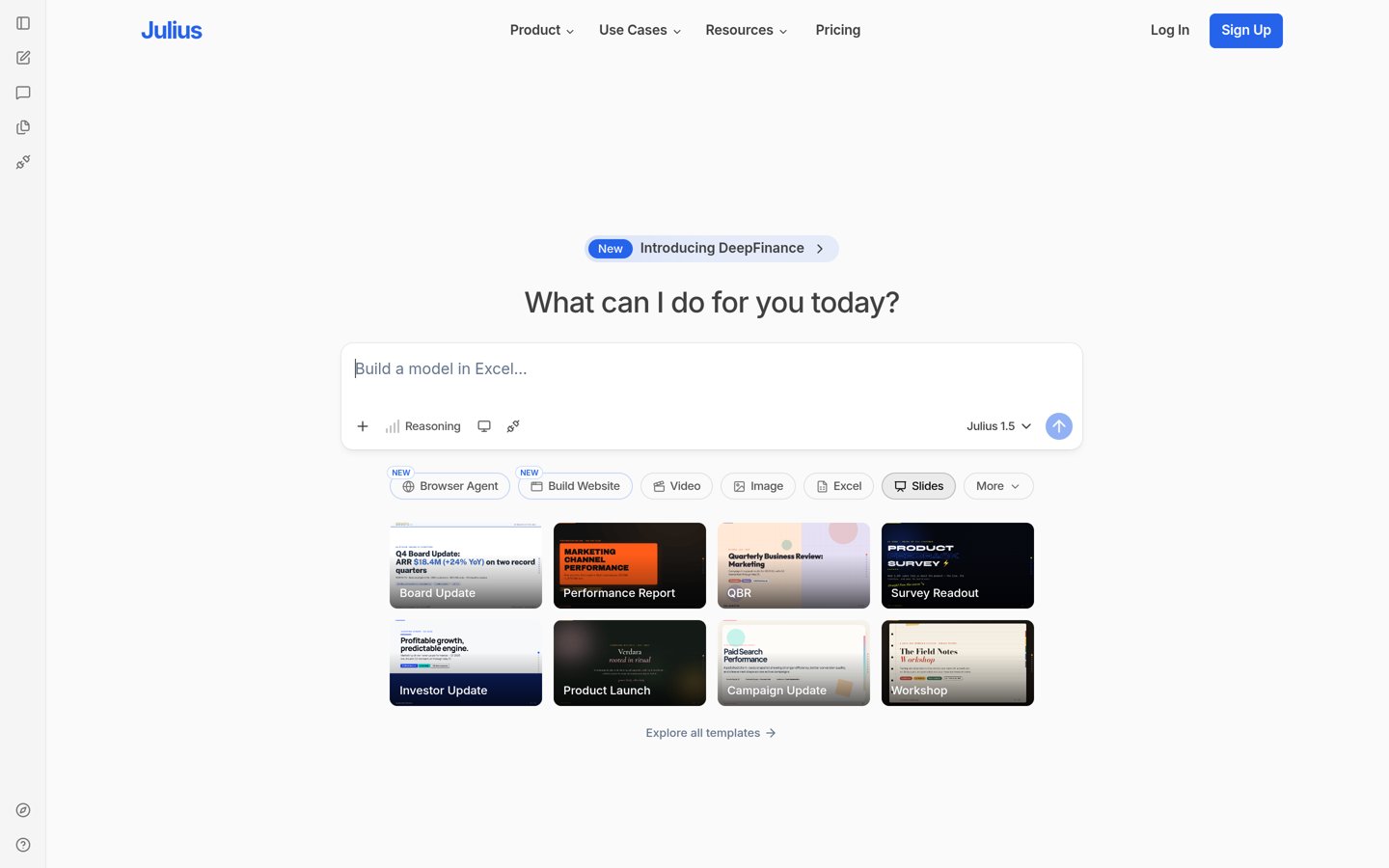
Julius AI homepage, captured Nov 2026.
Julius AI is a conversational data analysis and preparation workspace that cleans, filters, and reshapes files using natural-language prompts. A free tier provides daily credits so users can test spreadsheet cleanup and chart generation first.
The trade off is that paid plans start at $16/mo billed annually ($20/mo monthly) on Plus and meter usage through monthly credits. It suits non-technical users who prefer chat prompts over building visual transformation steps.
What we like
Natural-language interface reduces manual formula writing
Free tier available with daily refresh credits
Plus plan starts at $16/mo billed annually with 2,000 monthly credits
Watch out for
Credit allowances can limit heavy or repetitive batch runs
Small review sample size on G2 compared with legacy tools
Less suited to rigid, governed enterprise ETL pipelines
Julius Plus at $16/mo billed annually adds 2,000 monthly credits, 100 daily refresh credits, and 16 GB RAM.Visit julius.ai
06
Zoho DataPrep
4.2/5on G2 (12 reviews, checked Nov 2026)
Paid from$40/mo
Best for cloud-based prep in Zoho workflows
Starting paid$40/mo annual ($50/mo monthly)
Free tierYes (ad-hoc/personal)
G2 rating4.2/5 (12)
Transforms250+ built-in transforms
zoho.com
Zoho DataPrep homepage, captured Nov 2026.
Zoho DataPrep is a cloud self-service data preparation and pipeline tool offering 250+ transformations and connectors to 50+ data sources. It includes a free tier for ad-hoc personal use alongside AI-assisted pipeline building.
The trade off is that paid plans start at $40/mo billed annually ($50/mo monthly) and scale by row volume and seats. It suits small and mid-sized teams working with cloud files, databases, and Zoho applications.
What we like
Browser-based workspace with 250+ built-in transformations
Free tier available for ad-hoc and personal cleanup
Starting paid plan is under $500/yr when billed annually
Watch out for
Row-volume and user tiers increase cost as data grows
Less suited to complex multi-system enterprise data engineering
Modest public review count on G2
Zoho DataPrep paid plans start at $40/mo billed annually ($480/yr) for expanded row processing and team workflows.Visit zoho.com
07
Alteryx
4.6/5on G2 (968 reviews, checked Nov 2026)
Starts at$5,195/yr
Best for heavy visual blending and spatial analytics
Starting paidAround $5,195/user/yr
Free tierNo (free trial only)
G2 rating4.6/5 (968)
WorkflowsVisual drag-and-drop canvas
alteryx.com
Alteryx homepage, captured Nov 2026.
Alteryx is a visual data preparation and analytics platform that lets analysts join, cleanse, and transform multi-source data on a drag-and-drop canvas. It is widely used for repeatable analytical workflows, spatial matching, and automated reporting.
The trade off is a high price tag starting around $5,195/user/year with no permanent free tier. It suits established analytics teams with budget for dedicated visual preparation and workflow automation.
What we like
Mature drag-and-drop canvas with broad data prep and spatial tools
Strong adoption across 968 G2 reviews with a 4.6/5 score
Automates recurring data blending and transformation steps
Watch out for
High per-user annual cost compared with lighter tools
No free plan, only trial access
Complex workflows can take time to learn and maintain
Alteryx commercial licensing starts around $5,195/user/year for visual data preparation, blending, and workflow automation.Visit alteryx.com
When a free tool is enough vs. when to pay
Free tools like OpenRefine and the open-source KNIME desktop app cover a lot of ground when you are cleaning CSVs, standardizing text, or building local workflows by hand. They keep upfront software spend at zero while letting you inspect every transformation step.
Paying for a subscription makes sense once you need scheduled runs, shared team workspaces, higher row or model limits, or direct connections into cloud warehouses and BI tools.
How we chose
We selected established data preparation and data cleansing products that remain actively maintained and appear across current industry guides and G2 review listings.
All prices, free-tier terms, and G2 ratings and review counts were checked on 22 Nov 2026 from vendor pricing pages, product overviews, and G2 listings.
We excluded products without publicly verifiable starting pricing or clear data preparation positioning, and we skipped any tool lacking current maintenance details.
No vendor paid for a place, and we do not claim testing for this list.
How to choose the right data preparation software
Follow four practical checks before committing to a license.
Match the tool to your data sources and destination. Pick a platform that connects natively to your spreadsheets, SQL databases, cloud storage, or BI tool so you do not export and re-import files manually.
Check whether the workload is one-off cleanup or scheduled automation. Ad-hoc text deduplication fits desktop or free tools, while recurring reports and team pipelines need scheduling, versioning, or shared workspaces.
Test real dataset sizes and row or memory limits. Check how a tool behaves with your actual column counts, text lengths, and refresh frequency rather than relying on small sample files.
Calculate total annual cost across builders and viewers. Compare per-seat annual fees, monthly billing premiums, and viewer or credit rules so your first-year renewal does not surprise your team.
FAQ
What is the best free data preparation software?
KNIME is a strong free choice for visual workflows and multi-source data prep on desktop, while OpenRefine is ideal for free, local cleanup and clustering of messy text data.
How does data preparation differ from ETL?
Data preparation focuses on profiling, cleansing, deduplicating, and reshaping data for analysis or models, whereas ETL emphasizes extracting, transforming, and loading data into target systems on a schedule.
Do I need coding skills like SQL or Python?
Many modern data preparation tools use visual nodes, menus, or natural-language prompts that handle common cleaning tasks without code, though SQL or Python support helps with custom logic.
Why do some tools charge extra for sharing or scheduling?
Vendors often keep local or individual editing free or low-cost while charging more for automated schedules, shared workspaces, higher compute limits, or team collaboration.
Should I choose a standalone prep tool or a BI tool?
If your main goal is feeding dashboards inside a single BI suite, built-in prep like Power Query can be enough, whereas multi-source pipelines or complex cleansing often favor dedicated prep tools.