Best Customizable Worksheet Software with AI in 2026: 7 Tools Compared
WLWPLegible EditorsLast verified 22 Nov 2026How we rank10 min read
★ Short answer
Eduaide.ai is the best customizable worksheet software with AI, offering 120+ research-backed templates and an AI document editor starting at $49.99/yr. Choose Canva for drag-and-drop print layouts, or Wayground for self-paced auto-graded digital worksheets.
How we make this list: we compare pricing pages, product documentation and public user reviews, then re-check every price before each update. No product paid for a place. Disclosure.
Eduaide.ai leads on curriculum customization with 120+ templates and costs $49.99/yr on Pro ($5.99/mo).
Canva gives full visual layout control with 1.6M+ free templates and costs $144/yr on Pro ($18/mo).
MagicSchool AI bundles 80+ teacher tools and unlimited generations on Plus for $99.96/yr ($12.99/mo).
Diffit adapts any source text into multiple reading levels with comprehension questions at $149.99/yr ($14.99/mo).
Kahoot! starts at $36/yr ($3/mo billed annually) for AI question creation from topics, URLs, or 3-page files.
What makes AI worksheet software worth using
Generic chatbots produce walls of plain text that still require an hour of formatting before you can hand them to a class. Dedicated AI worksheet tools start with structured classroom templates—comprehension passages, graphic organizers, matching exercises, and exit tickets—so the output already matches how students work.
Customization happens in two ways: content adaptation and layout control. Tools like Eduaide.ai and Diffit focus on adjusting reading levels, standards alignment, and scaffolding for different learners. Design-first platforms like Canva focus on typography, illustrations, and print-ready page geometry.
Export formats determine where the worksheet lives after generation. If you want editable files to tweak in Google Docs, Microsoft Word, or PowerPoint, check whether those exports sit behind a paid tier before committing to a workflow.
The 7 best customizable worksheet software with ai
01
Eduaide.ai
4.4/5on G2 (600+ reviews, checked Nov 2026)
Paid from$49.99/yr
Best for curriculum-aligned templates
Free allowance24 credits/mo (~8 resources)
Templates120+ instructional formats
Paid monthly$5.99/mo ($49.99/yr annual)
Student accountsNone (teacher-only tool)
eduaide.ai
Eduaide.ai homepage, captured Nov 2026.
Eduaide.ai is an AI instructional design workspace built around 120+ research-based templates for worksheets, graphic organizers, rubrics, and classroom games. Its free tier includes 24 generation credits per month—enough for up to 8 complete resources—with no credit card required.
The trade off is that Eduaide.ai lacks student-facing portals and auto-graded digital delivery, and its Pro plan is $49.99/yr ($5.99/mo) to unlock unlimited generations, Erasmus document chat revisions, and YouTube transcript imports. It suits teachers who want structured, editable worksheet drafts.
What we like
120+ structured templates for worksheets, organizers, and assessments
Erasmus document chat lets you revise sections in place
Lowest annual price among full AI content suites at $49.99/yr
No student logins or student data collection required
Watch out for
Free plan caps out at 24 credits per month
No auto-grading or student-facing interactive mode
Formatting is text-centric rather than graphic-design focused
Eduaide Pro unlocks unlimited generations, Erasmus document revisions, AI images, and YouTube transcript inputs.Visit eduaide.ai
02
Canva
4.7/5on G2 (7,922 reviews, checked Nov 2026)
Paid from$144/yr
Best for visual print layouts
Free templates1.6M+ templates & 4.7M+ assets
AI featuresMagic Write & Magic Design
Paid monthly$18/mo ($144/yr annual)
ExportsPDF, PNG, JPG, PPTX, SVG
canva.com
Canva homepage, captured Nov 2026.
Canva is a visual design platform that pairs a drag-and-drop worksheet editor with Magic Write text generation and Magic Design layout tools. Its free tier provides 1.6M+ templates, 4.7M+ free media assets, 5GB of storage, and 20 combined Standard or Premium AI uses per month.
The trade off is that Canva is a general design tool rather than a curriculum or grading engine, and Canva Pro costs $144/yr ($18/mo) for non-verified users to unlock premium templates, Magic Resize, and 10x higher AI limits. It suits educators who prioritize polished, print-ready worksheets.
What we like
Complete visual control over fonts, illustrations, boxes, and spacing
Massive library of ready-made worksheet templates across subjects
Free for verified K-12 teachers and schools through Canva for Education
Exports clean print-ready PDFs and editable PowerPoint files
Watch out for
No built-in curriculum standards alignment or auto-grading
Free tier restricts AI usage to 20 actions per month
Pro plan is single-user only; teams require Business at $250/user/yr
Canva Pro adds 3.6M+ templates, 141M+ premium assets, Magic Resize, Translate, and up to 200 Premium AI uses/mo.Visit canva.com
03
MagicSchool AI
4.7/5on G2 (7 reviews, checked Nov 2026)
Paid from$99.96/yr
Best all-in-one teacher toolkit
Teacher tools80+ generators + Raina chatbot
Student tools50+ teacher-moderated tools
Paid monthly$12.99/mo ($99.96/yr annual)
ComplianceFERPA & SOC 2 certified
magicschool.ai
MagicSchool AI homepage, captured Nov 2026.
MagicSchool AI is an all-in-one educator suite featuring a dedicated Worksheet Generator, Text Leveler, and 80+ classroom tools alongside the Raina AI assistant. Its forever-free plan gives individual teachers access to all core generators, quizzes, and basic output editing without a credit card.
The trade off is that free accounts face monthly generation limits and restricted output history, while MagicSchool Plus costs $99.96/yr ($12.99/mo) for unlimited generations, Studio Mode editing, and 50+ student tools. It suits teachers who want worksheets, rubrics, and IEP tools under one login.
What we like
80+ specialized tools cover worksheets, rubrics, quizzes, and IEP goals
Built-in standards alignment and reading-level adjustment
Studio Mode lets you edit and refine outputs before exporting
Generous forever-free plan for individual educators
Watch out for
Sheer number of tools requires initial navigation time
Custom data privacy agreements and LMS sync require Enterprise quotes
Visual layout options are simpler than dedicated design apps
MagicSchool Plus removes generation caps and adds unlimited output history, Studio Mode editing, and 50+ student tools.Visit magicschool.ai
04
Diffit
4.8/5on G2 (12 reviews, checked Nov 2026)
Paid from$149.99/yr
Best for leveled reading worksheets
Reading levelsGrade 2 through 12+ Lexile
Languages40+ supported languages
Paid monthly$14.99/mo ($149.99/yr annual)
Free archiveLast 90 days of resources
diffit.me
Diffit homepage, captured Nov 2026.
Diffit is a differentiation engine that turns any topic, URL, PDF, or video transcript into leveled reading passages paired with vocabulary lists and comprehension questions. Its free Basic plan lets teachers generate resources, customize them, and download print-ready PDFs for content created within the last 90 days.
The trade off is that Diffit focuses almost exclusively on reading-based worksheets rather than math or general lesson planning, and individual paid access costs $149.99/yr ($14.99/mo) to unlock Google Docs, Slides, Forms, and Microsoft exports. It suits mixed-ability and ELL classrooms.
What we like
Rewrites any source text into multiple reading levels in seconds
Automatically pairs leveled passages with vocabulary and comprehension questions
Supports 40+ languages with zero student logins required
Clean, print-optimized PDF layouts on the free tier
Watch out for
Free plan locks access to resources older than 90 days
Google Workspace and Microsoft Office exports require a paid plan
Narrow focus on text comprehension rather than multi-subject drills
Paid Diffit unlocks unlimited history, standards alignment, and direct export to Google Docs, Slides, Forms, and Word.Visit diffit.me
05
Wayground
4.9/5on G2 (255 reviews, checked Nov 2026)
Paid from$216/yr
Best for self-paced digital worksheets
Resource library40M+ community activities
ModesLive, self-paced, and print
Paid plan$216/yr billed annually
LMS syncCanvas, Schoology, Classroom
wayground.com
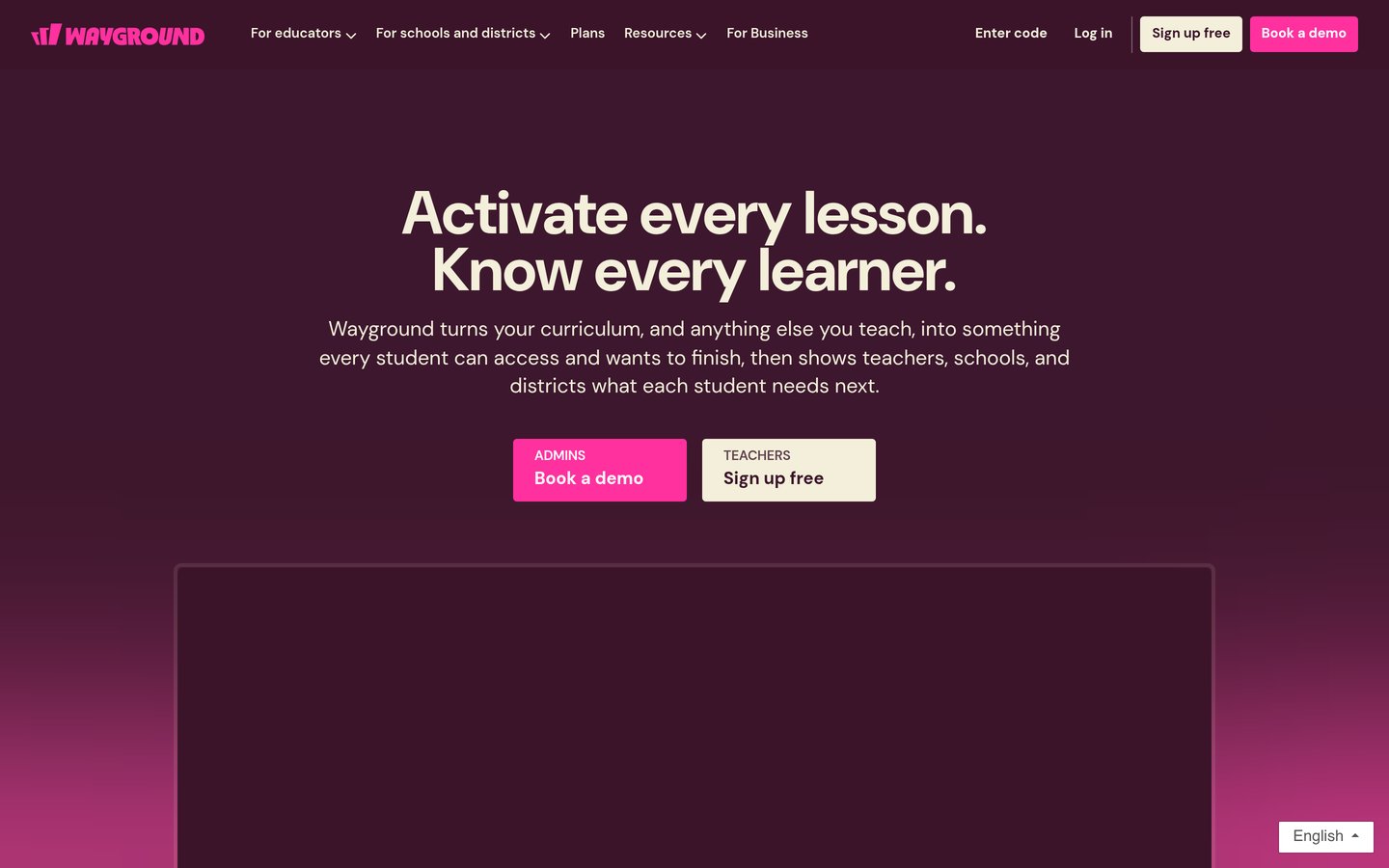
Wayground homepage, captured Nov 2026.
Wayground (formerly Quizizz) is an interactive assessment platform that turns topics, documents, and videos into auto-graded digital worksheets, comprehension passages, and quizzes. Its free plan includes AI question generation, live and self-paced homework modes, and access to over 40M community-created resources.
The trade off is that its individual paid plan is priced higher than text-only generators at $216/yr billed annually for unlimited library access, interactive videos, and anti-cheating controls. It suits teachers who want self-paced digital worksheets with instant student grading.
What we like
Auto-grades digital worksheets and tracks student mastery by question
Supports comprehension passages, interactive videos, and 15+ question types
Massive 40M+ library of editable activities across K-12 subjects
Strong 4.9/5 rating across 255 G2 reviews
Watch out for
Annual paid subscription is pricey at $216/yr for individual teachers
Print layouts are secondary to interactive screen delivery
Some community resources require editing for accuracy
Wayground Super removes activity limits and adds interactive passages, anti-cheating lockdown, and LMS grade sync.Visit wayground.com
06
Nearpod
4.6/5on G2 (121 reviews, checked Nov 2026)
Paid from$159/yr
Best for interactive slide worksheets
Free limits40 students/session, 100MB
Library22,000+ ready-made lessons
Paid plan$159/yr (Gold, annual only)
DeliveryLive-paced or student-paced
nearpod.com
Nearpod homepage, captured Nov 2026.
Nearpod is an interactive lesson and digital worksheet platform where teachers combine slides, Draw It worksheets, matching pairs, and polls into live or student-paced assignments. Its forever-free Silver plan supports up to 40 students per session, 100MB of storage, and access to 22,000+ premade activities.
The trade off is that AI Create question generation, Drag and Drop activities, and Google Slides integration require upgrading to Nearpod Gold at $159/yr, with no monthly billing option. It suits classrooms running device-based interactive worksheets and exit tickets.
What we like
Interactive Draw It, Drag and Drop, and matching activities engage digital learners
Students join instantly via session code with no account setup
22,000+ standards-aligned lessons and PhET science simulations included
Real-time student response tracking during live or async sessions
Watch out for
AI Create generator is locked behind the $159/yr Gold plan
No monthly billing option for individual paid upgrades
Free storage caps at 100MB, which fills quickly with media
Nearpod Gold raises limits to 75 students and 1GB storage while unlocking AI Create, Drag and Drop, and Google Slides.Visit nearpod.com
07
Kahoot!
4.6/5on G2 (405 reviews, checked Nov 2026)
Paid from$36/yr
Best budget gamified review
Free planUp to 40 players, no AI
AI inputsTopic, URL, Wikipedia, 3p file
Paid monthly$9/mo ($36/yr on Bronze)
Question bank500M+ community questions
kahoot.com
Kahoot! homepage, captured Nov 2026.
Kahoot! is a game-based learning platform that turns review sheets and knowledge checks into live or self-paced interactive quizzes. Its free Kahoot! Go plan hosts up to 40 participants per game with multiple-choice and true/false questions plus access to 500M+ community questions.
The trade off is that AI generation is excluded from the free plan and printable worksheet formatting is minimal, though Kahoot!+ Bronze costs just $36/yr ($3/mo billed annually; $9/mo monthly) to unlock AI creation from topics, URLs, or 3-page files. It suits teachers seeking low-cost gamified review.
What we like
Cheapest paid AI entry point at $36/yr billed annually
Generates questions directly from URLs, Wikipedia articles, or uploaded files
High student engagement with live leaderboards and self-paced assignments
Over 500M community questions available for fast customization
Watch out for
No AI generation on the free Kahoot! Go tier
Character limits restrict long-form reading passages or multi-step word problems
Designed for screen play rather than printable paper handouts
Kahoot!+ Bronze raises player limits to 50 and unlocks AI question creation from topics, web links, and 3-page documents.Visit kahoot.com
Printable PDF generators vs. interactive digital platforms
Customizable worksheet software falls into two distinct workflows. Printable generators like Eduaide.ai, Canva, and Diffit output structured pages designed for paper handouts, binders, or editable Google Docs and Word files. They excel at reading passages, graphic organizers, and open-ended writing prompts.
Interactive platforms like Wayground, Nearpod, and Kahoot! replace paper with browser-based activities that auto-grade student answers in real time. Choose a printable tool if your students work offline or need handwriting practice; choose an interactive platform if you want instant analytics without manual grading.
How we chose
We evaluated AI-powered worksheet generators and interactive classroom platforms based on how thoroughly teachers can edit generated questions, adjust reading levels, and customize layouts before distributing materials.
Every price, free-tier cap, user rating, and review count was verified directly against official vendor pricing pages and public G2 review profiles on 22 Nov 2026. Regular annual and monthly rates are listed rather than temporary promotional discounts.
We excluded tools without transparent public pricing for individual educators, generic chatbots lacking structured worksheet templates, and platforms with fewer than 5 verified third-party reviews. No vendor paid for a place, and we do not claim testing for this list.
How to choose the right AI worksheet software
Match the software to your classroom delivery format and editing habits before paying for a subscription.
Decide between paper handouts and digital auto-grading. Pick Eduaide.ai, Canva, or Diffit if you print PDFs or edit in Docs; pick Wayground or Nearpod if students complete work on devices.
Check where editable exports live on the pricing ladder. Several tools let you download PDFs for free but gate Google Docs, Word, or PowerPoint exports behind paid tiers.
Test differentiation controls with your toughest lesson. Run a dense article or complex topic through the free tier to see how well the AI adjusts vocabulary and reading levels.
Verify student privacy and login requirements. If your district restricts student accounts, stick to teacher-only generators like Eduaide.ai, Diffit, or Canva.
FAQ
Which AI worksheet generator has the best free plan?
Canva offers the most generous free design workspace with 1.6M+ templates and full free Pro access for verified K-12 teachers. For pure AI content generation without verification, MagicSchool AI and Diffit provide usable forever-free tiers.
Can I export AI-generated worksheets to Google Docs or Word?
Yes, though several tools restrict editable exports to paid tiers. Diffit includes Google Docs and Word exports on its $149.99/yr plan, while Eduaide.ai and MagicSchool AI let you copy or export formatted text directly.
What is the cheapest paid AI worksheet tool?
Kahoot!+ Bronze is the lowest-priced paid option at $36/yr billed annually ($3/mo). Among full document and worksheet generators, Eduaide Pro is the most affordable at $49.99/yr ($5.99/mo).
Do students need accounts to use AI worksheet software?
Not with teacher-only generators like Eduaide.ai, Diffit, and Canva, which produce printable or shareable files. Interactive platforms like Nearpod and Kahoot! also let students join via a session PIN without creating accounts.
Which AI tool is best for differentiating reading levels?
Diffit is built specifically for reading differentiation, rewriting any article, PDF, or video transcript across Grade 2 through 12+ Lexile levels with matching vocabulary and comprehension questions.