Best Customer Journey Analytics Software in 2026: 7 Tools Compared
WLWPLegible EditorsLast verified 22 Nov 2026How we rank8 min read
★ Short answer
Mixpanel leads our list with a free plan up to 1M monthly events and multi-step Flows reports starting at $1,200/yr on Growth. Teams wanting on-page heatmaps and journey rings can start with Contentsquare from $468/yr, while marketers tracking multi-touch ad attribution to revenue can choose Kissmetrics or SourceLoop.
How we make this list: we compare pricing pages, product documentation and public user reviews, then re-check every price before each update. No product paid for a place. Disclosure.
Mixpanel gives unlimited seats and 1M monthly events free, with Growth starting at $100/mo billed annually ($1,200/yr) for 1.5M events.
Contentsquare bundles heatmaps, session replays, and journey analysis from $39/mo billed annually ($468/yr), alongside a 200K-session free tier.
Kissmetrics ties campaign clicks to individual revenue from $99/mo ($1,188/yr) for 500K monthly events, plus a 100K-event free plan.
SourceLoop tracks acquisition journeys from first ad click to CRM deal starting at $49/mo ($588/yr) for 30K monthly pageviews.
Mouseflow and Lucky Orange provide session replays, funnels, and heatmaps at $300/yr and $384/yr billed annually.
What to look for in customer journey analytics software
Customer journey analytics platforms map the actual paths people take across your website, app, and marketing channels rather than just counting isolated pageviews. The right tool depends on which part of the lifecycle you need to fix: ad-click acquisition, on-page friction, or in-product retention.
Check how each vendor meters usage before you install a tracking script. Product analytics tools bill by monthly events, experience tools bill by recorded sessions, and attribution tools bill by monthly pageviews. A sudden traffic spike can push you into a higher tier overnight if you do not check overage rules.
Look closely at data retention, seat limits, and cross-device identity stitching. Free plans often restrict history to 30 days or cap active integrations, whereas paid tiers extend retention to 12 or 24 months and connect anonymous browsing sessions to logged-in customer profiles.
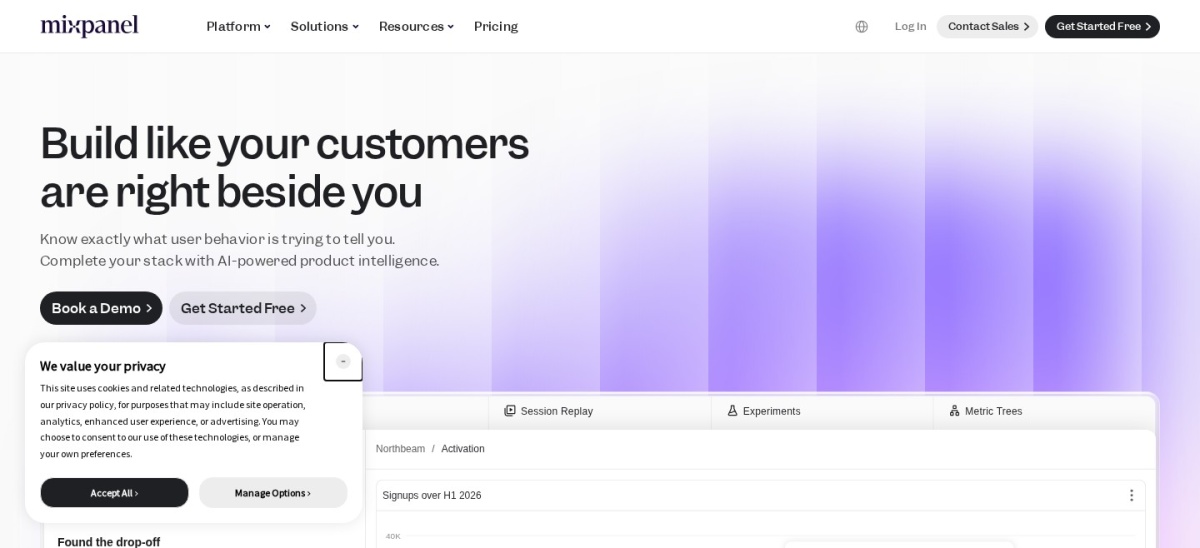
Mixpanel is a behavioral product analytics platform that visualizes step-by-step user paths through its Flows and Funnels reports. Its forever-free plan includes up to 1M monthly events, 10,000 monthly session replays, unlimited seats, and basic experimentation with no credit card required.
The trade off is event-volume pricing once you pass the free cap, starting at $100/mo billed annually ($1,200/yr) for 1.5M events or $140/mo billed monthly, and event governance requires manual cleanup at scale. It suits SaaS and mobile teams tracking post-signup adoption and drop-offs.
What we like
Generous 1M monthly events and unlimited seats on the free plan
Interactive Flows report shows exact paths before and after key actions
Includes 10K monthly session replays and feature flags out of the box
Watch out for
Costs rise steeply as monthly event volume scales past 1.5M
Growth adds up to 20M events/mo, 20K+ session replays, and unlimited saved cohorts.Visit mixpanel.com
02
Contentsquare
4.6/5on G2 (2,189 reviews, checked Nov 2026)
Paid from$39/mo
Best for on-page UX & visual journeys
Free tierUp to 200K monthly sessions
Entry paid tierFrom $39/mo billed annually
Data history1 mo Free; 13 mos on Growth
Key journey toolsJourney analysis, zone heatmaps
contentsquare.com
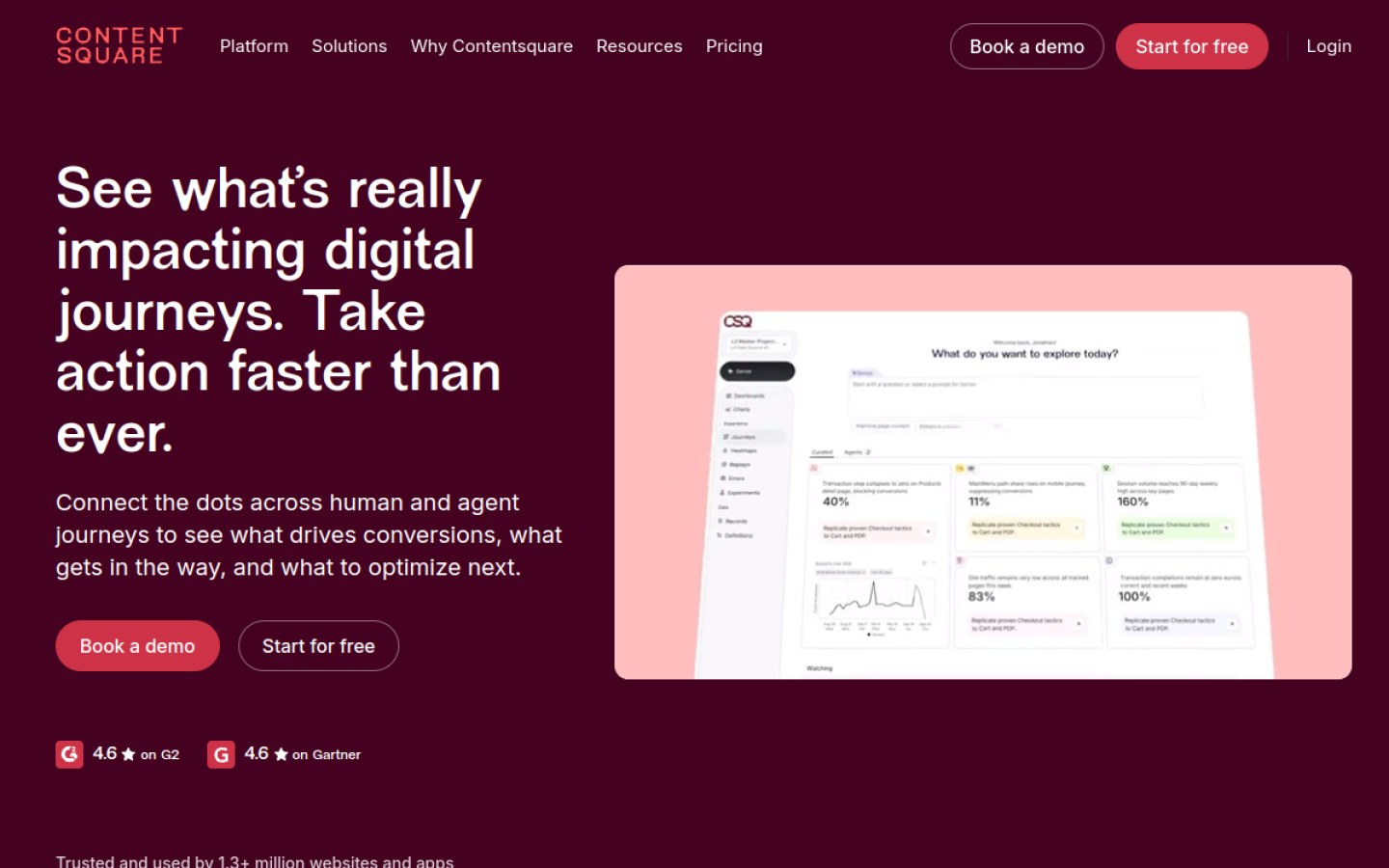
Contentsquare homepage, captured Nov 2026.
Contentsquare is a digital experience analytics platform—now unified with Hotjar—that maps how visitors navigate across pages and where they hesitate or exit. The free tier covers up to 200,000 monthly analytics sessions, 10,000 monthly replay captures, heatmaps, and 1 month of data access.
The trade off is that visual Journey analysis and Zone-based heatmaps require the Growth tier starting at $39/mo billed annually ($468/yr), while cross-device attribution is locked behind custom Pro contracts. It suits ecommerce and marketing teams diagnosing on-page conversion friction.
What we like
High 200K monthly session allowance on the forever-free plan
Combines visual page-to-page journey maps with zone heatmaps and replays
Sense AI assistant summarizes friction points and replay sessions
Watch out for
Free plan caps session replay capture at 5% (max 10K/mo) and 1-month history
Cross-session and cross-device journey tracking requires custom Pro pricing
Growth unlocks Journey analysis, zone-based heatmaps, 3 projects, and 13-month data access.Visit contentsquare.com
03
Kissmetrics
4.1/5on G2 (167 reviews, checked Nov 2026)
Paid from$99/mo
Best for person-level revenue attribution
Free tierUp to 100K events/mo, 3 seats
Entry paid tier$99/mo (500K events; 20% off yearly)
Kissmetrics is a person-centric analytics tool that ties anonymous visits, signups, and recurring purchases to individual customer profiles across devices. Its free plan includes 100,000 monthly events, 3 seats, API access, and ready-made Funnels and Activity reports.
The trade off is that Path reports, Cohorts, and the Performance campaign-to-revenue report require the Growth plan at $99/mo ($1,188/yr on monthly billing, or 20% off billed annually) for 500,000 events. It suits subscription SaaS and online stores tracking customer lifetime value.
What we like
Tracks every action and payment back to an individual person profile
Per-event cost drops automatically as volume scales to 2M and 5M events
Includes plain-English AI chat queries and visitor tracking from AI assistants
Watch out for
Path reports and revenue attribution are gated behind the $99/mo Growth plan
Every pageview counts as an event toward your monthly quota
SourceLoop is a marketing attribution and acquisition journey tracker built to trace every form fill, booking, chat, or call back to the exact ad campaign and keyword that generated it. The Essential plan costs $49/mo ($588/yr, or $37/mo billed annually) for 30,000 monthly pageviews and unlimited conversions.
The trade off is that there is no permanent free plan, and two-way CRM or ad-platform conversion sync requires upgrading to Professional at $99/mo. It suits lead-generation businesses, agencies, and B2B teams proving paid search and social ROI.
What we like
Unlimited tracked conversions on every plan—only pageviews are metered
Includes seven multi-touch attribution models and cross-domain tracking
Auto-detects form builders, bookings, and Shopify or Stripe payments
Watch out for
No forever-free tier after the 7-day trial
HubSpot, Salesforce, and ad-platform conversion sync require the $99/mo tier
Professional ($99/mo) adds 100K pageviews, CRM sync, ad conversion sync, and REST API.Visit sourceloop.ai
Mouseflow is a user behavior and conversion funnel platform that records full visitor journeys and flags friction signals like rage clicks and JavaScript errors. Its free plan covers 500 monthly recorded sessions on 1 website with 1 funnel, unlimited user seats, and 1 month of storage.
The trade off is that the Essential plan at $25/mo billed annually ($300/yr) caps you at 5,000 monthly sessions and 3 months of history, while field-level Form Analytics is locked until the $319/mo Premium tier. It suits small websites pinpointing checkout drop-offs on a tight budget.
What we like
Lowest annual starting price on this list at $300/yr with unlimited team seats
Records 100% of sessions within your quota without sample-rate gaps
Includes real-time friction alerts and Mina AI data queries on Essential
Watch out for
Free tier is limited to 500 monthly sessions and 1 funnel
Detailed Form Analytics requires upgrading to the $319/mo Premium tier
Essential expands capacity to 5,000 monthly sessions, 3-month retention, and Mina AI.Visit mouseflow.com
06
Lucky Orange
4.7/5on G2 (238 reviews, checked Nov 2026)
Starts at$32/mo
Best for WordPress & real-time live chat
Free tierNone (7-day free trial)
Entry paid tier$32/mo billed annually ($384/yr)
Traffic limit3,500 monthly sessions on Build
Key journey toolsVisitor Profiles, Funnels, Live Chat
luckyorange.com
Lucky Orange homepage, captured Nov 2026.
Lucky Orange combines conversion funnels, dynamic heatmaps, session recordings, and live chat into a single dashboard with an official WordPress plugin (2,000+ active installs). Its Visitor Profiles stitch every session and traffic source for a user into one timeline, starting at $32/mo billed annually ($384/yr) on Build.
The trade off is that the entry Build tier includes only 3,500 monthly sessions and 60 days of base data storage, jumping to $72/mo billed annually for 10,000 sessions on Grow. It suits WordPress store owners who want live chat triggers alongside journey replays.
What we like
All core tools—funnels, heatmaps, replays, surveys, and live chat—included on every plan
Dedicated WordPress plugin adds the asynchronous script in one click
Discovery AI answers plain-English questions with links to matching replays
Watch out for
3,500 monthly session cap on Build fills quickly on growing sites
Base data retention is 60 days unless you purchase storage add-ons
Grow ($72/mo billed annually) raises the monthly limit from 3,500 to 10,000 sessions.Visit luckyorange.com
Woopra unifies website, mobile app, email, support, and payment events into real-time 360 User Profiles and multi-step Journey Reports. Starting at $999/mo billed annually ($11,988/yr) for the Pro plan, it includes 5M monthly events, 50 seats, 24-month data retention, and 30+ native integrations.
The trade off is its high $11,988/yr entry price with no free or SMB starter tier, making it overkill for small websites. It suits mid-sized SaaS and digital commerce companies that want automated webhook or Slack triggers when users cross journey milestones.
What we like
Merges product usage, support tickets, email clicks, and billing in one profile
Built-in Triggers automate Slack alerts or CRM updates based on journey steps
Includes 5M events, 50 user seats, and 2-year retention on the entry Pro plan
Watch out for
High $999/mo starting price excludes early-stage teams
Configuring multi-source schemas and triggers requires upfront onboarding
Pro includes 5M monthly events, 50 seats, AI Copilot, and automated journey triggers.Visit woopra.com
Which type of customer journey tool matches your funnel?
Not every tool on this list measures the same journey. Product analytics platforms like Mixpanel track sequences of discrete events inside web and mobile apps—such as signup, onboarding steps, and feature adoption—to show where users retain or churn.
Digital experience tools like Contentsquare, Mouseflow, and Lucky Orange focus on on-page behavior, combining page-to-page path diagrams with session replays and heatmaps. Attribution and cross-channel platforms like Kissmetrics, SourceLoop, and Woopra stitch marketing touchpoints, CRM deals, and payment events into a single customer timeline.
How we chose
We built this list by evaluating established customer journey analytics platforms across three core workflows: in-product event flows, on-page experience diagnostics, and multi-touch revenue attribution. Every candidate required transparent public pricing or a verifiable self-serve tier so buyers can budget without a mandatory sales call.
All prices, event and session quotas, free-tier allowances, and G2 review counts were checked directly against vendor pricing pages and public review profiles on 22 Nov 2026. Where vendors discount annual billing, we state the regular annual equivalent alongside monthly terms.
We excluded enterprise-only platforms that hide all pricing behind custom quotes—such as Adobe Customer Journey Analytics, Quantum Metric, Fullstory, Pendo, and Heap—as well as tools with fewer than 20 verified public reviews. No vendor paid for a place, and we do not claim testing for this list.
How to choose customer journey analytics software
Follow these four steps to match a journey analytics tool to your traffic volume and tech stack.
Identify which gap costs you the most revenue. Pick an attribution tool like SourceLoop or Kissmetrics if you cannot tell which ads drive closed deals, an experience tool like Contentsquare if checkout pages leak traffic, or Mixpanel if users churn after signing up.
Calculate your monthly events or sessions before picking a plan. Count every pageview, button click, and form submit as a separate event—a single visitor viewing five pages and checking out generates six events, which determines whether a 100K or 1M event cap is enough.
Check how anonymous visits merge with known customer records. Verify that the platform supports cross-domain tracking and user-ID stitching so a visitor who clicks an ad on mobile and buys on desktop appears as one continuous journey rather than two disconnected sessions.
Confirm data retention and export options on your target tier. Free tiers often expire data after 30 days, which is too short for B2B sales cycles or seasonal ecommerce comparisons—look for at least 12 months of history and CSV or warehouse export support.
FAQ
What is the difference between customer journey analytics and Google Analytics?
Google Analytics focuses on aggregated website traffic and acquisition channels, whereas customer journey analytics stitches individual user actions across sessions, devices, and CRM or billing systems to show exact step-by-step paths to conversion or churn.
Which customer journey analytics tool has the best free plan?
Mixpanel offers up to 1M monthly events, 10,000 session replays, and unlimited seats for free, while Contentsquare includes up to 200,000 monthly analytics sessions and 10,000 replays on its forever-free tier.
How do customer journey analytics tools price their plans?
Most platforms meter usage by monthly tracked events (Mixpanel, Kissmetrics, Woopra), monthly recorded sessions (Contentsquare, Mouseflow, Lucky Orange), or monthly pageviews (SourceLoop), with discounts of 20% to 25% for annual billing.
Can I use customer journey analytics software on WordPress?
Yes. All seven tools install on WordPress via a lightweight JavaScript snippet in your site header, and Lucky Orange also maintains an official WordPress plugin with over 2,000 active installations.
Why are Adobe Customer Journey Analytics and Heap not on this list?
Both platforms require custom enterprise quotes for their paid journey analytics tiers rather than publishing transparent entry pricing, so we excluded them under our pricing verification rules.