Best Content Calendar Software in 2026: 7 Tools Compared
WLWPLegible EditorsLast verified 22 Nov 2026How we rank15 min read
★ Short answer
Buffer is the best content calendar software for most creators and small teams, offering a free plan with 3 channels and 10 scheduled posts per channel. Choose Planable for collaborative content approvals or CoSchedule for a marketing calendar with drag-and-drop scheduling and evergreen content automation.
How we make this list: we compare pricing pages, product documentation and public user reviews, then re-check every price before each update. No product paid for a place. Disclosure.
Buffer is the most affordable starting point: 3 free channels, 10 queued posts per channel, and Essentials from $60 yearly per channel.
Planable is the strongest choice for content approvals, with Basic at $33 per workspace monthly and 60 posts per workspace each month.
CoSchedule combines a drag-and-drop calendar with unlimited social scheduling, starting at $29 monthly when billed annually.
Later focuses on visual content planning, with 8 social profiles and 30 scheduled posts per profile on Starter at $18.75 monthly, billed yearly.
Metricool includes 20 scheduled posts monthly on its free plan and adds expanded publishing and analytics from $20 monthly on annual billing.
Loomly supports 12 social accounts and 3 users on Starter for $588 annually, making it suitable for teams managing multiple publishing calendars.
What to look for in content calendar software
A content calendar keeps planned articles, social posts, campaigns and publishing deadlines visible in one place. It helps content teams coordinate work before publication rather than relying on disconnected spreadsheets and messages.
Start with the kind of content you publish. A social publishing calendar should support connected accounts, post previews and automatic scheduling. A broader editorial calendar needs campaign planning, assignments, deadlines and approval statuses.
Collaboration becomes important when writers, designers, editors and clients share responsibility. Look for comments, approval workflows, permissions and a clear distinction between draft, approved and scheduled content.
Compare the real subscription structure before choosing. Some platforms charge per social channel, others per workspace or user, and others bundle several accounts into one plan. The lowest advertised price may not represent the cost of your full workflow.
Analytics can help teams connect calendar decisions with published results. However, some providers reserve reporting, approvals or longer analytics history for higher tiers or separately priced add-ons.
4.5/5on Capterra (1,492 reviews, checked Nov 2026)
Paid from$5/mo
Best content calendar software overall
Free channels3
Free scheduled posts10 per channel
Entry paid planEssentials
Paid pricing$60/channel/yr
buffer.com
Buffer homepage, captured Nov 2026.
Buffer is a social media planning and scheduling platform with a visual calendar, content ideas board and publishing queues. Its free plan connects 3 channels, allows 10 scheduled posts per channel and includes 100 content ideas, an AI assistant and basic insights. Essentials removes scheduled-post limits and adds advanced analytics for each paid channel.
The trade off is per-channel pricing, which grows as you connect more accounts. Essentials costs $5 per channel monthly on annual billing, while team approvals require the higher Team plan. It suits creators, freelancers and small businesses that want a straightforward publishing calendar without paying for a large account bundle.
What we like
Free scheduling for 3 social channels
Visual content calendar and ideas board
Unlimited scheduled posts with Essentials
Low entry price for individual channels
Watch out for
Costs increase with additional channels
Approval workflows require Team
Not a full editorial project management platform
Essentials adds unlimited scheduling, advanced analytics and first-comment scheduling.Visit buffer.com
02
Planable
4.5/5on Capterra (330 reviews, checked Nov 2026)
Paid from$33/mo
Best for content collaboration and approvals
Free allowance50 posts total
Basic post limit60/workspace/mo
Social pages4 per workspace
Basic usersUnlimited
planable.io
Planable homepage, captured Nov 2026.
Planable is a collaborative content planning platform built around previews, feedback and approval workflows. It provides the first 50 posts free without a time limit, while Basic includes 60 posts monthly, 4 connected social pages and unlimited users per workspace. Teams can organize work through feed and calendar views while collecting feedback before publication.
The trade off is workspace-based billing and restrictions on advanced approvals and reporting. Basic costs $33 per workspace monthly, while analytics and social inbox capabilities are separately priced add-ons. It suits agencies and marketing teams that need client feedback, shared calendars and clear publishing accountability.
CoSchedule is a marketing calendar and social scheduling platform that organizes campaigns around a drag-and-drop publishing schedule. Starter includes 1 user seat, 3 social profiles, unlimited social scheduling, analytics and ReQueue automation for evergreen posts. Moving a campaign date can also move its associated publishing schedule.
The trade off is that Starter is primarily designed for an individual marketer, and wider collaboration requires a higher plan. Starter costs $29 monthly with annual billing, with additional profiles charged separately. It suits content marketers coordinating recurring campaigns, blog promotions and social publishing from a shared planning structure.
What we like
Drag-and-drop campaign calendar
Unlimited social scheduling on Starter
Evergreen content recycling through ReQueue
Integrated social inbox and reports
Watch out for
Starter includes only 1 user seat
Additional social profiles cost extra
More advanced team features require an upgrade
Starter adds unlimited social scheduling, ReQueue automation and campaign reporting.Visit coschedule.com
04
Later
4.4/5on Capterra (399 reviews, checked Nov 2026)
Starts at$18.75/mo
Best for visual social content planning
Starter profiles8
Starter users1
Scheduled posts30/profile
Annual subscription$225
later.com
Later homepage, captured Nov 2026.
Later is a visual content planning and social scheduling platform designed for creators and brands publishing across image- and video-focused networks. Starter includes 1 social set covering 8 profiles, 1 user and up to 30 scheduled posts per profile. It also provides a link-in-bio feature, AI caption tools and basic platform analytics.
The trade off is that Starter limits scheduling capacity and does not include the collaboration and approval features available in Growth. Starter costs $18.75 monthly when billed yearly, compared with higher pricing for monthly billing. It suits visual brands and solo social media managers who prioritize content previews and a consistent publishing schedule.
What we like
Visual planning across major social platforms
8 profiles included with Starter
Link-in-bio tools included
Built-in publishing and analytics
Watch out for
Starter limits scheduled posts per profile
No team approval workflow on Starter
Additional social sets require higher plans
Growth adds collaboration, approvals, a social inbox and higher scheduling limits.Visit later.com
05
Metricool
4.4/5on Capterra (100 reviews, checked Nov 2026)
Paid from$20/mo
Best for content calendars with analytics
Free brands1
Free monthly posts20
Starter brandsUp to 5 at entry price
Annual subscription$240
metricool.com
Metricool homepage, captured Nov 2026.
Metricool is a content scheduling and social analytics platform combining a publishing calendar with performance reporting. Its free plan manages 1 brand, schedules 20 posts monthly and analyzes 5 competitor profiles. Starter expands publishing capacity, supports more brands and adds longer analytics history, reporting exports and additional integrations.
The trade off is that the free plan excludes some network connections, while team roles and approval workflows require Advanced. Starter begins at $20 monthly with annual billing, and some capabilities are separately priced add-ons. It suits marketers who want to use publishing results and competitor information to improve their content calendar.
What we like
Free content calendar for a single brand
Scheduling and analytics in one platform
Competitor analysis included
Paid reporting supports PDF and presentation exports
SocialBee is a social media content planning platform centered on scheduled content categories and recurring publishing queues. Bootstrap supports 5 social profiles in 1 workspace and includes AI-assisted content generation. Its category-based scheduling helps teams organize promotional, educational and evergreen material into repeatable publishing routines.
The trade off is that the entry plan has a smaller account allowance and fewer team collaboration options than higher tiers. Bootstrap has a regular annual price of $348, although the vendor currently advertises a temporary Black Friday discount. It suits freelancers and small businesses that repeatedly publish evergreen content alongside new posts.
What we like
Category-based content organization
Evergreen post recycling
AI-assisted content generation
Scheduling across multiple social profiles
Watch out for
No permanent free subscription
Bootstrap supports only 1 workspace
Advanced collaboration needs higher plans
Bootstrap provides recurring publishing, category management and AI content creation.Visit socialbee.com
07
Loomly
4.7/5on Capterra (509 reviews, checked Nov 2026)
Starts at$49/mo
Best for multi-account team publishing
Starter social accounts12
Starter users3
CalendarsUnlimited
Annual subscription$588
loomly.com
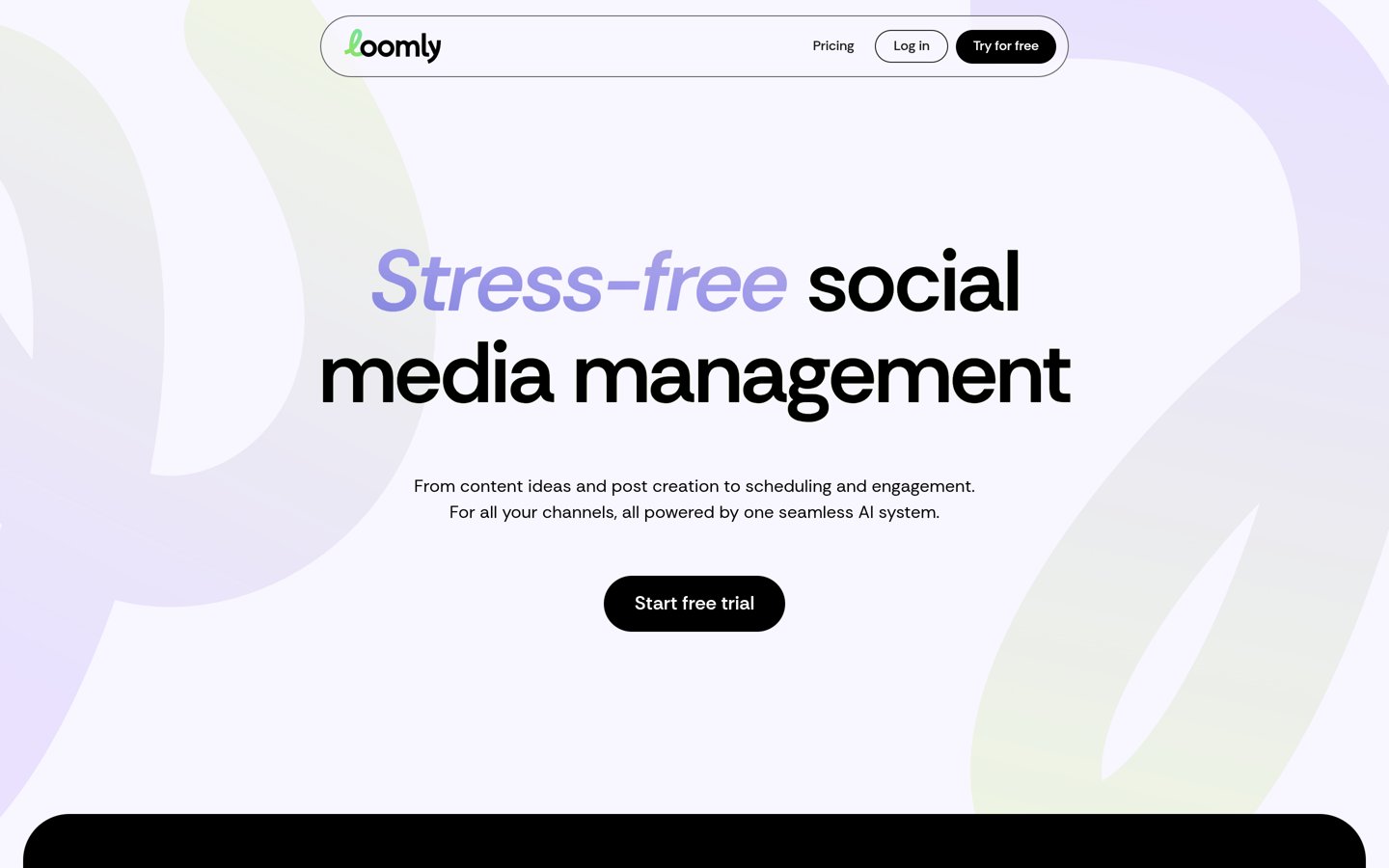
Loomly homepage, captured Nov 2026.
Loomly is a social media content calendar platform that combines scheduling, post previews, collaboration and reporting. Starter includes 12 social accounts, 3 users and unlimited calendars. Teams can prepare posts, organize content ideas, coordinate approvals and publish scheduled material while keeping different brands or campaigns separated.
The trade off is a higher starting subscription than lightweight schedulers, especially for teams managing fewer accounts. Starter costs $49 monthly on annual billing or $65 with monthly billing. It suits marketing teams and agencies that need several users, centralized approval workflows and a substantial account allowance.
What we like
12 social accounts included with Starter
3 users and unlimited calendars
Approval workflows included
Content ideas, previews and analytics
Watch out for
Higher entry price than smaller schedulers
Custom roles require Beyond
No permanent free plan
Beyond adds more accounts, unlimited users, custom roles and branding.Visit loomly.com
Social media calendars vs editorial content calendars
Content calendar software can describe two related but different workflows. Social media calendars organize posts around connected accounts and publishing dates, while editorial calendars coordinate content creation across articles, newsletters, videos and campaigns.
A social calendar is useful when scheduling, platform-specific previews and publishing automation matter most. Buffer, Later, Metricool and SocialBee focus heavily on these requirements.
A broader editorial calendar needs clear ownership, production stages, dependencies and review deadlines. Planable supports collaborative content planning, while CoSchedule emphasizes campaign coordination and scheduled promotion.
Before selecting a platform, decide whether the calendar must publish content directly or primarily organize its production. That distinction often determines whether a dedicated social scheduler or a wider project management solution is a better fit.
How content calendar pricing works
The cheapest subscription does not always provide the lowest total cost. Providers use different pricing units, including individual social channels, workspaces and bundled social account allowances.
Buffer starts at $60 annually for an individual paid channel. Planable starts at $33 monthly per workspace. Loomly includes 12 social accounts and 3 users in its $588 annual Starter subscription.
Approval workflows also change the value calculation. A solo creator may not need approval controls, while an agency working with clients may need permissions, comments and sign-off processes before publishing.
Annual billing often lowers the advertised monthly rate. Compare the annual commitment, included accounts and expected upgrades before deciding which calendar is actually the most economical.
How we chose
This shortlist focuses on established content planning and social publishing platforms with active commercial products and public customer feedback. We compared calendar functionality, content scheduling, collaboration, approval features, analytics and the practical limits of entry-level plans.
Pricing and public ratings were reviewed against official vendor pricing pages and Capterra listings on 22 Nov 2026, with the cited pages reopened for this comparison. Annual subscription equivalents use the documented recurring plan prices, excluding temporary promotional discounts. Ratings and review counts reflect the public listings consulted.
We excluded discontinued tools, products without accessible pricing and services with insufficient public review evidence. We also excluded specialized publishing tools that did not offer a meaningful calendar or scheduling workflow. No vendor paid for a place, and we do not claim testing for this list.
How to choose content calendar software
Start by identifying your publishing workflow, then compare the calendar features and subscription limits that directly affect your team.
Define the content you need to manage. List your main channels and formats, including social posts, blog articles, videos, email campaigns and recurring promotions. A dedicated social scheduler is suitable when direct publishing matters most, while an editorial workflow may require task ownership and production stages.
Check collaboration and approval requirements. Decide who creates, edits, approves and publishes content. Look for shared calendars, comments, permission controls, approval statuses and client-facing previews. These features are particularly important when content passes between several contributors before publication.
Calculate the cost for your actual setup. Count required social channels, brands, workspaces and users before comparing advertised prices. Check whether reporting, approvals and additional accounts need higher plans or paid add-ons. Compare the recurring annual commitment rather than introductory discounts.
Match reporting to your goals. Choose analytics capabilities based on the decisions you need to make. Basic publishing statistics may be enough for a solo creator, while agencies may need competitor analysis, longer reporting history and exportable client reports.
FAQ
What is the best content calendar software in 2026?
Buffer is the strongest overall choice for creators and small teams that mainly schedule social content. It offers a free plan supporting 3 channels and a paid entry plan starting at $60 annually per channel. Planable is better when structured feedback and content approvals are more important than basic scheduling.
Is there free content calendar software?
Yes. Buffer includes 3 channels with 10 scheduled posts per channel on its free plan. Metricool offers a free plan for 1 brand with 20 scheduled posts monthly. Planable also provides an initial allowance of 50 free posts without a time limit. Each has different limitations.
What is the difference between a content calendar and an editorial calendar?
A content calendar shows when material is planned for publication across different channels. An editorial calendar often includes the production process, such as topic selection, writing, editing, approvals and assigned responsibilities. Some platforms combine both functions, while others concentrate on scheduling finished social posts.
Which content calendar software is best for agencies?
Planable is a strong option for agencies needing client feedback, organized workspaces and content approvals. Loomly is another option when several users manage multiple connected social accounts. Compare workspace charges, user allowances and approval functionality before choosing because these can affect recurring costs.
Which content calendar tool is best for social media?
Buffer is suitable for general social scheduling, Later emphasizes visual content planning, and Metricool combines scheduling with performance analytics. SocialBee is useful when recurring content categories and evergreen publishing are priorities. The right choice depends on your networks, publishing frequency and collaboration needs.
Can content calendar software automatically publish posts?
Yes. Buffer, CoSchedule, Later, Metricool, SocialBee and Loomly provide scheduled publishing across supported networks. However, publishing capabilities can differ by content format and social platform. Some posts may require additional steps, so confirm that the specific formats your team uses are supported.
How much does content calendar software cost?
Entry-level prices in this comparison range from Buffer's $60 annual per-channel subscription to Loomly's $588 annual Starter plan. Several platforms offer free plans or limited free allowances. Costs can increase when teams add users, social accounts, workspaces, analytics or advanced approval workflows.
Does content calendar software include approval workflows?
Some platforms include approvals in their entry paid plans, while others reserve them for team-focused subscriptions. Planable centers its workflow on content review and approvals, and Loomly includes approval functionality in Starter. Buffer requires its Team plan for approval workflows, while Later offers collaboration and approvals in Growth.
Can I use content calendar software for blog posts and social media together?
Yes, but the level of support varies. CoSchedule focuses on coordinated marketing campaigns and content promotion, while Planable supports planning different kinds of marketing content. Social-first tools such as Buffer may be more suitable for scheduling promotional posts than managing a complete blog production pipeline.










Social media calendars vs editorial content calendars
Content calendar software can describe two related but different workflows. Social media calendars organize posts around connected accounts and publishing dates, while editorial calendars coordinate content creation across articles, newsletters, videos and campaigns.
A social calendar is useful when scheduling, platform-specific previews and publishing automation matter most. Buffer, Later, Metricool and SocialBee focus heavily on these requirements.
A broader editorial calendar needs clear ownership, production stages, dependencies and review deadlines. Planable supports collaborative content planning, while CoSchedule emphasizes campaign coordination and scheduled promotion.
Before selecting a platform, decide whether the calendar must publish content directly or primarily organize its production. That distinction often determines whether a dedicated social scheduler or a wider project management solution is a better fit.