Best Construction Scheduling Software in 2026: 7 Tools Compared
WLWPLegible EditorsLast verified 22 Nov 2026How we rank11 min read
★ Short answer
Contractor Foreman is our top construction scheduling software pick for small contractors, with company-level plans starting at $49 per month and a 4.5/5 Capterra rating from 843 reviews. JobTread is better for connecting schedules with estimates and budgets, while Fieldwire suits crews coordinating tasks directly from construction drawings.
How we make this list: we compare pricing pages, product documentation and public user reviews, then re-check every price before each update. No product paid for a place. Disclosure.
Contractor Foreman starts at $49/month for one user, with higher tiers supporting up to 3, 8, 15 or unlimited users.
JobTread starts at $199/month, includes scheduling and estimating, and charges $20/month for additional internal users on monthly billing.
Fieldwire has a free Basic plan and a $39/user/month Pro plan billed annually, making it accessible for field-focused teams.
Projul Starter costs $199/month on annual billing, supports up to 3 users and includes scheduling, estimates and invoicing.
Buildxact has a $199/month Foundation plan, but schedules require Pro at $399/month on regular monthly billing.
Smartsheet Pro starts at $9/member/month billed annually, while monday.com Basic starts at $9/seat/month with a 3-seat minimum.
What matters when choosing construction scheduling software
Construction schedules change when materials arrive late, inspections move or subcontractors finish behind plan. Good scheduling software should make these changes visible before they affect the rest of the job.
Look for task dependencies, Gantt charts, calendar views and clear ownership. These features help project managers understand which activities must finish before the next trade can begin.
Field access matters as much as office planning. Crews should be able to see assignments, update progress and flag delays without repeatedly calling the project manager.
Check the pricing model carefully. Some platforms charge per user, while others price by company or user tier. Also confirm whether scheduling is available in the cheapest plan or requires an upgrade.
Finally, distinguish full construction scheduling from general task tracking. A drawing-based field coordination tool, a contractor management platform and a spreadsheet-style Gantt planner solve different problems.
For visual construction task calendars and team coordination
$9/mo
Free plan
4.6/5
Price ladder: cheapest paid plan per year
List prices, USD, checked Nov 2026
Smartsheet$108
monday.comFREE$324
FieldwireFREE$468
Foreman$588
JobTread$2,388
Projul$2,388
BuildxactFREE$2,388
The 7 best construction scheduling software tools
01
Contractor Foreman
4.5/5on Capterra (843 reviews, checked Nov 2026)
Starts at$49/mo
Best overall for small construction contractors
Entry planBasic, 1 user
SchedulingProject schedules and calendars
Team plansUp to 3, 8, 15 or unlimited users
Paid entry$588/yr
contractorforeman.com
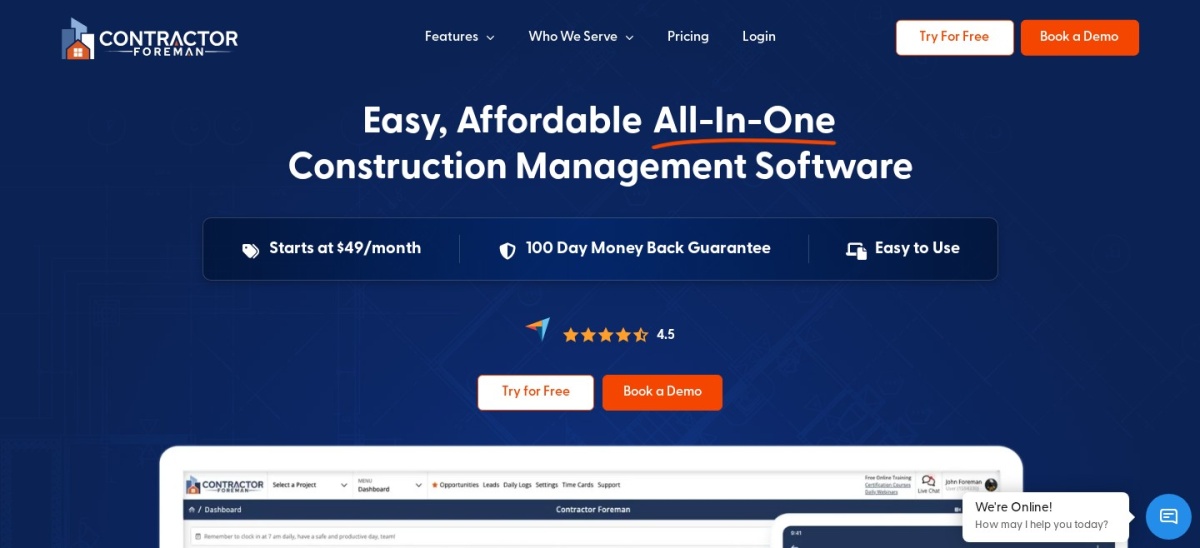
Contractor Foreman homepage, captured Nov 2026.
Contractor Foreman is a construction management platform combining project schedules, daily logs, estimates, documents and crew coordination. Its Basic plan starts at $49 per month for one user, with an annual renewal price of $588, while larger teams can choose plans with higher user limits.
The trade off is that Basic has a one-user limit, and more extensive scheduling and project management needs may justify a higher tier. Plus is advertised at $166 per month with an annual renewal of $1,997 for up to eight users. It suits small contractors wanting construction-specific tools without assembling several separate subscriptions.
What we like
Company-level pricing rather than charging every user separately
Combines scheduling with construction documents and project records
Higher tiers accommodate growing crews
Includes estimating, financial and field management capabilities
30-day free trial
Watch out for
Basic supports only one user
Broad feature set creates an onboarding learning curve
Advanced scheduling requirements may need a higher plan
Best for scheduling connected to estimating and job costs
Base subscription$199/month
Additional internal users$20/month on monthly billing
External portal usersUnlimited and free
SchedulingIncluded with subscription
jobtread.com
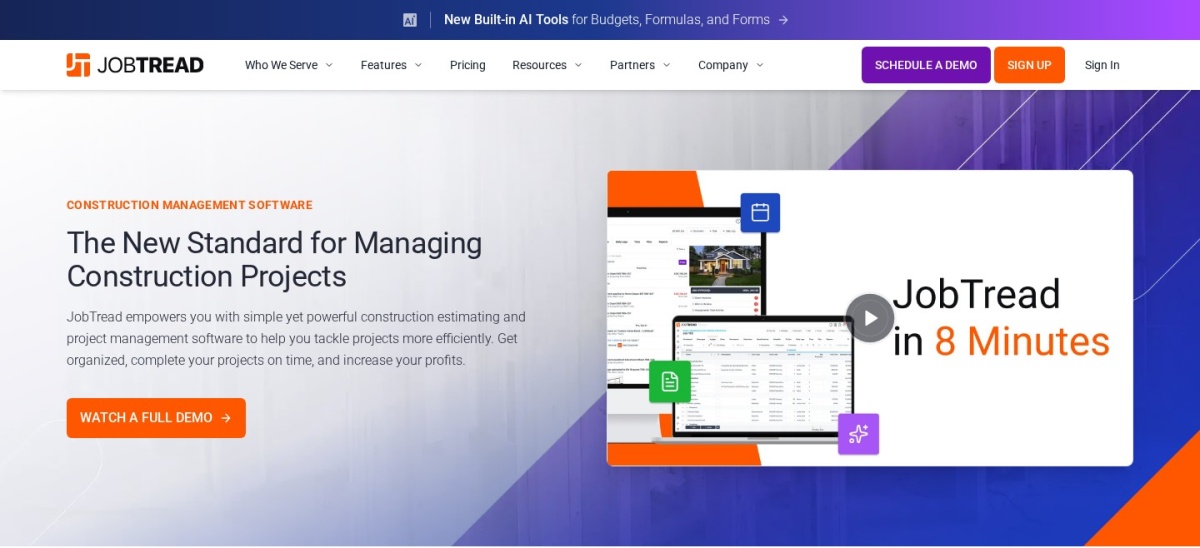
JobTread homepage, captured Nov 2026.
JobTread is an all-in-one construction management system connecting estimates, schedules, job budgets and customer communication. Its $199 monthly base subscription includes all software features, unlimited jobs and documents, plus free customer and vendor portal users. Additional internal users start at $20 per month on monthly billing.
The trade off is subscription cost as more employees need internal access, although annual billing offers a 20% discount. JobTread does not offer a standard free trial, but monthly subscriptions include a 30-day money-back guarantee. It suits remodelers and builders who want scheduling tied directly to financial project information.
What we like
Scheduling and budgeting live in the same system
All core software features included without feature-tier upgrades
Unlimited free customer and vendor portal users
Estimating and purchasing workflows support job planning
Strong Capterra rating
Watch out for
Higher starting cost than basic scheduling tools
Internal user charges increase the total subscription
No conventional free trial
The subscription includes the full feature set; annual billing reduces the recurring price.Visit jobtread.com
03
Fieldwire
4.6/5on Capterra (105 reviews, checked Nov 2026)
Paid from$39/mo
Best for coordinating field crews and drawing-based tasks
Free planBasic
Paid entry$39/user/month billed annually
Core workflowDrawing-based task management
Advanced tiersBusiness and Business Plus
fieldwire.com
Fieldwire homepage, captured Nov 2026.
Fieldwire is a field management platform that connects construction drawings with assigned tasks, checklists, photos and project updates. Its free Basic plan includes plan viewing, task management, specifications and files, while Pro costs $39 per user per month billed annually and adds reports, project templates and custom task statuses.
The trade off is that Fieldwire emphasizes field coordination more than detailed critical-path construction scheduling. Business costs $64 per user per month billed annually, while Business Plus reaches $89 and adds RFIs, submittals and change orders. It suits subcontractors and site supervisors who need reliable task visibility on active jobs.
What we like
Free Basic plan for initial field coordination
Tasks can be associated with construction drawings
Mobile access for site teams
Photo documentation and checklists
Paid plans add reporting and administrative features
Watch out for
Less suitable for detailed critical-path master schedules
Per-user charges grow as crews expand
RFIs and submittals require Business Plus
Pro adds reports, project templates, sheet comparison and custom task statuses.Visit fieldwire.com
04
Projul
4.7/5on Capterra (34 reviews, checked Nov 2026)
Starts at$199/mo
Best for contractor scheduling with lead and invoice management
Entry planStarter
Annual billing$2,388/year
User allowanceUp to 3 users
Included featuresLeads, estimates, invoices, scheduling
projul.com
Projul homepage, captured Nov 2026.
Projul is contractor management software combining scheduling, lead tracking, estimating and invoicing. The Starter plan costs $199 per month billed annually at $2,388, supports up to three users and includes scheduling alongside core administrative workflows. Monthly billing is available at $249 per month.
The trade off is that team capacity and financial management features depend on the subscription tier. Core costs $399 per month billed annually and supports up to ten users, making expansion more expensive than Starter. It suits residential contractors who want scheduling integrated with their sales and billing processes.
What we like
Scheduling included in the entry paid plan
Lead management and estimating in the same workspace
Invoicing included with Starter
Clear user limits for each plan
Monthly billing available without an annual commitment
Watch out for
Starter limited to three users
Higher tiers increase costs substantially
Some job management features require upgrades
Core adds expanded team capacity and additional construction management capabilities.Visit projul.com
05
Buildxact
4.6/5on Capterra (185 reviews, checked Nov 2026)
Paid from$199/mo
Best for builders combining takeoffs and job schedules
Free planGo, with 5 complimentary credits
Cheapest paid planFoundation, $199/month
Scheduling tierPro, $399/month
Team accessUnlimited users on Foundation
buildxact.com
Buildxact homepage, captured Nov 2026.
Buildxact is construction estimating and job management software for builders and remodelers. Its free Go plan includes five complimentary credits, while Foundation costs $199 per month at regular monthly pricing and adds digital takeoffs, lead management, purchase orders and unlimited users. Full job scheduling is included in the Pro tier.
The trade off is that the cheapest paid plan does not include schedules. Pro costs $399 per month at regular monthly pricing, or $4,070 annually, and adds job management, schedules and the Onsite mobile app. It suits builders who want estimating and scheduling in one system rather than a standalone project calendar.
What we like
Connects construction estimates with downstream job management
Free entry plan available for basic estimating
Unlimited users on paid base plans
Digital takeoffs and purchasing workflows
Scheduling and field mobile access on Pro
Watch out for
Scheduling unavailable on the cheapest paid plan
Pro is considerably more expensive than Foundation
Feature breadth may exceed the needs of simple crew scheduling
Foundation adds takeoffs and lead management; Pro is required for job schedules.Visit buildxact.com
06
Smartsheet
4.5/5on Capterra (3,579 reviews, checked Nov 2026)
Starts at$9/mo
Best for spreadsheet-style Gantt scheduling
Entry planPro
Annual rate$9/member/month
Project viewsGantt, table, board and calendar
Automations250/month on Pro
smartsheet.com
Smartsheet homepage, captured Nov 2026.
Smartsheet is a work management platform that uses familiar spreadsheet-style layouts for project planning and scheduling. Pro costs $9 per member per month billed annually and includes Gantt charts, calendars, unlimited sheets, forms and reports, plus 250 automations per month.
The trade off is that Smartsheet is not designed exclusively for construction, so teams must configure their own trade schedules, task templates and reporting processes. Business costs $19 per member per month billed annually and adds workload tracking and expanded automation. It suits project managers who prefer flexible Gantt planning over a contractor-specific system.
What we like
Gantt charts available on the entry plan
Familiar spreadsheet-style interface
Reports, forms and dashboards included
Supports collaborative project planning
Lower entry price than most contractor-specific platforms
Watch out for
Construction workflows require customization
Not a replacement for field documentation software
Advanced workload features require Business
Business adds workload tracking, timeline view and unlimited automations.Visit smartsheet.com
07
monday.com
4.6/5on Capterra (6,156 reviews, checked Nov 2026)
Paid from$9/mo
Best for visual construction task calendars and team coordination
Free planUp to 2 seats
Basic rate$9/seat/month billed annually
Paid minimum3 seats, $324/year
Standard plan$12/seat/month billed annually
monday.com
monday.com homepage, captured Nov 2026.
monday.com is a visual work management platform that organizes project tasks, assignments, deadlines and team updates through customizable boards. Its free plan supports up to two seats and three boards, while Basic starts at $9 per seat per month billed annually with a three-seat minimum.
The trade off is that Basic is better suited to task tracking than detailed construction scheduling, while Standard adds more scheduling-oriented views and workflow features at $12 per seat per month billed annually. It suits small construction offices coordinating deadlines, subcontractor assignments and project milestones without specialized field management requirements.
What we like
Visual task boards make responsibilities easy to follow
Free plan for small-scale planning
Customizable templates and status tracking
Mobile apps for remote updates
Suitable for coordinating nonconstruction office workflows too
Watch out for
Paid plans require at least three seats
Advanced scheduling features require higher tiers
No dedicated construction estimating or job costing workflow
Standard adds expanded scheduling views and workflow automation.Visit monday.com
Construction scheduling software vs. full construction management software
Scheduling software primarily answers when work should happen, who is responsible and which tasks depend on earlier activities. Gantt charts, task assignments, calendars and schedule revisions are its core functions.
Construction management platforms extend that workflow into estimating, purchasing, change orders, daily logs, invoicing and project documentation. Contractor Foreman, JobTread, Projul and Buildxact offer different combinations of these capabilities.
If your company already has estimating and accounting tools, a dedicated scheduling workflow may be enough. If staff repeatedly copy project information between separate systems, an integrated construction platform may be more practical.
Compare the full scheduling cost, not just the entry price
The cheapest subscription is not necessarily the cheapest working schedule. Buildxact Foundation starts at $199 per month, but its schedule feature requires the $399 monthly Pro tier at regular monthly pricing.
Per-user subscriptions also need careful calculations. Fieldwire Pro is $39 per user per month billed annually, whereas Contractor Foreman offers company-level plans with defined user allowances.
Check whether subcontractors need paid accounts, whether annual billing is compulsory for the advertised rate, and whether field crews can update their assignments without buying full administrative access.
How we chose
We selected established construction management, field coordination and general project scheduling products with relevant scheduling features and accessible public reviews. The comparison emphasizes construction fit, schedule visibility, team access, task dependencies and pricing transparency.
The reference date for this guide is 22 Nov 2026. Official pricing pages and Capterra review listings were opened during the research session on 23 Nov 2026. Annual amounts reflect the stated billing basis, and entry-tier prices are distinguished from higher tiers required for scheduling.
We excluded quote-only products and candidates without enough verifiable public pricing or review evidence. We also avoided treating free trials as permanently free plans, and distinguished general task management from construction-specific scheduling. No vendor paid for a place, and we do not claim testing for this list.
How to choose construction scheduling software
Start with the scheduling problems your team needs to solve, then compare the features and total subscription cost against your actual construction workflow.
Define the schedule you need. Decide whether you need a detailed construction master schedule with dependencies and milestones or a simpler calendar showing crew assignments and deadlines. Avoid paying for complex planning features if your projects only require straightforward task coordination.
Check field access before buying. Confirm whether foremen and subcontractors can see current assignments, upload photos and report progress from mobile devices. Also check offline capabilities and whether external collaborators require paid accounts.
Calculate the cost for your full team. Use the actual number of employees who need access, not the advertised single-user price. Compare annual billing, minimum seats, plan limits and the subscription tier that contains the scheduling features you need.
Review integrations and schedule handoffs. Check how estimates, purchase orders, project files and accounting information connect to the schedule. Choose a platform that reduces duplicated data entry and gives managers a consistent view of project changes.
FAQ
What is the best construction scheduling software in 2026?
Contractor Foreman is our overall recommendation for smaller construction contractors because it combines scheduling with construction project management and starts at $49 per month. JobTread is a stronger fit when schedules need to connect closely with estimating and budgets, while Fieldwire is particularly useful for site task coordination.
Is there free construction scheduling software?
Yes. Fieldwire Basic provides free plan viewing, task management, specifications, files and checklists. monday.com also offers a free plan with up to two seats and three boards. These can help with basic coordination, although they do not replace every feature of a detailed construction master scheduling system.
How much does construction scheduling software cost?
Pricing varies by feature set and user model. Smartsheet Pro starts at $9 per member per month billed annually, Fieldwire Pro costs $39 per user per month billed annually, and Contractor Foreman starts at $49 per month. More comprehensive contractor platforms such as JobTread and Projul have higher base subscription costs.
Can construction scheduling software manage subcontractors?
Yes, but access varies across platforms. JobTread provides unlimited free customer and vendor portal users, while Contractor Foreman has plans with defined internal user allowances. Fieldwire focuses on sharing assigned field tasks and drawing information. Confirm what subcontractors can view or update before choosing a subscription.
What features should construction scheduling software include?
Prioritize task assignments, dependencies, milestones, Gantt or calendar views, schedule revisions and mobile updates. For more complex projects, look for workload tracking, reporting and connections to estimating or purchasing. The right feature set depends on whether you manage short trade jobs or longer projects involving multiple subcontractors.
Is a Gantt chart necessary for construction scheduling?
A Gantt chart is useful when work must follow a defined sequence, such as framing before electrical rough-in and inspections before finishes. It makes overlapping tasks and dependencies easier to understand. Small service projects may work with simple calendars, but longer construction schedules generally benefit from a visual timeline.
Can Smartsheet be used for construction scheduling?
Yes. Smartsheet includes Gantt, calendar and table views that can be configured for construction tasks, deadlines and assignments. Its Pro plan starts at $9 per member per month billed annually. However, teams must build or adapt their own construction workflows because it is a general work management platform.
What is the difference between Fieldwire and JobTread?
Fieldwire focuses on field coordination, drawing-based tasks, checklists and jobsite updates, with a free Basic plan and paid subscriptions starting at $39 per user per month billed annually. JobTread connects schedules with estimates, budgets, purchasing and customer communication through a broader construction management subscription.
Does the cheapest paid plan always include scheduling?
No. Buildxact Foundation costs $199 per month at regular monthly pricing, but full schedules require Pro at $399 per month. monday.com Basic supports general task coordination, while more advanced scheduling views require higher tiers. Always check the specific scheduling feature against the plan comparison before purchasing.