Best Class Scheduling Software in 2026: 7 Tools Compared
WLWPLegible EditorsLast verified 22 Nov 2026How we rank13 min read
★ Short answer
Bookwhen is the best class scheduling software for most instructors and activity providers, with a free plan covering 50 monthly bookings and paid plans starting at $160 per year. Punchpass is better for studios selling class passes, while Acuity Scheduling suits businesses combining group classes with private appointments.
How we make this list: we compare pricing pages, product documentation and public user reviews, then re-check every price before each update. No product paid for a place. Disclosure.
Bookwhen is our top pick, rated 4.9/5 on Capterra, with a free plan covering 50 monthly bookings and Lite costing $160/year.
Punchpass offers unlimited classes, passes and instructors on Grow at $59/month, with a 4.8/5 Capterra rating.
Acuity Scheduling starts at $16/month with annual billing and holds a 4.8/5 rating from more than 5,700 Capterra reviews.
Setmore supports up to 4 users on its free plan, while Pro starts at $5/user/month with annual billing.
SimplyBook.me includes 50 monthly bookings free; Basic provides 100 bookings and 5 providers for $11.90/month with annual billing.
Picktime offers 2 classes on its free plan and 5 on Starter at $3/user/month with annual billing.
What to look for in class scheduling software
Class scheduling software lets instructors, studios and activity providers publish schedules, accept reservations and manage available spaces. Unlike basic appointment calendars, class booking systems must handle multiple participants reserving the same session.
Start with class capacity and booking limits. Some platforms allow unlimited classes but restrict monthly reservations. Others limit how many classes, instructors or locations you can create. Compare those limits against your actual schedule.
Next, check payments, passes and memberships. A simple class organizer may only need individual ticket sales, while a fitness studio might need prepaid class packs, recurring memberships, cancellations and waiting lists.
Look at the booking experience for participants. Mobile-friendly registration, automated confirmations, reminders and calendar integrations can reduce administrative work. Providers hosting virtual classes should also check video meeting integrations.
Finally, compare ongoing costs rather than introductory offers. Monthly booking allowances, extra staff accounts, payment processing, marketing features and branded apps can change the total price substantially.
Bookwhen is a class and event booking platform designed for instructors, activity providers and organizations running scheduled sessions. Its free plan includes 50 monthly bookings, one team member and one booking page for free events. Lite costs $160 annually and increases capacity to 300 monthly bookings, with unlimited classes, online payments, ticket transfers and Zoom integration.
The trade off is that Lite does not include memberships, waiting lists, class passes or reminder emails. Those features require Standard at $290 annually, while the free plan cannot collect payments. It suits independent instructors and small organizations that want straightforward class registration without a complete studio management platform.
What we like
Free plan supports 50 monthly bookings
Lite includes unlimited classes and locations
Online payments and ticket transfers on Lite
Supports in-person and virtual classes
Rated 4.9/5 on Capterra
Watch out for
Free plan only supports free events
Waiting lists and passes require Standard
Lite is limited to 300 bookings monthly
Lite adds paid bookings, 300 monthly reservations, ticket transfers and Zoom integration.Visit bookwhen.com
02
Punchpass
4.8/5on Capterra (192 reviews, checked Nov 2026)
Starts at$59/mo
Best for fitness studios and class passes
ClassesUnlimited on Grow
InstructorsUnlimited on Grow
Free trial14 days
Paid planGrow, $59/month
punchpass.com
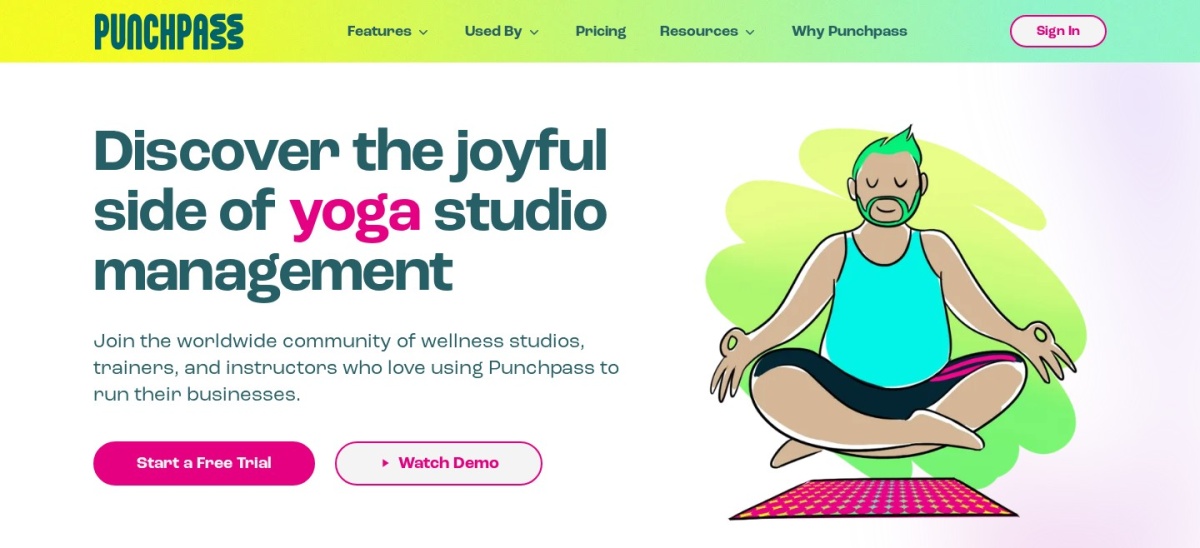
Punchpass homepage, captured Nov 2026.
Punchpass is a studio management platform built around class reservations, attendance tracking and prepaid passes. Its Grow plan costs $59 monthly and includes unlimited classes, instructors and passes, online reservations, payment collection, waiting lists and customizable reminders. The plan also supports private sessions, online waivers and a video library with 10,000 minutes of content.
The trade off is that recurring memberships, family accounts and multi-day class series require Flow at $99 monthly. Punchpass also has no permanent free plan, although it offers a 14-day trial and advertises a temporary first-two-month discount. It suits yoga, Pilates, dance and fitness studios that rely on repeat attendance and class packs.
What we like
Unlimited classes, instructors and passes on Grow
Built-in attendance and reservation management
Online pass sales and payment collection
Waiting lists and waivers included
Rated 4.8/5 from 192 Capterra reviews
Watch out for
No permanent free plan
Recurring memberships require Flow
Higher starting price than basic booking tools
Grow provides paid class reservations, pass sales, attendance tracking and waitlists; Flow adds memberships and family accounts.Visit punchpass.com
03
Acuity Scheduling
4.8/5on Capterra (5,775 reviews, checked Nov 2026)
Starts at$16/mo
Best for classes and private appointments
Entry calendars1 on Starter
AppointmentsUnlimited
Free trial7 days
Paid planStarter, $16/mo annually
acuityscheduling.com
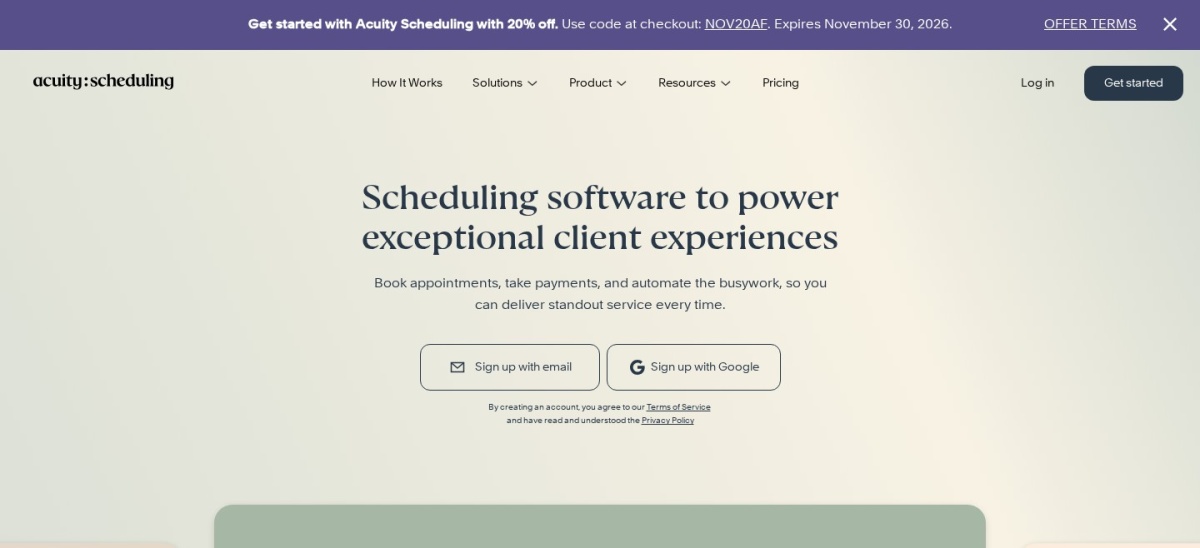
Acuity Scheduling homepage, captured Nov 2026.
Acuity Scheduling is an online booking platform for businesses offering individual appointments and group classes. Starter costs $16 monthly with annual billing and includes one calendar, unlimited services and appointments, online payment collection, automated email reminders and custom intake forms. Clients can book available sessions through a scheduling page, with automatic time zone conversion.
The trade off is that Starter lacks text reminders, memberships and appointment packages. Those features require Standard at $27 monthly with annual billing, and there is no permanent free plan. It suits tutors, coaches, wellness instructors and other businesses that combine private sessions with scheduled group activities.
What we like
Supports group classes and private appointments
Unlimited services and appointments
Online payments and deposits
Custom intake forms and email reminders
Rated 4.8/5 from over 5,700 Capterra reviews
Watch out for
No permanent free plan
Starter includes only one calendar
Memberships and SMS reminders require Standard
Starter adds paid scheduling with intake forms and reminders; Standard adds packages, memberships and more calendars.Visit acuityscheduling.com
04
Setmore
4.6/5on Capterra (960 reviews, checked Nov 2026)
Paid from$5/mo
Best free scheduling for small teams
Free usersUp to 4
AppointmentsUnlimited
Class bookingSupported
Paid planPro, $5/user/mo annually
setmore.com
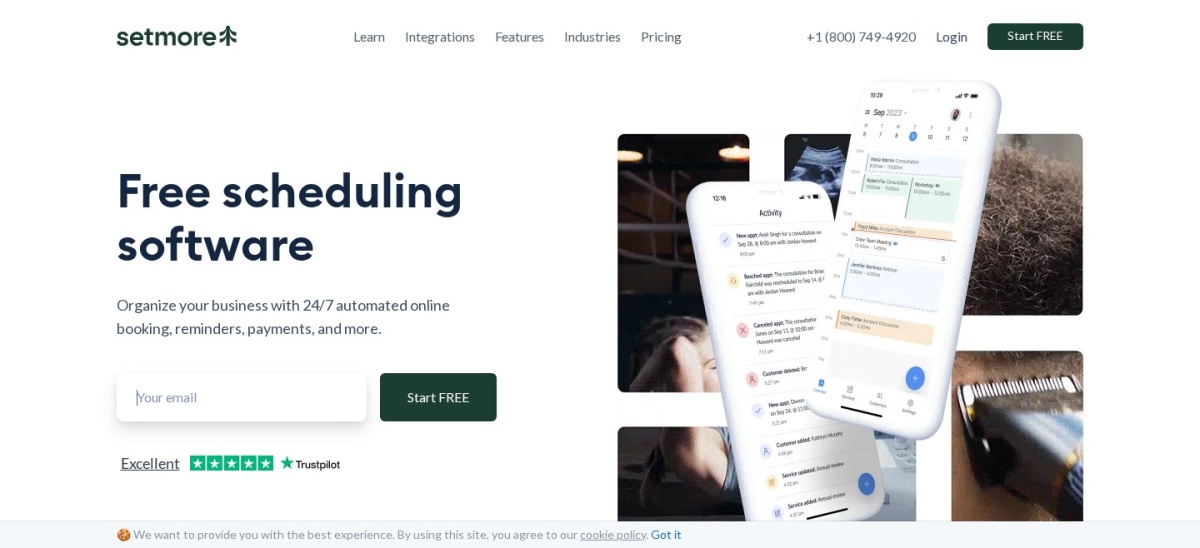
Setmore homepage, captured Nov 2026.
Setmore is an appointment and class scheduling platform with online booking pages, staff calendars and payment integrations. Its free plan supports up to 4 users, unlimited appointments, email reminders and customer self-booking. Pro starts at $5 per user monthly with annual billing and adds recurring appointments, SMS reminders, two-way calendar synchronization and additional customization.
The trade off is that the lowest Pro rate requires annual billing, while monthly billing is listed at $12 per user. Setmore also emphasizes general appointment management rather than advanced studio memberships and class packs. It suits small teaching teams, instructors and service providers that need basic group scheduling without a large subscription.
What we like
Free plan supports up to 4 users
Unlimited appointments on Free
Class booking and payment integrations
Email reminders included on Free
Pro adds SMS and two-way calendar sync
Watch out for
Advanced studio membership tools are limited
Monthly Pro billing costs more than annual billing
Some scheduling automations require Pro
Pro adds recurring bookings, SMS reminders, two-way calendar sync and branding controls.Visit setmore.com
05
SimplyBook.me
4.6/5on Capterra (1,293 reviews, checked Nov 2026)
Paid from$11.90/mo
Best for customizable class booking pages
Free bookings50/month
Basic bookings100/month
Basic providers5
Paid planBasic, $11.90/mo annually
simplybook.me
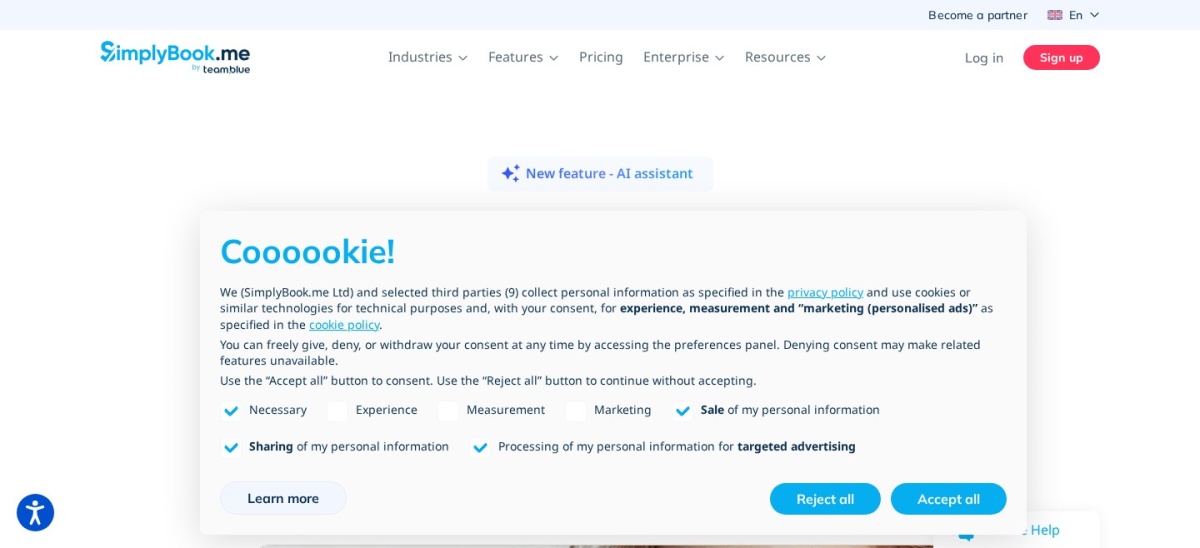
SimplyBook.me homepage, captured Nov 2026.
SimplyBook.me is an online booking system for service businesses, instructors and organizations offering scheduled classes. Its free plan includes 50 monthly bookings, one provider and one custom feature. Basic costs $11.90 monthly with annual billing and expands capacity to 100 bookings, five providers and three custom features, adding payments, deposits and client app access.
The trade off is that booking volume and custom feature allowances are tied to subscription tiers. Businesses needing larger capacity may require Standard at $24.90 monthly with annual billing, which includes 500 bookings and 15 providers. It suits class organizers who want customizable booking pages and modular features without paying for a full studio management suite.
What we like
Free booking page and website widget
Basic supports 5 providers
Payments and deposits available on Basic
Custom features support different booking needs
Integrates with websites and online calendars
Watch out for
Free plan limited to 50 bookings monthly
Basic includes only 3 custom features
Higher booking volume requires upgrading
Basic adds online payments, deposits, 100 monthly bookings and five providers.Visit simplybook.me
06
Picktime
4.8/5on Capterra (59 reviews, checked Nov 2026)
Paid from$3/mo
Best budget option for small class providers
Free users3
Free classes2
Starter classes5
Paid planStarter, $3/user/mo annually
picktime.com
Picktime homepage, captured Nov 2026.
Picktime is an online scheduling platform covering appointments, classes, staff and resource reservations. Its free plan supports three users, two locations, two classes and three resources, with unlimited appointments and a booking page. Starter costs $3 per user monthly with annual billing, increases the class allowance to five and adds reminders, calendar synchronization and more payment integrations.
The trade off is that Starter still limits the number of classes, while unlimited classes, waiting lists and class packs require Pro. The advertised Starter rate uses annual billing, so actual team costs depend on the number of paid users. It suits small tutors, instructors and activity providers with limited schedules and modest budgets.
What we like
Free plan supports three users
Includes basic class and resource booking
Unlimited appointments on Free
Starter includes reminders and calendar sync
Rated 4.8/5 on Capterra
Watch out for
Free plan limited to two classes
Starter limited to five classes
Waiting lists and class packs require Pro
Starter adds more classes, reminders, two-way calendar sync and additional payment integrations.Visit picktime.com
07
Vagaro
4.7/5on Capterra (3,692 reviews, checked Nov 2026)
Starts at$30/mo
Best for fitness and wellness businesses
Starting calendar1
Free emails1,000/month
Free trialAvailable
Regular entry price$30/month
vagaro.com
Vagaro homepage, captured Nov 2026.
Vagaro is a business management platform for fitness, wellness and beauty providers offering classes and appointments. Its regular entry price is $30 monthly for one bookable calendar, with an advertised promotional rate of $23.99 for the first six months. Core features include online booking, memberships, packages, customer waitlists, payment processing, reminders and 1,000 monthly emails.
The trade off is that additional calendars and optional business features can increase costs beyond the $30 monthly regular starting price. A branded app costs $100 monthly, while the check-in app costs $10 monthly. It suits established wellness and fitness businesses that want class scheduling, payments, client records and marketing within one platform.
What we like
Combines classes and appointment scheduling
Memberships, packages and waitlists
Integrated payments and client records
Includes 1,000 monthly marketing emails
Rated 4.7/5 on Capterra
Watch out for
No permanent free plan
Extra calendars and add-ons increase costs
Branded mobile app costs extra
The paid subscription includes booking and business management; optional add-ons expand marketing, check-in and branding.Visit vagaro.com
Class booking software vs appointment scheduling software
Appointment schedulers generally reserve individual time slots for a customer and service provider. Class booking systems allow multiple participants to register for the same scheduled session, subject to capacity limits.
Class-focused businesses may need recurring timetables, attendance tracking, waiting lists, ticket transfers and class passes. These features matter more when students attend group sessions repeatedly rather than booking occasional individual appointments.
For businesses offering both formats, Acuity Scheduling, Setmore and SimplyBook.me provide a useful combination. Bookwhen and Punchpass are more directly suited to managing group bookings and recurring class activity.
What class scheduling software really costs
Entry prices are not directly comparable because providers use different billing units. Bookwhen charges by subscription tier and booking allowance, while Setmore and Picktime use per-user pricing. Punchpass charges a flat studio subscription, and Vagaro prices additional bookable calendars and optional features separately.
The annual figures in this guide use the cheapest published paid plan at its standard rate. Where annual billing is required, the listed annual equivalent reflects that commitment. Promotional offers, such as temporary introductory discounts, are excluded from the comparison.
Before subscribing, estimate monthly registrations, the number of instructors, payment volume and membership requirements. Also check whether processing fees, branded apps, text messages or marketing tools create additional charges.
How we chose
We shortlisted established class scheduling and booking platforms with active official websites, published pricing and meaningful public review histories. The selection includes tools designed specifically for classes and studios alongside appointment schedulers that support group bookings.
Prices, plan allowances and public ratings were reviewed against official vendor pricing pages and Capterra product listings accessed for this guide, using 22 Nov 2026 as the stated comparison date. We used regular published prices, excluded temporary promotional discounts and calculated annual equivalents from the stated billing terms.
We excluded products without verifiable entry pricing or sufficient public review evidence, as well as basic meeting schedulers lacking relevant class booking capabilities. We compared documented features, published limits and public customer feedback rather than claiming direct product experience. No vendor paid for a place, and we do not claim testing for this list.
How to choose class scheduling software
Identify your class format, expected registration volume and payment requirements before comparing subscription prices.
Define your class structure. Determine whether you offer drop-in classes, recurring sessions, multi-week courses, private lessons or a combination. Choose software that supports your actual booking structure, including capacity limits, recurring timetables and instructor availability.
Calculate booking and staff requirements. Estimate monthly reservations and the number of instructors or locations. Bookwhen and SimplyBook.me limit monthly bookings by plan, while Picktime limits classes on its entry tiers. Check whether these allowances can accommodate normal demand and growth.
Check payments and membership features. Decide whether participants pay per class, purchase prepaid passes or subscribe to recurring memberships. Confirm whether payments, cancellations, refunds, waiting lists and automated reminders are included in the plan you intend to purchase.
Compare complete annual costs. Calculate subscription fees using your actual user count and booking volume. Add payment processing, optional marketing tools and other required features. Use a free plan or trial to review the booking flow and administrator settings before making a long-term commitment.
FAQ
What is the best class scheduling software in 2026?
Bookwhen is our top pick for most independent instructors and activity providers. It offers a free plan with 50 monthly bookings and a Lite plan costing $160 annually. Punchpass is a stronger fit for studios selling class passes, while Acuity Scheduling supports businesses combining group classes with individual appointments.
Is there free class scheduling software?
Yes. Bookwhen offers 50 free monthly bookings for free events, Setmore supports up to four users on its free plan, and Picktime includes two classes. SimplyBook.me also offers 50 monthly bookings free. Compare booking limits and payment capabilities before choosing.
Which software is best for scheduling fitness classes?
Punchpass is worth considering for yoga, Pilates, dance and fitness studios because its Grow plan supports unlimited classes, instructors and passes. Vagaro is another option for businesses needing payments, memberships and marketing. Bookwhen works well for simpler fitness class schedules and online registration.
Can class scheduling software accept payments?
Most class scheduling platforms support online payment collection, although availability depends on the plan. Bookwhen Lite includes payments, SimplyBook.me Basic adds payment features, and Acuity Scheduling supports connected payment processors. Payment processing charges may apply separately from software subscriptions.
What is the cheapest class scheduling software?
Picktime Starter is one of the lowest-priced paid options in this comparison at $3 per user monthly with annual billing. Setmore Pro starts at $5 per user monthly with annual billing. Both also offer free plans, but their features and booking limits differ.
Can students book recurring classes online?
Yes. Class scheduling systems can publish recurring schedules and let participants register for available sessions. Some also support standing reservations, prepaid passes or recurring memberships. Confirm which subscription includes the specific recurring booking or billing method your classes need.
What is the difference between class scheduling and course management software?
Class scheduling software focuses on timetables, reservations, capacity, payments and attendance. Course management software may also handle learning materials, assignments, assessments and student progress. Organizations providing instruction may need both types, depending on whether booking administration or learning delivery is the main requirement.
Does class scheduling software support waiting lists?
Several platforms provide waiting lists, although they may require higher plans. Punchpass Grow includes waiting lists, while Bookwhen adds them on Standard. Picktime reserves waiting lists for Pro. Check whether the system automatically fills cancellations or requires staff to manage available places.