Best Construction Project Management Software in 2026: 7 Tools Compared
WLWPLegible EditorsLast verified 22 Nov 2026How we rank12 min read
★ Short answer
Contractor Foreman is our top pick for construction project management, combining scheduling, daily logs and financial workflows with a Basic plan starting at $49 per month on annual billing. Fieldwire is better for drawing-based field coordination, while JobTread suits builders managing estimates, schedules, budgets and client communication.
How we make this list: we compare pricing pages, product documentation and public user reviews, then re-check every price before each update. No product paid for a place. Disclosure.
Contractor Foreman starts at $49 per month billed annually for 1 user and has a 4.5/5 Capterra rating from 843 reviews.
Fieldwire offers a free plan for 5 users, 3 projects and 100 sheets; paid Pro costs $39 per user monthly with annual billing.
JobTread costs $199 per month plus $20 per additional internal user, with 20% savings on annual subscriptions.
Knowify Core starts at $99 monthly with annual billing, while Advanced costs $329 monthly and includes 10 users.
Buildern Starter costs $225 per month billed annually for 2 office seats, with free access for field workers and subcontractors.
Buildxact Foundation lists at $199 monthly, but full job management and scheduling require its higher Pro plan.
What construction project management software should cover
Construction projects involve schedules, subcontractors, drawings, materials, budgets and jobsite changes. Managing these in separate spreadsheets and message threads makes it difficult to see which tasks are finished and which decisions are holding up work.
Start with scheduling and field coordination. The software should help managers assign tasks, update project timelines, organize drawings and record daily progress. Mobile access matters because project information must travel between the office and jobsite.
Financial features are equally important. Look for estimates, job costing, change orders, purchase orders and invoicing where relevant. A system that connects project activities with financial records can make budget changes easier to identify.
Also compare client portals, document permissions and subcontractor access. Some platforms include free external collaborators, while others charge for additional internal users. Check the exact plan before committing to a subscription.
The 7 best construction project management software tools
01
Contractor Foreman
4.5/5on Capterra (843 reviews, checked Nov 2026)
Starts at$49/mo
Best construction project management software overall
Basic plan$49/mo billed annually
Basic users1
Standard plan$105/mo, up to 3 users
Review score4.5/5 on Capterra
contractorforeman.com
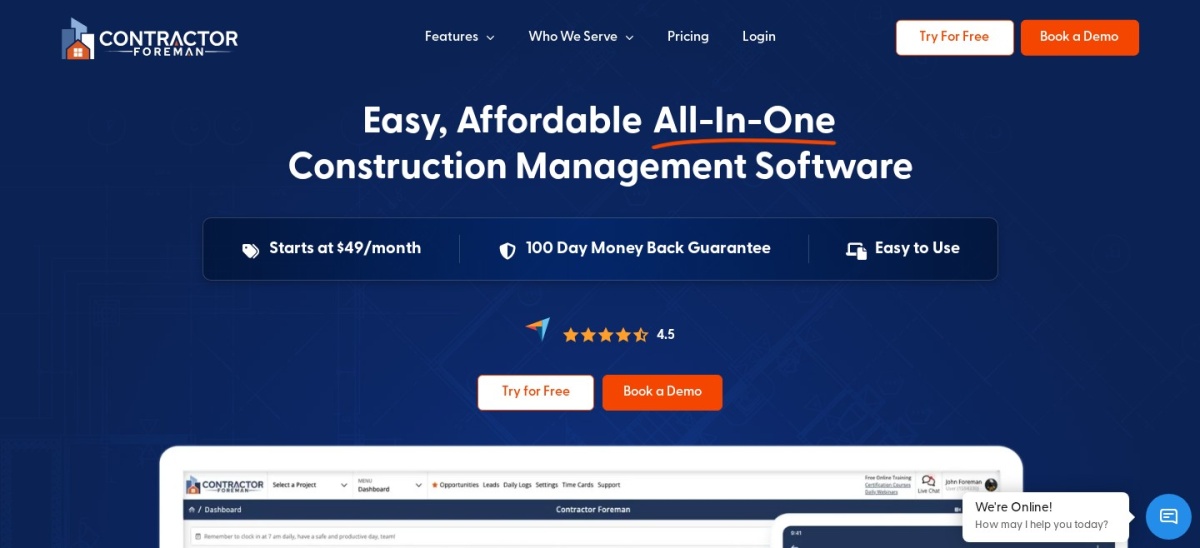
Contractor Foreman homepage, captured Nov 2026.
Contractor Foreman is construction management software combining project records, scheduling, daily logs, estimates and financial workflows. Its Basic plan costs $49 per month on annual billing and includes 1 user, with a 30-day trial. Higher plans expand user access and provide additional project management capabilities.
The trade off is that Basic is limited to 1 user, while Standard costs $105 per month on annual billing for up to 3 users. Its broad feature set also requires setup and training. It suits small and growing contractors seeking construction-specific tools without immediately adopting an enterprise platform.
What we like
Construction-specific scheduling and project records
Estimates and financial workflows in the same platform
Daily logs, inspections and document management
Published subscription tiers for different team sizes
Watch out for
Basic plan supports only one user
Advanced features vary by subscription tier
Large feature set creates an initial learning curve
Best for field coordination and construction drawings
Free Basic5 users, 3 projects, 100 sheets
Pro plan$39/user/mo billed annually
Business plan$64/user/mo billed annually
Review score4.6/5 on Capterra
fieldwire.com
Fieldwire homepage, captured Nov 2026.
Fieldwire is construction field management software that connects tasks, drawings, photos and project documentation. Its free Basic plan supports 5 users, 3 projects and 100 sheets. Paid Pro costs $39 per user per month billed annually and adds reporting, sheet comparison, project templates and custom task statuses.
The trade off is that Pro does not include advanced features such as RFIs, submittals, change orders and budgets, which require Business Plus at $89 per user monthly on annual billing. Per-user pricing also increases team costs. It suits site supervisors and contractors coordinating work around drawings.
What we like
Free plan for small field teams
Drawing-based task assignments
Mobile access to plans, photos and checklists
Unlimited projects and sheets on paid plans
Watch out for
Advanced financial tools require Business Plus
Per-user pricing can become expensive
Less focused on estimating and sales management
Pro adds reports and project templates; higher tiers add forms, integrations and financial workflows.Visit fieldwire.com
03
JobTread
4.9/5on Capterra (144 reviews, checked Nov 2026)
Starts at$199/mo
Best for all-in-one contractor operations
Base subscription$199/mo
Additional internal users$20/user/mo
Annual discount20%
Review score4.9/5 on Capterra
jobtread.com
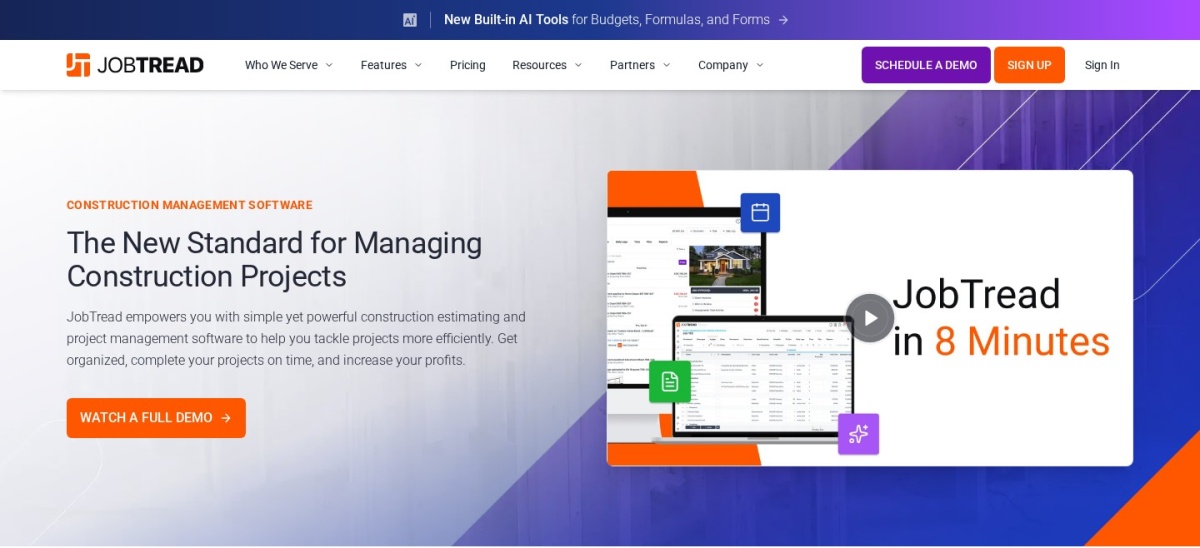
JobTread homepage, captured Nov 2026.
JobTread is construction business management software connecting estimates, budgets, schedules, tasks, change orders and customer communication. Its subscription starts at $199 per month and includes the first internal user, with additional internal users starting at $20 monthly. Customer, vendor and subcontractor portal users receive free access.
The trade off is the $199 monthly base fee, which increases when additional internal staff need full access. Annual billing reduces the subscription cost by 20%, but setup still involves learning interconnected workflows. It suits remodelers, home builders and contractors wanting projects and financial records together.
What we like
Project management and job finances in one system
Estimating, scheduling and change orders included
Free external customer and subcontractor portals
Published pricing without separate feature packages
Watch out for
Higher starting price than basic scheduling tools
Additional internal users increase the bill
Initial configuration can require substantial training
The subscription includes all features; additional paid internal seats expand team access.Visit jobtread.com
04
Knowify
4.5/5on Capterra (110 reviews, checked Nov 2026)
Starts at$99/mo
Best for trade contractors and job costing
Core plan$99/mo billed annually
Included users1 on Core
Advanced plan$329/mo billed annually
Review score4.5/5 on Capterra
knowify.com
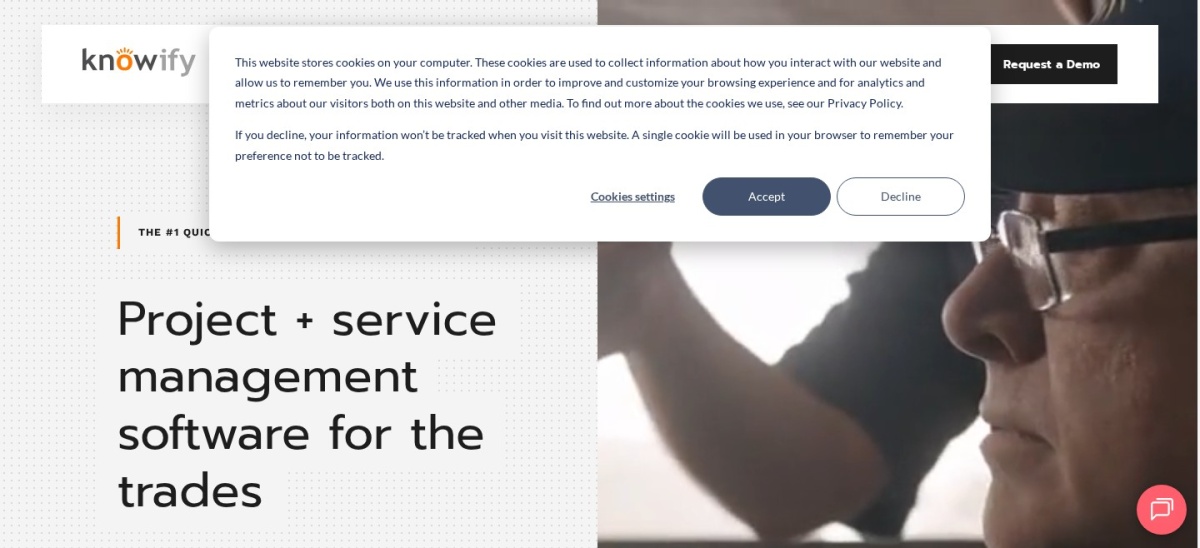
Knowify homepage, captured Nov 2026.
Knowify is construction project management and financial software for trade contractors managing contracts, crews and job expenses. Core starts at $99 per month with annual billing and includes 1 user, while additional users cost $29 monthly. The platform connects estimates, invoicing, project records and mobile field workflows.
The trade off is that Advanced costs $329 per month with annual billing and includes expanded project management and job costing capabilities for 10 users. Complex schedules and accounting workflows may also take time to configure. It suits specialty contractors that need detailed financial control alongside project execution.
What we like
Built around trade contractor workflows
Combines estimating, invoicing and project records
Advanced adds deeper project management, job costing and expanded team access.Visit knowify.com
05
Buildern
4.9/5on Capterra (25 reviews, checked Nov 2026)
Starts at$225/mo
Best for residential builders managing multiple workflows
Starter plan$225/mo billed annually
Included office seats2
Additional Starter seat$81/mo
Review score4.9/5 on Capterra
buildern.com
Buildern homepage, captured Nov 2026.
Buildern is construction management software for builders handling estimates, project budgets, schedules, purchase orders and client communication. Starter costs $225 per month billed annually for 2 office seats, with additional seats at $81 monthly. Field workers, subcontractors and vendors can access their designated workflows without paid office seats.
The trade off is its higher starting subscription compared with simpler project tools. Professional costs $360 per month billed annually for 4 office seats and adds broader team capabilities. It suits residential and commercial builders who want project schedules, costs, change orders and client records connected.
What we like
Construction estimating and project management together
Scheduling, budgets and purchase orders
Free access for field workers and external partners
Client communication and project documentation
Watch out for
Higher starting price for small contractors
Office seat allowances affect subscription costs
Broad system may require initial workflow setup
Professional expands office access and supports more complex construction workflows.Visit buildern.com
06
Buildxact
4.6/5on Capterra (185 reviews, checked Nov 2026)
Paid from$199/mo
Best for estimating-led construction projects
Free Go5 complimentary credits
Foundation list price$199/mo
Foundation annual billing$2,030/yr
Review score4.6/5 on Capterra
buildxact.com
Buildxact homepage, captured Nov 2026.
Buildxact is construction estimating and management software for builders, remodelers and specialist contractors. Its free Go plan includes 5 complimentary credits for estimating and proposals. Foundation lists at $199 monthly and adds digital takeoffs, unlimited users, lead management, purchase orders and supplier connections.
The trade off is that Foundation concentrates on preconstruction rather than full project execution. Job management, schedules and the Onsite mobile app require Pro, listed at $399 monthly before annual billing discounts. It suits builders whose work begins with detailed takeoffs and estimating.
What we like
Free entry plan for estimating and proposals
Digital takeoffs and supplier connections
Unlimited users on Foundation
Connects estimating with higher-tier job management
Watch out for
Full job management requires Pro
Entry paid plan focuses on estimating
Advanced AI features may require add-ons
Pro adds job management, scheduling and the Onsite mobile app.Visit buildxact.com
07
Projul
4.7/5on Capterra (34 reviews, checked Nov 2026)
Starts at$249/mo
Best for contractors wanting fixed team-size packages
Starter monthly price$249/mo
Starter annual billing$2,388/yr
Starter usersUp to 3
Review score4.7/5 on Capterra
projul.com
Projul homepage, captured Nov 2026.
Projul is construction management software covering estimates, project scheduling, lead management and invoicing. Starter lists at $249 per month or $2,388 annually and supports up to 3 users. Core expands the package with change orders, CRM, payment processing and a full mobile app.
The trade off is that Starter omits several advanced financial and client-facing workflows. Core+ costs $599 monthly with annual billing and adds job costing, budgeting, progress billing and client portal features. It suits construction companies that prefer defined team-size packages instead of separate charges for every tool.
What we like
Construction scheduling and estimating
Published team-size subscription packages
Lead management and invoicing on Starter
Higher plans cover job costing and client communication
Watch out for
Starter has limited advanced project functions
Full budgeting requires a higher plan
Higher tiers represent a substantial cost increase
Core adds change orders and mobile workflows; Core+ adds budgeting and client portals.Visit projul.com
Construction software vs general project management tools
General project management tools organize tasks, deadlines and team assignments. Construction platforms add workflows for drawings, field reports, estimating, subcontractors, change orders and job costing.
A general task platform may be sufficient for internal planning. Contractors managing active jobsites usually benefit from specialized features such as punch lists, daily logs and construction document control.
The distinction also affects cost. A field-oriented tool can cost less initially, while a comprehensive construction platform may replace separate estimating, scheduling and financial software subscriptions.
How construction project management pricing works
Construction software uses different billing models. Fieldwire charges per user. Contractor Foreman uses subscription tiers with user allowances. JobTread combines a base subscription with charges for additional internal users.
Feature availability matters as much as price. Fieldwire places RFIs and budgets in Business Plus, while Buildxact reserves job management for Pro. Knowify expands project management capabilities through Advanced.
Compare the complete cost of the plan your business actually needs. Include office users, project features, integrations, onboarding and annual billing commitments instead of choosing solely by the lowest advertised monthly amount.
How we chose
We selected established construction-focused products from vendor documentation, publicly available pricing pages and Capterra review listings. We prioritized software covering project scheduling, jobsite coordination, document management, estimating, financial tracking or subcontractor communication.
The guide uses a 22 Nov 2026 publication date. Official prices and public ratings were checked during the current research session on 23 Nov 2026. Listed annual costs use regular monthly prices multiplied by 12 unless the stated entry plan is specifically based on annual billing.
We excluded products whose official pricing could not be confirmed, platforms without sufficient public review evidence and general-purpose systems that lacked a strong construction-specific use case. We also avoided assigning numerical prices to quote-only subscriptions. No vendor paid for a place, and we do not claim testing for this list.
How to choose construction project management software
Identify the project workflows that consume the most administrative time before comparing software plans.
Map your construction workflow. List the stages from estimating and scheduling through field execution, change orders and invoicing. Choose software that connects the activities your team currently manages across separate applications.
Prioritize field adoption. Check mobile access, drawing management, task assignments, photos and daily logs. Make sure workers can update project information without depending on office administrators.
Calculate costs using your real team size. Count office users, supervisors, subcontractors and clients. Verify which users require paid seats and whether financial or document control features require a higher subscription.
Review accounting connections and data migration. Confirm compatibility with your accounting tools, document formats and reporting needs. Check the process for importing active projects and exporting data before making a long-term commitment.
FAQ
What is the best construction project management software?
Contractor Foreman is a strong overall choice for smaller contractors that need construction scheduling, daily logs, estimates and project records together. Its Basic plan starts at $49 monthly on annual billing. Fieldwire is better for field coordination, while JobTread focuses on connecting project management with business finances.
Is there free construction project management software?
Yes. Fieldwire has a free Basic plan supporting 5 users, 3 projects and 100 sheets. It includes drawing viewing, tasks, files and checklists. Buildxact also offers a free Go plan, but that primarily supports estimating and proposals rather than complete project management.
How much does construction project management software cost?
Published prices vary widely. Contractor Foreman starts at $49 monthly with annual billing, Fieldwire Pro costs $39 per user monthly with annual billing, and JobTread starts at $199 monthly. Team size and advanced financial features can substantially change the final subscription cost.
Which construction software is best for small contractors?
Contractor Foreman is worth considering for small contractors who need a broad set of construction management tools at a published starting price. Fieldwire fits teams focused on drawings and jobsite tasks. Builders requiring estimating, budgets and client portals should also compare JobTread.
Which software is best for construction scheduling?
Fieldwire connects tasks to construction drawings, making it useful for jobsite coordination. Contractor Foreman includes construction scheduling within a broader management system. Projul and Buildern also provide construction schedules, while JobTread combines scheduling with estimates and project budgets.
Does construction project management software include job costing?
Some platforms include job costing, but availability differs by subscription. JobTread includes job financial workflows, while Knowify emphasizes project costs and accounting. Projul reserves full job costing and budgeting for Core+. Compare the specific plan rather than assuming every product includes financial management.
Can construction project management software manage subcontractors?
Yes. Several construction platforms provide subcontractor records, assigned tasks, document access and communication tools. JobTread offers free subcontractor portal access, while Buildern allows designated external collaborators to use the system without paid office seats. Permissions and available features depend on the product.
What is the difference between Procore and smaller construction management tools?
Procore targets broader construction operations and uses customized subscription pricing. Smaller products such as Contractor Foreman, JobTread and Fieldwire publish starting prices, making initial budgeting easier. The right choice depends on project complexity, collaboration requirements, financial controls and the size of the organization.
Can construction project management software replace accounting software?
Most construction management platforms are not direct replacements for a complete accounting system. They may handle estimates, purchase orders, invoices and job costs while integrating with accounting software. Verify how transactions synchronize and which platform maintains the official financial records before changing your workflow.