Best Cloud Workload Protection Platforms in 2026: 7 Tools Compared
WLWPLegible EditorsLast verified 22 Nov 2026How we rank13 min read
★ Short answer
Microsoft Defender for Cloud is our top cloud workload protection pick for teams managing servers across multiple cloud providers, with endpoint detection and response in its entry-level server plan. Choose Trend Vision One for workload-specific threat prevention, or Datadog Workload Protection when security and infrastructure monitoring need to share a platform.
How we make this list: we compare pricing pages, product documentation and public user reviews, then re-check every price before each update. No product paid for a place. Disclosure.
Microsoft Defender for Cloud earns 4.4/5 from 463 G2 reviews and supports server protection across Azure, AWS and Google Cloud.
Trend Vision One earns 4.7/5 from 253 G2 reviews and lists Endpoint Security Essentials at $0.007 per workload-hour.
Datadog Workload Protection lists its annual-commitment rate at $15 per host per month, or $180 per host annually.
Amazon GuardDuty charges $1.50 per monitored vCPU-month in its first published runtime monitoring usage tier.
Google Security Command Center Premium lists project-level pay-as-you-go Compute Engine protection at $0.0071 per usage hour.
Wazuh offers self-hosted open-source security monitoring, while its managed Cloud Small plan starts at $571 per month.
What a cloud workload protection platform should cover
Cloud workload protection platforms, or CWPPs, protect running infrastructure such as virtual machines, containers, Kubernetes nodes and supported serverless workloads. They focus on threats that can appear after an application has been deployed.
Look for runtime threat detection, malware protection, vulnerability assessment and suspicious process monitoring. Some products also offer file integrity monitoring, behavioral analysis, automated response and container-specific defenses.
Deployment matters. Agent-based products can inspect processes and operating-system activity, while agentless tools generally make onboarding easier but may provide different runtime visibility. Confirm coverage for each workload type before buying.
CWPP is increasingly sold inside a broader CNAPP, which can combine workload protection, cloud security posture management, entitlement analysis and code security. Check whether the published entry price includes actual runtime protection rather than posture assessment alone.
Cloud security pricing rarely uses a universal unit. Vendors charge by server, host, vCPU, container, task, cloud-resource consumption or managed-agent capacity. Compare bills using your own workload inventory rather than assuming the lowest published unit price means the lowest deployment cost.
Microsoft Defender for Cloud homepage, captured Nov 2026.
Microsoft Defender for Cloud is a cloud security platform covering server threats, security posture and supported workloads across major cloud providers. Its free foundational posture management is separate from paid workload protection, while Defender for Servers Plan 1 includes endpoint detection and response through Microsoft Defender for Endpoint.
The trade off is pricing complexity. A published Microsoft partner licensing reference lists Plan 1 at $5 per server-month, but the current official pricing page requires calculator-based verification and does not expose that numeric rate in its accessible table. It suits teams using Microsoft security tooling that want centralized server protection.
What we like
Integrates with Microsoft Defender for Endpoint
Supports cloud and connected hybrid servers
Foundational cloud posture assessments are free
Centralized security recommendations and alerts
Watch out for
Official public pricing requires calculator verification
Advanced server protection requires Plan 2
Multiple protection plans can complicate billing
Plan 2 adds advanced server protection; confirm current licensing rates before purchasing.Visit microsoft.com
02
Trend Vision One
4.7/5on G2 (253 reviews, checked Nov 2026)
Starts at$0.007/workload-hour
Best for workload threat prevention
Entry SKUEndpoint Security Essentials
Entry protectionAnti-malware, web reputation, XDR
BillingPer workload-hour
Review rating4.7/5 on G2
trendmicro.com
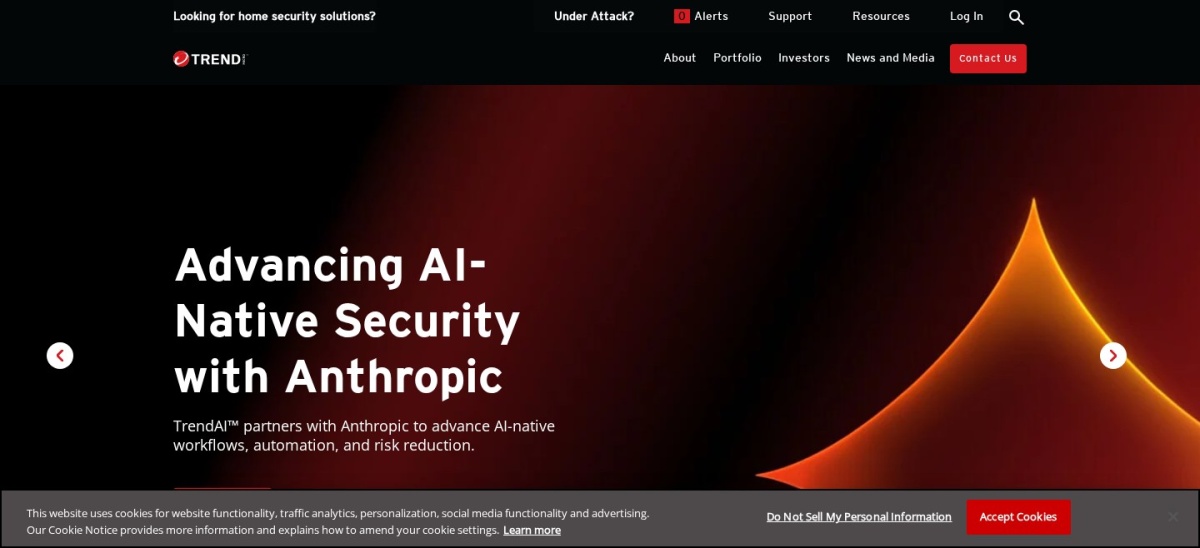
Trend Vision One homepage, captured Nov 2026.
Trend Vision One is an enterprise security platform combining cloud workload protection with extended detection and response. Its AWS Marketplace pay-as-you-go listing prices Endpoint Security Essentials at $0.007 per workload-hour for anti-malware, web reputation and XDR capabilities.
The trade off is feature-specific billing. The entry rate equals $61.32 annually for a continuously active workload, but more extensive workload security capabilities use higher-priced dimensions; the published Small instance rate is $0.011 per hour. It suits security teams that need workload threat prevention alongside centralized investigations.
What we like
Published workload-specific usage rates
Integrates workload alerts into XDR workflows
Supports container and cloud security capabilities
Strong public review rating
Watch out for
Entry SKU does not include every workload security capability
Security featuresThreat detection and file integrity
BillingPer protected host
Container pricingSeparate usage dimensions
datadoghq.com
Datadog Workload Protection homepage, captured Nov 2026.
Datadog Workload Protection is a runtime security service for detecting suspicious activity in cloud workloads. It provides runtime security posture, file integrity monitoring, threat detection and malware protection, with a published annual-commitment rate of $15 per protected host-month.
The trade off is metered expansion. The $15 host rate becomes $180 per year, while the vendor also publishes separate container and Fargate usage prices, and additional Datadog services can create further charges. It suits DevOps and security teams already using Datadog for infrastructure visibility.
What we like
Combines security signals with operational telemetry
Supports runtime and file integrity monitoring
Published host and container pricing
Useful for teams already using Datadog
Watch out for
Host pricing does not cover every workload dimension
Additional Datadog products may be billed separately
Amazon GuardDuty is a managed threat detection service for AWS accounts and supported workloads. Its Runtime Monitoring capability analyzes activity from EC2, EKS and ECS workloads, with a published first-tier example rate of $1.50 per monitored vCPU-month.
The trade off is separate billing for protection capabilities. At the published first-tier runtime rate, a continuously monitored vCPU costs $18 annually before other GuardDuty features, and higher usage receives tiered rates. It suits AWS-focused teams that prefer managed threat detection with native service integrations.
What we like
Integrates with native AWS security workflows
Supports EC2 and container runtime monitoring
Published consumption-based pricing
No separate third-party security platform required
Watch out for
Focused on AWS rather than independent multicloud coverage
Different detection features have separate billing dimensions
Additional protection features add malware scanning and more threat detection sources.Visit aws.amazon.com
05
Google Security Command Center
4.2/5on G2 (9 reviews, checked Nov 2026)
Paid from$0.0071/hour
Best for Google Cloud security visibility
Entry paid tierPremium pay-as-you-go
Free tierStandard
Example billing unitCompute Engine usage hour
Review rating4.2/5 on G2
cloud.google.com
Google Security Command Center homepage, captured Nov 2026.
Google Security Command Center is a cloud security platform for collecting findings, evaluating risk and identifying threats across supported resources. Standard is available without an additional tier charge, while Premium project-level pay-as-you-go pricing lists $0.0071 per Compute Engine usage hour.
The trade off is that Security Command Center prices multiple resource types rather than a single protected workload license. The listed Compute Engine rate equals $62.196 for a continuous annual billing unit, but actual charges depend on resource usage and activation scope. It suits teams primarily operating Google Cloud infrastructure.
What we like
Native integration with Google Cloud resources
Free Standard tier for foundational visibility
Published project-level consumption pricing
Supports centralized findings and risk investigation
Watch out for
Different cloud resources have different charges
Not a direct substitute for every runtime prevention agent
Best for continuous workload vulnerability scanning
Primary functionVulnerability assessment
Instance coverageEC2 agent-based or agentless
Trial15 days for eligible AWS scans
Review rating4.4/5 on G2
aws.amazon.com
Amazon Inspector homepage, captured Nov 2026.
Amazon Inspector is a continuous vulnerability assessment service for cloud workloads, including EC2 instances, container images and supported serverless functions. Its official pricing example uses $1.2528 per continuously scanned EC2 instance-month, with charges adjusted for shorter running periods.
The trade off is protection scope. That example works out to $15.0336 per continuously scanned instance-year, but Inspector identifies vulnerabilities rather than replacing runtime attack prevention, and other scan categories have separate fees. It suits teams that need automated vulnerability prioritization alongside a separate threat detection service.
What we like
Continuous vulnerability assessment
Agentless scanning available for supported instances
Integrates with AWS security workflows
Published example-based pricing
Watch out for
Not a full runtime prevention platform
Container and serverless scanning use different rates
Wazuh is an open-source security platform combining endpoint monitoring, threat detection, vulnerability intelligence and SIEM capabilities. Its self-hosted software is free, while Wazuh Cloud Small starts at $571 per month for up to 100 active agents with one month of indexed data retention.
The trade off is operational responsibility or managed hosting cost. Cloud Small starts at $6,852 annually, while running the open-source edition requires your own infrastructure, maintenance and security administration. It suits technical teams seeking customizable server monitoring without depending entirely on a commercial security platform.
What we like
Free open-source self-hosted edition
Agent-based visibility into supported servers
Combines threat detection and security event management
Published managed-cloud entry price
Watch out for
Self-hosting requires ongoing administration
Managed entry plan has a substantial minimum cost
Not a direct replacement for every commercial container prevention feature
Cloud plans add managed infrastructure, updates, support and configurable retention.Visit wazuh.com
CWPP vs CNAPP: which security platform do you need?
A CWPP concentrates on protecting workloads during operation. Its priorities include suspicious processes, malicious files, vulnerable software, workload behavior and runtime attacks.
A CNAPP covers a wider cloud security lifecycle. It can combine CWPP with cloud posture management, identity entitlement analysis, infrastructure-as-code scanning and other cloud security capabilities.
If your immediate requirement is detecting malicious activity on running servers, prioritize runtime coverage. If your team also needs visibility into misconfigurations, identities and development risks, a CNAPP may offer a better fit.
Some products in this comparison are broader security platforms, while others specialize in detection or vulnerability scanning. Check the included capabilities rather than treating every product as functionally identical.
Why cloud workload protection prices are difficult to compare
The price ladder uses a normalized annual cost for each product's published entry billing unit. It does not represent the total cost of protecting an entire cloud environment.
An annualized vCPU rate is not directly comparable with a host subscription, and a single usage-hour rate may cover a different resource definition. A managed platform with a minimum agent allocation can also cost more initially than a metered service.
For AWS and Google Cloud services, actual charges can depend on the usage volume, enabled security capabilities and other resource charges. Marketplace listings can include additional billing dimensions.
Microsoft's published partner reference provides a $5 monthly Plan 1 benchmark, but the official pricing page currently requires a calculator to verify the applicable rate. Buyers should obtain a current price before treating that benchmark as a purchasing quote.
For a meaningful comparison, estimate your active servers, Kubernetes nodes, containers, vCPUs and required security features, then calculate the annual cost of the same deployment under each candidate.
How we chose
We reviewed established cloud security platforms and workload-focused services using vendor documentation, official pricing pages, marketplace listings and public product reviews. We considered runtime detection, vulnerability management, supported workload types, deployment models and the clarity of published prices.
Pricing pages, review ratings and published usage figures were checked through web research on 23 November 2026 for this article dated 22 November 2026. Ratings come from G2, and prices reflect publicly available billing units or vendor entry plans. The Microsoft Plan 1 figure is an older published partner benchmark rather than a currently confirmed official numeric quote.
We excluded quote-only vendors without a verifiable public starting amount, including several major enterprise CNAPP platforms. We also distinguished vulnerability scanning and posture assessment products from full runtime prevention platforms. No vendor paid for a place, and we do not claim testing for this list.
How to choose a cloud workload protection platform
Start by inventorying your running workloads and identifying the security capabilities your existing cloud services do not provide.
Map every workload you need to protect. Record your virtual machines, operating systems, container clusters, serverless services and active workload capacity. Verify that each shortlisted platform supports the relevant environments and deployment methods.
Separate runtime defense from vulnerability scanning. Decide whether you need malicious process detection, malware blocking, file integrity monitoring, continuous vulnerability assessment or a combination. Inspector focuses on vulnerabilities, while GuardDuty, Defender and specialized workload agents address different runtime requirements.
Calculate costs using identical workloads. Use the same server inventory, vCPU consumption and running hours for every quote. Include required modules, data ingestion, agent licensing, support and infrastructure charges rather than comparing entry prices alone.
Check integrations and response workflows. Review connections with your existing SIEM, incident response tools, cloud logs and development pipelines. Also confirm agent deployment requirements, alert investigation features, security team responsibilities and how the platform handles supported workload changes.
FAQ
What is the best cloud workload protection platform?
Microsoft Defender for Cloud is a strong overall choice for organizations managing servers across major cloud environments and already using Microsoft security services. Trend Vision One is worth considering for workload-focused threat prevention, while Datadog Workload Protection fits teams that want runtime alerts connected to infrastructure observability.
What does a cloud workload protection platform do?
A CWPP protects running cloud workloads by identifying suspicious activity, vulnerable software and other security threats. Depending on the product, it may provide malware detection, runtime behavioral monitoring, file integrity checks, workload inventory and automated response. Coverage varies considerably between vendors.
What is the difference between CWPP and CNAPP?
CWPP focuses on protecting running workloads such as virtual machines and containers. CNAPP is a broader category that may combine workload protection with cloud posture management, identity security and development security. A CNAPP can include CWPP capabilities, but buyers still need to confirm which runtime features are licensed.
Are cloud workload protection platforms free?
Some products provide free foundational features or open-source software. Wazuh offers a self-hosted open-source platform, while Microsoft Defender for Cloud and Google Security Command Center provide free foundational posture capabilities. Full runtime protection, managed hosting and advanced detection typically involve paid services or additional operating costs.
How much does cloud workload protection cost?
Pricing depends on the billing model. Datadog lists Workload Protection at $15 per host-month on an annual commitment, Trend Vision One lists an Essentials workload rate of $0.007 per hour, and Wazuh Cloud Small starts at $571 monthly. These prices represent different protection scopes and cannot be compared as equivalent licenses.
Is agentless cloud workload protection better than agent-based protection?
Neither approach is automatically better. Agentless assessment can simplify discovery and vulnerability scanning, while agents can provide operating-system and process-level telemetry needed for particular runtime detections. Compare detection requirements, workload compatibility, deployment overhead and the actual features provided by each method.
Can CWPP protect Kubernetes containers?
Yes, many CWPP products support Kubernetes nodes, containers or container workloads. Coverage varies between vulnerability scanning, runtime behavior monitoring and active prevention. Check whether protection applies at the node, container, pod or task level, because that affects both deployment and billing.
Is Amazon GuardDuty enough for workload security?
GuardDuty provides managed threat detection and supported runtime monitoring within AWS. It can identify suspicious activity, but it is not a replacement for every vulnerability management or workload prevention capability. Amazon Inspector complements it by assessing software vulnerabilities and unintended network exposure.
Should a business choose a standalone CWPP or an integrated security platform?
Choose a focused CWPP when runtime detection is the main gap and your existing tools already cover posture and vulnerability management. Consider an integrated security platform when multiple teams need shared cloud findings, investigation workflows and broader coverage. Compare the required modules and complete deployment costs before deciding.