Best Change Management Software in 2026: 7 Tools Compared
WLWPLegible EditorsLast verified 22 Nov 2026How we rank12 min read
★ Short answer
Jira Service Management is our top choice for IT change management, with a free plan for 3 agents and Premium features for advanced change approvals. Freshservice is an alternative for structured IT service workflows, while ClickUp suits business teams coordinating organizational changes, tasks and communications.
How we make this list: we compare pricing pages, product documentation and public user reviews, then re-check every price before each update. No product paid for a place. Disclosure.
Jira Service Management has a free plan for up to 3 agents; Standard costs $21.50 per agent monthly, while advanced change capabilities are in Premium.
Freshservice starts at $19 per agent monthly, but its dedicated change management module requires Pro at $99 per agent monthly.
ClickUp offers unlimited tasks on Free Forever; its Core plan has a regular listed price of $12 per user monthly.
monday.com offers a free plan for 2 seats, while Basic is listed at $9 per seat monthly with annual billing.
Asana Starter costs $10.99 per user monthly with annual billing and includes unlimited automations, forms and reporting dashboards.
Smartsheet Pro costs $9 per member monthly with annual billing and includes 250 automations per month.
What to look for in change management software
Change management software helps organizations plan, approve, communicate and track changes. These can include IT infrastructure updates, software deployments, process improvements, organizational restructuring and new ways of working.
The right product depends on the kind of change being managed. IT change management requires risk assessments, approval policies, change calendars and deployment controls. Organizational change management emphasizes planning, communication, accountability and progress tracking.
Look for configurable workflows, request forms, approval records, task dependencies and reporting. These features help stakeholders understand who requested a change, why it matters, who approved it and whether implementation succeeded.
Pricing also needs careful comparison. General work management platforms often charge per user, while IT service management tools typically charge per agent. Advanced approval and risk management features may require plans costing more than the advertised entry tier.
Jira Service Management homepage, captured Nov 2026.
Jira Service Management is an IT service management platform for coordinating incidents, service requests, infrastructure changes and software deployments. Its free plan supports up to 3 agents, while Standard adds asset and configuration management, automation allowances and administrative controls.
The trade off is that advanced change approval workflows, risk assessments and deployment controls require Premium, listed at $55.28 per agent monthly rather than Standard's $21.50. It suits IT and DevOps teams that need formal change governance connected to development and service operations.
What we like
Free plan supports up to 3 agents
Connects IT service workflows with development activities
Advanced change approvals and risk controls
Asset and configuration management on paid plans
Customizable workflows and automation
Watch out for
Advanced change management requires Premium
Configuration can be complex for smaller teams
Agent-based pricing increases with team size
More technical than general project management tools
Standard adds asset management and administrative controls; Premium adds advanced change management.Visit atlassian.com
02
Freshservice
4.6/5on G2 (1,387 reviews, checked Nov 2026)
Starts at$19/mo
Best for integrated IT service and change workflows
Entry planStarter, $19/agent/mo
Change management tierPro, $99/agent/mo
BillingAnnual
Pro featuresChange and release management
freshworks.com
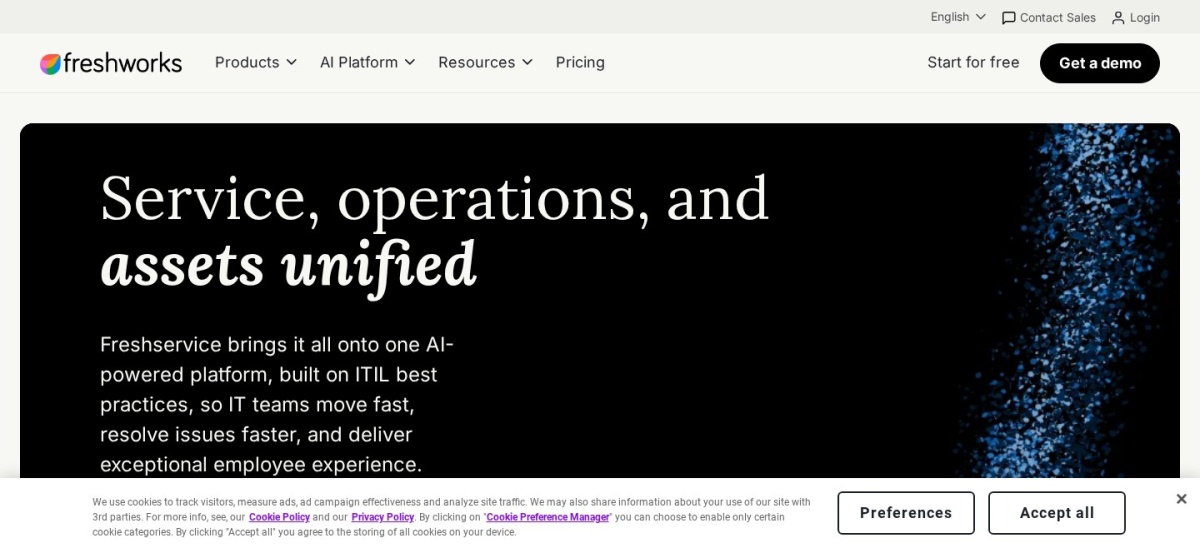
Freshservice homepage, captured Nov 2026.
Freshservice is a cloud IT service management platform covering incidents, support requests, knowledge management and IT operations. Starter costs $19 per agent monthly with annual billing, while Growth adds service catalog, SLA, cloud and on-call management capabilities.
The trade off is that the dedicated change management module is reserved for Pro at $99 per agent monthly, billed annually. Pro also adds problem, release and major incident management. It suits IT departments that want change governance integrated with service desk operations.
What we like
Combines change management with IT service workflows
Change and release management available in Pro
Service catalog and SLA functionality
Supports IT asset and infrastructure context
Published plan pricing
Watch out for
Dedicated change management is absent from Starter
Pro is considerably more expensive than the entry tier
No permanent free plan advertised
Advanced AI capabilities can involve additional charges
Starter provides incident and task management; Pro adds formal change and release management.Visit freshworks.com
03
ClickUp
4.6/5on G2 (15,879 reviews, checked Nov 2026)
Paid from$12/mo
Best for coordinating organizational changes
Free tasksUnlimited
Free storage60 MB
Core automations1,000/month
Regular Core price$12/user/mo
clickup.com
ClickUp homepage, captured Nov 2026.
ClickUp is a work management platform that helps teams coordinate organizational changes through tasks, documents, calendars and project boards. Free Forever includes unlimited tasks, unlimited free members, 60 MB of storage and a form, while Core adds custom fields, unlimited Gantt charts and 1,000 monthly automations.
The trade off is that ClickUp does not include specialized IT change risk assessments or deployment governance. Core has a regular listed price of $12 per user monthly, although its pricing page advertises a discounted $9 annual-billing rate. It suits operations teams managing process changes and cross-functional implementation plans.
monday.com is a visual work management platform for organizing requests, responsibilities and organizational change initiatives. Its free plan supports up to 2 seats and 3 boards, while Basic adds unlimited items, unlimited free viewers and expanded work management capabilities.
The trade off is that Basic lacks the broader automation and integration capabilities available in higher plans. Basic is listed at $9 per seat monthly with annual billing, and team-based minimums can increase total spending. It suits departments that need accessible change dashboards without a dedicated IT service management system.
What we like
Visual boards for tracking change requests
Free plan for small teams
Customizable workflow stages and responsibilities
Broad selection of templates
Higher plans support automation and integrations
Watch out for
Basic lacks advanced workflow automation
Seat minimums affect total cost
No native IT change risk assessment framework
Advanced reporting requires higher plans
Basic adds unlimited items and viewers; Standard and higher tiers expand automation and integrations.Visit monday.com
05
Asana
4.4/5on G2 (14,143 reviews, checked Nov 2026)
Paid from$10.99/mo
Best for company-wide change implementation
Free users2
Free projectsUnlimited
Starter automationsUnlimited
Starter billing$10.99/user/mo annually
asana.com
Asana homepage, captured Nov 2026.
Asana is a work management platform for planning organizational initiatives, assigning responsibilities and monitoring implementation progress. Its Personal plan supports 2 users with unlimited tasks and projects, while Starter adds forms, custom fields, reporting dashboards, timeline views and unlimited automations.
The trade off is that Asana focuses on coordinating work rather than enforcing technical IT change controls. Starter costs $10.99 per user monthly with annual billing, while advanced approvals, portfolios and workload features require Advanced. It suits organizations managing process improvements, restructuring and department-wide change programs.
Wrike is a collaborative work management platform for coordinating complex projects, timelines and departmental changes. Its free plan provides project and task management, while Team supports 2–15 users and adds shareable dashboards, interactive Gantt charts and AI Essentials.
The trade off is that advanced workflow customization and larger-team features require Business, priced at $25 per user monthly. The entry Team plan costs $10 per user monthly, with purchasing subject to Wrike's seat-group rules. It suits project managers coordinating changes involving multiple stakeholders and dependent tasks.
What we like
Interactive Gantt charts for change schedules
Dashboards for tracking implementation
Task dependencies and team collaboration
Advanced request forms and approvals in higher tiers
Works across operational and creative teams
Watch out for
Advanced request and approval features require higher plans
Seat-group purchasing can increase costs
No dedicated IT change management module
Complex configurations require additional setup
Team adds Gantt charts and dashboards; Business expands workflow customization.Visit wrike.com
07
Smartsheet
4.4/5on G2 (23,195 reviews, checked Nov 2026)
Starts at$9/mo
Best for spreadsheet-style change tracking
Entry planPro
Pro members1–10
Pro automations250/month
Annual Pro price$9/member/mo
smartsheet.com
Smartsheet homepage, captured Nov 2026.
Smartsheet is a spreadsheet-style work management platform for organizing change requests, implementation plans and project reporting. Pro supports 1–10 members with unlimited contributors, unlimited sheets, forms and reports, Gantt views and 250 automations per month.
The trade off is that Pro has limited automation capacity and lacks advanced workload management and administrative features. Pro costs $9 per member monthly with annual billing, while Business expands automation and collaboration features. It suits teams comfortable with spreadsheets that need structured change logs and project oversight.
What we like
Familiar spreadsheet-style interface
Unlimited sheets, forms and reports on Pro
Gantt, table, board and calendar views
250 monthly automations included
Business adds workload and advanced administrative tools
Watch out for
No permanent free plan advertised
Pro automation allowance is limited
Business has a higher member minimum
Formal IT change management requires another system
Pro provides forms and automation; Business adds unlimited automations and workload tracking.Visit smartsheet.com
IT change management vs organizational change management
IT change management focuses on controlling technical modifications that could affect services, infrastructure or security. Common requirements include change request records, impact assessments, approvals, implementation windows and rollback plans.
Jira Service Management and Freshservice are designed for IT service environments. Their advanced tiers support structured change processes that connect with incidents, assets and operational workflows.
Organizational change management focuses on helping teams adopt new processes, systems or responsibilities. Project schedules, communications, training activities, stakeholder ownership and measurable milestones are often more important than technical deployment controls.
ClickUp, monday.com, Asana, Wrike and Smartsheet are general work management platforms that can coordinate organizational changes. They do not replace specialized change governance systems when formal IT approvals and technical risk assessments are required.
How much does change management software cost?
General project management products in this comparison publish entry prices from $9 per seat or member monthly with annual billing. These plans cover work coordination but differ considerably in automation, reporting and approval capabilities.
IT service management products can cost substantially more when formal change controls are required. Freshservice advertises Starter at $19 per agent monthly, but its change management module requires Pro at $99 per agent monthly with annual billing.
Jira Service Management lists Standard at $21.50 per agent monthly, while Premium is $55.28 per agent monthly. Buyers needing advanced change risk assessment and approval controls should budget for Premium rather than assuming Standard covers those requirements.
Compare total costs using your actual team size, required features and billing terms. User minimums, agent licenses, automation limits and higher-tier approval features can change the cost of implementing a complete change management process.
How we chose
We compared established IT service management and collaborative work management platforms used to coordinate technical or organizational changes. The shortlist emphasizes change requests, approval capabilities, workflow automation, project tracking, reporting and public customer feedback.
Pricing and public ratings were checked against vendor pages and G2 listings on 22 November 2026. We recorded published entry paid prices, including their billing terms, and separately identified products whose dedicated change management capabilities require more expensive plans.
We excluded products requiring custom quotes without a confirmed entry price, outdated products and services lacking sufficient public review evidence. General project management tools were included only where their documented workflows support meaningful change coordination. No vendor paid for a place, and we do not claim testing for this list.
How to choose the right change management software
Identify the changes your organization manages most often, then evaluate how each platform handles requests, approvals, execution and reporting.
Define the type of changes you manage. Choose specialized ITSM software for infrastructure, application and service changes requiring formal governance. Choose collaborative project management software for organizational initiatives, operational improvements and process rollouts.
Map your approval and risk requirements. Document who can request, approve and implement changes. Check whether the software supports impact assessments, approval records, stakeholder notifications and rollback planning where necessary.
Compare automation and integrations. Review request forms, task assignment rules, notifications, reporting integrations and relevant technical connections. Confirm that the advertised plan includes the automation features you actually need.
Calculate the full implementation cost. Multiply seat or agent pricing by your expected users, check minimum purchases and account for higher tiers needed for approvals or advanced reporting. Also consider administration, onboarding and ongoing process maintenance.
FAQ
What is the best change management software?
Jira Service Management is a strong choice for structured IT change management because its advanced capabilities cover risk assessments, approvals and deployment governance. Freshservice is another IT-focused option. For organizational change programs involving tasks, milestones and team coordination, ClickUp and Asana are more accessible alternatives.
What is change management software used for?
Change management software helps organizations document requests, assign responsibilities, assess potential impacts, approve proposed changes and track implementation. IT departments use it for infrastructure and software modifications, while business teams use project management platforms to coordinate process improvements, organizational initiatives and adoption activities.
Is there free change management software?
Yes. Jira Service Management provides a free plan for up to 3 agents, although advanced change management features require Premium. ClickUp, monday.com, Asana and Wrike also offer free work management plans. These alternatives can track organizational changes but do not necessarily provide formal IT change governance.
What is the difference between change management and project management?
Project management focuses on planning, assigning and delivering work within defined schedules and resources. Change management focuses on controlling modifications or helping people adopt new systems, processes and behaviors. A project management platform can support organizational change, but technical change governance may require specialized ITSM features.
Which software is best for ITIL change management?
Jira Service Management and Freshservice are relevant choices for ITIL-oriented change processes. They support IT service workflows, with advanced plans providing more formal change management capabilities. Compare their risk assessments, change approval policies, configuration management integrations and operational reporting before selecting a platform.
Can ClickUp be used for change management?
Yes. ClickUp can organize change requests, implementation tasks, documentation, responsibilities and progress reporting. Its customizable fields and automation options make it suitable for operational and organizational changes. However, it is not a dedicated ITSM platform and lacks specialized technical change risk and deployment governance.
Does Freshservice include change management?
Yes, but dedicated change management is included in Freshservice Pro rather than the entry Starter plan. Pro costs $99 per agent monthly with annual billing and includes change, problem and release management. Organizations evaluating Freshservice specifically for formal change workflows should compare Pro instead of Starter.
What features should change management software include?
Useful features include request intake forms, approval workflows, impact assessments, task assignments, change calendars, notifications, audit records and reporting. IT teams may additionally require configuration management, risk scoring and deployment integrations. Business teams often prioritize project milestones, stakeholder communication and progress visibility.
How much does change management software cost?
General work management products can start at $9 per user or member monthly with annual billing, as shown by monday.com Basic and Smartsheet Pro. Dedicated IT change capabilities can cost more: Freshservice Pro is $99 per agent monthly with annual billing. Total cost depends on team size and required features.