Best Blue Green Deployment Tools in 2026: 7 Tools Compared
WLWPLegible EditorsLast verified 22 Nov 2026How we rank9 min read
★ Short answer
Octopus Deploy is the best blue green deployment tool for most teams, offering a free plan for up to 10 projects and support for multiple deployment environments. Choose GitLab for integrated DevSecOps workflows or GitHub for repository-based deployment automation at a lower starting price.
How we make this list: we compare pricing pages, product documentation and public user reviews, then re-check every price before each update. No product paid for a place. Disclosure.
Octopus Deploy supports 10 projects and 10 users on its free plan, making it a practical starting point for small deployment teams.
GitLab Premium costs $29 per user per month and combines source control with advanced CI/CD capabilities.
GitHub Team starts at $4 per user per month and supports configurable deployment workflows through GitHub Actions.
Azure Pipelines includes 1,800 Microsoft-hosted CI/CD minutes per month on its free tier.
Argo CD has a 4.6/5 G2 rating and works with Argo Rollouts for Kubernetes blue green deployments.
Jenkins has a 4.4/5 G2 rating from 598 reviews and requires no software license subscription.
What to look for in blue green deployment tools
Blue green deployment uses two production-capable environments. One serves existing traffic while the other hosts the new application version for validation before release.
A suitable deployment tool should coordinate application updates, health checks and traffic switching. It should also preserve the previous environment long enough to support a rollback.
Kubernetes teams benefit from deployment controllers that manage service selectors and application revisions. Teams using virtual machines or managed application services may need load balancer integrations or deployment slots.
Consider the cost of maintaining duplicate infrastructure alongside software subscription fees. Database compatibility, monitoring, approval workflows and rollback procedures matter as much as the deployment automation itself.
Best for managing releases across multiple environments
Deployment targetsKubernetes, cloud and servers
Traffic switchingDeployment steps and integrations
Free projects10
Paid planProfessional
octopus.com
Octopus Deploy homepage, captured Nov 2026.
Octopus Deploy is a continuous delivery platform that coordinates application releases across different infrastructure environments. Its free plan covers 10 projects, 10 tenants, 10 machines and 10 users, with deployment variables and release management included.
The trade off is the cost of expanding beyond the free limits, with Professional pricing starting at $2,080 per year. Teams also need to configure traffic-switching steps for their infrastructure. It suits organizations managing releases across cloud services, Kubernetes clusters and traditional servers.
What we like
Centralized visibility into application releases
Supports different deployment target types
Reusable deployment processes
Free access to core deployment features
Watch out for
Paid subscription represents a substantial cost increase
Traffic-switching configuration varies by infrastructure
Project limits affect expansion costs
Professional increases deployment capacity beyond the free tier.Visit octopus.com
02
GitLab
4.5/5on G2 (905 reviews, checked Nov 2026)
Paid from$29/mo
Best for integrated DevSecOps workflows
Deployment configurationYAML pipelines
Traffic switchingScripts and infrastructure integrations
HostingManaged or self-managed
Paid planPremium, per user
gitlab.com
GitLab homepage, captured Nov 2026.
GitLab is a software development platform combining repository management, CI/CD and application deployment workflows. Its free tier supports pipeline automation, while its 4.5/5 G2 rating comes from 905 reviews covering the wider platform.
The trade off is that blue green deployment requires pipeline configuration and infrastructure-specific traffic controls. Premium costs $29 per user per month when billed annually. It suits development teams that want source code, release automation and deployment governance within the same platform.
What we like
Integrated source control and CI/CD
Flexible environment management
Supports self-managed installations
Deployment configuration can remain in version control
Watch out for
Advanced workflows require YAML knowledge
Per-user charges increase with team size
Traffic routing requires external infrastructure
Premium adds advanced CI/CD, project management and priority support.Visit gitlab.com
03
GitHub
4.7/5on G2 (2,440 reviews, checked Nov 2026)
Paid from$4/mo
Best for affordable repository-based automation
Deployment engineGitHub Actions
Free CI/CD allowance2,000 minutes per month
Traffic switchingActions and deployment scripts
Paid planTeam, per user
github.com
GitHub homepage, captured Nov 2026.
GitHub is a source code hosting platform with workflow automation through GitHub Actions. Its free plan includes 2,000 monthly CI/CD minutes, allowing teams to configure deployment pipelines that prepare replacement environments and switch application traffic.
The trade off is that GitHub Actions does not provide a universal blue green deployment controller, so teams must configure cloud integrations and rollback logic. Team costs $4 per user per month. It suits developers already maintaining their application code in GitHub repositories.
What we like
Low starting subscription price
Deployment workflows stored alongside code
Extensive marketplace of workflow actions
Supports different cloud infrastructure providers
Watch out for
Requires custom deployment configuration
Runner usage can generate additional charges
Rollback behavior depends on workflow design
Team adds collaboration controls and expanded development features.Visit github.com
04
Azure Pipelines
4.4/5on G2 (383 reviews, checked Nov 2026)
Paid from$15/mo
Best for Azure application deployments
Free hosted minutes1,800 per month
Traffic switchingDeployment slots or scripts
Build agentsHosted and self-hosted
Paid capacityAdditional self-hosted parallel job
azure.microsoft.com
Azure Pipelines homepage, captured Nov 2026.
Azure Pipelines is a CI/CD service within Azure DevOps that automates application builds, testing and releases. Its free allowance includes 1,800 monthly Microsoft-hosted minutes and one self-hosted parallel job with unlimited minutes.
The trade off is that additional deployment capacity and application infrastructure cost extra, with another self-hosted parallel job priced at $15 per month. Deployment slot availability also depends on the application hosting plan. It suits teams operating applications within the Microsoft Azure ecosystem.
What we like
Integration with Azure application services
Supports deployment slot switching
Includes free hosted build capacity
Supports approval and validation workflows
Watch out for
Application hosting costs are separate
Complex pipeline configuration can require specialist knowledge
Hosted and self-hosted capacity have different prices
Harness is a software delivery platform designed to coordinate application deployments, release verification and operational controls. Its free offering includes Harness Open Source and community support, while the wider Harness platform has a 4.6/5 rating from 335 G2 reviews.
The trade off is pricing transparency, because the paid Essentials bundle requires a sales quote. Buyers should confirm which deployment verification features and usage allowances their contract includes. It suits larger engineering teams that need coordinated release controls and monitoring-based deployment decisions.
What we like
Supports progressive deployment strategies
Deployment verification integrations
Centralized release governance
Configurable rollback workflows
Watch out for
No public fixed price for the paid bundle
Advanced configuration requires onboarding
Free open-source offering differs from commercial CD capabilities
Paid bundles combine CI, CD, infrastructure automation and security.Visit harness.io
06
Argo CD
4.6/5on G2 (39 reviews, checked Nov 2026)
PriceFree
Best for Kubernetes GitOps deployments
Deployment modelGitOps
Blue green controllerArgo Rollouts
HostingSelf-hosted Kubernetes
Software licenseOpen source
argoproj.github.io
Argo CD homepage, captured Nov 2026.
Argo CD is an open-source continuous delivery tool that synchronizes Kubernetes applications with configuration stored in Git. Teams can combine it with Argo Rollouts to manage blue green releases, and Argo CD has a 4.6/5 rating from 39 G2 reviews.
The trade off is operational responsibility, since the free software requires Kubernetes infrastructure and maintenance. Blue green deployment also requires the separate Argo Rollouts controller rather than Argo CD alone. It suits platform engineering teams already using Kubernetes and declarative GitOps workflows.
What we like
No software subscription required
Declarative deployment configuration
Application synchronization and drift visibility
Integration with Argo Rollouts
Watch out for
Requires Kubernetes administration experience
Blue green functionality needs an additional controller
Best for customizable self-hosted deployment pipelines
Pipeline configurationJenkinsfile
Traffic switchingCustom scripts and plugins
HostingSelf-hosted
Software licenseOpen source
jenkins.io
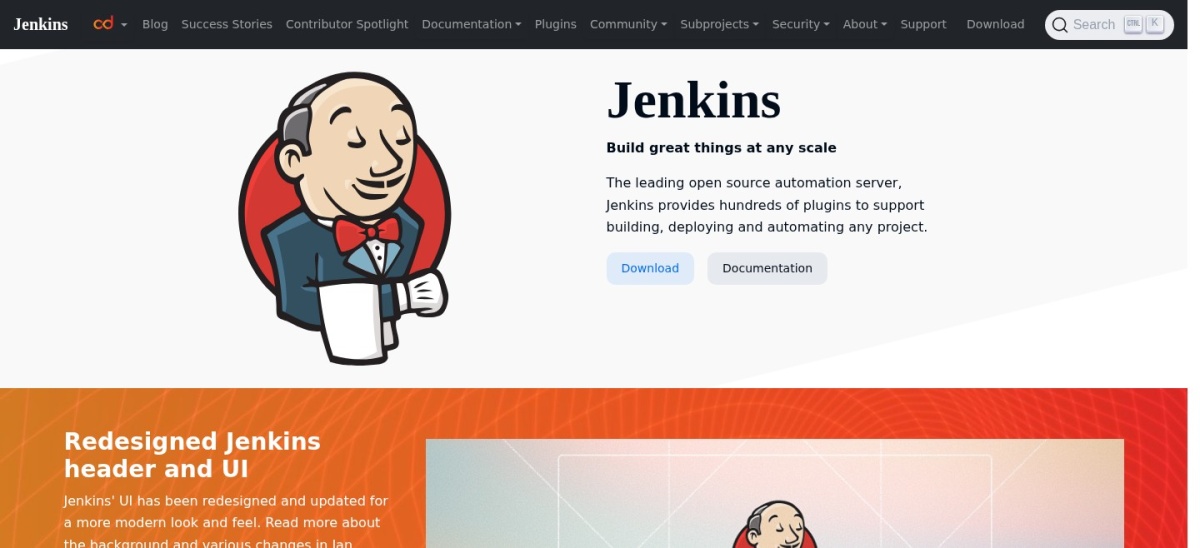
Jenkins homepage, captured Nov 2026.
Jenkins is an open-source automation server that supports application builds, testing and deployment through configurable pipelines. It allows teams to implement blue green workflows using deployment scripts and infrastructure integrations, with a 4.4/5 rating from 598 G2 reviews.
The trade off is maintenance, because Jenkins requires administrators to manage servers, plugins, security updates and deployment logic despite having no software license fee. Traffic switching and recovery procedures must be configured separately. It suits experienced DevOps teams that need control over custom deployment workflows.
What we like
No software subscription fees
Highly configurable deployment pipelines
Large plugin ecosystem
Supports existing infrastructure and development tools
Watch out for
Requires ongoing server maintenance
No universal built-in blue green controller
Plugin dependencies can complicate upgrades
No paid plan; hosting, administration and commercial support are separate costs.Visit jenkins.io
Blue green deployment vs canary deployment
Blue green deployment prepares a replacement application environment before moving production traffic to it. The previous environment remains available for recovery until the release is considered stable.
Canary deployment exposes the new application version to a limited portion of traffic before expanding its availability. This lets teams observe production behavior while limiting the initial impact of potential problems.
Choose blue green deployment when your infrastructure supports environment switching and you want a clear rollback destination. Choose canary deployment when gradual exposure and production monitoring are more important than an immediate environment switch.
How much does blue green deployment cost?
The software cost ranges from free open-source tools to commercial subscriptions. GitHub Team costs $48 per user annually, while GitLab Premium costs $348 per user annually. Octopus Deploy Professional starts at $2,080 per year.
These prices use different billing units and should not be treated as equivalent organization-wide costs. Azure Pipelines charges for additional execution capacity, while Harness requires a custom commercial quote.
Infrastructure can represent a larger expense than the deployment software itself. Budget for replacement application instances, load balancers, monitoring, database resources and the engineering time required to maintain deployment automation.
How we chose
We selected established continuous delivery platforms and automation tools that support blue green releases directly or through documented deployment integrations. We compared their infrastructure compatibility, release controls, traffic-switching requirements and recovery options.
Pricing and public G2 ratings were checked on 24 Nov 2026 for this guide dated 22 Nov 2026. Monthly subscription prices were converted into annual equivalents, with billing units identified separately. Custom pricing is not a free subscription.
We excluded abandoned projects, products without sufficient public reviews and tools lacking a meaningful role in blue green deployment. Platform-level ratings are identified by the reviewed product name. No vendor paid for a place, and we do not claim testing for this list.
How to choose the best blue green deployment tool
Evaluate your application architecture, deployment targets and recovery requirements before committing to a deployment platform.
Identify your deployment infrastructure. Choose Argo CD with Argo Rollouts for Kubernetes, Azure Pipelines for Azure application services or Octopus Deploy for applications distributed across different infrastructure environments.
Check traffic-switching capabilities. Determine whether the tool controls application traffic directly or relies on external load balancers, deployment slots, Kubernetes services or custom scripts.
Evaluate rollback and database compatibility. Confirm that the previous application environment remains available and that database changes do not prevent the older application version from operating correctly.
Calculate the complete deployment cost. Include software subscriptions, user seats, pipeline execution charges, infrastructure duplication, monitoring services and the engineering effort required to maintain release workflows.
FAQ
What is the best blue green deployment tool?
Octopus Deploy is our top pick for teams managing different application environments. It provides centralized deployment processes and a free plan covering 10 projects. Kubernetes-focused teams may prefer Argo CD combined with Argo Rollouts.
What is blue green deployment?
Blue green deployment is a release strategy that maintains separate application environments for the current and replacement versions. Production traffic moves to the replacement environment after validation, while the previous environment remains available for recovery.
Are there free blue green deployment tools?
Yes. Jenkins and Argo CD with Argo Rollouts are open-source options without software subscription fees. GitHub, GitLab, Azure Pipelines and Octopus Deploy also provide free tiers, although usage limits and infrastructure charges may apply.
Does blue green deployment require Kubernetes?
No. Teams can implement blue green deployment using virtual machines, application hosting slots, containers or other infrastructure capable of running separate environments. Kubernetes provides useful deployment abstractions but is not a requirement.
Can blue green deployment eliminate downtime?
Blue green deployment can reduce application downtime by preparing the replacement environment before traffic switching. However, incompatible database changes, routing delays, session handling problems and unsuccessful health checks can still cause service interruptions.
Does GitHub Actions support blue green deployment?
GitHub Actions can automate blue green deployment through configurable workflows, cloud integrations and deployment scripts. Teams must define how replacement environments are created, validated and activated, along with the procedures for restoring the previous version.
What is the difference between Argo CD and Argo Rollouts?
Argo CD synchronizes Kubernetes application configuration with a Git repository. Argo Rollouts extends Kubernetes deployment behavior with progressive delivery strategies, including blue green and canary releases. Teams commonly use the projects together.
Is blue green deployment more expensive than rolling deployment?
Blue green deployment can cost more because the existing and replacement environments may run simultaneously. Rolling deployment generally replaces application instances incrementally, although the actual cost difference depends on infrastructure capacity, deployment frequency and application architecture.