Best Astrophotography Software in 2026: 7 Tools Compared
WLWPLegible EditorsLast verified 22 Nov 2026How we rank8 min read
★ Short answer
Adobe Photoshop is the strongest all-around editor for finishing astrophotography images, rated 4.6 out of 5 across 13,456 G2 reviews. Choose Affinity for a free desktop editor with layers and masks, or ON1 Photo RAW for a one-time purchase with noise reduction.
How we make this list: we compare pricing pages, product documentation and public user reviews, then re-check every price before each update. No product paid for a place. Disclosure.
Adobe Photoshop offers layered blending, non-destructive masks, and broad plugin support, rated 4.6/5 from 13,456 G2 reviews.
Affinity provides pixel, vector, and layout studios free for individuals, rated 4.8/5 across 99 Capterra reviews.
ON1 Photo RAW offers a one-time purchase option starting at $99.99 regular price with built-in noise reduction and layers.
Luminar Neo provides AI sky and relight tools with a 4.4/5 rating from 113 G2 reviews, though its desktop perpetual license lists at $417 before sales.
Prices range from free to $348.84 a year on entry paid plans, with several vendors running seasonal sales.
What to look for in astrophotography software
Astrophotography workflows split into calibration, frame stacking, noise cleanup, and final color or contrast finishing. Many imagers pair a dedicated stacker with a general or specialized editor rather than relying on one program alone.
For deep-sky targets, look for non-destructive masks, layers, and clean curve or gradient adjustments so faint nebulosity and star cores stay balanced. For nightscapes and single frames, noise reduction and RAW lens controls matter most.
Licensing models also differ sharply. Some editors require ongoing subscriptions, while others sell one-time licenses or free individual tiers.
Always check the regular non-sale price alongside update policies before buying, since major version upgrades or cloud features can add extra cost.
Adobe Photoshop is a raster editor widely used after stacking to blend exposures, refine star masks, and adjust color and contrast. It offers a 7-day free trial rather than a free tier, and its entry Photography plan lists at $19.99 a month on an annual plan billed monthly.
The trade off is ongoing subscription cost and no native astronomical calibration or stacking tools. At $19.99 a month ($239.88 a year), it suits imagers who want deep layer control and third-party astronomy plugins for final polish.
What we like
Detailed layer blending, masking, and selective color tools
Works well with third-party astronomy actions and plugins
Rated 4.6 out of 5 across 13,456 G2 reviews
Watch out for
Subscription only with no perpetual purchase option
No built-in calibration or deep-sky frame stacking
Paid plans add full desktop access, Lightroom, and cloud storageVisit adobe.com
02
Affinity
4.8/5on Capterra (99 reviews, checked Nov 2026)
PriceFree
Best free editor with layers and masks
Free versionYes, $0 for individuals
Entry paid planNone for core app
PlatformsMac, Windows, iPad
Capterra rating4.8/5 (99)
affinity.studio
Affinity homepage, captured Nov 2026.
Affinity is an all-in-one pixel, vector, and layout application from Canva that is free for individuals with a free account. It includes non-destructive layers, adjustment masks, RAW editing, and batch processing at $0.
The trade off is that Canva AI tools inside the app require a paid Canva plan, and it lacks dedicated deep-sky stacking pipelines. With no paid fee required for the core editor, it suits budget-conscious photographers who want layers and masks without subscriptions.
What we like
Free core pixel, vector, and layout tools for individuals
Non-destructive adjustments, masks, and batch processing
Rated 4.8 out of 5 on Capterra from 99 reviews
Watch out for
Canva AI tools inside Affinity require a paid Canva plan
Not a dedicated deep-sky calibration or stacking program
Core Affinity tools are free; optional Canva plans unlock AI featuresVisit affinity.studio
03
ON1 Photo RAW
5/5on G2 (2 reviews, checked Nov 2026)
Starts at$99.99 one-time
Best one-time editor with noise reduction
Free versionFree trial available
Entry paid planPhoto RAW 2027, $99.99
Billing modelOne-time or subscription
G2 rating5.0/5 (2)
on1.com
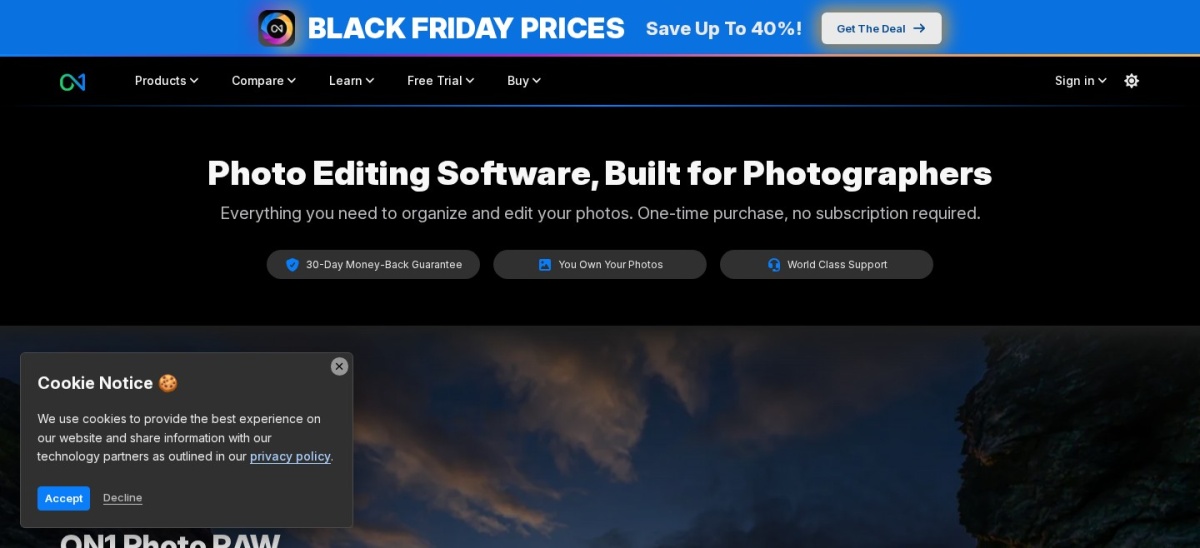
ON1 Photo RAW homepage, captured Nov 2026.
ON1 Photo RAW is a desktop photo organizer and editor for Mac and Windows with layers, masking, and noise reduction. Its regular one-time price for Photo RAW 2027 is $99.99, though a seasonal sale lists it lower.
The trade off is that future major annual upgrades are not included with a one-time license, and it has only 2 G2 reviews. At $99.99 regular price, it suits photographers who want a single-payment editor with built-in noise tools.
What we like
Regular one-time purchase option at $99.99 with no forced subscription
Includes layers, masking, and built-in noise reduction
Runs on both Mac and Windows
Watch out for
Future annual version upgrades cost extra on one-time licenses
Very small review count on G2
MAX and subscription tiers add AI culling, plugins, and cloud syncVisit on1.com
04
Adobe Lightroom
4.6/5on G2 (3,395 reviews, checked Nov 2026)
Starts at$19.99/mo
Best for RAW development and nightscape batches
Free versionFree trial available
Entry paid planPhotography, $19.99/mo
Billing modelSubscription
G2 rating4.6/5 (3,395)
adobe.com
Adobe Lightroom homepage, captured Nov 2026.
Adobe Lightroom handles RAW development, catalog organization, tone curves, and batch edits across night-sky and landscape shoots. Included in the $19.99-a-month Photography plan alongside Photoshop.
The trade off is ongoing monthly billing and limited pixel-layer compositing compared with full layer editors. At $19.99 a month ($239.88 a year), it suits Milky Way and wide-field shooters who rely on fast RAW cataloging.
What we like
Strong RAW color, tone, and batch editing for nightscapes
Organized catalog workflow for large shoot batches
Rated 4.6 out of 5 across 3,395 G2 reviews
Watch out for
Requires an ongoing subscription rather than a one-time buy
No full pixel-layer compositing or deep-sky frame stacking
Photography plan includes Lightroom, Lightroom Classic, Photoshop, and 1TB storageVisit adobe.com
05
DxO PhotoLab
4.4/5on Capterra (14 reviews, checked Nov 2026)
Starts at$139.99 one-time
Best for lens corrections and low-light RAWs
Free versionFree trial available
Entry paid planEssential, $139.99
Billing modelOne-time license
Capterra rating4.4/5 (14)
dxo.com
DxO PhotoLab homepage, captured Nov 2026.
DxO PhotoLab is a RAW editor focused on lens-specific optical corrections and low-light noise cleanup on Windows and macOS. Its Essential edition lists at $139.99 as a one-time license.
The trade off is that DeepPRIME denoising is in the higher-priced Elite edition, and Capterra has only 14 reviews. At $139.99 one-time, it suits photographers who want optical profiling and non-subscription RAW processing.
What we like
One-time license option without recurring monthly fees
Detailed camera and lens optical correction profiles
Works well on noisy low-light RAW exposures
Watch out for
DeepPRIME noise reduction requires the pricier Elite edition
Small review count on Capterra
Elite edition adds DeepPRIME technologies and expanded local masking toolsVisit dxo.com
06
Capture One
4.5/5on G2 (78 reviews, checked Nov 2026)
Starts at$18/mo
Best for color grading and RAW control
Free versionFree trial available
Entry paid planPro annual, $18/mo
Billing modelSubscription or license
G2 rating4.5/5 (78)
captureone.com
Capture One homepage, captured Nov 2026.
Capture One is a professional RAW editor known for granular color grading, local layers, and session or catalog organization. Its Pro subscription lists at $18 a month billed annually, with a $349 one-time Pro license also offered.
The trade off is a steeper learning curve and no Linux build or built-in astro stacking. At $18 a month ($216 a year) on annual billing, it suits photographers who prioritize fine color control and session workflows.
What we like
Precise color grading and non-destructive layers
Choice of annual subscription or $349 one-time Pro license
Rated 4.5 out of 5 across 78 G2 reviews
Watch out for
Higher price than basic consumer photo editors
Steeper learning curve for newcomers
Higher tiers add iPad/iPhone mobile access and studio collaboration toolsVisit captureone.com
07
Luminar Neo
4.4/5on G2 (113 reviews, checked Nov 2026)
Starts at$417 one-time
Best for quick AI sky and relight edits
Free versionNo free tier
Entry paid planDesktop Perpetual, $417
Billing modelOne-time or renewal
G2 rating4.4/5 (113)
skylum.com
Luminar Neo homepage, captured Nov 2026.
Luminar Neo is a photo editor from Skylum featuring layers, masking, and guided AI tools such as Sky and Relight. Its Desktop Perpetual license lists at $417 regular price, though a large sale is shown.
The trade off is high regular list pricing and optional annual auto-upgrade renewals after the first year. At $417 regular price, it suits nightscape or composite editors who want guided tools over manual technical controls.
What we like
Guided interface with layers, masks, and sky or light tools
Batch processing across multiple images in a set
Rated 4.4 out of 5 across 113 G2 reviews
Watch out for
High $417 regular perpetual price before promotions
Not built for astronomical calibration or deep-sky stacking
Cross-device and Max options add mobile access and extra creative add-onsVisit skylum.com
Post-processing vs. subscriptions and one-time licenses
Most general photo editors in this list shine after your frames are calibrated and stacked. They help with stretching, gradients, masks, color balance, and final presentation.
If you want zero recurring cost, Affinity offers a free core editor for individuals, while ON1 Photo RAW and DxO PhotoLab list one-time purchase options.
When comparing vendors, separate regular list prices from temporary sales. A steep discount can look attractive at checkout, while ongoing renewals or upgrade fees determine long-term cost.
How we chose
We selected 7 established photo and astrophotography-relevant editing tools with active releases and public ratings on G2 or Capterra.
Prices and ratings were checked on 22 November 2026 from vendor pages and review directories. Where a vendor displays a sale price, we record the regular list price and note promotions in the text.
We excluded tools where we could not confirm a current regular price on an opened pricing page. No vendor paid for a place, and we do not claim testing for this list.
How to choose astrophotography software
Match the software to your target type, operating system, and budget before paying.
Decide what stage of editing you need. Choose a layer and mask editor like Photoshop or Affinity for post-stack blending and finishing.
Check how you prefer to pay. Compare monthly subscriptions against one-time licenses like ON1 Photo RAW or DxO PhotoLab, or start free with Affinity.
Verify operating system and hardware support. Confirm Windows, macOS, or iPad compatibility and ensure your computer has enough RAM and GPU headroom for large files.
Test on your own raw or stacked files first. Use available trials or free tiers on real night-sky or deep-sky frames before committing to a plan.
FAQ
What is the best software for finishing astrophotography images?
Adobe Photoshop is a leading choice for post-stack editing thanks to layers, masks, and plugin support, holding a 4.6 out of 5 rating from 13,456 G2 reviews.
Is there good astrophotography editing software with no subscription?
Yes. Affinity is free for individuals with no paid core plan, and ON1 Photo RAW and DxO PhotoLab offer one-time purchase options.
Do I need a specialized astronomy program or a regular photo editor?
Many imagers use both: specialized tools for calibration and stacking, and a photo editor with layers and curves for final color and contrast.
Which tool is best for Milky Way and nightscape RAW files?
Adobe Lightroom and DxO PhotoLab are popular for RAW adjustments, lens corrections, and noise handling on night-sky and low-light photos.
Why do some prices look lower during November sales?
Vendors frequently run seasonal promotions that discount annual plans or one-time licenses, so checking the regular list price gives a clearer baseline.