Best Artificial Neural Network Software in 2026: 7 Tools Compared
WLWPLegible EditorsLast verified 22 Nov 2026How we rank6 min read
★ Short answer
TensorFlow is a leading choice for production neural networks, holding a 4.5/5 rating across 136 G2 reviews with open-source deployment paths. PyTorch fits dynamic research workflows, while KNIME suits visual low-code pipelines starting at $19/month.
How we make this list: we compare pricing pages, product documentation and public user reviews, then re-check every price before each update. No product paid for a place. Disclosure.
TensorFlow holds a 4.5/5 rating across 136 G2 reviews and offers open-source deployment across cloud, mobile, and web targets.
PyTorch earns a 4.6/5 rating across 24 G2 reviews for flexible, Python-first model experimentation and debugging.
Keras rates 4.6/5 across 65 G2 reviews as a high-level API that runs across multiple backends including TensorFlow and PyTorch.
KNIME rates 4.5/5 across 128 G2 reviews and offers a free analytics platform alongside paid cloud automation starting at $19/month.
Neural Designer rates 4.4/5 across 6 G2 reviews with no-code modeling starting at $2,495/year per user.
What to look for in neural network software
Artificial neural network software spans low-level deep learning libraries, high-level modeling APIs, and visual analytics suites. Some tools focus on raw training speed and flexible tensor operations, while others prioritize guided workflows, model governance, or automated pipelines.
Licensing models vary widely across this category. Many foundational libraries are open source with no software license fee, while cloud compute, GPU instances, and commercial automation tiers add separate ongoing costs.
Team skill set and deployment targets shape the right fit. Python-heavy engineering teams often favor code-centric frameworks, whereas analysts building repeatable data pipelines may prefer visual node interfaces or managed platforms.
Before committing to a platform, check export formats, hardware acceleration support, and how easily trained models move from local notebooks into production services.
TensorFlow is an open-source machine learning framework for building, training, and deploying neural network models. It is free to use under the Apache License with no paid software license tier, while any cloud or GPU compute is billed separately.
The trade off is a steeper learning curve and more verbose setup than higher-level wrappers, and there is no paid vendor license tier. It suits engineering teams deploying neural networks across servers, mobile devices, and browsers.
What we like
Free open-source framework under the Apache License
Supports deployment paths across servers, mobile, and web
Strong documentation and broad community resources
Watch out for
Steeper learning curve for newcomers
Cloud compute and GPU hardware costs are separate
TensorFlow is open source with no paid software license tier; cloud and GPU usage costs are separate.Visit tensorflow.org
02
PyTorch
4.6/5on G2 (24 reviews, checked Nov 2026)
PriceFree
Best for research and dynamic model iteration
LicenseOpen source
G2 Rating4.6/5 (24)
Entry CostFree
WorkflowDynamic Python graph
pytorch.org
PyTorch homepage, captured Nov 2026.
PyTorch is a Python-oriented deep learning framework known for dynamic computation graphs and interactive debugging. It is free and open source with no paid software license fee, backed by an active developer community.
The trade off is extra setup and operational planning when scaling and deploying large models, and there is no paid vendor license tier. It suits researchers and developers who iterate quickly on model architectures.
What we like
Free open-source framework with no license cost
Intuitive Python syntax and straightforward debugging
Active community and extensive documentation
Watch out for
Scaling and production deployment can require extra setup
GPU or cloud infrastructure adds separate cost
PyTorch is free and open source with no paid software license tier; compute costs depend on your hardware or cloud.Visit pytorch.org
03
Keras
4.6/5on G2 (65 reviews, checked Nov 2026)
PriceFree
Best for fast prototyping and readable APIs
LicenseOpen source
G2 Rating4.6/5 (65)
Entry CostFree
WorkflowHigh-level Python API
keras.io
Keras homepage, captured Nov 2026.
Keras is a high-level neural network API written in Python that supports multiple backends including TensorFlow and PyTorch. It is free and open source with no paid license tier, letting developers define and train models with concise code.
The trade off is less low-level control than writing raw backend operations directly, and there is no paid vendor license tier. It suits developers and learners who want rapid experimentation and clean model code.
What we like
Free open-source API with no software license fee
Supports multiple underlying backends including TensorFlow and PyTorch
Concise syntax speeds up prototyping and learning
Watch out for
High-level abstraction can hide fine-grained low-level tuning
Underlying compute resources are billed separately
Keras is free and open source with no paid license tier; compute costs come from your local or cloud environment.Visit keras.io
04
KNIME
4.5/5on G2 (128 reviews, checked Nov 2026)
Paid from$19/mo
Best for visual data workflows and scheduled runs
Free TierYes (Analytics Platform)
G2 Rating4.5/5 (128)
Entry Paid$19/mo ($228/yr)
WorkflowNode-based visual builder
knime.com
KNIME homepage, captured Nov 2026.
KNIME is a visual data science and analytics platform that connects data sources and builds machine learning workflows using nodes. Its desktop analytics platform and personal cloud hub offer a free tier, while Community Hub Pro starts at $19 per month ($228/year).
The trade off is that cloud execution credits beyond the 120 monthly allowance cost $0.025 per vCore minute, which can add up on heavy runs. It suits analysts who prefer visual pipelines with optional Python or R integration.
What we like
Free analytics platform and personal cloud tier available
Visual node interface lowers coding overhead for data prep
Entry paid Pro plan starts at $19 per month
Watch out for
Extra runtime credits cost $0.025 per vCore minute past included allowance
Large or complex workflows take time to learn
Paid plans starting at $19/mo add scheduled cloud workflow runs, 120 execution credits, and 500 monthly K-AI interactions.Visit knime.com
05
Neural Designer
4.4/5on G2 (6 reviews, checked Nov 2026)
Starts at$2,495/yr
Best for guided no-code predictive modeling
Free TierNo (Free trial available)
G2 Rating4.4/5 (6)
Entry Paid$2,495/yr per user
WorkflowGuided no-code interface
neuraldesigner.com
Neural Designer homepage, captured Nov 2026.
Neural Designer is a desktop modeling tool designed to build, train, and validate neural networks without writing code. It offers a free trial rather than a free ongoing tier, with paid plans starting at $2,495 per year per user.
The trade off is a $2,495/year per-user price tag and less flexibility for custom research code than open Python libraries. It suits business analysts and domain specialists building tabular prediction and forecasting models.
What we like
Guided workflow avoids heavy programming for standard predictive tasks
Includes built-in visualization and validation tools
Runs on desktop operating systems
Watch out for
Higher annual cost starting at $2,495 per year per user
Less customizable for bespoke deep learning research than code frameworks
Paid plans starting at $2,495/yr per user provide licensed predictive modeling, validation, and deployment tools.Visit neuraldesigner.com
06
Alteryx
4.6/5on G2 (968 reviews, checked Nov 2026)
Starts at$250/mo
Best for drag-and-drop data prep and analytics
Free TierNo (30-day free trial)
G2 Rating4.6/5 (968)
Entry Paid$250/mo billed annually
WorkflowDrag-and-drop workflows
alteryx.com
Alteryx homepage, captured Nov 2026.
Alteryx is a data preparation, blending, and analytics workflow platform built around a visual drag-and-drop interface. It provides a 30-day free trial rather than a free tier, with entry pricing at $250 per user per month billed annually ($3,000/year).
The trade off is a $250/month per-user annual commitment and higher cost as user counts and automation runs scale. It suits operations and analytics teams automating data preparation and predictive workflows.
What we like
High user satisfaction with 4.6/5 across 968 G2 reviews
Intuitive drag-and-drop data blending and workflow automation
Connects to files, databases, and cloud data sources
Watch out for
No free ongoing tier; starts at $250/mo per user billed annually
Costs rise with additional user seats and automation runs
Paid plans starting at $250/mo per user billed annually include visual workflow building, data connections, and automation runs.Visit alteryx.com
07
Dataiku
4.4/5on G2 (267 reviews, checked Nov 2026)
Starts at$26,000/yr
Best for team collaboration and AI governance
Free TierNo (14-day free trial)
G2 Rating4.4/5 (267)
Entry Paid~$26,000/yr benchmark
WorkflowCollaborative visual & code
dataiku.com
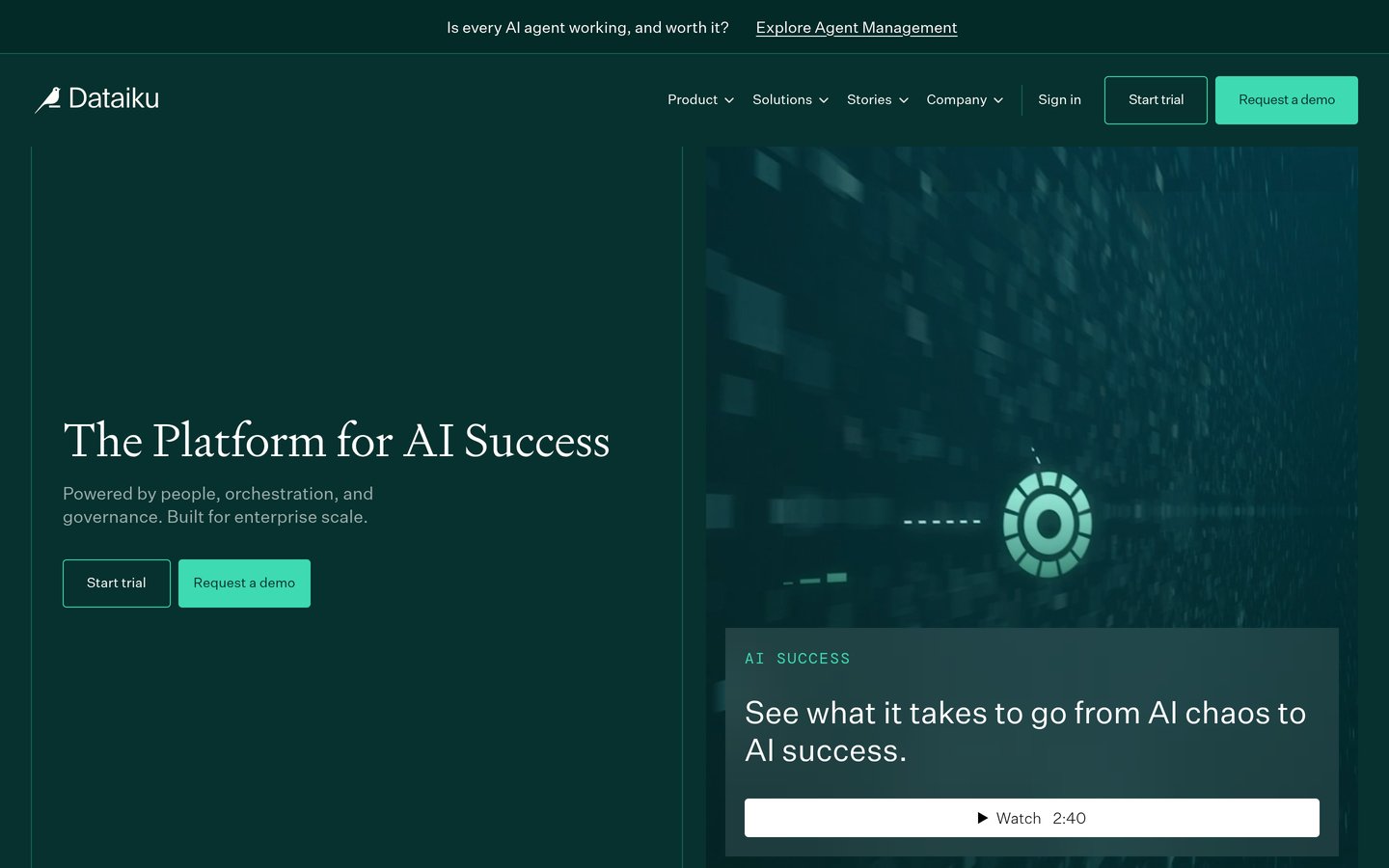
Dataiku homepage, captured Nov 2026.
Dataiku is a collaborative data science, machine learning, and AI platform that combines visual workflows with Python and SQL support. It offers a 14-day free trial instead of a free tier, with enterprise deployments starting around $26,000 per year.
The trade off is enterprise pricing around $26,000/year and added complexity for smaller teams or solo projects. It suits organizations that need shared team workspaces, model oversight, and lifecycle governance.
What we like
Combines visual pipelines with code for mixed technical teams
Strong collaboration, monitoring, and governance features
Supports cloud and enterprise deployment models
Watch out for
Enterprise pricing around $26,000/yr is steep for small teams
Onboarding can take time for new or smaller teams
Paid enterprise plans starting around $26,000/yr add team collaboration, governed workflows, and production model management.Visit dataiku.com
Open-source frameworks vs. visual platforms
Open-source libraries like TensorFlow, PyTorch, and Keras give developers direct control over layers, training loops, and custom architectures without software license fees. They work best when your team writes Python and manages its own training scripts or cloud pipelines.
Visual platforms like KNIME, Neural Designer, Alteryx, and Dataiku trade raw code flexibility for structured workflows, data connectors, or team governance. They make more sense when non-programmers participate in data preparation or when standardized team processes matter most.
How we chose
We built this list from established artificial neural network and machine learning software categories across vendor documentation and public review directories.
All pricing figures, ratings, and review counts were checked on 22 Nov 2026 using official product and pricing pages alongside G2 review listings and pricing benchmarks.
We excluded unmaintained or archived projects and removed any tool where a public price could not be verified. No vendor paid for a place, and we do not claim testing for this list.
How to choose the right neural network tool
Follow four practical steps to narrow down the right software for your team:
Match the tool to your team's coding comfort. Choose Python frameworks if your engineers write custom models, or pick visual workflow tools if analysts need drag-and-drop pipelines.
Check where your models will run in production. Verify whether you need server serving, mobile or edge runtimes, or scheduled workflow execution before standardizing on a tool.
Factor in compute and seat costs beyond base licenses. Open-source tools have no software license fee, while visual and enterprise platforms can scale with seats, runtime credits, or annual contracts.
Start with a free tier or trial on real data. Test data import, training speed, and model export on a representative dataset before committing to a long-term setup.
FAQ
What is the best artificial neural network software overall?
TensorFlow is a strong overall choice for production neural networks, with a 4.5/5 rating across 136 G2 reviews and open-source deployment options. Teams focused on rapid research often prefer PyTorch or Keras instead.
Are there free artificial neural network tools available?
Yes. TensorFlow, PyTorch, and Keras are free and open source with no software license fee, and KNIME also offers a free analytics platform tier alongside paid plans starting at $19 per month.
What is the difference between PyTorch and TensorFlow?
PyTorch is widely favored for flexible, Python-first experimentation and dynamic graph debugging, while TensorFlow is often chosen for structured production pipelines and broad deployment targets. Both are free and open source.
Do I need to know programming to build neural networks?
Not always. Visual tools such as KNIME, Neural Designer, and Alteryx offer node-based or guided interfaces that reduce coding for data preparation and predictive modeling, though custom architectures still benefit from programming.
Why do free frameworks still cost money to run?
Even when software has no license fee, training neural networks on large datasets often requires GPUs, cloud instances, or storage. Those infrastructure charges are billed separately by your hardware or cloud provider.
Which tool fits small teams on a tight budget?
Open-source libraries like TensorFlow, PyTorch, and Keras cost nothing in software licenses, while KNIME starts at $19 per month for its Pro plan. Commercial suites like Neural Designer, Alteryx, and Dataiku cost significantly more.