Toggl Track is the best app for tracking work hours for most freelancers and small teams, backed by a 4.7/5 rating across 2,592 Capterra reviews and a free tier for up to 3 users. Clockify suits larger teams needing unlimited free seats, while Harvest fits agencies billing client retainers.
How we make this list: we compare pricing pages, product documentation and public user reviews, then re-check every price before each update. No product paid for a place. Disclosure.
Clockify offers a free forever plan for up to 5 users on its pricing page, with paid plans starting at $3.99/seat/mo billed annually ($47.88/yr).
Toggl Track holds a 4.7/5 rating from 2,592 Capterra reviews and starts paid plans at $9/user/mo billed annually ($108/yr).
TimeCamp starts at $3.99/user/mo billed annually ($47.88/yr) and includes automatic keyword-based desktop tracking on its $0 tier.
My Hours earns a 4.8/5 rating across 986 Capterra reviews with paid plans starting at $4/user/mo billed annually ($48/yr).
Everhour requires a 5-seat minimum on its $8.50/user/mo annual Team plan ($510/yr floor) for native Asana, Jira, and ClickUp timers.
What makes a work-hour tracking app worth adopting
A work-hour tracker only works if people actually turn it on. Tools with one-click desktop timers, browser extensions, and mobile widgets prevent end-of-week guesswork when reconstructing client or payroll logs.
Billing and approval workflows separate personal timers from business-ready timesheets. Freelancers need clear billable versus non-billable splits and CSV or PDF exports, whereas agencies and operations teams need manager approvals, locked pay periods, and project budget alerts.
Pricing structures vary sharply once you move past a solo seat. Some vendors charge per active user with no seat floor, while others enforce two-seat or five-seat minimums or layer usage fees on top of base subscriptions.
4.7/5on Capterra (2,592 reviews, checked Nov 2026)
Paid from$9/mo
Best for fast daily timers and client reports
Free tierUp to 3 users
Entry paid plan$9/user/mo (annual) or $12/mo
PlatformsWeb, Windows, Mac, Linux, iOS, Android
Trial30-day free trial
toggl.com
Toggl Track homepage, captured Nov 2026.
Toggl Track is a cross-platform time tracker built around low-friction start and stop timers, manual grids, and calendar integrations. Its Free plan covers up to 3 users with unlimited projects, focus mode, Google and Outlook Calendar sync, and personal summary reports.
The trade off is per-user cost once you need billable rates, project estimates, or team visibility on the Starter plan at $9/user/mo billed annually ($12/mo monthly). It suits freelancers and small client-service teams that prioritize daily speed over employee screen monitoring.
What we like
Fast web, desktop, browser, and mobile timers with offline sync
Free forever tier covers up to 3 users with unlimited projects
Over 100 integrations including Google Calendar, Asana, and Jira
No invasive screenshot or webcam surveillance features
Watch out for
Billable hourly rates require upgrading to Starter at $9/user/mo annually
Timesheet approvals and labor cost reports sit on the $16/user/mo Premium tier
Free plan caps workspace size at 3 members
Starter ($108/yr per user) adds billable rates, timeline views, milestones, and team reports.Visit toggl.com
02
Clockify
4.8/5on Capterra (9,276 reviews, checked Nov 2026)
Paid from$3.99/mo
Best for budget-conscious small teams
Free tierUp to 5 users
Entry paid plan$3.99/seat/mo (annual) or $4.99/mo
PlatformsWeb, Windows, Mac, Linux, iOS, Android
Integrations80+ apps
clockify.me
Clockify homepage, captured Nov 2026.
Clockify is a timesheet and timer app designed for teams that want core hour logging at a low per-seat cost. Its Free plan supports up to 5 users with unlimited tracking, projects, tasks, an auto tracker, idle detection, and a one-month report history.
The trade off is that administrative controls, bulk edits, project templates, and customized exports require the Basic plan at $3.99/seat/mo billed annually ($4.99/mo monthly), while invoicing and approvals require Standard at $5.49/seat/mo annually. It suits small businesses watching per-seat software spend.
What we like
Entry Basic tier starts at $3.99/seat/mo billed annually
Free plan includes up to 5 users with unlimited projects and timers
Supports kiosk clock-in seats starting at $0.79/seat/mo on Basic
Available across desktop, mobile, web, and browser extensions
Watch out for
Invoicing, time off, and timesheet approvals require the $5.49/seat/mo Standard tier
Every active or invited member including the owner occupies a paid seat
GPS tracking and project budgets are locked behind Pro at $7.99/seat/mo
Basic ($47.88/yr per seat) adds bulk edits, time audit, project templates, and custom exports.Visit clockify.me
03
Harvest
4.5/5on Capterra (656 reviews, checked Nov 2026)
Paid from$9/mo
Best for agencies turning hours into invoices
Free tier1 seat, 2 projects
Entry paid planFrom $9/seat/mo (annual) or $11/mo
AccountingQuickBooks and Xero sync
Trial30-day free trial
getharvest.com
Harvest homepage, captured Nov 2026.
Harvest combines daily timers and weekly timesheets with expense logging and native client invoicing. Its Free plan covers 1 user and up to 2 active projects with time tracking, invoicing, expense capture, and desktop or mobile apps.
The trade off is that expanding beyond 2 projects requires the Teams plan starting at $9/seat/mo billed annually ($11/mo monthly), and Harvest layers unpublished usage fees when active projects, clients, or invoices exceed included allowances. It suits agencies and consultancies billing hourly retainers.
What we like
Converts tracked hours and logged expenses directly into client invoices
Connects with QuickBooks, Xero, Stripe, and PayPal for payments
Automated reminders nudge staff to submit incomplete timesheets
30-day free trial requires no credit card
Watch out for
Free plan is restricted to 1 seat and 2 active projects
Teams and Enterprise plans add variable usage fees above included allowances
Profitability reports and timesheet approvals require Enterprise at $14/seat/mo
Teams ($108/yr per seat base) unlocks unlimited seats, team reporting, and accounting integrations.Visit getharvest.com
04
My Hours
4.8/5on Capterra (986 reviews, checked Nov 2026)
Paid from$4/mo
Best for straightforward project costing
Free tierUp to 5 active users
Entry paid plan$4/user/mo (annual) or $5/mo
BillingOnly active users billed
Trial14-day Pro trial
myhours.com
My Hours homepage, captured Nov 2026.
My Hours focuses on project-based time logging, billable rate tracking, and simple client reporting without employee surveillance tools. Its Free tier supports up to 5 active users with unlimited projects and clients, a stopwatch timer, weekly timesheet grids, and basic reports.
The trade off is that the entry Basic plan at $4/user/mo billed annually ($5/mo monthly) mainly removes the 5-user cap and adds team log editing, whereas project budgets, approvals, and per-task rates require Pro at $8/user/mo annually. It suits small service teams wanting simple project logs.
What we like
High 4.8/5 user rating across 986 Capterra reviews
Archived inactive team members keep historical data at no seat cost
Free plan allows unlimited projects and clients for up to 5 active users
Supports both live timers and keyboard-friendly weekly timesheet entry
Watch out for
Project budgets, granular permissions, and approvals require the $8/user/mo Pro tier
Fewer native third-party integrations than Toggl Track or Clockify
No automatic background app or URL tracking
Basic ($48/yr per user) removes the 5-user cap and adds team log editing and API access.Visit myhours.com
05
TimeCamp
4.7/5on Capterra (602 reviews, checked Nov 2026)
Paid from$3.99/mo
Best for automatic keyword-based tracking
Free tierUnlimited users and projects
Entry paid plan$3.99/user/mo (annual) or $5.49/mo
Tracking modeManual timer + keyword auto-tracking
Integrations80+ tools via browser plugin
timecamp.com
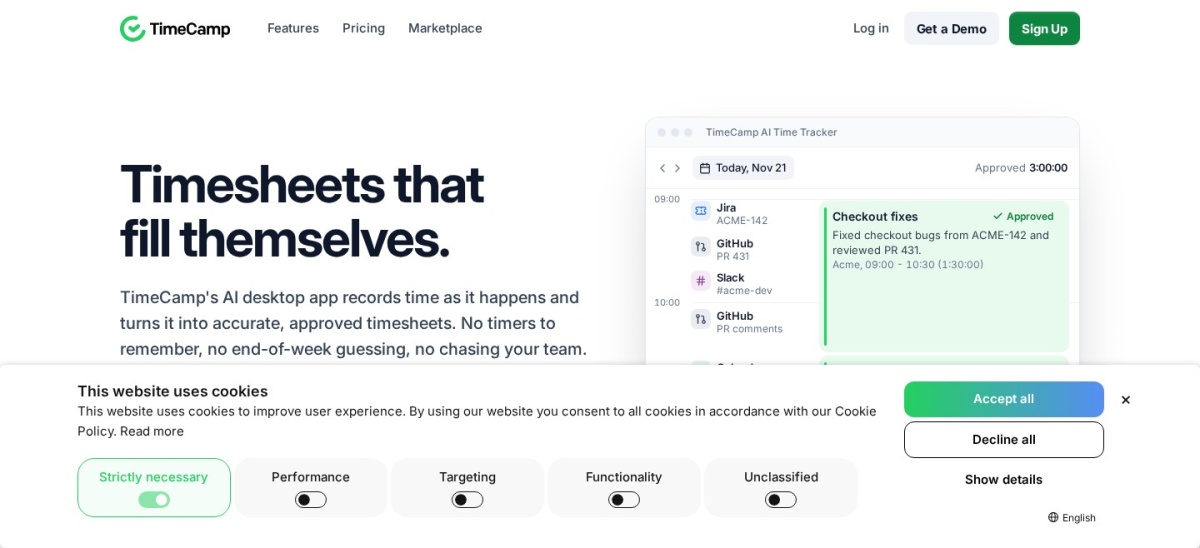
TimeCamp homepage, captured Nov 2026.
TimeCamp records work hours manually or automatically in the background by matching window titles and keywords to assigned projects. Its Free forever plan covers unlimited users and unlimited projects with desktop, web, and mobile apps, a personal activity timeline, and GPS tracking.
The trade off is that attendance, time-off tracking, overtime rules, and bulk edits start on Starter at $3.99/user/mo billed annually ($5.49/mo monthly), while billable time and invoicing require Premium at $6.99/user/mo annually. It suits teams that forget to start manual timers.
What we like
Free forever plan includes unlimited users and unlimited projects
Keyword-based automatic tracking assigns desktop activity to projects
Low $3.99/user/mo annual entry tier adds attendance, overtime, and PTO
Exports invoices to QuickBooks and Xero on higher tiers
Watch out for
Billable hours and invoicing are locked behind Premium at $6.99/user/mo annually
Timesheet approvals and optional screenshots require Ultimate at $9.99/user/mo
Desktop interface feels denser than minimal timers like Toggl Track
Starter ($47.88/yr per user) adds attendance tracking, time-off, overtime, and bulk editing.Visit timecamp.com
06
Hubstaff
4.6/5on Capterra (1,615 reviews, checked Nov 2026)
Starts at$4.99/mo
Best for remote teams needing proof of work
Free tier14-day free trial (no permanent free plan)
Hubstaff pairs desktop and mobile work timers with activity levels, optional periodic screenshots, app and URL tracking, and contractor payroll. It starts with a 14-day free trial and the Starter plan at $4.99/seat/mo billed annually ($7/mo monthly) with a 2-seat minimum.
The trade off is that Starter caps screenshots and app logs and excludes integrations, budgets, and payroll, which require Grow at $7.50/seat/mo or Team at $10/seat/mo annually, plus optional add-ons like Locations GPS. It suits distributed operations teams managing hourly contractors.
What we like
Combines work-hour timers, activity metrics, and automated contractor payments
Free Project Viewer role lets clients or stakeholders inspect reports without a seat
Desktop apps support Windows, macOS, Linux, and Chromebook
30-day money-back guarantee on new paid subscriptions
Watch out for
No permanent free plan on the pricing page and a strict 2-seat minimum
GPS geofencing requires the Locations add-on ($3.33/seat/mo) or Enterprise
Screenshot and keyboard/mouse activity tracking can feel intrusive to staff
Starter ($59.88/yr per seat, 2-seat min) includes timers, timesheets, invoices, and limited activity logs.Visit hubstaff.com
07
Time Doctor
4.5/5on Capterra (550 reviews, checked Nov 2026)
Starts at$6.70/mo
Best for workforce productivity analytics
Free tier14-day free trial only
Entry paid plan$6.70/user/mo (annual) or $8/mo
Integrations60+ tools on Standard
SupportOnline and offline desktop tracking
timedoctor.com
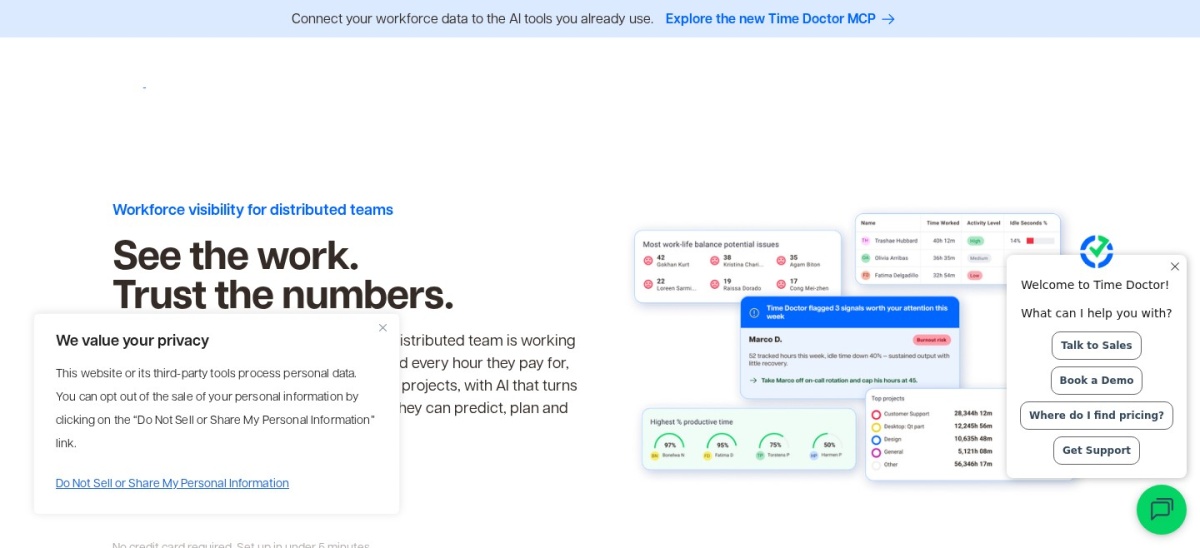
Time Doctor homepage, captured Nov 2026.
Time Doctor is an employee time and workforce analytics platform built for remote and hybrid teams. It offers a 14-day free trial with no permanent free tier, starting on the Basic plan at $6.70/user/mo billed annually ($8/mo month-to-month) with automatic tracking, timeline reports, and screenshots.
The trade off is that shift schedules, attendance, time approvals, web and app usage reports, payroll, and 60+ integrations require Standard at $11.70/user/mo billed annually ($14/mo monthly), while AI benchmarks sit on Premium. It suits managers auditing remote shift adherence.
What we like
Tracks online and offline desktop hours across projects and tasks
Categorizes websites and apps by productivity rating on Standard and above
Includes idle-time nudges and work-life balance alerts to flag overwork
Annual billing provides two months free compared to monthly billing
Watch out for
No permanent free tier for solo users or small teams
Attendance, approvals, payroll, and integrations require Standard ($11.70/user/mo)
Native HRIS and payroll sync add-ons cost $200/month per integration
Basic ($80.40/yr per user) includes automatic tracking, projects, timeline reports, and screenshots.Visit timedoctor.com
Client-billing timers vs. workforce monitoring apps
Work-hour trackers split into two distinct philosophies. Client-billing tools like Toggl Track, Harvest, and My Hours rely on user-started timers and timesheets to generate clean invoices without capturing screenshots or keystroke counts.
Workforce monitoring platforms like Hubstaff and Time Doctor add background activity scores, app and URL logs, idle alerts, and optional screen captures. Choose the lighter billing category unless contractual compliance or distributed shift verification requires proof-of-work logs.
How we chose
We selected seven established work-hour tracking platforms with active desktop, web, and mobile applications and at least 500 verified user reviews on Capterra. Our shortlist covers solo freelancers, small project teams, client-billing agencies, and distributed shift operations.
All prices, free-tier caps, seat minimums, ratings, and review counts were verified against official vendor pricing pages and Capterra product profiles on 22 Nov 2026. Yearly figures reflect each vendor's cheapest paid plan billed annually.
We excluded discontinued trackers, tools without public pricing pages, and standalone project suites where time logging is a minor add-on. No vendor paid for a place, and we do not claim testing for this list.
How to choose the right work-hour tracker
Match your team size, billing workflow, and privacy expectations to the pricing tier before rolling out a tracker.
Check free-tier seat and project caps. If you work solo or with two teammates, Toggl Track (3 users) and Clockify (5 users) cover basic logging at $0, whereas Harvest caps its free plan at 1 user and 2 projects.
Verify where billable rates and approvals sit. Many entry paid plans cover basic administration only; confirm whether hourly billing rates, project budgets, and manager timesheet approvals require a mid-tier upgrade.
Watch for seat minimums and usage fees. Hubstaff enforces a 2-seat minimum on paid plans, Everhour requires 5 paid seats, and Harvest adds variable usage fees when active projects or invoices exceed plan allowances.
Decide on background tracking vs. manual timers. Pick keyword-based auto-tracking in TimeCamp if staff forget to hit start, or stick with manual timers in Toggl Track and My Hours when employee privacy is a priority.
FAQ
Which work-hour tracking app has the best free plan?
TimeCamp offers unlimited users and unlimited projects on its free tier with automatic keyword tracking. For teams of up to five people, Clockify and My Hours provide free timers and reports, while Toggl Track covers up to three users.
What is the cheapest paid app for tracking work hours?
Clockify Basic and TimeCamp Starter tie at $3.99 per user per month billed annually ($47.88 per year), closely followed by My Hours Basic at $4 per user per month billed annually ($48 per year).
Which app is best for billing clients by the hour?
Harvest is built specifically to turn tracked hours and expenses into client invoices with QuickBooks and Xero sync, starting at $9 per seat per month billed annually. Toggl Track Starter also supports billable rates at $9 per user per month.
Do work-hour trackers take screenshots of employees?
Only workforce monitoring tools like Hubstaff and Time Doctor include optional screenshots and app-usage tracking by default. Privacy-focused trackers such as Toggl Track, Harvest, and My Hours do not record screens or keystrokes.
Can I track work hours offline without internet access?
Yes. Desktop and mobile apps from Toggl Track, Clockify, TimeCamp, Hubstaff, and Time Doctor log hours locally while offline and sync entries automatically once your device reconnects.
SaaS SEO and WordPress specialist with about 8 years of experience. Rakib compares WordPress plugins, themes, hosting and software using public pricing, documentation and user reviews. See how we rank.