Descript is the best AI video editor for most beginners, since editing the transcript edits the video, from sixteen dollars a person a month. CapCut is the best free pick for social video, while VEED is best for fast captions in the browser at twelve dollars a month.
How we make this list: we compare pricing pages, product documentation and public user reviews, then re-check every price before each update. No product paid for a place. Disclosure.
Descript is the best overall pick, editing video by editing the transcript from $16 a person a month.
CapCut is the best free pick for social video, with HD export without a watermark on the free plan.
VEED and Runway Standard both cost $12 a month billed annually, the cheapest monthly plans here.
Filmora Basic is the cheapest paid editor at $49.99 a year, with a perpetual licence at $79.99 once.
Pictory has no free plan at all, only a 14-day trial, so plan to pay from the start.
What AI video editors for beginners really do
AI video editors for beginners fall into four jobs: editing by text, free social editing, generating video from a prompt, and turning long videos into shorts. No single tool does all four well, so the best pick depends on the video you make.
Descript edits video like a document, CapCut and VEED edit on a timeline with AI assists, and Pictory and InVideo generate video from text. Our guide on AI tools to create video from text compares the text-to-video tools in more depth.
Free tiers are real but bounded. Descript free gives 1 media hour a month, CapCut free exports HD without a watermark for basic edits, and Pictory has no free plan at all, only a 14-day trial.
Watch the credits. Runway, Descript and Filmora all meter AI use, so the monthly price is only part of the cost. Check the credit allowance before you compare plans.
The 8 best AI video editing software for beginners
01
Descript
4.6/5on G2 (928 reviews, checked Nov 2026)
Paid from$16 per person/mo
Best AI video editor for beginners overall
Price$16 per person a month, Hobbyist
Free1 media hour a month, 720p
AIUnderlord AI co-editor included
Export1080p watermark-free on Hobbyist
descript.com
Descript homepage, captured Nov 2026.
Descript is a text-based video editor: you record or upload a video, Descript transcribes it, and you edit the transcript like a document. Delete a sentence and it disappears from the video, while Underlord, the AI co-editor, handles Studio Sound, filler removal and clip creation.
The trade off is the media hours. Hobbyist costs $16 per person a month billed annually and covers 10 media hours and 400 AI credits a month, with no top-ups, so heavy creators need Creator at $24 a month. It suits podcasters, YouTubers and anyone editing talking-head video.
4.5/5on G2 (Not published reviews, checked Nov 2026)
Paid from$19.99/mo
Best free AI video editor for social
PriceFree; Pro $19.99 a month
AIAuto-captions, AI effects, templates
ExportHD export without watermark on free
PlatformsMobile, desktop and web
capcut.com
CapCut homepage, captured Nov 2026.
CapCut is a free video editor from ByteDance with AI captions, AI voiceover, templates and a large music library, on mobile, desktop and web. The core editor exports HD video without a watermark for basic edits, and Pro adds 1,200 AI credits a month, 4K export and 1 TB of storage.
The trade off is trust. CapCut holds a 1.2 out of 5 rating on Trustpilot from more than 1,300 reviews, mostly about support and billing, and Pro pricing varies by region, with some reads listing $11 a month. It suits social creators who want free basics and a cheap upgrade path.
VEED is a browser-based video editor built for speed on simple projects. Upload footage, edit on a simple timeline, and the AI handles subtitles, audio cleanup, background removal and translation into more than 50 languages with dubbing.
The trade off is the subtitle allowance. Lite costs $12 per user a month billed annually and includes 120 subtitling minutes a year, which runs out quickly for weekly publishers, and free exports are watermarked at 720p. It suits marketing teams that edit short-form video in the browser.
Runway is a generative video platform that creates footage from text and images with models such as Gen-4.5, and edits it on a real timeline. Standard costs $12 a month billed annually and includes 625 credits a month, 20 GB of storage and 4K upscaling.
The trade off is the meter. Runway says 625 credits buy about 52 seconds of Gen-4.5 video, and unused credits do not roll over, so long videos need Pro at $35 a month. It suits creators who want AI generation and a real edit timeline in one subscription.
InVideo is an AI video generator that turns a prompt or script into a full video with stock footage, voiceover and captions, then lets you edit it in a browser timeline. Starter costs $20 a month and adds 50 AI minutes a month, 100 GB of storage and 80-plus AI voices.
The trade off is pricing clarity. Published figures from different months disagree, with some listing $10 a month on annual billing, and InVideo is moving to a credit-based model. It suits marketers who want a finished-looking video without learning editing.
Pictory is a script-to-video tool that turns text, blog posts, URLs and long videos into short captioned clips with stock footage and an AI voiceover. Starter costs $25 a month billed annually and adds 30 videos a month, 6,000 AI voice minutes and a brand kit.
The trade off is the trial. Pictory has no free plan at all, only a 14-day trial with 3 watermarked projects, and text-to-video works in English only. It suits creators who want videos without a camera.
Filmora is a desktop video editor from Wondershare for Windows and Mac, with a classic timeline, templates, effects and captions beside it. Basic costs $49.99 a year with no watermark and 4K export, and a perpetual licence for Filmora 16 costs $79.99 once.
The trade off is the AI meter. Basic includes no AI credits, Advanced at $59.99 a year adds 1,000 a month, and the full stock library costs $19.99 a month extra. It suits beginners who want a classic timeline with AI assists if they grow into deeper editing.
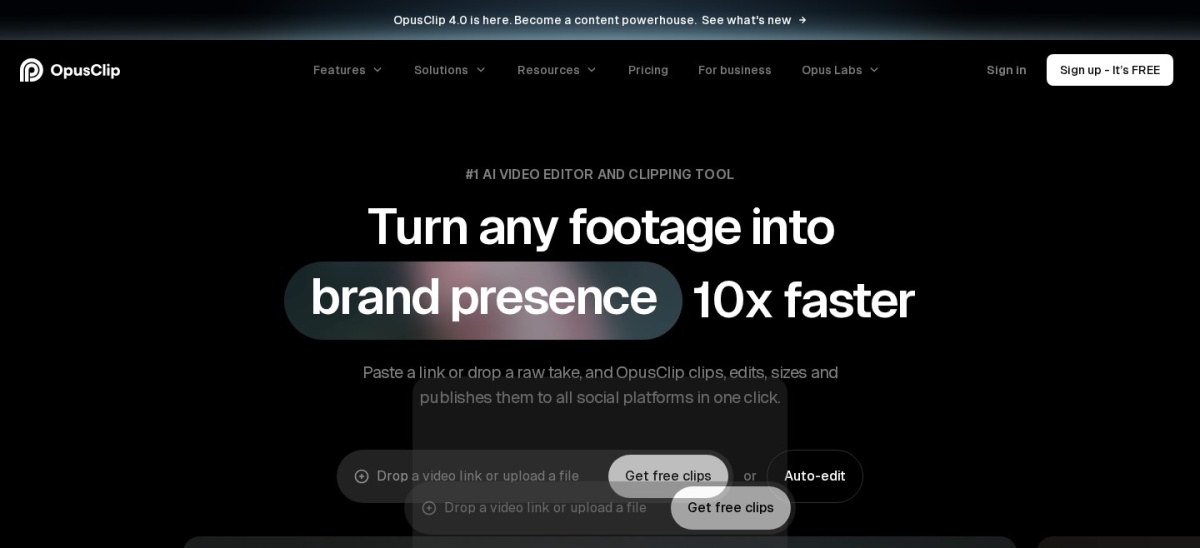
Opus Clip is a repurposing tool that does one job well: feed it a long video, and it returns short vertical clips with animated captions, reframed for 9:16 and scored for viral potential. Starter costs $15 a month and auto-posts to YouTube Shorts, TikTok and Instagram Reels.
The trade off is the sample. Opus Clip holds a 4.6 rating on G2 from only 7 reviews, and Starter exports only 9:16 clips, so a clip that cuts mid-sentence goes to another editor. It suits podcasters turning long recordings into Shorts.
Three tools meter AI use by credits, so the monthly price is only part of the cost. Runway Standard includes 625 credits a month, Descript Hobbyist includes 400 AI credits, and Filmora Basic includes none at all.
Check what the allowance buys before you pay. Runway says 625 credits buy about 52 seconds of Gen-4.5 video, Descript Hobbyist covers 10 media hours, and Filmora Advanced at $59.99 a year adds 1,000 credits a month.
How we chose
We started from the most established AI video editors with a verifiable rating on G2, Capterra or Trustpilot, then kept those with a published price and a real beginner workflow. Every tool here lets a beginner publish a video without learning a pro timeline.
Prices come from each vendor pricing page checked on 26 November 2026, or from a November 2026 pricing check of that page. Ratings and review counts come from G2, Capterra or Trustpilot on the same day. Where a vendor shows a sale price, the list shows the regular price.
We left out pro-only editors such as Premiere Pro and tools with no verifiable rating. No vendor paid for a place, and we do not claim hands-on testing for this list.
How to choose an AI video editor for beginners
Start with the video you make, then check the free tier and the credit allowance.
Pick your job first. Descript suits talking-head video, CapCut suits social clips, Pictory and InVideo suit script-to-video, and Opus Clip suits turning long videos into Shorts.
Start on the free tier. Descript, CapCut, VEED and Runway all have free tiers that cover real work. Publish a video before you pay anything.
Check the credit allowance. Runway Standard buys about 52 seconds of video and Descript Hobbyist covers 10 media hours. Confirm the allowance covers your monthly output.
Compare the annual price. Monthly billing often doubles the price: VEED Lite is $24 a month monthly against $12 billed annually. Check the annual rate before you commit.
FAQ
What is the best AI video editing software for beginners?
Descript is the best pick for most beginners, since editing the transcript edits the video, from $16 a person a month. CapCut is the best free pick for social video, and VEED is best for fast captions in the browser at $12 a month.
Is there a free AI video editor for beginners?
Yes. CapCut, VEED, Descript and Runway all offer genuinely useful free tiers. CapCut free exports HD video without a watermark for basic edits, while Descript free gives 1 media hour a month and Runway free gives 125 one-time credits.
How much does AI video editing software cost?
Entry prices run from $12 a month for VEED Lite and Runway Standard to $16 for Descript Hobbyist and $20 for InVideo Starter. Filmora Basic is the cheapest paid plan at $49.99 a year, while Pictory Starter costs $25 a month.
Which tool is best for YouTube Shorts?
Opus Clip is best for Shorts, turning long videos into scored, captioned vertical clips from $15 a month. CapCut is best for editing Shorts by hand, with auto-captions and templates, while Descript Create Clips finds highlights in long recordings.
Can AI video editors make videos without filming?
Yes. Pictory turns scripts, blog posts and URLs into captioned videos with stock footage and an AI voiceover, and InVideo turns one prompt into a finished draft video. Runway goes further and generates original footage from text and images.
Why does CapCut have a low Trustpilot rating?
CapCut holds a 1.2 out of 5 rating on Trustpilot from more than 1,300 reviews, mostly about support and billing rather than the editor itself. Its G2 rating is far higher at 4.5 out of 5, though the G2 review count is not published.
SaaS SEO and WordPress specialist with about 8 years of experience. Rakib compares WordPress plugins, themes, hosting and software using public pricing, documentation and user reviews. See how we rank.