Best AI Tools for Marketers in 2026: 7 Tools Compared
WLWPLegible EditorsLast verified 22 Nov 2026How we rank5 min read
★ Short answer
Canva is the top AI tool for marketers thanks to its 4.7/5 G2 rating across 7,924 reviews and a free tier that covers everyday visual production. For search-driven content and brand copy, Surfer and Jasper fit structured workflows.
How we make this list: we compare pricing pages, product documentation and public user reviews, then re-check every price before each update. No product paid for a place. Disclosure.
Canva holds a 4.7/5 rating from 7,924 G2 reviews and offers a free tier plus Pro at $12/mo billed yearly ($144/yr).
Surfer holds a 4.8/5 rating from 547 G2 reviews and starts at $49/mo billed yearly on Discovery or $99/mo billed yearly on Standard.
Jasper holds a 4.7/5 rating from 1,319 G2 reviews and starts at $59/mo billed yearly ($708/yr) for one Pro seat.
Buffer holds a 4.3/5 rating from 1,043 G2 reviews and offers a free plan for up to 3 channels, with Essentials at $5/channel/mo billed yearly ($60/yr).
Zapier holds a 4.5/5 rating from 2,170 G2 reviews and starts at $19.99/mo billed annually ($239.88/yr) for 750 tasks.
What to look for in AI marketing tools
AI marketing software has split across narrow jobs rather than one universal dashboard. Visual design, search optimization, social scheduling, copy governance, workflow automation, editing, and video production each carry distinct limits and billing rules.
Annual billing usually lowers monthly rates compared with month-to-month plans, while seats, connected channels, tasks, or AI credits can raise costs as usage grows. Checking both the base tier and overage rules prevents surprises on recurring team budgets.
Free tiers often restrict AI allowances, brand kits, user seats, or exports. Matching a tool to the exact bottleneck in your weekly funnel saves money and avoids paying for overlapping features.
Canva is a visual design workspace with templates, brand kits, and AI image and editing tools for marketing assets. The free plan includes templates, basic storage, and a limited AI allowance for light work.
The trade off is that Canva Pro costs $144 per year billed yearly ($12 per month) or $18 per month for a single user, while multi-seat teams need Canva Business at $250 per person per year. It suits solo marketers and small teams producing frequent graphics, slides, and social creatives.
What we like
Large library of marketing templates and formats
Usable free tier for basic graphics and light AI tasks
Lower annual cost on Pro compared with monthly billing
Watch out for
Pro is limited to one person
Heavy AI usage can require extra credits or higher tiers
Canva Pro adds 10x the AI allowance of Free, 100 GB storage, 5 Brand Kits, and background removal.Visit canva.com
02
Surfer
4.8/5on G2 (547 reviews, checked Nov 2026)
Starts at$588/yr
Best for SEO content scoring and AI visibility
Entry Paid$49/mo yearly on Discovery
Standard Tier$99/mo yearly
Free PlanNo free plan listed
Core FocusSEO scoring and AI search
surferseo.com
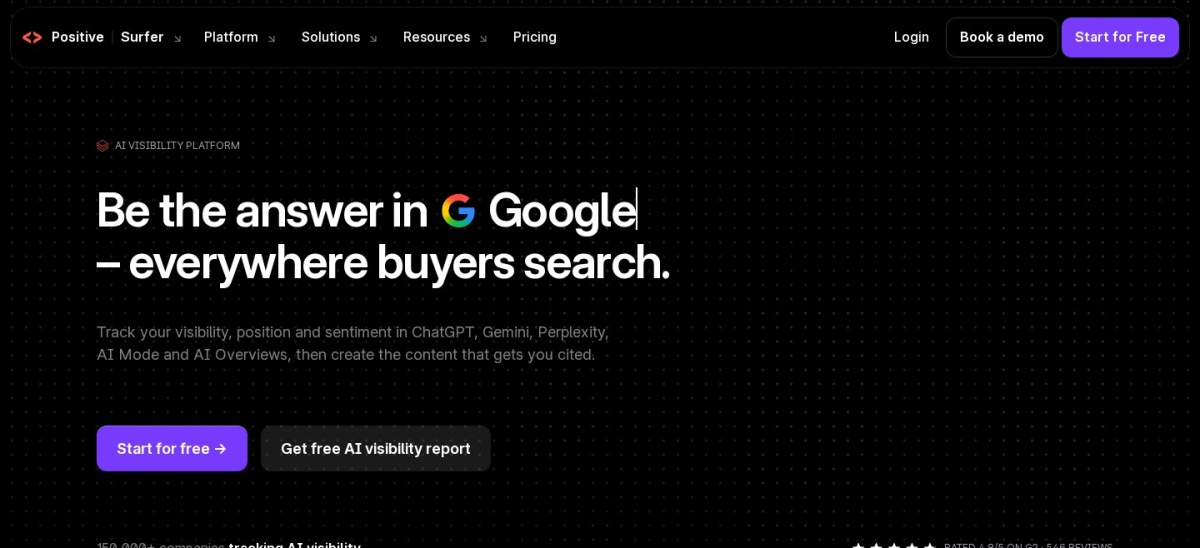
Surfer homepage, captured Nov 2026.
Surfer is a content optimization and AI search visibility platform that benchmarks drafts against ranking pages and tracks brand mentions in AI answers. Its plans scale document allowances, brand spaces, and prompt tracking frequency.
The trade off is that there is no free plan, and the cheapest Discovery tier costs $49 per month billed yearly ($588 per year), while Standard is $99 per month billed yearly. It suits search marketers and content teams focused on organic rankings and AI citations.
What we like
Structured guidance for search and AI search visibility
Clear annual savings over monthly billing
High rating across 547 G2 reviews
Watch out for
Higher yearly entry cost than general writing tools
Document and prompt limits require upgrades as volume rises
Higher Surfer tiers add larger document limits, daily AI prompt tracking, and multi-brand spaces.Visit surferseo.com
03
Jasper
4.7/5on G2 (1,319 reviews, checked Nov 2026)
Starts at$708/yr
Best for brand-governed campaign copy
Entry Paid$59/mo yearly ($708/yr)
Monthly Rate$69/mo for Pro
Free PlanNo free plan, trial only
Team TierBusiness on custom pricing
jasper.ai
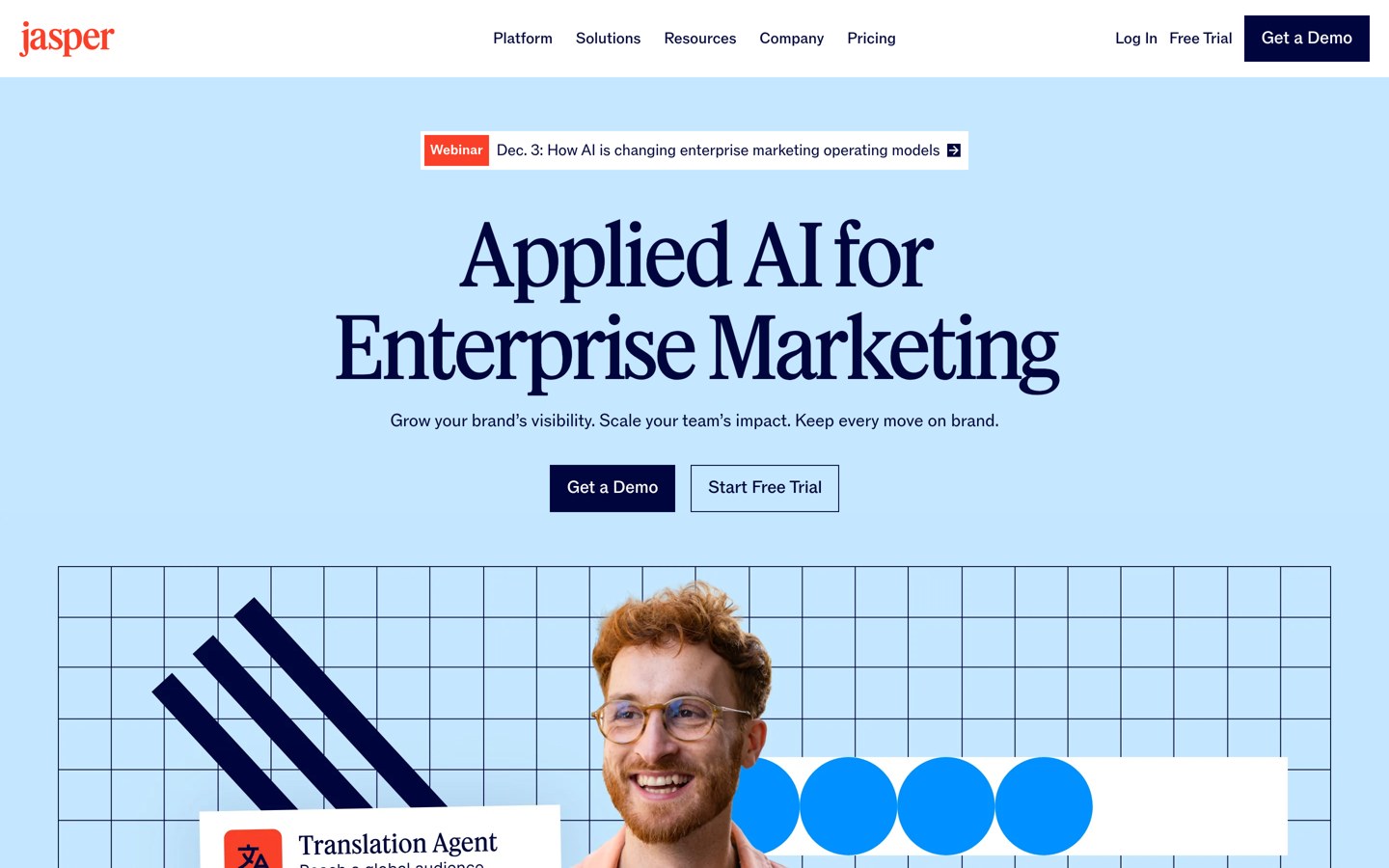
Jasper homepage, captured Nov 2026.
Jasper is a marketing content platform built around brand voice profiles, shared knowledge assets, and campaign templates. It supports multi-brand content drafting and team collaboration on its Pro plan.
The trade off is that Jasper offers no free tier and starts at $59 per month per seat billed yearly ($708 per year), or $69 per month billed monthly. It suits marketing teams and agencies publishing recurring campaign copy under strict style rules.
What we like
Built around brand voice and marketing workflows
Lower annual per-month rate than monthly billing
Established feedback across 1,319 G2 reviews
Watch out for
No permanent free plan
Per-seat pricing adds up for larger teams
Jasper adds multi-brand collaboration on Pro and custom team governance on Business.Visit jasper.ai
04
Buffer
4.3/5on G2 (1,043 reviews, checked Nov 2026)
Paid from$60/yr
Best for social post scheduling and captions
Entry Paid$5/channel/mo yearly ($60/yr)
Monthly Rate$6/channel/mo on Essentials
Free PlanUp to 3 channels
Billing ModelCharged per connected channel
buffer.com
Buffer homepage, captured Nov 2026.
Buffer is a social media publishing and scheduling tool that includes an AI assistant for drafting and refining posts. Its free plan covers up to 3 channels, 1 user, and 10 scheduled posts per channel at a time.
The trade off is that Buffer charges per channel, starting at $5 per channel per month billed yearly ($60 per year for 1 channel) or $6 per channel monthly on Essentials. It suits creators and lean teams managing a focused set of social profiles.
What we like
Free plan supports up to 3 social channels
Low entry cost for a single channel on annual billing
Straightforward queue and calendar workflow
Watch out for
Per-channel fees scale as accounts grow
Limited deep listening compared with enterprise suites
Buffer Essentials removes the 10-post queue cap per channel and adds expanded analytics.Visit buffer.com
05
Zapier
4.5/5on G2 (2,170 reviews, checked Nov 2026)
Paid from$239.88/yr
Best for no-code marketing workflow automation
Entry Paid$19.99/mo yearly ($239.88/yr)
Monthly Rate$29.99/mo for 750 tasks
Free Plan100 tasks/mo, two-step Zaps
Usage UnitTask-based bands
zapier.com
Zapier homepage, captured Nov 2026.
Zapier is a workflow automation platform that links marketing apps, forms, spreadsheets, and AI steps without custom code. The free tier includes 100 tasks per month and two-step workflows for one user.
The trade off is that multi-step workflows and higher task volumes require a paid plan starting at $19.99 per month billed annually ($239.88 per year) for 750 tasks, or $29.99 monthly. It suits marketers automating lead routing, reporting, and handoffs across tools.
What we like
Connects thousands of business and marketing apps
Free plan lets you test basic two-step automations
Supports AI steps alongside standard app actions
Watch out for
Task usage grows quickly with multi-step automations
Higher task bands raise monthly costs
Zapier Professional unlocks multi-step workflows, premium apps, and larger monthly task allowances.Visit zapier.com
06
Grammarly
4.7/5on G2 (14,155 reviews, checked Nov 2026)
Paid from$144/yr
Best for real-time editing and tone polishing
Entry Paid$12/mo yearly ($144/yr)
Monthly Rate$30/mo for Pro
Free PlanBasic grammar and tone checks
CoverageBrowsers, docs, and desktop apps
grammarly.com
Grammarly homepage, captured Nov 2026.
Grammarly is a writing and editing assistant that checks grammar, spelling, clarity, and tone across browsers, emails, and documents. Its free tier provides core grammar and spelling suggestions across everyday writing tools.
The trade off is that full-sentence rewrites, plagiarism checks, and higher prompt limits require Pro at $12 per month billed annually ($144 per year) or $30 per month. It suits writers and marketers polishing emails, landing pages, and reports before publishing.
What we like
Works across browsers, email clients, and editors
Free tier covers everyday spelling and grammar
Large review base with 14,155 ratings on G2
Watch out for
AI rewrite and prompt limits apply on paid tiers
Focused on editing rather than full campaign planning
Grammarly Pro adds full-sentence rewrites, plagiarism checking, and expanded AI prompts.Visit grammarly.com
07
Descript
4.6/5on G2 (938 reviews, checked Nov 2026)
Paid from$288/yr
Best for transcript-based video and audio editing
Entry Paid$24/mo yearly ($288/yr)
Media Allowance10 hrs/mo on entry paid tier
Free Plan60 mins/mo, limited AI
Editing StyleTranscript and timeline editing
descript.com
Descript homepage, captured Nov 2026.
Descript is a video and audio editor that lets you cut and rearrange clips by editing text transcripts, alongside AI cleanup tools. Its free plan includes 60 media minutes per month and limited AI features.
The trade off is that paid plans start at $24 per month billed annually ($288 per year) for 10 media hours per month and 400 monthly AI credits, with top-ups available if you exceed limits. It suits marketers turning webinars, podcasts, and interviews into short clips.
What we like
Edit video and audio directly through text transcripts
Includes AI filler-word removal and audio cleanup
Free plan lets you test basic transcript editing first
Watch out for
Media minutes and AI credits are metered by usage
Higher yearly entry price than basic design or scheduling tools
Paid Descript plans expand monthly media hours, AI credits, and watermark-free exports.Visit descript.com
Watch billing units beyond the headline price
Marketing software rarely bills by one flat number. Per-user seats, per-channel fees, task counts, media hours, and AI credits all change your real cost once a campaign scales.
Compare annual versus monthly billing carefully. Annual plans lower the monthly equivalent rate, while monthly billing gives flexibility if you only need a tool for a short push.
How we chose
We selected established marketing tools across design, search optimization, copy workflows, social scheduling, automation, editing, and video production using public software directories and vendor documentation.
Prices, plan structures, and review counts were checked on 22 Nov 2026 from official pricing pages and G2 review listings.
We excluded tools without verifiable public pricing or review data, as well as single-purpose utilities that overlap too narrowly for a broad marketing list. No vendor paid for a place, and we do not claim testing for this list.
How to pick the right AI tool for your marketing stack
Start with the bottleneck slowing down your weekly output before buying another subscription.
Identify the primary marketing bottleneck. Pick a tool matched to your main output, such as visuals, search content, social queues, automation, editing, or video.
Test free tiers before paying. Use free plans or trials to check real workflow fit and output limits before committing to an annual subscription.
Model your real usage limits. Check how seats, connected channels, tasks, media hours, or AI credits scale with your team size and monthly volume.
Keep human review in the loop. Plan time to fact-check, edit tone, and verify brand accuracy before publishing AI-assisted assets.
FAQ
What is the best overall AI tool for marketers?
Canva is a strong starting point for marketers because it combines visual templates, brand kits, and AI editing tools with a usable free plan. If your main bottleneck is search visibility or automated workflows, tools like Surfer or Zapier fit more directly.
Do marketers need an all-in-one AI tool or separate tools?
Many teams get better results by pairing a free general assistant with one or two specialized tools for their main bottleneck. Separate tools often give deeper controls for design, search optimization, or scheduling than a single general chat interface.
Are free AI marketing plans enough for small businesses?
Free plans can cover light design work, basic grammar checks, a few social channels, or simple two-step automations. Once you need higher volume, extra seats, or advanced features, paid plans usually become necessary.
Is annual billing usually cheaper for AI marketing tools?
Yes, vendors commonly discount annual billing compared with month-to-month subscriptions. Paying annually lowers the effective monthly rate, though monthly billing can make sense if your campaign volume fluctuates.
How should teams avoid hidden overage costs?
Review how each tool meters usage, whether by user seat, connected channel, task count, media minutes, or AI credits. Tracking monthly consumption against plan caps helps prevent unexpected upgrades or throttled features.
Should AI-generated marketing copy be edited before publishing?
Yes, marketers should review AI drafts for accuracy, audience fit, and brand voice before publishing. Human editing keeps messaging accurate and prevents generic phrasing from reaching customers.