Best AI Text Effects Software in 2026: 7 Tools Compared
WLWPLegible EditorsLast verified 22 Nov 2026How we rank6 min read
★ Short answer
Canva is the top pick for AI text effects thanks to its accessible editor, free plan, and 4.7/5 G2 rating across 7,925 reviews. Ideogram stands out for readable AI typography inside generated images, while Kapwing suits animated text overlays in video projects.
How we make this list: we compare pricing pages, product documentation and public user reviews, then re-check every price before each update. No product paid for a place. Disclosure.
Canva holds a 4.7/5 score from 7,925 G2 reviews and offers a free tier plus Pro at $18/month monthly or $144/year annually.
Ideogram starts with a free tier (30 credits a week) and paid plans from $15/month billed annually ($180/year) for Plus.
Kittl earns 4.7/5 across 43 G2 reviews and provides a free tier plus paid plans starting around $12–$14/month.
Adobe Firefly holds 4.4/5 across 575 G2 reviews with Firefly Standard at $9.99/month.
Midjourney starts at $10/month for Basic ($96/year billed annually) and holds 4.2/5 across 306 G2 reviews.
What to look for in AI text effects software
AI text effects software ranges from browser-based graphic editors with stylized typography templates to generative image and video models that render lettering directly from a prompt. Some tools excel at clean, editable layouts and brand kits, while others focus on artistic textures, 3D looks, or motion titles.
Spelling accuracy and credit limits vary sharply across platforms. Generative image models can still misspell words or burn through monthly credits quickly when you regenerate variations, so checking credit allotments and export formats matters before committing to a subscription.
Licensing terms and video support also separate casual tools from production software. Check whether free tiers restrict commercial use or add watermarks, and verify whether you need static graphics for social posts or animated text for video timelines.
For video text overlays, captions, and social clips
$16/mo
Free plan
3.9/5
Price ladder: cheapest paid plan per year
List prices, USD, checked Nov 2026
Midjourney$96
FireflyFREE$120
CanvaFREE$144
KittlFREE$144
RunwayFREE$144
IdeogramFREE$180
KapwingFREE$192
The 7 best ai text effects software
01
Canva
4.7/5on G2 (7,925 reviews, checked Nov 2026)
Paid from$18/mo
Best for everyday design workflows with AI text tools
Free planYes (5 GB storage)
Entry paid planPro ($144/yr or $18/mo)
G2 rating4.7/5 (7,925 reviews)
Best formatSocial graphics & layouts
canva.com
Canva homepage, captured Nov 2026.
Canva is a browser-based graphic design platform that pairs templates and brand kits with Magic Studio AI tools for creating graphics and stylized text. Its free plan includes 5 GB of storage, 1 Brand Kit, and limited monthly AI uses.
The trade off is that Canva Pro costs $18/month billed monthly or $144/year billed annually for one person, with extra AI usage costing more once allowances run out. It suits solo creators and small teams who want quick templates and straightforward visual editing.
What we like
Generous template library and approachable drag-and-drop interface
Free plan available with no upfront payment required
High user rating across nearly 8,000 G2 reviews
Includes Brand Kit and resizing tools on paid plans
Watch out for
Pro plan is limited to one person per account
AI allowances can feel tight for heavy generation
Canva Pro ($144/yr or $18/mo) adds 100 GB storage, 5 Brand Kits, background removal, and expanded AI allowances.Visit canva.com
02
Ideogram
4.7/5on G2 (43 reviews, checked Nov 2026)
Paid from$15/mo
Best for legible typography inside AI-generated images
Free planYes (30 credits/week)
Entry paid planPlus ($15/mo yearly, $180/yr)
Monthly billingPlus at $20/mo
FocusText-accurate AI images
ideogram.ai
Ideogram homepage, captured Nov 2026.
Ideogram is an AI image generation platform focused on rendering clear, readable text and graphic compositions from prompts. Its free plan provides 30 credits per week so you can test prompts and edits before upgrading.
The trade off is that the Plus plan costs $20/month billed monthly or $15/month ($180/year) billed annually, and monthly credits do not roll over. It suits designers and marketers who need stylized text embedded cleanly inside AI artwork.
What we like
Strong text legibility compared with many general image generators
Free tier grants 30 weekly credits for ongoing testing
Includes 2,400 monthly priority credits on the Plus plan
Watch out for
Unused monthly credits do not roll over
Entry annual commitment starts at $180/year on Plus
Ideogram Plus ($180/yr billed annually or $20/mo) provides 2,400 monthly priority credits and private generation.Visit ideogram.ai
03
Kittl
4.7/5on G2 (43 reviews, checked Nov 2026)
Paid from$14/mo
Best for stylized typography, logos, and merch graphics
Free planYes (personal use only)
Entry paid planPro (from $14/mo)
G2 rating4.7/5 (43 reviews)
Best formatLogos, posters & apparel
kittl.com
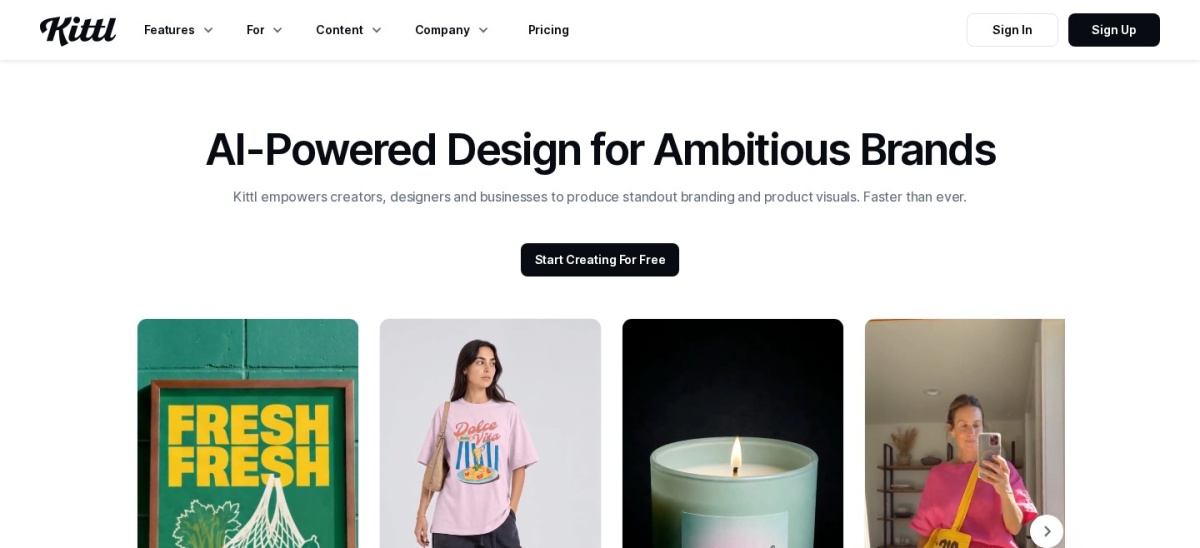
Kittl homepage, captured Nov 2026.
Kittl is a browser-based design tool built around editable typography, vector shapes, mockups, and AI generation tools. Its free plan lets you try the editor for personal projects with a small project cap.
The trade off is that commercial licensing and higher AI token allowances require paid plans starting at $14/month on G2's listed Pro tier (with some promotional pages listing $12/month), and token costs vary by model. It suits creators making logos, posters, and merchandise graphics.
What we like
4.7/5 rating across 43 G2 reviews
Combines typography layouts, vector editing, and mockups in one workspace
Pro tier includes commercial licensing and 2,000 monthly AI tokens
Watch out for
Free plan is restricted to personal use rather than commercial work
Video and advanced AI generations consume tokens quickly
Kittl Pro (from $14/mo) adds commercial licensing, higher-resolution exports, and 2,000 monthly AI tokens.Visit kittl.com
04
Adobe Firefly
4.4/5on G2 (575 reviews, checked Nov 2026)
Paid from$9.99/mo
Best for Adobe workflows and licensed training data
Free planYes (limited daily credits)
Entry paid planStandard ($9.99/mo)
G2 rating4.4/5 (575 reviews)
Credits on entry2,000 generative credits/mo
firefly.adobe.com
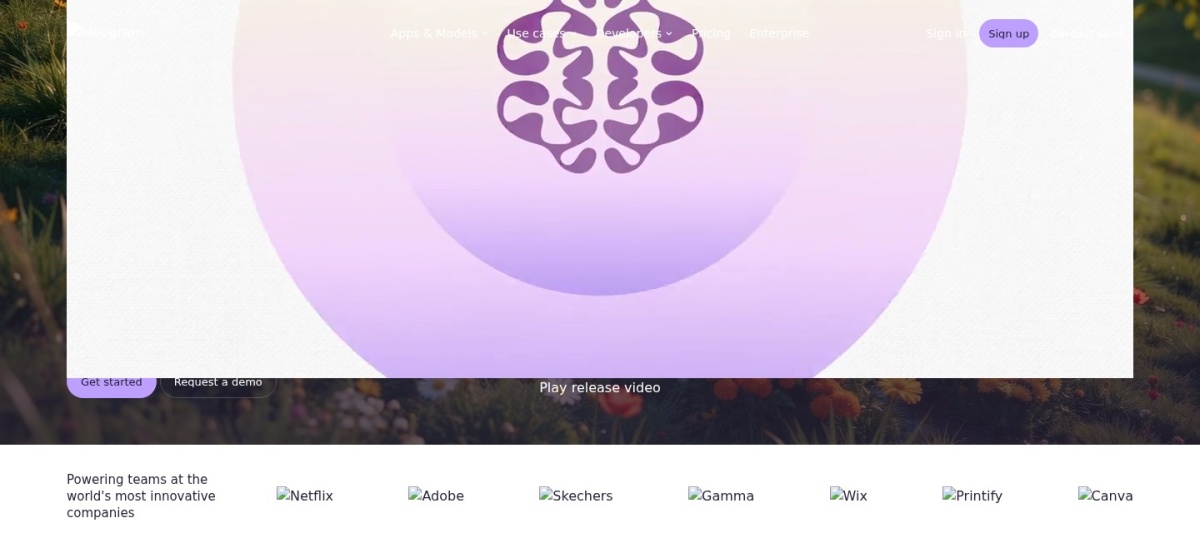
Adobe Firefly homepage, captured Nov 2026.
Adobe Firefly is Adobe's generative AI creative platform for image, video, and audio generation built around licensed training data. It offers a free plan with limited credits alongside paid plans starting at $9.99/month for Firefly Standard.
The trade off is that monthly generative credits do not roll over and partner models or video actions draw down balances quickly. It suits designers already working inside Adobe apps who want shared credits and commercial-safe generation.
What we like
Low entry paid price at $9.99/month for Firefly Standard
4.4/5 rating across 575 G2 reviews
Trained on licensed content and connects with other Adobe apps
Watch out for
Unused monthly credits do not roll over
Batch workflows are limited to enterprise tiers
Firefly Standard ($9.99/mo) provides 2,000 monthly generative credits and unlimited standard generations.Visit firefly.adobe.com
05
Midjourney
4.2/5on G2 (306 reviews, checked Nov 2026)
Starts at$10/mo
Best for stylized, artistic visual concepts from prompts
Free planNo paid plan required? No
Entry paid planBasic ($10/mo or $96/yr)
G2 rating4.2/5 (306 reviews)
Fast GPU time3.3 hr/mo on Basic
midjourney.com
Midjourney homepage, captured Nov 2026.
Midjourney is a subscription AI image generator billed by GPU time rather than a fixed image count, starting at $10/month or $96/year billed annually on Basic. The Basic tier includes 3.3 hours (200 minutes) of Fast GPU time each month.
The trade off is that there is no free tier and heavy iteration or upscaling can use up Basic GPU minutes quickly, with Stealth Mode reserved for higher tiers. It suits artists and concept designers who prioritize distinct visual style over exact layout control.
What we like
Lowest annual entry cost on this list at $96/year billed annually
Strong aesthetic range for stylized visual concepts
306 G2 reviews with a 4.2/5 rating
Watch out for
No free plan for ongoing use
Basic plan lacks Relax mode and Stealth Mode
Midjourney Basic ($10/mo or $96/yr) provides 3.3 hours of monthly Fast GPU time and access to extra GPU time at $4/hour.Visit midjourney.com
06
Runway
4.2/5on G2 (151 reviews, checked Nov 2026)
Paid from$15/mo
Best for motion and video generation with credit tiers
Free planYes (125 one-time credits)
Entry paid planStandard ($144/yr or $15/mo)
G2 rating4.2/5 (151 reviews)
Monthly credits625/mo on Standard
runwayml.com
Runway homepage, captured Nov 2026.
Runway is a browser-based AI video and image creation platform that uses a credit system across its generation models. It starts with a Free plan of 125 one-time credits before moving to Standard at $15/month or $12/month ($144/year) billed annually.
The trade off is that free credits do not replenish monthly and video generations consume 625 monthly Standard credits quickly. It suits video creators who want motion visuals alongside image generation in one workspace.
What we like
Includes a free tier with 125 one-time credits to try tools
Standard annual billing brings the cost to $144/year ($12/month)
4.2/5 rating across 151 G2 reviews
Watch out for
Free credits do not refresh every month
Video generation uses credits fast when retrying clips
Runway Standard ($144/yr billed annually or $15/mo) provides 625 monthly credits across video, image, and audio models.Visit runwayml.com
07
Kapwing
3.9/5on G2 (41 reviews, checked Nov 2026)
Paid from$16/mo
Best for video text overlays, captions, and social clips
Free planYes (watermarked exports)
Entry paid planPro ($16/mo yearly, $192/yr)
G2 rating3.9/5 (41 reviews)
Best formatShort video & captions
kapwing.com
Kapwing homepage, captured Nov 2026.
Kapwing is an online video editing and content creation platform with AI subtitling, text overlays, and template tools for social clips. Its free plan includes 5 GB of storage, 10 credits, and watermarked exports up to 720p.
The trade off is that Kapwing Pro costs $16 per member/month billed yearly ($192/year) or $24 billed monthly, and free projects only stay stored for 3 days. It suits social video editors who need captions, brand kits, and watermark-free exports.
What we like
Browser-based video timeline with auto-subtitling and AI tools
Free plan lets you test basic exports before paying
Pro removes watermarks and unlocks 4K exports plus 1,000 monthly credits
Watch out for
Lower G2 rating at 3.9/5 across 41 reviews
Free plan watermarks exports and keeps project files for 3 days
Kapwing Pro ($16/mo billed yearly or $24/mo per member) removes watermarks, enables 4K exports, and adds 1,000 monthly credits.Visit kapwing.com
Choosing between static graphics and video text tools
If your main goal is social posts, posters, or brand assets with stylized text, editors like Canva and Kittl or image generators like Ideogram, Adobe Firefly, and Midjourney fit that workflow best.
If your text needs motion, captions, or timeline editing for short videos, Kapwing and Runway are built around video clips and credit allowances rather than static print layouts.
How we chose
We assembled this list from active creative and AI design software used for text styling, typography-heavy image generation, and video text workflows.
Pricing tiers, credit rules, and G2 ratings and review counts were checked on 22 Nov 2026 from public pricing pages, documentation, and review listings.
We excluded tools lacking verifiable public pricing or active review data and avoided guessing unconfirmed figures. No vendor paid for a place, and we do not claim testing for this list.
How to choose an AI text effects tool in 4 steps
Follow these four steps to pick the right tool for your workflow and budget.
Start with your output format. Decide whether you need static social graphics, print and apparel designs, or animated video captions and clips.
Test on a free tier first. Use free plans or free credit allowances to check spelling accuracy, template styles, and editor speed before paying.
Check credit burn rates and rollovers. Compare monthly credit pools, per-generation costs, and whether unused credits expire at the end of each billing cycle.
Verify commercial and export terms. Confirm whether your plan removes watermarks, unlocks target export resolutions, and covers commercial usage.
FAQ
Which AI text effects tool has the lowest annual entry price here?
Midjourney has the lowest annual starting cost at $96/year billed annually ($10/month billed monthly) on Basic, followed by Adobe Firefly Standard at $9.99/month ($119.88/year) and Canva Pro or Runway Standard at $144/year billed annually.
Do all of these tools offer a free plan?
Most of them do, including Canva, Ideogram, Kittl, Adobe Firefly, Runway, and Kapwing. Midjourney requires a paid subscription starting at $10/month.
Why do credit-based plans feel unpredictable?
Higher-resolution images, video clips, or retries can consume significantly more credits than basic generations, and monthly allowances often do not roll over.
Which option is best for video captions and clips?
Kapwing is built for browser video editing with auto-subtitling and social video templates, while Runway focuses on AI video and image generation using monthly credits.
Should I choose annual or monthly billing?
Annual billing lowers the effective rate on plans like Canva Pro, Ideogram Plus, Midjourney Basic, Runway Standard, and Kapwing Pro, though monthly billing avoids a larger upfront payment.