Best AI Video Upscaling Software in 2026: 7 Tools Compared
WLWPLegible EditorsLast verified 22 Nov 2026How we rank9 min read
★ Short answer
Topaz Video is the best AI video upscaling software for professional restoration, offering unlimited local rendering for $299 per year. Choose HitPaw VikPea for beginner-friendly enhancement with up to 8K output or TensorPix for affordable browser-based video processing without installing desktop software.
How we make this list: we compare pricing pages, product documentation and public user reviews, then re-check every price before each update. No product paid for a place. Disclosure.
Topaz Video includes unlimited local rendering and 25 monthly cloud credits for $299 per year.
HitPaw VikPea supports 8K upscaling and offers more than 10 AI enhancement models.
TensorPix starts at $66 per year, with a free plan supporting video inputs up to 720p.
AVCLabs offers a regular monthly subscription of $39.95 and holds a 4.0/5 Trustpilot rating.
VideoProc Converter AI costs $59.95 per year at its regular price and supports 3 computers.
Aiarty Video Enhancer supports 4K upscaling and frame rate enhancement up to 120 fps.
What to look for in AI video upscaling software
AI video upscaling software increases video resolution using machine learning rather than conventional pixel enlargement. It can improve perceived sharpness, reduce visible compression artifacts and reconstruct plausible visual details.
Look for enhancement models designed for your source footage. Animated videos, old family recordings, compressed digital clips and modern camera footage often require different processing settings.
Output resolution should not be the only deciding factor. An upscaled video can have more pixels while still showing unnatural textures, distorted faces or inconsistent details between frames.
Check whether processing happens locally or in the cloud. Desktop software depends on your computer hardware, while cloud platforms require uploading footage and may charge according to processing volume.
Compare regular subscription prices, export limitations, commercial usage rights and additional credit charges. These factors determine whether a video upscaler remains affordable for ongoing projects.
3.6/5on Trustpilot (56,774 reviews, checked Nov 2026)
Starts at$299/yr
Best for professional video upscaling and restoration
Entry planPersonal
Local renderingUnlimited
Monthly cloud credits25
ProcessingDesktop and cloud
topazlabs.com
Topaz Video homepage, captured Nov 2026.
Topaz Video is a dedicated video restoration application with AI models for resolution enhancement, noise removal, stabilization and motion interpolation. Its Personal subscription provides unlimited local rendering and 25 monthly cloud processing credits.
The trade off is the $299 annual subscription and the hardware needed for demanding local processing. A temporary Black Friday offer reduces the first-year price to $254, but renewal costs more. It suits video editors, filmmakers and archive restoration professionals.
What we like
Specialized models for different footage types
Unlimited local video processing
Supports stabilization and frame interpolation
Includes cloud processing credits
Suitable for detailed restoration workflows
Watch out for
Higher subscription cost than several alternatives
Demanding models require capable hardware
Commercial usage restrictions apply to Personal subscriptions
Unused monthly cloud credits expire
Personal includes local AI rendering, restoration models and monthly cloud credits.Visit topazlabs.com
02
HitPaw VikPea
4.5/5on Capterra (21 reviews, checked Nov 2026)
Starts at$53.99/mo
Best for beginner-friendly AI video enhancement
Maximum output8K
Enhancement models10+
Batch processingYes
Annual license$124.99 regular price
hitpaw.com
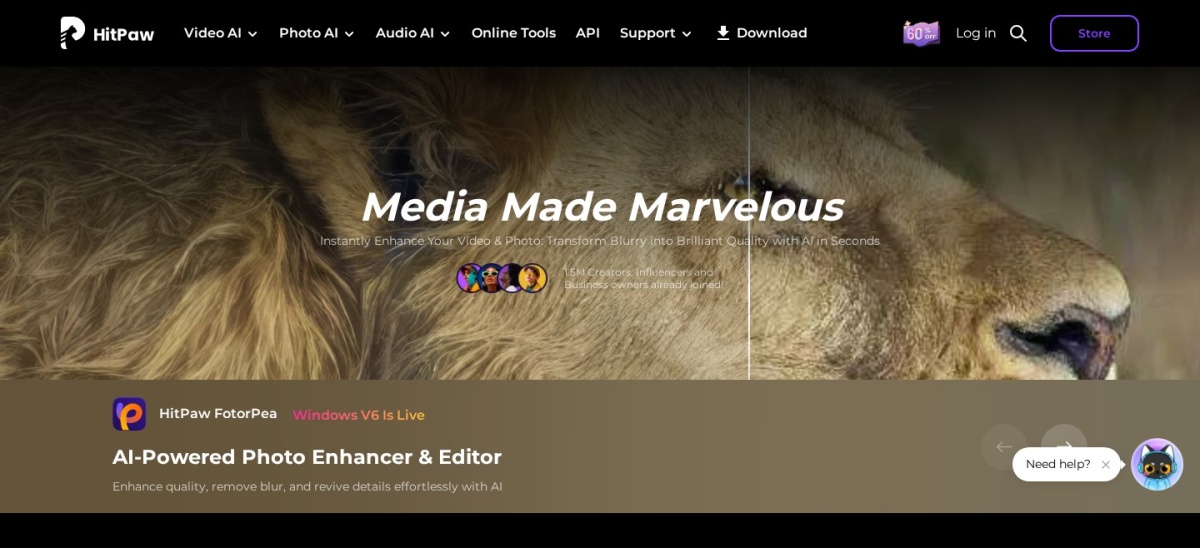
HitPaw VikPea homepage, captured Nov 2026.
HitPaw VikPea is an AI video enhancement application offering automated restoration, noise reduction, color correction and resolution improvement. Its paid desktop license includes more than 10 enhancement models, batch processing and output resolution up to 8K.
The trade off is the regular monthly price of $53.99, although the annual license costs $124.99 and temporary discounts are available. Processing demanding footage can take considerable time on older computers. It suits beginners restoring personal videos or improving social media footage.
What we like
Straightforward enhancement workflow
Dedicated models for different video problems
Supports batch video processing
Includes black-and-white video colorization
Annual and perpetual purchase options
Watch out for
Monthly billing is comparatively expensive
Demanding restoration can take substantial processing time
Some cloud functionality requires additional credits
4.3/5on Trustpilot (123 reviews, checked Nov 2026)
Paid from$5.50/mo
Best for cloud-based AI video upscaling
Entry planStandard, billed annually
Monthly credits10
Maximum input resolution4K on Standard
Cloud storage10 GB on Standard
tensorpix.ai
TensorPix homepage, captured Nov 2026.
TensorPix is a browser-based video enhancement platform that processes footage remotely. Its free account accepts video inputs up to 720p, while the Standard subscription includes 10 monthly credits, 10 GB of storage and support for inputs up to 4K.
The trade off is usage-based processing, with Standard costing $5.50 per month when billed annually and extra credits priced at $1.30 each. Longer projects can increase spending beyond the subscription fee. It suits creators without dedicated video processing hardware.
What we like
No desktop installation required
Permanent free account available
Affordable annual subscription
Unused paid credits can roll over
Supports multiple enhancement filters
Watch out for
Requires uploading source footage
Processing allowances depend on credits
Free accounts have lower input resolution limits
Standard adds higher input resolution, monthly credits and additional storage.Visit tensorpix.ai
04
AVCLabs
4/5on Trustpilot (556 reviews, checked Nov 2026)
Starts at$39.95/mo
Best for restoring old and damaged recordings
ProductVideo Enhancer AI
Annual license$119.95 regular price
License allowance1 computer
Lifetime license$299.90 regular price
avclabs.com
AVCLabs homepage, captured Nov 2026.
AVCLabs is a video enhancement software provider whose Video Enhancer AI application focuses on improving low-resolution and aging footage. Its desktop product offers AI resolution enhancement, facial detail restoration, noise reduction and tools for correcting visual defects.
The trade off is the regular monthly subscription of $39.95 and a license restricted to one computer. The vendor also lists a $119.95 annual subscription and a $299.90 perpetual license, with temporary discounts available. It suits users restoring family recordings and older digital footage.
What we like
Restoration features for aging footage
Dedicated facial enhancement functionality
Monthly, annual and lifetime licenses
Local desktop processing
Watch out for
Individual license covers only one computer
Rendering performance depends on hardware
Monthly billing costs more over extended projects
Paid licenses provide video enhancement features, software updates and technical support.Visit avclabs.com
05
VideoProc Converter AI
4.3/5on Trustpilot (517 reviews, checked Nov 2026)
Paid from$59.95/yr
Best for upscaling and video format conversion
Entry planPremium 365
License allowance3 computers
Enhancement methodAI Super Resolution
Additional toolsConversion and compression
videoproc.com
VideoProc Converter AI homepage, captured Nov 2026.
VideoProc Converter AI is a multimedia processing application that combines AI video upscaling with conversion, compression and recording. Its limited free edition allows users to explore enhancement features, while Premium 365 provides an annual license covering three computers.
The trade off is that its broad multimedia focus may offer less specialized restoration control than dedicated professional applications. Premium 365 costs $59.95 per year at its regular price, with a temporary $34.95 offer available. It suits users who frequently enhance and convert video files.
What we like
Combines upscaling with video conversion
Affordable regular annual subscription
Includes frame interpolation and stabilization
License covers multiple computers
Useful for digitizing older media
Watch out for
Free enhancement exports are limited
AI processing depends on compatible hardware
Fewer specialized restoration controls than dedicated tools
Premium 365 unlocks the full multimedia processing and AI enhancement feature set.Visit videoproc.com
06
Filmora
4/5on Trustpilot (15,739 reviews, checked Nov 2026)
Paid from$49.99/yr
Best for upscaling within a video editor
Entry planBasic
Export resolution4K
Cloud storage1 GB on Basic
AI processingLocal and credit-based cloud models
filmora.wondershare.com
Filmora homepage, captured Nov 2026.
Filmora is a timeline-based video editor with integrated AI enhancement for improving footage during editing. Its Basic annual subscription includes watermark-free 4K exports, editing features and 1 GB of cloud storage.
The trade off is that specialized cloud enhancement models consume AI credits beyond the $49.99 annual Basic subscription. Local enhancement without credit charges requires a compatible NVIDIA RTX 30 series GPU or newer. It suits content creators who want to enhance, edit and publish videos in one application.
What we like
Enhancement integrated into video editing
Supports 4K video exports
Local enhancement available on compatible hardware
Aiarty Video Enhancer homepage, captured Nov 2026.
Aiarty Video Enhancer is a desktop application designed to reduce video noise, improve perceived detail and increase resolution. Its Standard License includes batch 4K enhancement, frame rate improvement up to 120 fps and access to its AI processing features.
The trade off is the $99 annual subscription and the computing resources required for local enhancement. The vendor currently advertises a discounted $79 annual price, alongside a separate lifetime purchase option. It suits creators improving compressed footage, low-light recordings and older videos.
What we like
Local processing keeps source footage on your computer
Supports batch 4K video enhancement
Includes denoising and deblurring
Frame rate enhancement functionality
Personal and commercial usage included
Watch out for
Smaller public review sample than established competitors
Processing speed depends on computer hardware
Not a complete timeline-based video editor
Standard unlocks all enhancement features and software updates during the subscription.Visit aiarty.com
AI video upscaling vs. traditional resolution enlargement
Traditional upscaling enlarges video frames using mathematical interpolation. It increases output dimensions but cannot independently reconstruct meaningful textures that are missing from the source.
AI upscaling estimates visual details using patterns learned during model training. Depending on the footage and model, this can improve perceived clarity and produce more convincing edges and textures.
AI-generated details are not necessarily accurate reconstructions of the original scene. Keep the original footage when restoring historical recordings, documentary material or videos that need to preserve factual visual information.
Should you choose desktop or cloud video upscaling?
Desktop applications are attractive for users processing large video collections regularly. Local rendering avoids repeated source file uploads and can make operating costs more predictable when the license includes unlimited processing.
Cloud video upscaling works well for occasional projects or computers without suitable graphics hardware. However, upload times, processing allowances and additional credit purchases can affect the total cost.
Topaz Video, VideoProc Converter AI and Aiarty provide local processing options. TensorPix is a browser-based alternative, while Filmora combines local enhancement with specialized cloud processing models.
How we chose
We selected established video enhancement applications with documented AI upscaling capabilities, published commercial terms and public customer reviews. The comparison covers professional restoration, general multimedia processing, integrated editing and browser-based enhancement.
The requested editorial verification date is 22 Nov 2026, with source pages accessed on 24 Nov 2026. Prices use regular published entry rates rather than temporary promotions. Monthly subscriptions are annualized for the price ladder, and annual billing alternatives are explained separately. Trustpilot ratings refer to company profiles where product-specific ratings are unavailable.
We excluded products without sufficient public review evidence, confirmed pricing or relevant AI video enhancement functionality. We also excluded software whose main function is conventional video resizing. Rankings reflect documented capabilities and purchasing considerations rather than measured rendering performance. No vendor paid for a place, and we do not claim testing for this list.
How to choose the best AI video upscaling software
Start by identifying your footage quality, target resolution, available hardware and expected processing volume before purchasing a video enhancement subscription.
Identify the problems in your source footage. Determine whether low resolution, motion blur, compression artifacts, video noise or damaged facial details are the main issues. Select software with enhancement models addressing those specific problems.
Check your computer's processing capabilities. Review graphics card compatibility, available memory and storage requirements. Choose cloud-based enhancement if your computer cannot handle the local processing demands of your preferred software.
Compare regular prices and processing allowances. Review subscription renewals, annual discounts, lifetime licenses and separate credit charges. Estimate your expected video processing volume before choosing between local software and a cloud service.
Inspect sample exports before committing. Use available trials or free plans to evaluate representative footage. Look for natural facial details, consistent textures, readable text and stable motion instead of relying only on increased output resolution.
FAQ
What is the best AI video upscaling software?
Topaz Video is our top recommendation for professional video enhancement because it combines specialized restoration models with unlimited local rendering. HitPaw VikPea is an alternative for beginners, while TensorPix suits browser-based processing.
Can AI upscale a 720p video to 4K?
Yes. AI video upscaling can increase the output resolution of a 720p source to 4K. The resulting visual quality depends on source sharpness, compression, motion and the enhancement model selected.
What is the best free AI video upscaling software?
TensorPix provides a permanent free account supporting video inputs up to 720p. VideoProc Converter AI and Filmora also offer limited free editions, although export restrictions and paid enhancement requirements differ between products.
Does AI video upscaling restore lost details?
AI upscaling can generate plausible textures and improve perceived detail, but it cannot reliably recover information that was never captured. Generated details may differ from the original scene, particularly in heavily compressed footage.
Do I need a graphics card for AI video upscaling?
Local AI video processing generally benefits from a compatible dedicated graphics card. Cloud-based platforms such as TensorPix perform enhancement remotely, making them suitable for users without dedicated video processing hardware.
How much does AI video upscaling software cost?
Regular annual prices include $49.99 for Filmora Basic, $66 for TensorPix Standard and $299 for Topaz Video Personal. Some applications offer separate monthly subscriptions, lifetime licenses or usage-based processing credits.
Can AI video upscaling improve old VHS recordings?
AI video enhancement can improve perceived clarity, reduce noise and enlarge digitized VHS recordings. Results depend on the condition of the original recording, digitization quality and whether the footage requires additional deinterlacing or restoration.
Is AI video upscaling the same as frame interpolation?
No. Video upscaling increases spatial resolution, while frame interpolation generates intermediate frames to increase perceived motion smoothness. Some video enhancement applications include both features, but they address different aspects of video quality.