Best AI Tools for Academic Writing in 2026: 7 Tools Compared
WLWPLegible EditorsLast verified 22 Nov 2026How we rank6 min read
★ Short answer
Paperpal is the top pick for academic writing, offering 200 monthly grammar edits and 5 daily AI polish actions on its free tier for researchers. Jenni AI suits in-editor drafting with inline citations, while Writefull fits LaTeX and Overleaf manuscripts at a low annual price.
How we make this list: we compare pricing pages, product documentation and public user reviews, then re-check every price before each update. No product paid for a place. Disclosure.
Paperpal offers a free plan with 200 monthly language edits and Prime at $144/yr regular billing (promotional discounts can lower initial billing).
Jenni AI provides unlimited citations across 10,000+ styles on its free tier, with Plus starting at $144/yr billed annually or $30/mo monthly.
Writefull is one of the most affordable annual options at $65.52/yr for Premium, built around Overleaf, Word, and academic phrasing checks.
Trinka AI starts at $80/yr for annual Premium, focusing on technical editing, style guides, and compliance checks for researchers.
Yomu AI offers Pro at $120/yr billed annually with 1,000 monthly AI actions and Ultra at $204/yr for unlimited actions.
Elicit and Scite focus heavily on literature search and citation workflows, with paid plans starting at $588/yr and $144/yr on annual billing.
What to look for in academic writing AI
General chatbots can draft prose quickly, but academic writing demands accurate source grounding, disciplined tone, and clear boundaries around authorship. Fabricated citations or unverified claims create serious problems in coursework and peer-reviewed submissions.
Most dedicated academic tools split into two camps: manuscript editors and citation-aware research assistants. Manuscript editors focus on grammar, academic phrasing, consistency, and journal formatting, while research tools help locate papers, extract findings, and verify how studies cite one another.
Pricing is often split between monthly and annual billing, with monthly rates running noticeably higher than annualized plans. Watch credit allowances and monthly caps on plagiarism or reference checks so you do not hit limits mid-draft.
Always check your institution or target journal guidelines on AI use before relying on generative rewriting or automated citation insertion. Even when a tool retrieves real references, you should open and verify every source yourself.
4.8/5on Trustpilot (579 reviews, checked Nov 2026)
Paid from$144/yr
Best for manuscript editing and journal checks
Free tier200 edits/mo, 5 AI uses/day
Prime annual$144/yr ($25/mo monthly)
Prime checks20k edits/mo, 10k words plagiarism
IntegrationsWord, Google Docs, Overleaf, Web
paperpal.com
Paperpal homepage, captured Nov 2026.
Paperpal is an academic writing and editing assistant from Cactus Communications built for researchers and students. Its free plan includes 200 monthly grammar edits, 5 daily writing and polishing actions, and a lite plagiarism check.
The trade off is that heavy monthly editing and full journal-fit reports require a paid plan, with Prime at $144/yr billed annually ($25/mo monthly), and promotional discounts sometimes lower initial billing. It suits writers polishing drafts for journal submission or regular coursework.
What we like
Academic-specific language, consistency, and journal submission readiness checks.
Generous free tier for occasional editing and light PDF chat.
Works across web, Word, Google Docs, and Overleaf workflows.
Watch out for
Free plan caps monthly language suggestions and daily AI actions.
Monthly billing costs noticeably more than committing to an annual plan.
Prime adds 20,000 monthly edits, 10,000 words of plagiarism and reference checks, and 150 PDF chats per month.Visit paperpal.com
02
Jenni AI
4.2/5on Trustpilot (161 reviews, checked Nov 2026)
Paid from$144/yr
Best for assisted drafting and inline citations
Free tier10 autocompletes/day, 10 PDFs
Plus annual$144/yr ($30/mo monthly)
Plus limits5,000 autocompletes, 500 AI requests/mo
Citation stylesUnlimited in 10,000+ styles
jenni.ai
Jenni AI homepage, captured Nov 2026.
Jenni AI is an academic writing workspace with in-editor autocomplete, source-based drafting, and citation formatting. The free plan includes unlimited citations across more than 10,000 styles, 10 daily autocompletes, and up to 10 PDF uploads.
The trade off is strict daily and monthly limits on AI generation unless you upgrade to Plus at $144/yr billed annually ($30/mo monthly), and some Trustpilot reviewers note billing and refund friction. It suits students and researchers drafting sections with inline references.
What we like
Built-in citation insertion and library management inside the writing editor.
Free tier allows unlimited citation formatting across more than 10,000 styles.
Includes document-wide Reviews that scan drafts for citation and writing improvements.
Supports version history, document publishing, and a browser extension.
Watch out for
Free plan restricts daily autocompletes, AI edits, and chat messages.
Monthly plan is much pricier per month than annual billing.
Plus raises limits to 5,000 monthly autocompletes, 500 AI requests per month, and unlimited PDF uploads.Visit jenni.ai
03
Writefull
4.8/5on Capterra (5 reviews, checked Nov 2026)
Paid from$65.52/yr
Best for LaTeX, Overleaf, and budget annual plans
Free tierLimited daily quotas on tools
Premium annual$65.52/yr ($15.37/mo monthly)
Key toolsLanguage edits, title/abstract helpers
IntegrationsOverleaf, Microsoft Word, Web
writefull.com
Writefull homepage, captured Nov 2026.
Writefull is an academic writing assistant tailored to scholarly phrasing, Overleaf LaTeX workflows, and Microsoft Word. Its free plan provides limited daily usage across language feedback, abstract and title generators, and writing widgets.
The trade off is tight daily free quotas and a narrow focus on academic English rather than general writing, though Premium starts at $65.52/yr billed annually. It suits researchers and STEM authors working in Overleaf or Word on a budget.
What we like
Low annual entry price for individual academic users.
Designed around Overleaf LaTeX workflows with TeXGPT, Supercomplete, and Error Assist.
Offers specialized tools like Change Style, Synonyms in Context, and title and abstract generators.
Lets users choose between Writefull language models and third-party options like GPT.
Watch out for
Free tier daily limits run out quickly during active drafting.
Focused on academic English rather than broad everyday writing.
Premium unlocks unlimited daily suggestions across Writefull's academic writing and editing tools.Visit writefull.com
04
Trinka AI
3.9/5on G2 (17 reviews, checked Nov 2026)
Paid from$80/yr
Best for technical editing and style compliance
Free tierBasic plan with limited AI requests
Premium annual$80/yr ($20/mo monthly)
ChecksGrammar, style guides, citations
Format supportWeb editor, MS Word, LaTeX
trinka.ai
Trinka AI homepage, captured Nov 2026.
Trinka AI is a grammar and writing assistant built for academic and technical English. Its free Basic plan lets you test core writing enhancements with a small allowance of AI writing requests.
The trade off is credit-based usage on certain checks and mixed ratings on G2, with annual Premium starting at $80/yr. It suits authors looking for technical style checks and Word or LaTeX file proofreading.
What we like
Targets academic and technical writing conventions across 25+ subject disciplines.
Under $100/yr on the entry annual plan with a free starting tier.
Includes dedicated tools such as Citation Checker, Citation Formatter, Journal Finder, and Academic Phrasebank.
Supports editable file proofreading for both Microsoft Word and LaTeX.
Watch out for
Credit consumption across checks can require careful tracking.
Smaller review count and lower G2 score than some rivals.
Premium expands monthly usage and adds file proofreading and check credits on top of the free Basic tier.Visit trinka.ai
05
Yomu AI
4.2/5on Trustpilot (1 reviews, checked Nov 2026)
Paid from$120/yr
Best for structured drafting and PDF chat
Free accessFree tier available to try
Pro annual$120/yr ($21/mo monthly)
Pro quota1,000 AI actions/month
Ultra annual$204/yr (unlimited AI actions)
yomu.ai
Yomu AI homepage, captured Nov 2026.
Yomu AI is an academic writing editor that combines outline and draft generation with PDF chat and citation tools. It offers a free way to get started alongside paid Pro and Ultra tiers.
The trade off is a monthly cap of 1,000 AI actions on Pro at $120/yr billed annually ($21/mo monthly), and public review counts remain small. It suits students and researchers who want source chat and structured drafting in one editor.
What we like
Combines document drafting, PDF and image chat, and reference management in one workspace.
Lower annual price than several competing academic suites.
Includes academic and web search plus an integrated reference library.
Offers multiple AI models on Pro and Ultra, including GPT, Claude, and Gemini options.
Watch out for
Pro caps usage at 1,000 AI actions per month.
Very limited independent public review volume so far.
Pro provides 1,000 monthly AI actions with academic and web search and PDF chat, while Ultra removes action limits.Visit yomu.ai
06
Scite
4.7/5on G2 (27 reviews, checked Nov 2026)
Paid from$144/yr
Best for checking how papers cite each other
Free tierFree plan with public data access
Basic annual$144/yr ($20/mo monthly)
Basic allowance250 MCP credits/month
Pro annual$480/yr ($50/mo monthly)
scite.ai
Scite homepage, captured Nov 2026.
Scite is a research and citation platform that shows whether later papers support or contrast with a given study. It offers a free tier to try the platform alongside paid Basic and Pro subscriptions.
The trade off is a focus on citation context and research search rather than full document word processing, with Basic at $144/yr billed annually ($20/mo monthly). It suits researchers vetting claims and literature reviews before and during writing.
What we like
Distinguishes supporting and contrasting citation context across more than 1.6B citations and 300M+ scholarly sources.
Strong G2 rating among reviewed academic research tools.
Provides Article Smart Citation reports, citation alerts, and paper collections.
Offers a Zotero plugin, browser extension, and MCP support for research workflows.
Watch out for
Not a full-featured manuscript word processor on its own.
Higher-volume collections and API credits sit on pricier tiers.
Basic unlocks full assistant and search access with 250 monthly MCP credits and collections up to 1,000 papers.Visit scite.ai
07
Elicit
4.5/5on G2 (1 reviews, checked Nov 2026)
Paid from$588/yr
Best for systematic literature extraction tables
Free tierBasic plan with unlimited paper search
Pro annual$588/yr ($75/mo monthly)
Pro review scaleScreen up to 5,000 papers, 20 columns
Corpus138M+ academic papers
elicit.com
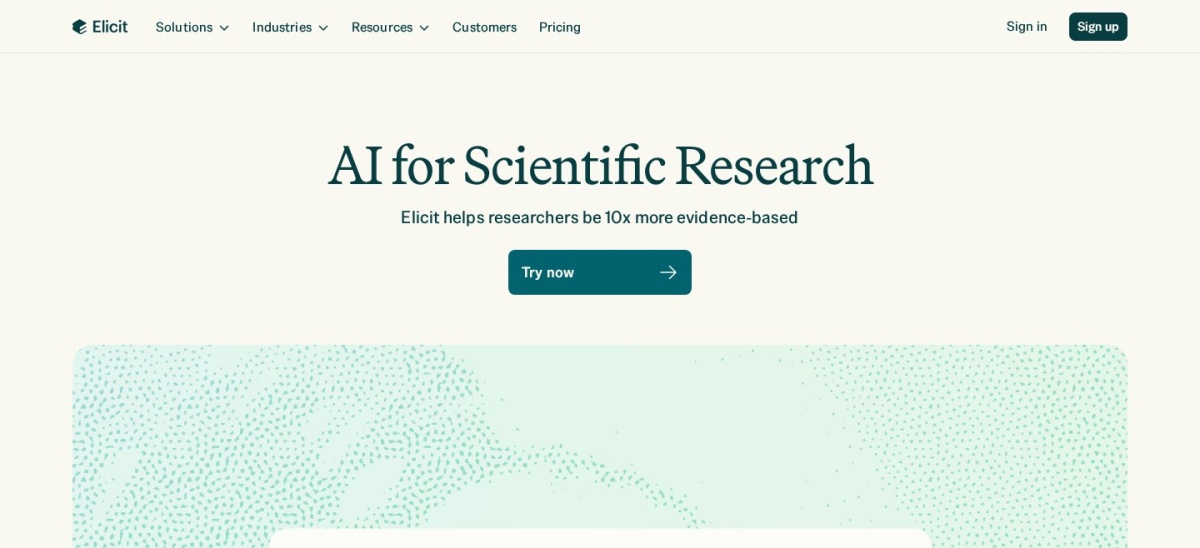
Elicit homepage, captured Nov 2026.
Elicit is an AI research assistant built to search academic papers, summarize studies, and extract structured findings into tables. Its Basic plan is free with unlimited paper search, summaries, and chat with papers, plus limited agent and report usage.
The trade off is a steep jump to paid plans—Pro starts at $588/yr billed annually ($75/mo monthly)—and a very small G2 review count. It suits researchers running systematic reviews or comparing study data across dozens of papers.
What we like
Structured extraction tables help compare methods and findings across papers.
Free Basic plan covers unlimited search across 138M+ papers, summaries, chat with papers, and Zotero import.
Links generated claims directly to sources with explanations for AI-generated answers.
Supports dedicated systematic review workflows that can screen up to 5,000 papers with 20 columns on Pro.
Watch out for
Pro annual pricing is high compared to single-purpose writing editors.
Limited independent review volume on major software directories.
Pro adds dedicated systematic review workflows up to 5,000 papers, 20 table columns, and expanded agent and report usage.Visit elicit.com
Citations and academic integrity
AI tools can speed up literature discovery and surface wording alternatives, but they remain prone to misinterpreting nuance or generating inaccurate references if left unchecked. Treat any suggested citation or summary as a starting lead that you verify directly against the original paper.
Keep clear records of your sources and follow your department or publisher's disclosure rules whenever AI is used. Using AI to polish grammar or organize notes differs from letting it invent arguments or data.
How we chose
This list focuses on established academic writing, editing, and research assistants that offer public pricing and active maintenance in 2026. We grouped tools across drafting editors, manuscript polishers, and literature review tools so readers can match a tool to their workflow.
All prices, plan limits, and review ratings were checked on 22 Nov 2026 from vendor pricing pages and review directories. Annualized entry prices use regular listed annual billing unless noted otherwise.
We excluded tools without verifiable public pricing or clear active status, as well as general-purpose chatbots that are not dedicated academic writing tools. No vendor paid for a place, and we do not claim testing for this list.
How to choose an academic writing AI
Follow four steps to pick a tool that fits your stage of writing and budget.
Identify your main bottleneck. Decide whether you need help finding and comparing papers, drafting paragraphs with citations, or polishing grammar and journal style.
Check free quotas against your workload. Test free tiers first to see if daily or monthly caps cover your coursework or occasional paper without paying.
Compare annual versus monthly billing. Calculate your actual months of use, since annual plans often cut the monthly rate while monthly plans suit short sprints.
Verify citations and compliance rules. Check every reference in the primary source and confirm your institution or journal allows the features you plan to use.
FAQ
Are AI tools allowed for academic writing?
Policies vary by university, course, and journal. Many allow grammar checks or literature search assistance, while restricting AI-generated prose or requiring disclosure. Always check your syllabus or submission guidelines before using AI on graded or published work.
Can AI tools write a full research paper accurately?
No. AI assistants can help outline, summarize sources, and improve phrasing, but they can misread study context or invent details. You remain responsible for the argument, evidence, and accuracy of every claim in your paper.
Why do annual plans cost less per month than monthly billing?
Most academic AI tools discount annual commitments to reduce churn and upfront billing overhead. If you only need a subscription for a short project or a couple of months, compare the total cost of paying monthly against paying for a full year.
Do I need to manually check citations generated by AI?
Yes. Even tools tied to academic databases or reference formats can attach the wrong study or misformat metadata. Open each cited source and confirm the authors, year, findings, and formatting before submitting.
What is the difference between a grammar editor and a literature review tool?
Grammar and style editors focus on sentence clarity, tone, consistency, and journal formatting once you have text. Literature review tools focus on searching papers, extracting study details, and mapping citations across research topics.
Is a free tier enough for occasional academic assignments?
Often yes, if your assignments are short and you do not hit monthly edit or AI action caps. Once you run out of credits or need bulk PDF analysis and higher check limits, a paid plan becomes more practical.