Best AI Platforms for Students in 2026: 7 Tools Compared
WLWPLegible EditorsLast verified 22 Nov 2026How we rank5 min read
★ Short answer
ChatGPT is the strongest all-around AI platform for students, holding a 4.6 out of 5 score across 5,459 G2 reviews with a free tier and $20 monthly Plus plan. Choose Claude for careful reading and drafting, or Perplexity when you need cited research answers.
How we make this list: we compare pricing pages, product documentation and public user reviews, then re-check every price before each update. No product paid for a place. Disclosure.
ChatGPT starts free with a $20/mo Plus plan and holds a 4.6/5 rating across 5,459 G2 reviews.
Claude is rated 4.7/5 on G2 and starts at $17/mo billed annually ($200/yr) or $20/mo monthly for Pro.
Google Gemini offers a $4.99/mo Plus tier and $19.99/mo Pro tier with 400 GB and 5 TB of storage respectively.
Perplexity lists Pro at $17/mo billed annually with a $10/mo Education Pro option for verified students and educators.
Grammarly provides a free tier with 100 monthly AI prompts and a Pro plan starting at $12/mo.
What to look for in a student AI platform
Students rarely need a single monolithic app for every class. Most study routines split work across drafting, summarizing long readings, verifying sources, taking lecture notes, and polishing final papers.
Check how a platform handles usage caps on its free tier before relying on it during exam week. Tight message windows or file upload limits can interrupt study sessions right when you need to review notes or check an outline.
Source links and citation habits matter whenever you write research papers or lab reports. Tools built around live web search and grounded references make it easier to trace claims back to original material.
Look closely at regular billing rates alongside any promotional or student offers. Monthly plans often cost more per month than annual plans, and temporary discounts can revert to standard list prices after the first term.
ChatGPT is a general-purpose AI assistant from OpenAI that offers a free tier alongside its $20/mo Plus subscription. The free plan supports everyday chat, while Plus expands file uploads, voice conversations, image generation, and higher model access.
The trade off is accuracy and occasional over-explanation, which requires checking facts and details before citing them. It suits students who want one flexible assistant for brainstorming, outlining, and explaining concepts across subjects.
What we like
Free plan available for basic daily study tasks
Broad feature set covering chat, voice, images, and file analysis
Strong 4.6/5 rating across 5,459 G2 reviews
Watch out for
Answers can be inaccurate or overly long on simple prompts
Monthly Plus pricing adds up to $240 per year without an annual discount
Plus adds expanded file uploads, voice mode, and broader model access.Visit chatgpt.com
02
Claude
4.7/5on G2 (2,239 reviews, checked Nov 2026)
Paid from$200/yr
Best for long readings and structured drafts
Free tierAvailable
Paid planPro, $200/yr ($17/mo)
G2 rating4.7/5 (2,239)
Context windowUp to 1M tokens
claude.com
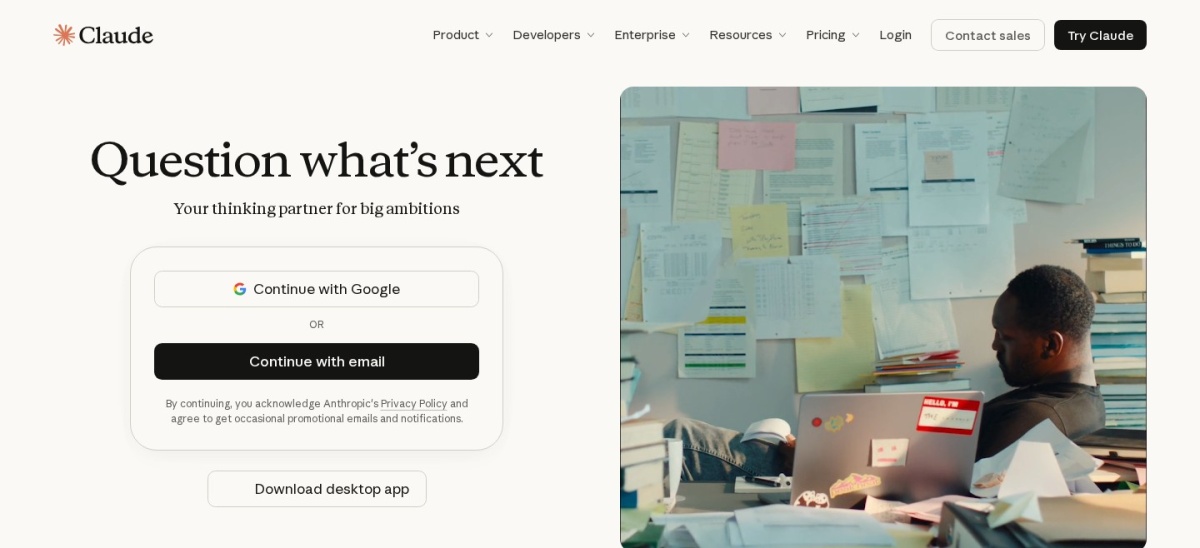
Claude homepage, captured Nov 2026.
Claude is an AI assistant by Anthropic that offers a free tier and a Pro plan priced at $17/mo billed annually ($200 billed up front) or $20/mo billed monthly. Free accounts include web search, file creation, Artifacts, and up to 5 Projects, while Pro raises usage limits and adds Claude Code.
The trade off is rolling usage caps every five hours and every week, which can pause heavy sessions. It suits students working through dense readings, long drafts, and structured coding assignments.
What we like
Highest G2 score in this group at 4.7/5 from 2,239 reviews
Supports up to a 1M token context window depending on the model
Annual Pro billing lowers the effective rate to $17/mo
Watch out for
Five-hour and weekly usage limits apply across plans
Requires a $200 up-front payment for the annual Pro rate
Pro raises usage limits and adds Claude Code, scheduled tasks, and broader model access.Visit claude.com
03
Google Gemini
4.4/5on G2 (2,710 reviews, checked Nov 2026)
Paid from$4.99/mo
Best for Google Drive and Docs workflows
Free tierAvailable
Entry paid planPlus, $4.99/mo
G2 rating4.4/5 (2,710)
Plus storage400 GB
gemini.google.com
Google Gemini homepage, captured Nov 2026.
Google Gemini is Google's AI assistant, with paid tiers starting at $4.99/mo on the Plus plan and $19.99/mo on the Pro plan. The $4.99/mo Plus tier doubles Gemini access and includes 400 GB of Google storage, while Pro expands usage fourfold and includes 5 TB of storage.
The trade off is inconsistent accuracy on specific queries, meaning students should verify key facts before submitting work. It suits students who already keep coursework, documents, and files inside Google's ecosystem.
What we like
Low entry paid plan at $4.99/mo ($60/yr) with 400 GB of storage
Convenient fit for users who already rely on Google apps and Drive
Backed by 2,710 G2 reviews with a 4.4/5 rating
Watch out for
Reviewers note occasional inaccurate or inconsistent responses
Higher usage multipliers and 5 TB storage require the $19.99/mo Pro tier
Plus adds double Gemini access and 400 GB of storage, while Pro expands limits and adds 5 TB.Visit gemini.google.com
04
Perplexity
4.4/5on G2 (377 reviews, checked Nov 2026)
Paid from$17/mo
Best for cited web and academic research
Free tierAvailable
Paid planPro, $17/mo annual
Student optionEducation Pro, $10/mo
G2 rating4.4/5 (377)
perplexity.ai
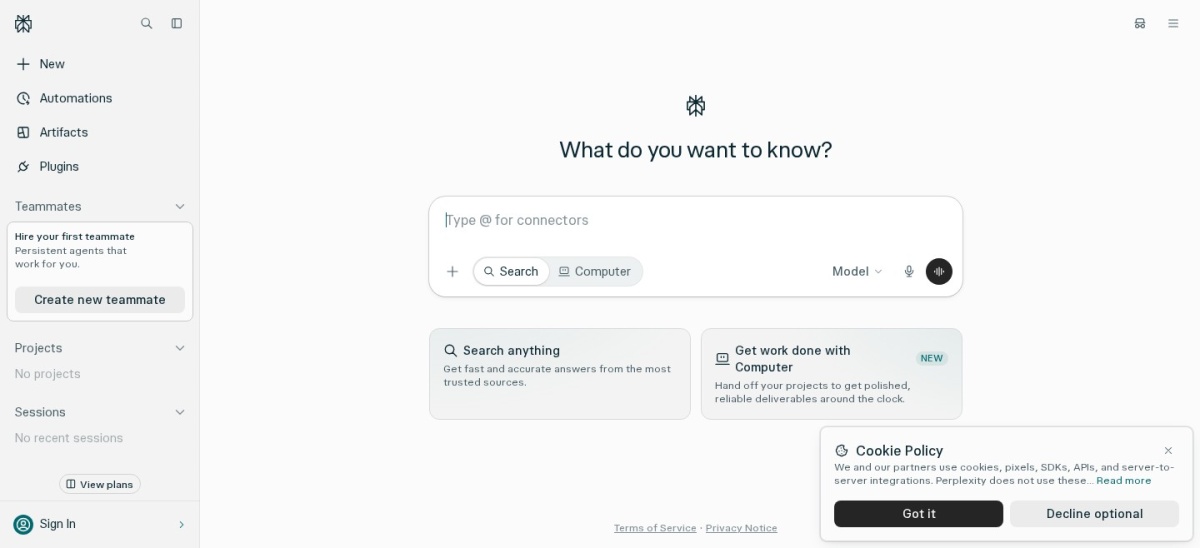
Perplexity homepage, captured Nov 2026.
Perplexity is an AI research and answer engine that pairs web search with inline source citations, offering a free plan and Pro at $17/mo billed annually. Verified students and educators can also get Education Pro at $10/mo.
The trade off is limited Pro searches, deep research runs, and file uploads on the free tier. It suits students gathering sources, checking current facts, and tracing claims back to original references.
What we like
Includes inline source citations to verify references quickly
Offers an Education Pro option at $10/mo for eligible students and educators
Holds a 4.4/5 rating across 377 G2 reviews
Watch out for
Free plan caps Pro searches, research queries, and file uploads
Less suited for long-form or creative writing than dedicated drafting tools
Pro increases search, deep research, and file upload limits and lets you pick preferred models.Visit perplexity.ai
05
Grammarly
4.7/5on G2 (14,155 reviews, checked Nov 2026)
Paid from$12/mo
Best for grammar, tone, and final editing
Free tier100 AI prompts/mo
Paid planPro, $12/mo
G2 rating4.7/5 (14,155)
Pro prompts2,000 AI prompts/mo
grammarly.com
Grammarly homepage, captured Nov 2026.
Grammarly is a writing and editing assistant with a free plan that includes basic grammar checks and 100 monthly AI prompts. Upgrading to Pro at $12/mo adds full-sentence rewrites, tone adjustments, plagiarism and AI text checks, and 2,000 monthly AI prompts.
The trade off is that full-sentence rewrites, tone tools, and plagiarism checks sit behind the Pro subscription. It suits students proofreading essays, lab reports, and coursework across browsers and document editors.
What we like
Entry paid Pro plan starts at $12/mo ($144/yr) with 2,000 AI prompts
Works across browsers, desktop apps, and common document editors
High 4.7/5 rating across 14,155 G2 reviews
Watch out for
Free tier limits AI prompts to 100 per month
Tone adjustments and plagiarism checks require the paid Pro plan
Pro adds sentence rewrites, tone adjustments, plagiarism checks, and 2,000 monthly AI prompts.Visit grammarly.com
06
Notion
4.6/5on G2 (14,020 reviews, checked Nov 2026)
Paid from$10/mo
Best for organizing study notes and projects
Free tier$0 per member/mo
Paid planPlus, $10/member/mo
G2 rating4.6/5 (14,020)
Plus uploadsUp to 5 GB per file
notion.com
Notion homepage, captured Nov 2026.
Notion is a notes and workspace platform with a free plan and a Plus tier starting at $10 per member per month. Notion offers a limited trial of Notion AI on Free and Plus, while full workspace AI tools like Notion Agent and AI Meeting Notes sit on the $20/member/mo Business plan.
The trade off is a steeper setup curve and higher cost if you want full AI meeting notes and agent features. It suits students organizing syllabi, class notes, reading lists, and group assignments in one workspace.
What we like
Plus starts at $10/member/mo ($120/yr) and raises file upload limits to 5 GB
Combines notes, databases, calendars, and templates in one place
Rated 4.6/5 across 14,020 G2 reviews
Watch out for
Full Notion AI features like AI Meeting Notes require the $20/member/mo Business plan
Complex databases and permissions can take time to configure
Plus adds 30-day page history, up to 5 GB file uploads, and custom forms.Visit notion.com
07
QuillBot
4.4/5on G2 (80 reviews, checked Nov 2026)
Paid from$19.95/mo
Best for paraphrasing and summarizing text
Free tier125-word paraphrase
Monthly ratePremium, $19.95/mo
Quarterly rate$39.95 every 3 mos
G2 rating4.4/5 (80)
quillbot.com
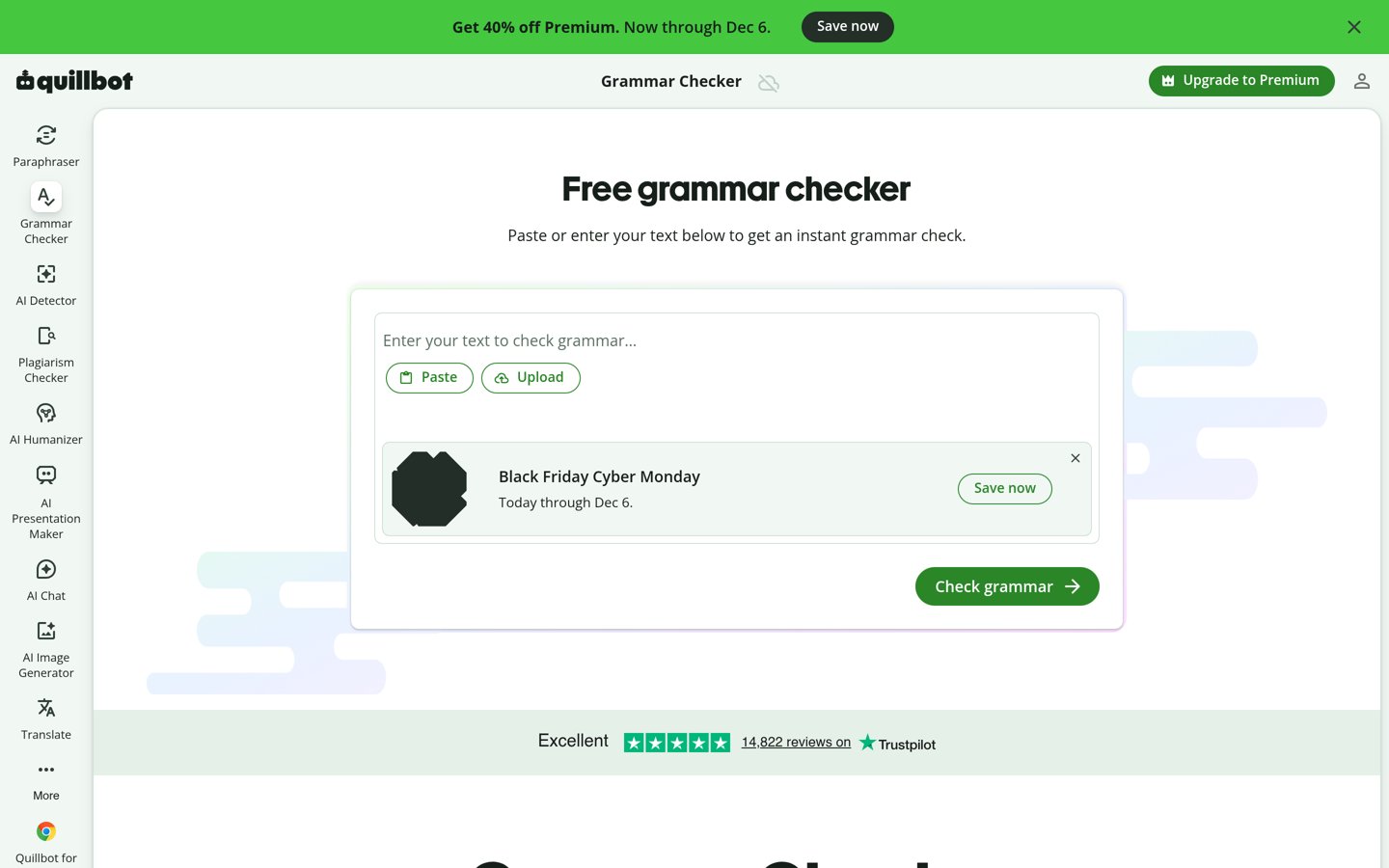
QuillBot homepage, captured Nov 2026.
QuillBot is a writing and paraphrasing suite with a free plan and a Premium plan priced at $19.95/mo on monthly billing or $39.95 billed every three months. The free tier caps paraphrasing at 125 words and summarizing at 1,200 words, while Premium unlocks unlimited paraphrasing words, 6,000-word summaries, and monthly plagiarism checks.
The trade off is tight word caps on the free plan and a $19.95/mo list price if you pay month to month. It suits students rephrasing awkward sentences and condensing readings during study sessions.
We selected well-known AI platforms and study workspaces that students commonly use for drafting, research, note organization, and editing, requiring established public review profiles and active maintenance.
All pricing tiers, plan features, and G2 review scores were checked on 22 Nov 2026 from official pricing pages and public G2 listings, noting promotional or student discounts separately where listed.
We excluded tools that lacked confirmed pricing pages or clear public review counts on the sources we opened today. No vendor paid for a place, and we do not claim testing for this list.
How to choose the right AI platform for your classes
Follow four practical steps to pick a tool that fits your coursework and budget:
Start with your main study bottleneck. Pick a general assistant like ChatGPT or Claude for explaining concepts and drafting, Perplexity for sourced research, Grammarly or QuillBot for editing and rephrasing, or Notion for organizing notes.
Test the free tier against a real assignment. Check how quickly you hit prompt limits, upload caps, or word limits during a normal study block before paying for an upgrade.
Compare monthly list rates against annual billing. Check whether a tool charges a standard monthly rate, offers a lower annual or quarterly rate, or lists a student option like Perplexity Education Pro.
Verify facts and follow your school's rules. Treat AI outputs as a starting point to check against textbooks and primary sources, and follow your course syllabus on acceptable AI use.
FAQ
Which AI platform is best overall for students?
ChatGPT is a strong default choice because it combines a free tier with a $20/mo Plus plan that covers chat, file analysis, voice, and image generation, backed by a 4.6/5 rating across 5,459 G2 reviews. Students who want higher G2 ratings or specialized workflows often pair it with Claude, Perplexity, or Grammarly.
Do students need a paid AI subscription right away?
No. Every platform on this list offers a free tier, so you can test basic chat, note organization, grammar checks, or paraphrasing before spending money. Paid plans become more useful when you hit message caps, file limits, or word limits during heavy coursework.
Which tool is best for finding sources and researching topics?
Perplexity is built around search with inline source citations, making it easier to see where information comes from and click through to check references. Its free plan includes basic search with citations, while Pro at $17/mo billed annually or Education Pro at $10/mo expands research limits.
What is the difference between Grammarly and QuillBot for student writing?
Grammarly focuses on grammar, spelling, clarity, tone, and editing across browsers and editors, starting free with 100 monthly AI prompts and offering Pro at $12/mo. QuillBot focuses heavily on paraphrasing and summarizing text, with a 125-word free paraphrase cap and a $19.95/mo monthly Premium option.
Does Notion include full AI features on its lower-cost plans?
Notion includes a limited trial of Notion AI on its Free and $10/member/mo Plus plans, while full workspace AI tools like Notion Agent and AI Meeting Notes belong to the $20/member/mo Business plan. Many students still use Notion Free or Plus for structured notes and project tracking.
How should I check AI answers before using them in coursework?
Always verify dates, statistics, quotes, and technical claims against primary sources, course readings, or reputable databases. Reviewers frequently note that AI assistants can sound confident even when a detail is inaccurate or incomplete.