WLWPLegible EditorsLast verified 22 Nov 2026How we rank14 min read
★ Short answer
Canva is the best AI design software for most creators, with Canva Pro costing $18 monthly and providing premium templates, brand tools and AI-assisted design. Adobe Express is a lower-cost alternative for marketing graphics, while Figma is better for collaborative interface design and interactive prototypes.
How we make this list: we compare pricing pages, product documentation and public user reviews, then re-check every price before each update. No product paid for a place. Disclosure.
Canva Pro costs $18 monthly or $12 per month billed annually, adding premium design assets, brand management and expanded AI allowances.
Adobe Express Premium costs $9.99 monthly and includes 250 monthly generative credits, premium templates and advanced editing features.
Figma Professional costs $16 per full design seat monthly on annual billing and includes 3,000 monthly AI credits.
Uizard Pro costs $12 monthly on annual billing and includes 500 AI generations monthly and up to 100 projects.
Visme Starter costs $147 annually, equivalent to $12.25 monthly, and includes premium templates, downloadable designs and AI creation tools.
Adobe Firefly Standard costs $9.99 monthly and includes 2,000 generative credits, while Leonardo.Ai Essential costs $12 monthly with 8,500 fast tokens.
What to look for in AI design software
AI design software helps people create visual content through text prompts, automated layouts, image generation and assisted editing. The category includes marketing design platforms, interface design environments and specialized generative image applications.
Start with the type of design you produce. Social graphics and presentations require different features from product interfaces, vector illustrations or detailed concept art. A platform with strong image generation may still lack the layout tools needed to prepare finished marketing materials.
Consider editability before judging generated results. The ability to change text, colors, individual objects and layouts matters when designs need revisions or must follow brand guidelines.
Check AI usage allowances carefully. Some vendors provide a monthly credit pool, while others restrict premium models, image generations or AI-assisted editing. A subscription that includes ordinary editing may still charge extra for intensive generative work.
Finally, evaluate file exports, collaboration and commercial-use terms. Confirm that the application supports the formats your team needs and allows the intended use of generated assets. AI output should be reviewed for accuracy, originality and visual consistency.
Canva is an online visual design platform that combines templates, image editing, presentations, video creation and AI-generated content. Its free plan provides design tools and limited AI usage, while Pro includes premium templates, background removal, brand management, expanded AI allowances and access to Canva AI 2.0.
The trade off is that premium AI generations share plan-based allowances, and the $18 monthly price is higher than the $144 annual subscription. Advanced organizational controls require Business or Enterprise. It suits marketers, creators and small businesses producing branded graphics without needing specialist design software.
What we like
Large library of templates and design elements
AI image generation and assisted editing
Supports presentations, graphics and video
Brand management on the paid plan
Accessible to beginners and experienced creators
Watch out for
Premium AI generations have usage allowances
Advanced design control is more limited than specialist editors
Team administration requires higher plans
Popular templates can produce similar-looking designs
Pro adds premium assets, background removal, brand tools and expanded AI usage.Visit canva.com
02
Adobe Express
4.4/5on G2 (1,109 reviews, checked Nov 2026)
Paid from$9.99/mo
Best for affordable AI marketing graphics
Entry paid planPremium
AI credits250/month
Premium templates730,000+
Adobe fonts30,000+
adobe.com
Adobe Express homepage, captured Nov 2026.
Adobe Express is a browser-based creative platform for producing marketing graphics, presentations, social media content and short videos. Its free plan includes templates and limited AI generations, while Premium adds 250 monthly generative credits, more than 730,000 templates, premium Adobe Stock assets and brand management.
The trade off is that generative credits limit heavier AI workflows, and advanced illustration or photo manipulation may still require other Adobe applications. Premium costs $9.99 monthly. It suits creators who want an affordable design editor with Adobe assets and Firefly-powered features.
What we like
Low published Premium subscription price
AI image generation and object editing
Large premium template and font libraries
Brand kits and content resizing
Works alongside other Adobe creative applications
Watch out for
Monthly generative credits are limited
Complex design work may need specialist Adobe applications
Some collaborative capabilities require other subscriptions
AI-generated elements may require manual corrections
Premium adds 250 monthly AI credits, premium assets, expanded templates and brand tools.Visit adobe.com
03
Figma
4.7/5on G2 (1,599 reviews, checked Nov 2026)
Paid from$16/mo
Best for AI-assisted UI and product design
Entry design planProfessional Full seat
Annual-billing rate$16/seat/mo
AI credits3,000/month
Free AI allowanceUp to 500/month
figma.com
Figma homepage, captured Nov 2026.
Figma is a collaborative interface design platform with AI-powered editing, image generation, layout assistance and prototyping tools. Its free Starter plan offers unlimited drafts and up to 500 monthly AI credits. Professional Full seats include 3,000 monthly AI credits, team libraries and expanded design capabilities.
The trade off is seat-based pricing and separate AI credit limits. A Professional Full seat costs $16 monthly on annual billing, while cheaper collaboration seats do not provide equivalent design capabilities. It suits product designers and development teams working on interfaces, prototypes and shared design systems.
What we like
Collaborative interface and prototype design
AI-assisted image and design editing
Reusable components and shared design systems
Developer handoff and inspection tools
Free plan for exploring designs
Watch out for
More complex than template-based graphic editors
Full design seats cost more than collaboration seats
AI credits limit generative workflows
Not primarily designed for general marketing graphics
Professional Full seats add team libraries, expanded prototyping and 3,000 monthly AI credits.Visit figma.com
04
Uizard
4.5/5on G2 (45 reviews, checked Nov 2026)
Paid from$12/mo
Best for generating UI mockups from prompts
Entry planPro
AI generations500/month
ProjectsUp to 100
BillingAnnual
uizard.io
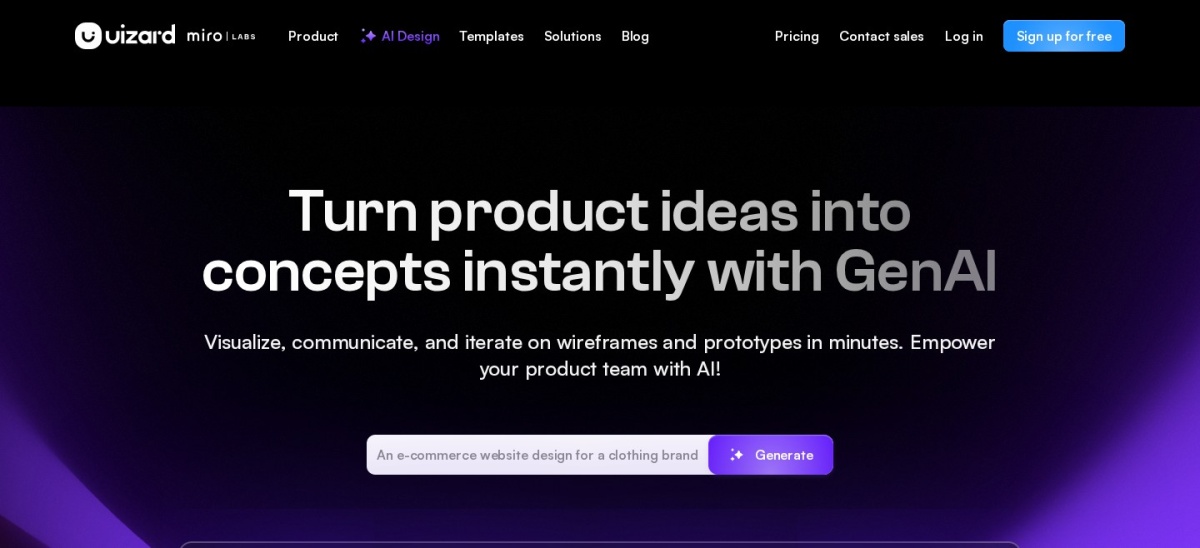
Uizard homepage, captured Nov 2026.
Uizard is an AI-powered interface design platform that generates website layouts, app screens, wireframes and editable mockups from prompts. Its free plan includes three AI generations monthly and two projects. Pro provides 500 monthly AI generations, Autodesigner 2.0, private projects and React CSS developer handoff.
The trade off is that the $12 monthly rate requires annual billing, and generated interfaces still need usability and accessibility review. Business costs $39 monthly on annual billing for larger allowances. It suits founders, product managers and teams exploring interface ideas before development.
What we like
Generates editable interfaces from text prompts
Converts screenshots and sketches into designs
Pro includes 500 monthly AI generations
Supports prototypes and developer handoff
Free plan for evaluating the workflow
Watch out for
Limited free AI generation allowance
Less suitable for detailed production design systems
Annual billing required for published Pro rate
Generated layouts need usability checks
Pro adds Autodesigner 2.0, private projects, 500 generations and developer handoff.Visit uizard.io
05
Visme
4.5/5on G2 (514 reviews, checked Nov 2026)
Paid from$147/yr
Best for AI-assisted presentations and infographics
Entry planStarter
Annual price$147
Storage1 GB
ProjectsUnlimited
visme.co
Visme homepage, captured Nov 2026.
Visme is a visual communication platform for presentations, infographics, reports, documents and marketing assets. Its AI Creation Studio supports generating and adapting content, while the free Basic plan includes limited templates. Starter costs $147 annually and adds premium assets, unlimited projects and JPG, PNG and PDF downloads.
The trade off is that branding controls, advanced collaboration and additional export formats are reserved for Business at $297 annually. Starter also includes only 1 GB of storage. It suits marketing and communication teams producing reports, presentations and branded educational materials.
What we like
Presentation and infographic creation tools
AI-assisted visual content generation
Large library of templates and assets
Starter supports unlimited projects
Reports, charts and interactive content workflows
Watch out for
Starter has limited storage
Advanced brand tools require Business
Some export formats require an upgrade
Less suitable for advanced interface design
Starter adds premium assets and downloads; Business adds brand kits and advanced exports.Visit visme.co
06
Adobe Firefly
4.3/5on G2 (592 reviews, checked Nov 2026)
Paid from$9.99/mo
Best for AI image creation and editing
Entry paid planStandard
Generative credits2,000/month
Image generationUp to 400 images
Video generationUp to 20 short videos
adobe.com
Adobe Firefly homepage, captured Nov 2026.
Adobe Firefly is a generative creative platform for producing images, modifying visual assets and exploring concepts. Its free plan includes limited daily generations, while Standard provides 2,000 monthly generative credits, image editing, Firefly Boards and access to supported creative models.
The trade off is that premium image and video generations consume credits, and Firefly is not a complete layout or interface design editor. Standard costs $9.99 monthly, while Pro has a regular price of $19.99 monthly despite a temporary discount. It suits designers needing generated visual assets for larger creative projects.
What we like
AI image generation and editing tools
Access to multiple supported AI models
Firefly Boards supports creative exploration
Works alongside Adobe creative applications
Free tier available
Watch out for
Credit consumption depends on generation type
Not a complete page layout application
Advanced features require higher plans
Generated visuals need accuracy and rights review
Standard adds 2,000 monthly credits; Pro increases the allowance to 4,000.Visit adobe.com
07
Leonardo.Ai
4.5/5on G2 (34 reviews, checked Nov 2026)
Paid from$12/mo
Best for AI concept art and creative assets
Entry paid planEssential
Fast tokens8,500/month
AI models80+
Personal AI models10
leonardo.ai
Leonardo.Ai homepage, captured Nov 2026.
Leonardo.Ai is a generative image and video platform for concept art, illustrations, product visuals and creative experiments. Its free plan includes 150 daily fast tokens and public creations. Essential costs $12 monthly and includes 8,500 monthly tokens, access to more than 80 models, private creations and 10 personal AI models.
The trade off is that generation costs vary between models and settings, so intensive use can exhaust token allowances. Essential also limits simultaneous generations, while Premium costs $30 monthly for larger usage capacity. It suits illustrators, marketers and concept designers needing varied image styles and creative control.
What we like
Wide choice of image generation models
Daily free token allowance
Private generations on Essential
Custom model training capabilities
Supports concept images and creative assets
Watch out for
Token consumption varies across models
Complex compositions may need repeated generations
Less suitable for finished document layouts
Higher-volume users may need Premium
Essential adds private creations, 8,500 fast tokens and personal AI models.Visit leonardo.ai
Which type of AI design software do you need?
General graphic design platforms help create social graphics, presentations, promotional materials and documents. Canva and Adobe Express are strong choices when editable templates, brand assets and simple publishing workflows matter.
Interface design software focuses on websites, applications and interactive experiences. Figma supports collaborative product design, while Uizard uses AI to generate initial layouts, screens and wireframes.
Visual communication platforms emphasize presentations, infographics and business content. Visme provides templates, charts, reports and AI-assisted content generation for these workflows.
Generative image tools create artwork and visual assets from text or other references. Adobe Firefly and Leonardo.Ai provide model-driven generation, but their outputs may need additional editing before becoming finished marketing materials.
Many teams benefit from combining a generative image tool with a layout editor. This allows AI to create supporting visuals while the design application manages typography, spacing, brand consistency and final exports.
How AI design software pricing and credits work
Subscription prices do not directly indicate how much AI generation a tool provides. Canva uses plan-based AI allowances, while Adobe Express Premium includes a monthly generative credit allocation.
Figma provides credits for AI-assisted product design features, and Uizard limits monthly AI generations according to subscription level. Their allowances represent different activities and should not be compared as equivalent units.
Adobe Firefly and Leonardo.Ai charge credits or tokens according to generation requirements. Video, advanced models and demanding image settings can consume more resources than simpler outputs.
Annual discounts can lower the effective subscription price. Canva Pro, Uizard Pro and Figma Professional publish reduced annual-billing rates, while Visme Starter displays its annual subscription total.
Choose based on the tasks you actually perform. A lower-priced tool with limited generation credits may be sufficient for occasional artwork, while frequent campaigns or collaborative product design can justify higher allowances.
How we chose
We selected established visual design platforms with identifiable AI features, published pricing and public user feedback. The shortlist covers general graphics, presentation design, UI and UX workflows, AI-generated visual assets and assisted editing. We compared official feature documentation, subscription structures and G2 reviews.
Pricing and user ratings were checked against official vendor pages and G2 listings on 24 Nov 2026 for this guide, which uses 22 Nov 2026 as its editorial reference date. Annual equivalents reflect the stated entry subscription or annual-billing total. Limited-time promotions were excluded from regular prices.
We excluded products without confirmable public entry prices, insufficient public review evidence or relevant AI design functionality. We also distinguished specialist image generators from complete design editors so readers can compare their intended uses accurately. No vendor paid for a place, and we do not claim testing for this list.
How to choose the best AI design software
Identify your main design outputs, then compare editing features, AI allowances and collaboration requirements before selecting a platform.
Match the software to your design projects. Decide whether you mainly create social graphics, presentations, user interfaces or generated artwork. Choose a platform built for those outputs rather than assuming every AI design tool handles all formats equally well.
Evaluate editing and customization controls. Confirm that generated layouts and visuals can be adjusted to match your requirements. Look for editable objects, typography controls, brand kits, reusable components and support for the file formats your workflow needs.
Compare regular prices and AI allowances. Review the cheapest paid plan, annual commitments and included AI credits or generations. Estimate how often you will use premium features. Consider whether additional usage charges or higher subscriptions would be necessary for your normal workload.
Review collaboration and commercial-use terms. Check user permissions, sharing options, design ownership and asset licensing. If your work involves clients or proprietary material, examine the vendor's privacy and data-handling policies. Always review generated content before publication.
FAQ
What is the best AI design software in 2026?
Canva is our top overall choice for general graphic design because it combines templates, brand assets and AI-assisted creation in one editor. Adobe Express offers a lower-cost Premium plan, while Figma is better suited to professional UI design and collaborative product development.
Which AI design software is best for beginners?
Canva and Adobe Express are accessible starting points because they provide ready-made templates, visual editors and AI-assisted features. Both offer free plans. Uizard is another beginner-friendly choice when the goal is creating app or website mockups from text prompts rather than producing marketing graphics.
Is there free AI design software?
Yes. Canva, Adobe Express, Figma, Uizard, Visme, Adobe Firefly and Leonardo.Ai provide free access with varying restrictions. These may include limits on premium templates, projects, generative credits, private creations or exports. Review the free tier before deciding whether a subscription is necessary.
Can AI design software create logos?
Many AI design platforms can generate logo concepts and supporting graphics. Canva, Adobe Express and Leonardo.Ai can help with visual exploration, but generated concepts still need refinement. Before using a logo commercially, check asset licensing, originality and potential conflicts with existing trademarks.
What is the difference between Canva and Adobe Express?
Both provide template-based design editors and AI-assisted content creation. Canva emphasizes broad visual design workflows and collaborative brand assets, while Adobe Express connects closely with Adobe's creative ecosystem. Canva Pro costs $18 monthly, compared with Adobe Express Premium at $9.99 monthly.
Is Figma an AI design tool?
Yes. Figma includes AI-assisted design editing, image tools and features that support product design workflows. Its free Starter plan includes limited AI credits, while Professional Full seats provide 3,000 monthly AI credits. It remains primarily a collaborative interface and prototyping platform rather than a general image generator.
Which AI tool is best for website and app design?
Figma is well suited to collaborative interface design, interactive prototypes and reusable design systems. Uizard is useful for generating initial website and application screens from prompts. The right choice depends on whether you need quick concept generation or detailed production-ready interface design.
How much does AI design software cost?
The tools in this comparison have paid entry options ranging from Adobe Express and Adobe Firefly at $9.99 monthly to Canva Pro at $18 monthly. Other vendors offer discounted annual subscriptions. Total costs can rise when additional users, AI generations or advanced features are needed.
Can AI-generated designs be used commercially?
Commercial use depends on the platform's terms, the assets involved and applicable intellectual property rules. Many tools permit commercial use of eligible outputs, but restrictions can apply to licensed stock assets, third-party models or experimental features. Review the relevant terms and check designs for originality before publication.