Best Accounting Software for Real Estate Flippers in 2026: 7 Tools Compared
WLWPLegible EditorsLast verified 22 Nov 2026How we rank6 min read
★ Short answer
QuickBooks Online is the top pick for real estate flippers because most US accountants support it and its Plus plan tracks project profitability and classes. Baselane suits investors wanting free property banking and bookkeeping, while FlipperForce fits flippers combining rehab budgeting and project tracking in one workspace.
How we make this list: we compare pricing pages, product documentation and public user reviews, then re-check every price before each update. No product paid for a place. Disclosure.
QuickBooks Online Simple Start lists at $38/mo regular price, while Plus ($140/mo) adds project profitability and class tracking.
Baselane offers a free Core plan and charges $20/mo billed annually on Smart for custom categories and auto-receipt matching.
FlipperForce starts at $79/mo billed monthly ($59/mo annually) with rehab estimating, budget vs. actuals, and receipt analysis.
REI Hub offers a free plan up to 3 units and paid plans starting at $15/mo monthly ($9/mo annually) for up to 3 units.
Stessa provides a free Essentials tier and paid Manage ($15/mo monthly, $12/mo annually) and Pro ($35/mo monthly, $28/mo annually) plans.
What to look for in accounting software for house flippers
Flipping properties differs from long-term rental accounting because each rehab behaves like a short-term project with heavy upfront capital, contractor draws, holding costs, and closing adjustments. Tracking material receipts, labor bills, and loan interest against a single flip helps you see true project profit before the property sells.
Many general small-business ledgers work well for double-entry bookkeeping and CPA handoffs, whereas investor-focused platforms organize transactions by property, entity, or unit. Flippers who also hold occasional rentals or BRRRR deals often look for tools that separate rehab expenses from ongoing operating costs without manual spreadsheet work.
Watch for promotional pricing that expires after a few months, as well as tier gates around multi-user seats, project or class tracking, and receipt capture. Confirm whether your workflow needs dedicated project budgeting, bank feeds, or full property management tools before committing to an annual plan.
Lightweight interface for expense and contractor tracking
$23/mo
No free plan
4.5/5
Price ladder: cheapest paid plan per year
List prices, USD, checked Nov 2026
REI HubFREE$180
StessaFREE$180
BaselaneFREE$240
FreshBooks$276
Xero$324
QuickBooks$456
FlipperForce$948
The 7 best accounting software for real estate flippers
01
QuickBooks Online
4.3/5on Capterra (8,546 reviews, checked Nov 2026)
Starts at$38/mo
Best overall for CPA familiarity and job costing
Regular entry price$38/mo (Simple Start)
Free trial30 days
Project trackingPlus plan ($140/mo)
Capterra rating4.3/5 (8,546 reviews)
quickbooks.intuit.com
QuickBooks Online homepage, captured Nov 2026.
QuickBooks Online is a cloud accounting platform used widely by small businesses and tax preparers, with a 30-day free trial and Simple Start at $38/mo regular price for one user plus accountant access. It handles bank feeds, income and expense tracking, receipt capture, and standard financial reports.
The trade off is that project profitability and class tracking require higher tiers such as Plus at $140/mo regular price, and list prices rise across upper plans. It suits flippers who collaborate closely with a CPA and want an established general ledger.
What we like
Broadly supported by US bookkeepers and CPAs at tax time
Automated bank feeds, expense categorization, and mobile receipt capture
Project profitability and class/location tracking available on Plus
Watch out for
Project tracking and class tracking sit on higher-priced tiers
Regular monthly pricing increases as you add users or features
Higher tiers such as Plus ($140/mo regular price) add up to 5 users, project profitability, and class and location tracking.Visit quickbooks.intuit.com
02
Baselane
4.7/5on Capterra (18 reviews, checked Nov 2026)
Paid from$240/yr
Best free option for property banking and bookkeeping
Free planBaselane Core ($0/mo)
Paid planSmart at $20/mo billed annually
Property accountsUnlimited checking & savings
Capterra rating4.7/5 (18 reviews)
baselane.com
Baselane homepage, captured Nov 2026.
Baselane is a real estate banking and bookkeeping platform whose free Core plan includes unlimited checking and savings accounts, expense tracking, and tax reporting. It lets investors separate property funds and track inflows and outflows by property or entity.
The trade off is that custom categories, AI transaction tagging, and auto-receipt matching sit on the Smart plan at $20/mo billed annually ($240/yr), and wire or check fees apply to certain transfers. It suits investors who want separate property accounts alongside bookkeeping.
What we like
Free Core plan with unlimited property-specific checking and savings accounts
Property- and entity-level cash flow tracking and tax reporting
Optional syncs with QuickBooks and Xero
Watch out for
Custom categories and auto-receipt matching require Baselane Smart
Certain banking actions such as mailed checks or outbound wires carry fees
Baselane Smart ($20/mo billed annually) adds custom categories, automated transfers, AI transaction tagging, and auto-receipt matching.Visit baselane.com
03
FlipperForce
4.8/5on Capterra (64 reviews, checked Nov 2026)
Starts at$79/mo
Best dedicated fix-and-flip budget and project tracker
Regular entry price$79/mo (Solo monthly)
Annual billing$59/mo ($708/yr)
Free trial30 days
Capterra rating4.8/5 (64 reviews)
flipperforce.com
FlipperForce homepage, captured Nov 2026.
FlipperForce is a fix-and-flip software platform that combines deal analysis, rehab estimating, project scheduling, and budget-vs.-actual expense tracking, starting with a 30-day free trial and Solo at $79/mo regular monthly pricing. It includes an AI receipt analyzer and per-project profit and loss views.
The trade off is that there is no free plan after the trial and regular monthly pricing is higher than general bookkeeping tools, at $79/mo for one user and up to 50 leads and projects. It suits active house flippers managing rehab budgets alongside project tasks.
What we like
Built specifically around fix-and-flip deals, rehab estimates, and budget vs. actuals
Includes AI receipt analysis and project-level profit and loss tracking
Offers a 30-day free trial and lower annual billing at $59/mo
Watch out for
No permanent free tier once the 30-day trial ends
Higher starting monthly cost than general small-business accounting software
Team ($199/mo regular monthly; $149/mo annually) and Business ($499/mo regular monthly; $349/mo annually) add more users, projects, and onboarding.Visit flipperforce.com
04
REI Hub
4.5/5on Capterra (2 reviews, checked Nov 2026)
Paid from$15/mo
Best low-cost investor ledger for small portfolios
Free plan$0/mo for up to 3 units
Paid entry price$15/mo monthly ($9/mo annually)
Free trial14 days
Capterra rating4.5/5 (2 reviews)
reihub.net
REI Hub homepage, captured Nov 2026.
REI Hub is a real estate accounting platform with property-based tracking and a free plan for up to 3 units covering basic revenue and expense tracking. It offers real-estate-specific categorization, loan tracking, and tax reports.
The trade off is that automated transaction imports, automatic booking rules, and full tax reports sit on paid plans starting at $15/mo billed monthly ($9/mo billed annually for up to 3 units). It suits investors tracking property-level expenses who may hold properties after rehab.
What we like
Free plan available for up to 3 units with real estate expense categories
Property-level reporting and loan and fixed-asset tracking on paid plans
Plans scale transparently by unit count with a 14-day free trial
Watch out for
Automated bank imports and booking rules require upgrading past the free plan
Small review sample on Capterra compared with larger accounting tools
Paid Professional plans ($15/mo monthly or $9/mo annually for up to 3 units) unlock automatic transaction imports, booking rules, and tax reports.Visit reihub.net
05
Stessa
4.5/5on Capterra (104 reviews, checked Nov 2026)
Paid from$15/mo
Best free dashboard for property income and expenses
Free planEssentials ($0/mo)
Paid entry priceManage at $15/mo ($12/mo annually)
Higher tierPro at $35/mo ($28/mo annually)
Capterra rating4.5/5 (104 reviews)
stessa.com
Stessa homepage, captured Nov 2026.
Stessa is a real estate financial tracking platform whose free Essentials plan covers property income and expense tracking, cash flow dashboards, and banking features. Investors can view property-level performance and organize transactions in one place.
The trade off is that Schedule E tax reports, unlimited receipt scanning, and advanced reports require paid tiers starting with Manage at $15/mo monthly ($12/mo annually). It suits investors who want a free starting hub for property transactions and holds.
What we like
Free Essentials tier for tracking property income, expenses, and cash flow
Clear property-level reporting and real estate banking options
Lower cost than full commercial or general accounting suites
Watch out for
Schedule E reports and unlimited receipt scanning require paid upgrades
Focused more on real estate portfolio tracking than full general-ledger depth
Manage ($15/mo monthly; $12/mo annually) and Pro ($35/mo monthly; $28/mo annually) add Schedule E reports, unlimited receipt scans, and advanced reporting.Visit stessa.com
06
Xero
4.4/5on Capterra (3,343 reviews, checked Nov 2026)
Starts at$27/mo
Best double-entry alternative to QuickBooks
Regular entry price$27/mo (US Early)
Bill & invoice capsUp to 20 invoices & 5 bills on Early
Core workflowBank reconciliation & bill tracking
Capterra rating4.4/5 (3,343 reviews)
xero.com
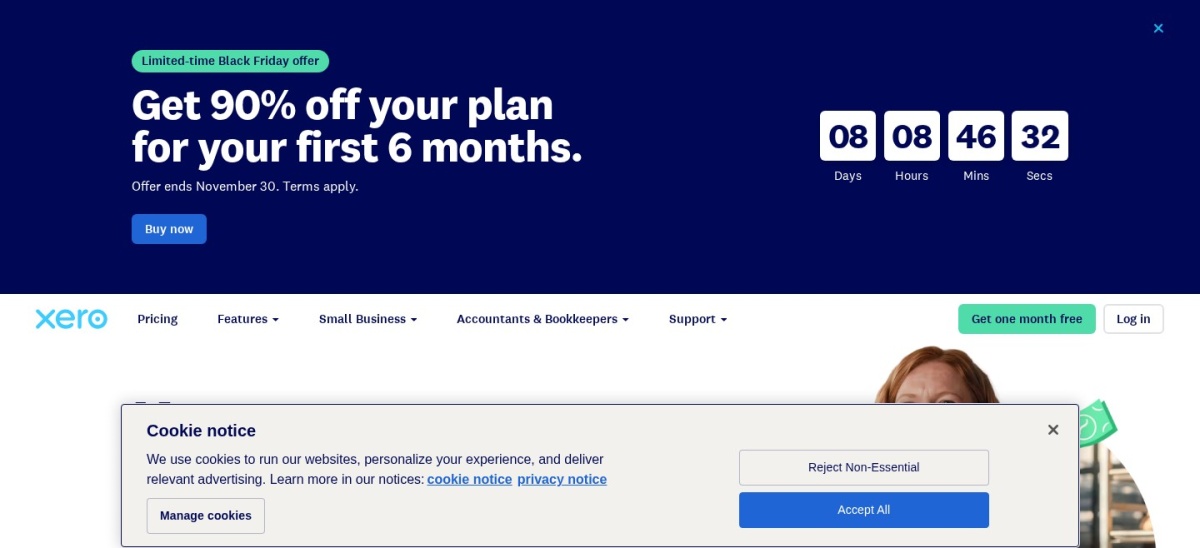
Xero homepage, captured Nov 2026.
Xero is a cloud accounting platform offering bank transaction reconciliation, bill tracking, document capture, and financial reporting, with the US Early plan priced at $27/mo regular rate. It helps track contractor bills, expense claims, and cash flow in a double-entry ledger.
The trade off is that the US Early plan caps you at 20 invoices and 5 bills per month before requiring a higher tier, and it lacks built-in rehab estimating. It suits flippers who want a clean double-entry ledger and can stay within low monthly bill counts.
What we like
Straightforward bank reconciliation, bill entry, and document capture
Includes 1099 reporting and cash flow forecasting on US plans
Strong third-party app ecosystem for small-business workflows
Watch out for
US Early plan limits monthly invoice and bill counts
No native house-flipping deal analysis or rehab estimating
Higher Xero plans lift the monthly invoice and bill limits on Early ($27/mo regular US rate) and expand multi-currency and reporting tools.Visit xero.com
07
FreshBooks
4.5/5on Capterra (4,534 reviews, checked Nov 2026)
Starts at$23/mo
Best lightweight interface for expense and contractor tracking
Regular entry price$23/mo (Lite)
Client cap on LiteUp to 5 billable clients
Project profitabilityPremium plan ($70/mo regular)
Capterra rating4.5/5 (4,534 reviews)
freshbooks.com
FreshBooks homepage, captured Nov 2026.
FreshBooks is a cloud accounting tool focused on expense tracking, invoicing, time logs, and financial reports, starting with Lite at $23/mo regular monthly pricing. Users can log expenses on the go, track mileage, and share access with an accountant.
The trade off is that Lite caps billable clients at 5 and project profitability tracking requires Premium at $70/mo regular monthly pricing, while extra team seats cost extra. It suits solo flippers or consultants who prefer a simple expense and billing interface.
What we like
Clean interface with expense tracking, receipt capture, and mileage logs
Lower regular starting monthly price than QuickBooks or FlipperForce
Includes free accountant access across plans
Watch out for
Lite plan restricts billable clients and lacks project profitability tracking
Not tailored to real estate rehab budgets, loans, or property ledgers
Plus ($43/mo regular) raises client limits and adds double-entry accounting reports, while Premium ($70/mo regular) adds project profitability and accounts payable.Visit freshbooks.com
How to track rehab costs per flip
A common pitfall for flippers is mixing demolition, framing, plumbing, and staging expenses into one lump-sum category across multiple houses. Assigning each property or project its own code or project tag makes it easier to compare estimated rehab budgets against actual contractor payouts.
Keep every receipt, draw request, and closing statement tied to the specific property address so you can calculate net flip profit accurately and hand clean records to your accountant at tax time.
How we chose
We built this shortlist by looking at accounting and real estate finance platforms commonly used by house flippers and real estate investors, comparing general ledgers, investor bookkeeping tools, and flip-specific project software.
Pricing, plan tiers, and Capterra ratings and review counts were checked on 22 Nov 2026 using current public pricing and review pages in US dollars.
We excluded enterprise real estate suites with custom sales-led pricing and tools lacking clear public pricing or active user feedback for smaller flipping workflows. No vendor paid for a place, and we do not claim testing for this list.
How to choose the right flip accounting tool
Follow four steps to match accounting software to how you buy, renovate, and sell properties.
Check how your CPA prefers to receive books. If your accountant already works inside QuickBooks or Xero every day, starting there can save cleanup hours at tax season.
Decide if you need project budgets or pure bookkeeping. Flippers tracking contractor draws and rehab budgets against estimates may prefer FlipperForce or QuickBooks Plus, while lighter ledgers fit simpler transaction volume.
Verify tier limits before signing up. Check whether features you need—such as project tracking, receipt scanning, or extra users—sit on entry plans or require higher monthly tiers.
Compare regular monthly and annual rates. Look past short-term introductory discounts and calculate what you will pay at regular rates across an entire flip cycle.
FAQ
What is the best accounting software for house flippers?
QuickBooks Online is a strong default for most flippers because CPAs know it well and Plus supports project profitability and class tracking. FlipperForce is a strong fit if you want rehab budgeting and project tracking built into one tool.
Can I use free software to track flip expenses?
Yes. Baselane offers a free Core plan for property banking and bookkeeping, while REI Hub and Stessa offer free tiers for basic property tracking, though advanced automation or tax reports may require paid plans.
Does QuickBooks Online support project tracking for flips?
Project profitability and class or location tracking are included on QuickBooks Online Plus rather than the entry Simple Start plan. You can tag expenses by project or class to review costs per property.
Should flippers use general accounting software or flip-specific software?
General accounting software focuses on ledgers, bank reconciliation, and accountant handoffs, while flip-specific software combines rehab estimating, project schedules, and expense tracking. Some flippers pair a project tool with a dedicated accounting ledger.
How do flippers handle rehab materials and contractor payments?
Log every contractor invoice, draw, and material receipt against the specific property or project so holding and renovation costs stay separate. Keeping clean documentation helps verify project margins and simplifies year-end tax prep.
Why do introductory prices look lower than the regular price?
Many accounting providers run limited-time discounts or lower annual-billing rates for the first few months before renewing at standard rates. Always budget using the regular ongoing rate so your costs do not surprise you mid-project.