Best Accounting Software for Purchase Orders in 2026: 7 Tools Compared
WLWPLegible EditorsLast verified 22 Nov 2026How we rank6 min read
★ Short answer
Xero is the most accessible accounting pick for purchase orders because POs sit on every plan starting at $27/mo US regular price rather than locked behind upper tiers. For deeper stock and order tracking, consider Zoho Books or QuickBooks Online Plus.
How we make this list: we compare pricing pages, product documentation and public user reviews, then re-check every price before each update. No product paid for a place. Disclosure.
Xero includes purchase orders on every US plan, with Starter at $27/mo regular price (a 90% intro offer applies for the first 3 months on qualifying sign-ups).
Zoho Books unlocks sales and purchase orders plus purchase approvals on its Professional plan at $40/mo billed annually ($50/mo monthly).
QuickBooks Online restricts purchase orders to Plus ($140/mo US list) and Advanced ($340/mo US list), leaving Simple Start ($38/mo) and Essentials ($85/mo) without POs.
Sage 50 includes purchase order and approval workflows on every plan starting at $132.17/mo with a one-year commitment.
AccountEdge Pro starts at $20/mo for single-user desktop accounting with inventory and purchasing included, while Odoo offers a $0 One App Free tier and Standard from $24.90/user/mo first year.
What to look for in purchase order accounting software
Purchase orders give your team a numbered buying record before vendor bills arrive. When a supplier sends an invoice, matching it against an approved purchase order helps catch wrong quantities, price shifts, or duplicate charges.
Pay close attention to which plan unlocks purchase orders. Some accounting platforms include POs on their lowest tier, while others gate them behind mid-tier or higher-priced plans.
Check how POs connect to bills and inventory. Converting a purchase order straight into a vendor bill avoids retyping line items, while stock-heavy teams often want partial receipts and reorder points.
Also check user limits and approval steps. A solo buyer may only need basic PO creation and bill conversion, whereas growing teams benefit from approval rules and multi-user access.
The 7 best accounting software for purchase orders
01
Xero
4.4/5on G2 (1,862 reviews, checked Nov 2026)
Starts at$27/mo
Best for built-in POs on entry plans
PO availabilityAll plans
Starter bill cap5 bills/mo
Entry US price$27/mo regular
Free trial30 days
xero.com
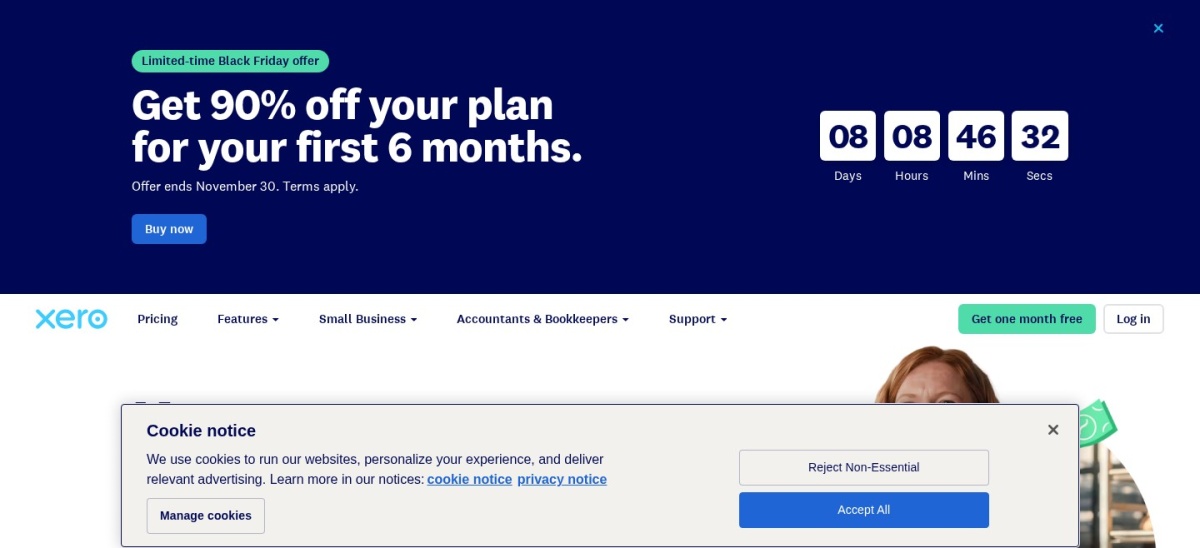
Xero homepage, captured Nov 2026.
Xero is cloud accounting software that includes purchase orders across its plans, with the US Starter plan at $27/mo regular price (a 90% discount is advertised for the first 3 months on new US sign-ups). Starter covers 20 invoices and 5 bills per month alongside quotes, bank reconciliation, and cash flow forecasting.
The trade off is that Starter caps bills at 5 per month, so active buyers will likely move to Standard at $54/mo or Premium at $82/mo regular price. It suits small businesses that want native purchase orders without upgrading to a top-tier accounting plan.
What we like
Includes purchase orders on entry-level plans rather than hiding them on expensive tiers
Clean bank reconciliation, quotes, and 30-day cash flow forecasting on Starter
30-day free trial available before committing to a monthly plan
Watch out for
Starter plan limits bill entry to 5 bills per month
Introductory 90% discount only applies for the first 3 months before regular rates apply
Higher plans remove Starter's 5-bill and 20-invoice caps and add 60-day or 180-day cash flow forecasting and multi-currency support.Visit xero.com
02
Zoho Books
4.4/5on G2 (332 reviews, checked Nov 2026)
Paid from$40/mo
Best for POs + purchase approvals under $50/mo
Free plan limitUnder $50K rev
PO planProfessional
PO plan price$40/mo annual
Included users5 on Pro
zoho.com
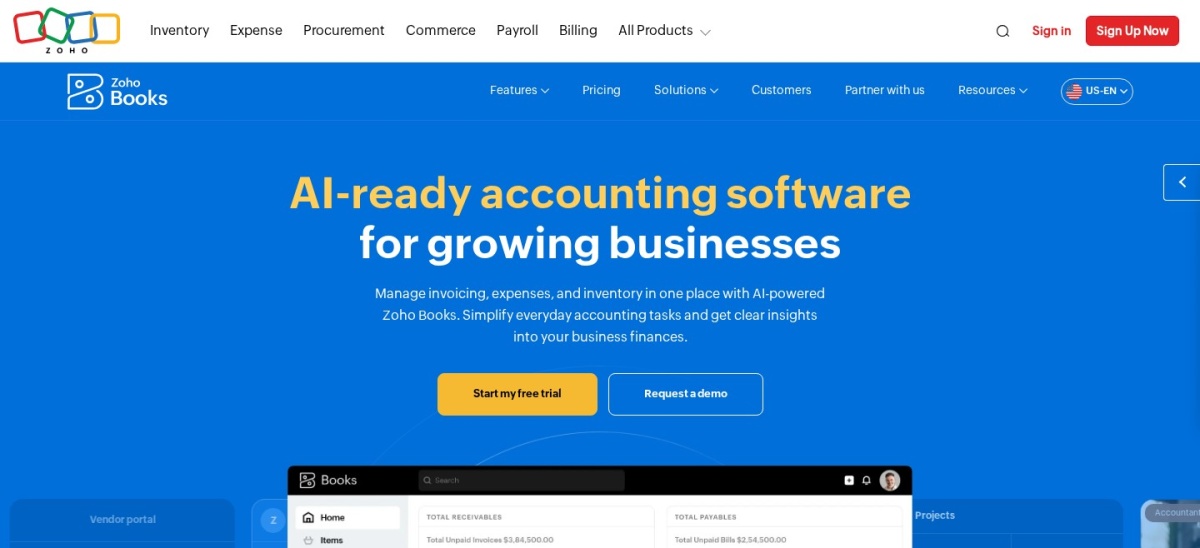
Zoho Books homepage, captured Nov 2026.
Zoho Books is cloud accounting software with a permanent Free plan for businesses under $50,000 in annual revenue (up to 1,000 invoices and 1,000 expenses per year for 1 user plus an accountant). Purchase orders and purchase approvals unlock on the Professional plan at $40/mo billed annually ($50/mo monthly) for 5 users.
The trade off is that purchase orders are not included on the Free or $15/mo annual Standard plan, and BillPay two-way/three-way matching costs extra as an add-on. It suits small businesses that want purchase approvals and 5 user seats at a moderate price.
What we like
Permanent Free plan for micro-businesses under $50,000 annual revenue
Professional plan includes purchase orders, purchase approvals, and 5 users for $40/mo annual
14-day free trial available on paid tiers
Watch out for
Requires upgrading to Professional for purchase orders rather than Standard
Two-way and three-way PO matching sit in the separate BillPay add-on
Higher tiers expand user counts to 10 or 15 and add features such as a vendor portal, fixed asset management, and deeper inventory controls.Visit zoho.com
03
QuickBooks Online
4.3/5on Capterra (8,425 reviews, checked Nov 2026)
Starts at$140/mo
Best for US accountant compatibility and stock POs
PO plansPlus & Advanced
Plus US list$140/mo
Plus users5 users
PO to bill flowBuilt-in
quickbooks.intuit.com
QuickBooks Online homepage, captured Nov 2026.
QuickBooks Online is widely used US small-business accounting software that supports purchase orders on Plus ($140/mo US list price) and Advanced ($340/mo US list price). Once enabled in settings, open purchase orders can be converted into vendor bills or expenses and tracked with open PO reports.
The trade off is that Simple Start ($38/mo) and Essentials ($85/mo) do not include purchase orders, making Plus a steep step up if POs are your main reason to buy. It suits US businesses that already rely on QuickBooks workflows and need inventory or project tracking with POs.
What we like
Broad ecosystem and accountant familiarity across US small businesses
Links purchase orders directly to vendor bills and open PO reports on Plus and Advanced
Plus supports up to 5 users plus accountant access
Watch out for
Unavailable on Simple Start and Essentials plans
Higher monthly cost than entry-level competitors once you reach Plus
Advanced at $340/mo US list increases user capacity up to 25 and expands reporting and workflow automation.Visit quickbooks.intuit.com
04
Sage 50
3.9/5on G2 (163 reviews, checked Nov 2026)
Starts at$132.17/mo
Best for job costing and inventory-heavy purchasing
Entry planPro Accounting
Entry US price$132.17/mo
Commitment1-year minimum
Inventory costingFIFO / LIFO
sage.com
Sage 50 homepage, captured Nov 2026.
Sage 50 is accounting software for small and midsize businesses that includes purchase order and approval tools starting on Pro Accounting at $132.17/mo in the US. It supports inventory management with FIFO or LIFO costing, assemblies, job costing, and automated bank reconciliation.
The trade off is that Pro Accounting is priced for 1 user and requires a minimum one-year commitment, while multi-user tiers cost more. It suits product, construction, and distribution businesses that need job costing and inventory depth alongside purchase orders.
What we like
Includes purchase order and approval tools from the entry Pro Accounting plan
Supports FIFO/LIFO inventory costing, assemblies, and job costing
Available in cloud and desktop options with a 30-day test drive
Watch out for
Entry Pro plan covers 1 user and requires a minimum one-year commitment
Higher price point than cloud-first small-business accounting tools
Premium Accounting ($182.50/mo) and Quantum Accounting ($271.17/mo) expand user counts, add change orders, and deepen multi-company and workflow controls.Visit sage.com
05
AccountEdge
4.3/5on Capterra (93 reviews, checked Nov 2026)
Starts at$20/mo
Best for local desktop accounting with inventory
Entry planAccountEdge Pro
Entry US price$20/mo
DeploymentMac & Windows
Company filesUp to 10
accountedge.com
AccountEdge homepage, captured Nov 2026.
AccountEdge is local desktop accounting software for Mac and Windows that starts with AccountEdge Pro at $20/mo for a single user. Every plan includes up to 10 company files along with purchases, expenses, invoicing, inventory management, and time billing.
The trade off is that Pro is a single-user local desktop install rather than a multi-user browser app, and cloud browser access or network seats cost extra. It suits small businesses that prefer desktop software and want low-cost inventory and purchasing.
What we like
Low $20/mo starting price for single-user desktop accounting with inventory
Includes up to 10 company files on all plans
30-day free trial available for Mac and Windows
Watch out for
AccountEdge Pro is limited to a single user on a local desktop
Remote browser access (AccountEdge Hosted at $50/mo per user) or add-ons raise costs
Network Edition ($30/mo for 2 users) adds simultaneous multi-user desktop access, while AccountEdge Hosted provides browser-based access.Visit accountedge.com
06
Odoo
4.2/5on Capterra (1,341 reviews, checked Nov 2026)
Paid from$24.90/mo
Best for modular purchasing, stock, and accounting
Free tierOne App Free
Standard US price$24.90/user/mo
First-year promo12-month rate
Hosting optionOdoo Online
odoo.com
Odoo homepage, captured Nov 2026.
Odoo is a modular business suite offering a One App Free plan at $0 for unlimited users on one app, while Standard starts at $24.90 per user per month billed yearly for the first 12 months ($31.10/user/mo after year one). Combining Purchase, Inventory, and Accounting on Standard connects purchase orders with stock receipts and vendor bills.
The trade off is per-user pricing that increases after the first 12 months and setup effort when configuring multiple modules together. It suits teams that want purchasing, inventory, and accounting inside one connected system rather than separate apps.
What we like
One App Free tier costs $0 with unlimited users for a single app
Connects purchase orders, inventory, and accounting in one modular platform
Includes hosting and support on Odoo Online plans
Watch out for
Standard pricing is per user and rises after the first 12 months
Configuring multiple business apps takes more setup than single-purpose tools
Custom ($49/user/mo first year billed yearly, $61/user/mo after) adds Odoo Studio, multi-company support, external API access, and Odoo.sh or on-premise hosting.Visit odoo.com
07
Zoho Inventory
4.5/5on Capterra (424 reviews, checked Nov 2026)
Paid from$29/mo
Best for order-driven POs and multi-warehouse stock
Free order cap50 orders/mo
Standard PO cap300 POs/mo
Standard US price$29/mo annual
Standard users3 users
zoho.com
Zoho Inventory homepage, captured Nov 2026.
Zoho Inventory is order and stock management software with a Free plan up to 50 orders per month for 1 user and 1 location, while Standard starts at $29/mo billed annually ($39/mo monthly). Standard supports up to 500 orders and 300 purchase orders per month across 3 users and 2 locations, and integrates with accounting apps.
The trade off is monthly order and purchase order caps that require moving to higher tiers as order volume grows. It suits product sellers and warehouse teams that prioritize purchase orders, stock receipts, and multi-location tracking.
What we like
Free plan available for light order volume up to 50 orders per month
Standard includes 300 purchase orders per month, 3 users, and 2 locations
Integrates with accounting platforms to keep stock and financial records aligned
Watch out for
Monthly order and purchase order limits can restrict high-volume sellers
Focused on order and inventory workflows rather than standalone full accounting
Premium ($79/mo annual) and Plus ($129/mo annual) raise order and PO allowances, add more users and locations, and unlock features like batch or serial tracking.Visit zoho.com
Why PO availability varies across accounting plans
Many small businesses assume every accounting tier includes purchase orders. In practice, some tools include POs from the start while others place them in higher tiers or separate modules.
Compare the full plan cost—including user counts, order caps, and any add-ons—before signing up so you do not outgrow a plan on your first month of purchasing.
How we chose
We selected established accounting and order-management platforms that support purchase orders and maintain active US pricing and public user reviews.
We checked official pricing pages and public review listings on 22 Nov 2026 to record US regular prices, plan inclusions, ratings, and review counts without relying on introductory discounts.
We excluded tools that lacked verified US regular pricing or clear purchase order support on their published plans.
No vendor paid for a place, and we do not claim testing for this list.
How to pick the right purchase order tool
Follow four practical checks to match purchase order software to how your team buys.
Confirm which plan includes purchase orders. Check whether purchase orders are included on the base plan or require upgrading to a higher tier or add-on.
Check bill and order limits against your monthly volume. Review monthly bill, invoice, or order caps so routine supplier purchasing does not force an immediate plan jump.
Verify multi-user access and approval needs. Count how many people create, review, or approve purchase orders and check whether included seats or approval rules fit.
Match inventory depth to how you receive goods. Pick a tool with item receipts, stock tracking, or job costing if you buy physical goods or materials across projects.
FAQ
Which accounting software includes purchase orders on its lowest plan?
Xero includes purchase orders on its plans starting at $27/mo US regular price, though Starter caps bills at 5 per month. Sage 50 also includes purchase order and approval tools from its entry Pro Accounting plan at $132.17/mo.
Does QuickBooks Online include purchase orders on Simple Start or Essentials?
No. In the US, QuickBooks Online purchase orders are available on Plus ($140/mo list) and Advanced ($340/mo list), not on Simple Start ($38/mo) or Essentials ($85/mo).
What does Zoho Books charge for purchase orders?
Zoho Books includes sales and purchase orders plus purchase approvals starting on its Professional plan at $40/mo billed annually ($50/mo monthly), which includes 5 users.
Can I start with a free plan for purchase orders?
Yes. Zoho Books offers a Free plan for businesses under $50,000 in annual revenue, Zoho Inventory has a Free plan up to 50 orders per month, and Odoo offers a $0 One App Free tier for one app.
Should I choose accounting software or an inventory tool for purchase orders?
If you mainly need numbered POs converted into vendor bills alongside general bookkeeping, accounting software works well. If you track stock levels, multiple warehouses, or order volumes closely, inventory-focused tools like Zoho Inventory or Odoo fit better.
Why do purchase orders matter before paying a vendor bill?
A purchase order records agreed items, quantities, and prices before delivery. Comparing an incoming vendor bill against the original PO helps spot billing errors or unauthorized orders before you pay.