Best 3D Imaging Software in 2026: 7 Tools Compared
WLWPLegible EditorsLast verified 22 Nov 2026How we rank6 min read
★ Short answer
Blender is the top 3D imaging pick with a 4.6 out of 5 rating across 319 G2 reviews and a free open-source license. For specialized workflows, SketchUp fits fast architectural layouts while Meshy speeds up AI model generation.
How we make this list: we compare pricing pages, product documentation and public user reviews, then re-check every price before each update. No product paid for a place. Disclosure.
Blender holds a 4.6/5 score from 319 G2 reviews with zero licensing cost for personal or commercial work.
Meshy offers a free tier with 100 monthly credits and paid plans starting at $20/month.
SketchUp starts at $129/year for Go and $399/year for Pro, with promotional discounts noted on its pricing page.
Plasticity uses one-time perpetual pricing starting at $175 for Indie with 12 months of updates included.
Cinema 4D includes Redshift on an annual individual plan priced at $839/year.
What to look for in 3D imaging software
3D imaging software covers modeling, sculpting, texturing, simulation, and rendering across very different pipelines. An interior designer laying out rooms needs quick spatial tools and catalog assets, while a visual effects artist needs node-based simulations and renderers.
Licensing models vary sharply across vendors. Open-source suites require no subscription fees, AI generators use monthly credit pools, and commercial desktop suites typically charge annual subscriptions or one-time perpetual fees.
Hardware requirements and export compatibility matter before you commit. Check operating system support, renderer integrations, and file format support such as OBJ, FBX, STEP, or USD so assets move cleanly into your downstream workflow.
Best for full-pipeline 3D creation on a free license
LicenseFree and open source
PlatformsWindows, macOS, Linux
RenderersCycles, EEVEE, Workbench
G2 Rating4.6/5 (319 reviews)
blender.org
Blender homepage, captured Nov 2026.
Blender is a free and open-source 3D creation suite covering modeling, sculpting, rigging, animation, simulation, rendering, compositing, and video editing. Its open-source license carries no subscription fee for individuals or studios, backed by over 7,500 individual contributors and 46 organizations on the Blender Development Fund.
The trade off is a steeper learning curve and reliance on community resources rather than commercial vendor support, even with no paid plan required. It suits solo creators, indie studios, and teams wanting a complete 3D pipeline at zero license cost.
What we like
Free and open source for commercial and non-commercial projects
Covers modeling, sculpting, animation, simulation, and rendering in one app
Runs across Windows, macOS, and Linux
Active release cycle with extensions and community add-ons
Watch out for
Steep initial learning curve for newcomers
No formal paid vendor helpdesk compared to commercial suites
Blender is free and open source with no paid subscription tier.Visit blender.org
02
Meshy
4.7/5on G2 (4,736 reviews, checked Nov 2026)
Paid from$240/yr
Best for fast AI text-to-3D and image-to-3D drafts
Free Plan100 credits/month
Entry Paid Plan$20/mo ($240/yr)
PlatformWeb browser
G2 Rating4.7/5 (4,736 reviews)
meshy.ai
Meshy homepage, captured Nov 2026.
Meshy is a browser-based AI 3D creation platform that generates models and textures from text prompts and images. The free plan includes 100 monthly credits, while paid plans start at $20/month ($240/year) for 1,000 monthly credits and up to 100 generated assets per month.
The trade off is credit consumption on generations and edits plus occasional cleanup on complex geometry, even at the $240/year entry tier. It suits game developers, creators, and prototypers turning concepts into draft 3D assets quickly.
What we like
Free plan provides 100 monthly credits to test workflows
Turns text prompts and 2D images into 3D models and textures in minutes
Paid plans include commercial use rights and unlimited downloads
Watch out for
Credit usage limits how many generations and edits you can run each month
Intricate prompts can still need manual mesh cleanup
Paid plans starting at $20/month add commercial rights, more credits, and unlimited downloads.Visit meshy.ai
03
SketchUp
4.5/5on G2 (1,328 reviews, checked Nov 2026)
Paid from$129/yr
Best for quick architectural and spatial concept modeling
Free PlanWeb browser (non-commercial)
Entry Paid PlanGo at $129/yr
Pro Plan$399/yr
G2 Rating4.5/5 (1,328 reviews)
sketchup.com
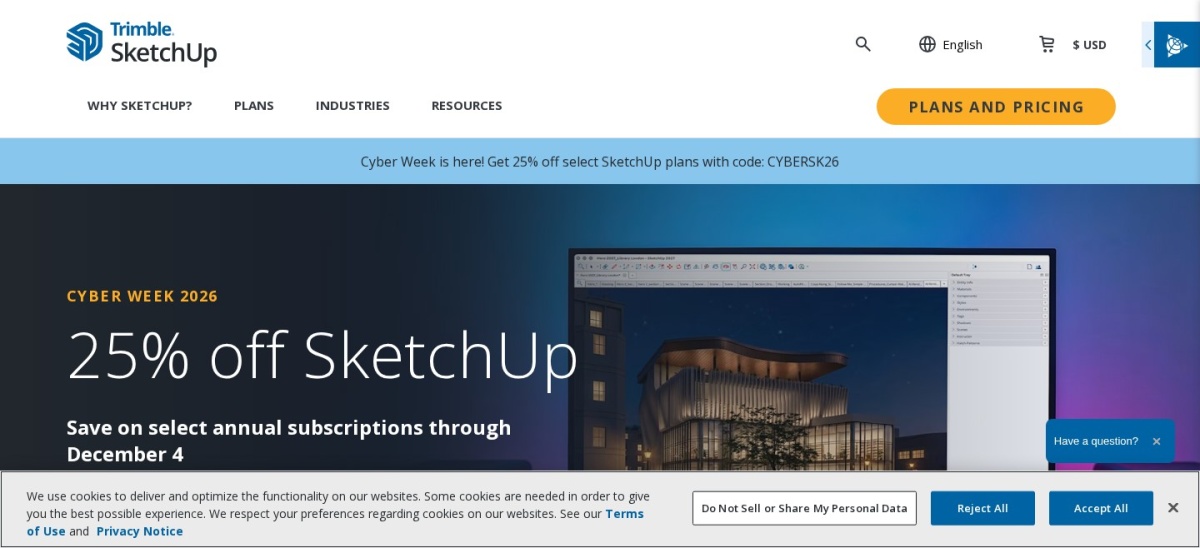
SketchUp homepage, captured Nov 2026.
SketchUp is a 3D modeling tool widely used for architecture, interior layouts, and spatial concepts with push-pull geometry and the 3D Warehouse library. A free web version exists for non-commercial use, while paid plans start with Go at $129/year ($10.75/month billed annually) and Pro at $399/year.
The trade off is weaker organic sculpting and lag on heavy high-polygon scenes, starting at $129/year for Go (with seasonal discounts noted on its pricing page). It suits architects, interior designers, and builders who value fast layout iteration over complex surface sculpting.
What we like
Approachable push-pull modeling and fast layout workflow
Large 3D Warehouse catalog of ready-made models
Low entry cost at $129/year for SketchUp Go
Watch out for
Go lacks the desktop app, LayOut, and extensions included in Pro
Large, dense scenes can slow down performance
Paid plans from $129/year add commercial access, extra 3D Warehouse download allowances, and monthly AI credits.Visit sketchup.com
04
Tripo
4.7/5on G2 (221 reviews, checked Nov 2026)
Paid from$240/yr
Best for AI image-to-3D assets with retopology and rigging
Free Plan200 credits/month
Entry Paid PlanPro at $20/mo ($240/yr)
Max Plan$90/mo ($1,080/yr)
G2 Rating4.7/5 (221 reviews)
tripo3d.ai
Tripo homepage, captured Nov 2026.
Tripo is an AI 3D creation platform offering text-to-3D, image-to-3D, retopology, UV unwrapping, texturing, and rigging tools. Its Free plan provides 200 monthly credits, and Pro starts at $20/month billed annually ($240/year) with 3,000 monthly credits.
The trade off is credit limits across generations and post-processing steps plus private commercial rights tied to paid plans, starting at $240/year. It suits indie game makers and 3D creators who want rapid AI asset drafts with built-in mesh and UV tools.
What we like
Includes a free tier with 200 monthly credits
Combines 3D generation with retopology, Smart UV, texturing, and rigging
Offers plugins for engines and DCC tools like Blender, Unity, and Unreal
Watch out for
Free tier restricts commercial rights and caps model exports
Post-processing modules like UV unwrapping, texturing, and rigging consume credits
Paid plans from $240/year add private commercial models, higher credit allowances, and batch exports.Visit tripo3d.ai
05
Plasticity
4.5/5on Creative Bloq (4.5/5 score reviews, checked Nov 2026)
Starts at$175 one-time
Best for one-time CAD surface modeling in 3D art pipelines
Trial30-day free trial
Indie License$175 one-time
Studio License$299 one-time
PlatformsWindows, macOS, Linux
plasticity.xyz
Plasticity homepage, captured Nov 2026.
Plasticity is a CAD-kernel surface and solid modeling application designed around artist-friendly shortcuts and direct editing. It offers a 30-day free trial and sells an Indie perpetual license for $175 one-time, including 12 months of version updates.
The trade off is limited built-in rendering tools and an optional paid maintenance renewal after the first 12 months of updates, at $175 one-time for Indie. It suits hard-surface modelers, industrial designers, and 3D printing creators who prefer owning a license outright.
What we like
One-time perpetual Indie license at $175 rather than a recurring subscription
Clean fillets, booleans, and curve-driven surface tools
Supports Windows, macOS, and Linux with a Blender Bridge link
Watch out for
30-day trial restricts commercial use and full export resolution
Requires exporting to external renderers for photorealistic imagery
Paid licenses unlock commercial use, full exports, and 12 months of version updates on a perpetual license.Visit plasticity.xyz
06
Planner 5D
4.7/5on G2 (188 reviews, checked Nov 2026)
Paid from$60/yr
Best for beginner 2D and 3D home and room planning
Free Plan$0/mo (50% catalog)
Premium Plan$59.99/yr ($4.99/mo)
Pro Plan$399.99/yr
G2 Rating4.7/5 (188 reviews)
planner5d.com
Planner 5D homepage, captured Nov 2026.
Planner 5D is a 2D and 3D home and interior design tool available across web, desktop, and mobile apps. Its free plan allows unlimited projects with roughly half the furniture catalog, while Premium is $59.99/year ($4.99/month billed annually).
The trade off is credit limits on AI and rendering features plus a no-refund policy on subscriptions, starting at $59.99/year for Premium. It suits homeowners, renovators, and beginners planning room layouts without heavy CAD software.
What we like
Low entry annual price at $59.99/year for Premium
Works across web, iOS, Android, Windows, and macOS
Free tier lets you test floor plans and room layouts with no time limit
Watch out for
Free plan limits catalog items and excludes full render features
Monthly billing costs $19.99/month and subscriptions do not offer refunds
Premium at $59.99/year unlocks the full catalog, AI floor plan recognition, and monthly AI credits.Visit planner5d.com
07
Cinema 4D
4.6/5on G2 (136 reviews, checked Nov 2026)
Starts at$839/yr
Best for motion graphics and procedural 3D design
Trial14-day free trial
Individual Annual$839/yr ($109/mo)
Maxon One Annual$1,265/yr
G2 Rating4.6/5 (136 reviews)
maxon.net
Cinema 4D homepage, captured Nov 2026.
Cinema 4D is a 3D modeling, animation, simulation, and rendering application from Maxon known for motion graphics and MoGraph tools. Individual subscriptions start at $839/year billed annually (or $109/month) and include the Redshift renderer and Capsules assets.
The trade off is a higher subscription cost than entry-level tools and no permanent free tier beyond a 14-day trial, at $839/year. It suits motion designers, brand animators, and creative agencies producing 3D graphics and product visuals.
What we like
Includes Redshift rendering and Maxon Capsules assets in the individual plan
Widely favored for motion graphics workflows and After Effects integration
Runs on Windows and macOS
Watch out for
Subscription pricing at $839/year is costly for casual or occasional users
Less suited to heavy character rigging pipelines than specialized rigging tools
The $839/year individual subscription provides full commercial 3D tools plus Redshift.Visit maxon.net
3D imaging workflows compared
Traditional mesh and sculpting suites handle polygon topology, UV mapping, lighting, and rendering from scratch. Tools like Blender and Cinema 4D excel here when you want full manual control over geometry and motion.
CAD-based and architectural tools prioritize exact dimensions, floor plans, or solid surfaces over organic sculpting. Meanwhile, AI 3D generators like Meshy and Tripo create draft meshes from prompts or images that often benefit from manual refinement.
How we chose
We selected established 3D imaging software across general 3D suites, architectural and CAD tools, motion design, and AI 3D generators using public review directories and official vendor documentation.
All pricing figures, plan tiers, and review scores were checked on 22 Nov 2026 from current vendor pricing pages and G2 listings.
We excluded discontinued applications, tools lacking verifiable current pricing or active maintenance, and products with minimal public user reviews. No vendor paid for a place, and we do not claim testing for this list.
How to choose 3D imaging software
Follow four practical steps to match a tool to your projects and budget.
Match the tool to your primary 3D output. Decide whether you focus on character and scene rendering, architectural layouts, hard-surface CAD, motion graphics, or AI asset drafts.
Compare true annual and one-time costs. Check annual billing versus monthly rates, credit consumption limits, and whether a one-time license fits better than a recurring subscription.
Check operating systems and export formats. Confirm that the software runs on your OS and exports clean formats like OBJ, FBX, STEP, or USD for your next step.
Test with a free tier or trial before committing. Use free tiers, sample projects, or trials to verify viewport speed, interface comfort, and render quality on your own hardware.
FAQ
What is the best free 3D imaging software?
Blender stands out as a free and open-source 3D suite covering modeling, sculpting, animation, and rendering without subscription fees. Free tiers on tools like SketchUp, Meshy, and Planner 5D are also useful, though they carry usage caps or commercial limits.
Do I need a paid plan for commercial 3D work?
Not always, as open-source software like Blender allows commercial use on its free license. However, some freemium and AI platforms restrict commercial rights or private model ownership to paid tiers, so check each vendor's terms.
Are AI 3D generators a full replacement for traditional 3D software?
AI generators like Meshy and Tripo are fast for turning prompts or images into initial 3D concepts and textures. Most production pipelines still pair them with desktop 3D software for fine topology, rigging, lighting, and scene assembly.
Is annual billing cheaper than paying monthly for 3D software?
Usually yes when you plan to use the software for most of the year. Vendors such as SketchUp, Planner 5D, and Maxon charge noticeably more per month on month-to-month billing than on annual plans.
What hardware matters most for 3D imaging?
A capable GPU, sufficient system RAM, and a multi-core CPU help keep viewports responsive and speed up rendering. Exact requirements vary by whether you rely on real-time viewports, CPU/GPU rendering, or browser-based AI tools.
Should beginners start with a simple layout tool or a full 3D suite?
Beginners focused on room layouts or basic shapes often start faster with tools like Planner 5D or SketchUp. Those aiming for general 3D art, animation, or rendering can start with Blender and learn its tools step by step.