Monday is the best of the active collab alternatives for most teams, with visual boards, timelines and automations from $9 a seat a month. Pick ClickUp for the lowest all-in-one price and Asana for structured cross-team work.
How we make this list: we compare pricing pages, product documentation and public user reviews, then re-check every price before each update. No product paid for a place. Disclosure.
monday.com leads this list with a 4.7 out of 5 G2 rating from 17,182 reviews and Basic at $9 a seat a month.
ClickUp Core costs $9 a user a month and packs docs, chat, goals and time tracking into one workspace.
Trello Standard at $5 a user a month and Zoho Projects Premium at $4 are the cheapest paid plans here.
Teamwork is the strongest pick for agencies that bill time, with client accounts and budgets built in.
Basecamp charges $15 a user a month with a flat $299 a month unlimited option for larger teams.
How do you choose among active collab alternatives?
ActiveCollab suits service teams that run client projects with time tracking and invoicing in one place. The best replacement keeps that delivery-to-billing thread intact instead of forcing a second tool for invoices.
Price per seat is only the start. monday.com needs 3 seats on paid plans, Asana caps its free plan at 2 users, and Basecamp charges per user unless you take the flat unlimited plan.
Client visibility decides the shortlist. Teamwork and Basecamp give clients a free seat in the project, while monday.com and Asana charge for most collaborators or keep guests limited.
Time tracking is the feature most likely to cost extra. Trello and monday.com Basic have none, so teams that bill hours should check the plan before they commit.
monday.com is the most visual work platform in this list, with colour-coded boards, timelines and calendars that show the state of every project at a glance. The free plan covers up to 2 seats, and Basic at $9 per seat a month billed annually adds unlimited items and docs.
The trade off is that Basic has no automations and no timeline view, so most teams land on Standard at $12 a seat a month, and a 3-seat minimum applies to paid plans. It suits teams that want boards, dashboards and reporting without a steep learning curve.
What we like
Highest G2 rating in this list at 4.7 out of 5
Boards, timelines and calendars in one view
More than 200 templates to start from
Watch out for
Basic has no automations or timeline view
3-seat minimum means solo users pay for three seats
ClickUp is the all-in-one workspace in this list, combining tasks, docs, whiteboards, chat, goals and native time tracking in one place. The free plan allows unlimited tasks and unlimited members, and Core at $9 per user a month billed annually adds unlimited storage, Gantt charts and integrations.
The trade off is the learning curve. The sheer number of views and settings can slow a new team down, and advanced dashboards and workload views need Business at $17 a user a month. It suits small teams that want to replace several tools with one login.
What we like
Generous free plan with unlimited tasks and members
Asana is a work management platform that connects tasks, projects, goals and AI agents in one shared workspace. The free Personal plan covers up to 2 users, and Starter at $10.99 per user a month billed annually adds timeline and Gantt views, reporting dashboards and unlimited automations.
The trade off is the free plan. Two seats is a trial rather than a working setup for a team, and portfolios, goals and workload views need Advanced at $24.99 a user a month. It suits teams running structured, repeatable work across departments.
Trello is the simplest board in this list, with cards on lists that anyone can learn in minutes. The free plan covers 10 boards and 10 collaborators per workspace, and Standard at $5 per user a month billed annually adds unlimited boards, custom fields and AI features.
The trade off is depth. There are no dependencies or native time tracking on any plan, and Calendar, Timeline and Dashboard views wait for Premium at $10 a user a month. It suits small teams that want a light board without setup overhead.
Teamwork is a project platform built for client work, with projects, budgets, time tracking and invoicing in one system. The free plan covers up to 5 users and 5 projects, and Basics at $9.99 per user a month billed annually adds unlimited projects and client accounts at no extra cost.
The trade off is the plan ladder. Time budgets and profitability reports sit on higher tiers, and the interface carries more options than a simple board tool. It suits agencies and consultancies that bill hours and report profitability per client.
Wrike is a work management platform for mid-size teams running structured projects with Gantt charts, approvals and reporting. The free plan covers up to 5 users, and Team at $10 per user a month billed annually adds Gantt charts, shared dashboards and 2 GB of storage per user.
The trade off is complexity. Approvals, workload views and time tracking need Business at $24.80 a user a month, and the interface takes longer to set up than a board tool. It suits marketing and operations teams juggling many projects at once.
What we like
Strong Gantt and workload planning
Shared dashboards on the Team plan
Free plan for up to 5 users
Watch out for
Approvals and time tracking need Business
Setup is heavier than simpler tools
Business adds approvals, workload and time trackingVisit wrike.com
07
Smartsheet
4.4/5on G2 (23,286 reviews, checked Nov 2026)
Starts at$9/mo
Best for spreadsheet-native teams
Cheapest paidPro, $9/member/mo
Free planNo, 30-day trial
ViewsGrid, Gantt, Card, Calendar
AutomationsYes, on Pro
smartsheet.com
Smartsheet homepage, captured Nov 2026.
Smartsheet is the spreadsheet-native tool in this list, with grids, Gantt charts, card views and dashboards in one place. Pro at $9 per member a month billed annually covers unlimited sheets, automation, Gantt and reports, and it holds the largest review base here with 23,286 G2 reviews.
The trade off is the lack of a free plan. There is only a 30-day trial, and viewers are free but editors pay, so costs rise with every contributor. It suits teams that think in spreadsheets and want grid-based tracking with automation.
Basecamp is a deliberately simple collaboration tool with to-dos, message boards, schedules, file storage and group chat in one place. Plus at $15 per user a month covers unlimited projects, and Pro Unlimited at $299 a month flat covers unlimited users, which suits larger teams tired of per-seat bills.
The trade off is feature depth. There is no Gantt view and no native time tracking on Plus, and reporting is lighter than monday.com or Wrike. It suits remote teams that value async communication and predictable pricing over feature sprawl.
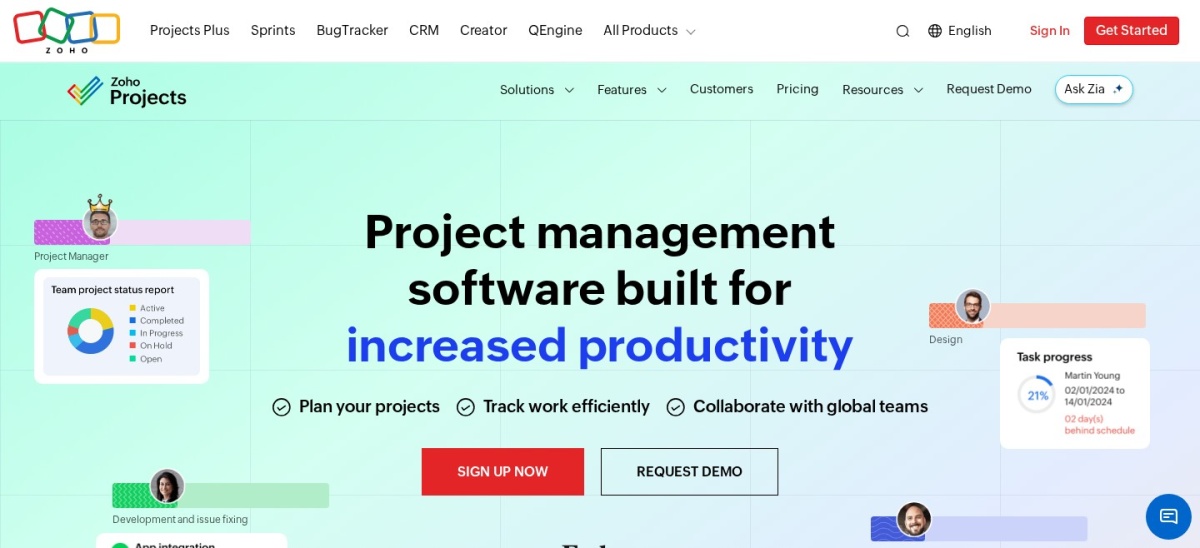
Zoho Projects is the budget pick in this list, with Gantt charts, milestones, timesheets and budgets at prices far below Western rivals. The free plan covers up to 5 users and 3 projects, and Premium at $4 per user a month billed annually adds unlimited projects, timesheets and task automation.
The trade off is polish. The interface takes time to learn, and client accounts are a paid add-on rather than free seats. It suits small teams on a tight budget, especially those already using Zoho apps.
What we like
Cheapest paid plan here at $4 a month
Gantt, milestones and timesheets included
Free plan covers 5 users and 3 projects
Watch out for
Interface takes time to learn
Client accounts cost extra
Enterprise adds custom fields and more storageVisit zoho.com
What ActiveCollab does that these alternatives may not
ActiveCollab bundles projects, time tracking and invoicing in one system, so hours flow straight into client invoices without a second tool.
Most alternatives here split that job. Teamwork and Zoho Projects come closest, while monday.com, Asana and Trello need an integration or a separate billing tool.
If invoicing from tracked time is the core workflow, shortlist Teamwork first, then Zoho Projects, and check the billing integration before you switch.
How we chose
We started from the tools G2 lists as the most reviewed ActiveCollab alternatives, then kept the nine with a useful free plan or a low entry price and a verifiable G2 rating.
Prices come from each vendor pricing page, checked on 29 November 2026. Ratings and review counts come from G2 on the same day. Where a vendor shows a sale, the list shows the regular price.
We left out tools with no verifiable rating on G2, Capterra or Trustpilot. No vendor paid for a place, and we do not claim hands-on testing for this list.
How to choose an ActiveCollab alternative
Start with how your team bills time, then check the seat maths before you commit.
List what ActiveCollab does for you today. Write down the features you actually use, from time tracking to invoicing, so you compare replacements on the same job.
Check the free plan limits first. Asana caps free at 2 users and monday.com at 2 seats, while ClickUp and Zoho Projects cover small teams free.
Price the whole team, not one seat. Multiply the per-seat price by your team size and add seat minimums, such as monday.com at 3 seats and Basecamp at $299 flat.
Trial the top two with a real project. Run one live client project in each finalist for two weeks and check time tracking, client access and reporting.
FAQ
What is the best ActiveCollab alternative in 2026?
monday.com is the best ActiveCollab alternative for most teams. It scores 4.7 out of 5 on G2 from 17,182 reviews, and Basic costs $9 a seat a month with boards, timelines and dashboards.
What is the cheapest ActiveCollab alternative?
Zoho Projects Premium at $4 a user a month is the cheapest paid plan here, followed by Trello Standard at $5. ClickUp and Zoho Projects both offer free plans that cover small teams.
Which ActiveCollab alternative is best for agencies?
Teamwork is the best pick for agencies. It is built for client work with free client seats, project budgets and time tracking that feeds invoicing, starting at $9.99 a user a month.
Does any ActiveCollab alternative include invoicing?
Teamwork and Zoho Projects come closest, with time tracking tied to budgets and billing. monday.com, Asana and Trello need an integration or a separate billing tool for invoices.
Is monday.com or ClickUp better than ActiveCollab?
monday.com suits teams that want visual boards and dashboards, while ClickUp suits teams that want tasks, docs, chat and time tracking in one place. Both rate higher on G2 than ActiveCollab for ease of use.
Can I migrate projects from ActiveCollab to monday.com or Asana?
Yes. Both tools offer importers for CSV files and tasks, and monday.com has a dedicated ActiveCollab import. Expect to rebuild custom workflows and time-tracking rules by hand.
SaaS SEO and WordPress specialist with about 8 years of experience. Rakib compares WordPress plugins, themes, hosting and software using public pricing, documentation and user reviews. See how we rank.