Explainers · Explainer
What Is FTP in WordPress? Explained
Short answer
FTP, or File Transfer Protocol, is a way to connect to your web server and work with your WordPress files directly. You use an app such as FileZilla with login details from your host to upload, edit, rename or download files.
Key takeaways
- FTP gives you direct access to WordPress files on the server.
- SFTP and FTPS encrypt the connection; plain FTP does not.
- You need a host, username, password and port from your host.
- Most work happens inside the wp-content folder.
- Host file managers can replace FTP for small jobs.
What is FTP in WordPress?
FTP in WordPress is a way to connect to your website's server and upload, download, edit or delete the files that make up your site, without using the WordPress dashboard.
FTP stands for File Transfer Protocol. It is an old internet standard for moving files between two computers. In WordPress, those two computers are your own laptop and the web server that runs your site.
WordPress itself is a set of files plus a database. Your theme, plugins, uploads and core files all sit in folders on the server. FTP lets you see and change those folders directly.
The File Transfer Protocol has been around since the early 1970s. Today most hosts prefer its secure cousin, SFTP, but people still call the whole idea FTP.
Why would you use FTP with WordPress?
You use FTP when you cannot fix something from the dashboard, when you need to upload large files, or when you want direct control over theme, plugin and config files.
Common reasons include:
- Fixing a broken site. If a plugin crashes wp-admin, you can rename its folder over FTP to turn it off.
- Editing wp-config.php. Settings such as debug mode and memory limits live in this file.
- Uploading themes or plugins by hand when the dashboard upload fails or the file is too large.
- Downloading a backup of your files to your computer.
- Bulk uploading media, such as hundreds of images.
- Checking file permissions when WordPress cannot write to a folder.
Our guide on deactivating all plugins without admin access is a good example of FTP saving the day.
What is the difference between FTP, SFTP and FTPS?
FTP sends everything, including your password, unencrypted; SFTP runs over SSH and encrypts the connection; FTPS adds TLS encryption to classic FTP.
| Protocol | Encrypted | Usual port | Notes |
|---|---|---|---|
| FTP | No | 21 | Avoid on public networks |
| FTPS | Yes, with TLS | 21 or 990 | Classic FTP with encryption added |
| SFTP | Yes, over SSH | 22 | Most common secure choice on modern hosts |
SFTP is not just FTP with an S. It is a different protocol built on SSH. The SSH File Transfer Protocol page explains how it differs.
If your host offers SFTP, use it. Plain FTP sends your login details in clear text, which anyone on the same network could capture.
What do you need to connect with FTP?
You need four details from your host: the server address, a username, a password and the port number, plus an FTP client app on your computer.
Your host gives you these details. They are usually in your hosting control panel under a section called FTP Accounts, SFTP or SSH access. Our guide on getting FTP access to WordPress shows where to find them on popular hosts.
The four details are:
- Host, such as ftp.yourdomain.com or a server IP address
- Username, often created in your hosting panel
- Password, set when the account was created
- Port, usually 21 for FTP or 22 for SFTP
Your WordPress admin login is not your FTP login. They are separate accounts, created in different places.
Which FTP clients work with WordPress?
Any standard FTP client works, with FileZilla, Cyberduck and WinSCP among the most common free choices.
FileZilla runs on Windows, macOS and Linux and supports FTP, FTPS and SFTP. Cyberduck is popular on macOS and Windows. WinSCP is a Windows favourite for SFTP.
Most clients look the same. Your computer's files show on one side, the server's files show on the other, and you drag files between them.
Many code editors also have FTP or SFTP extensions. These let you edit a theme file and save it straight to the server, though that is risky on a live site.
What will you see when you connect?
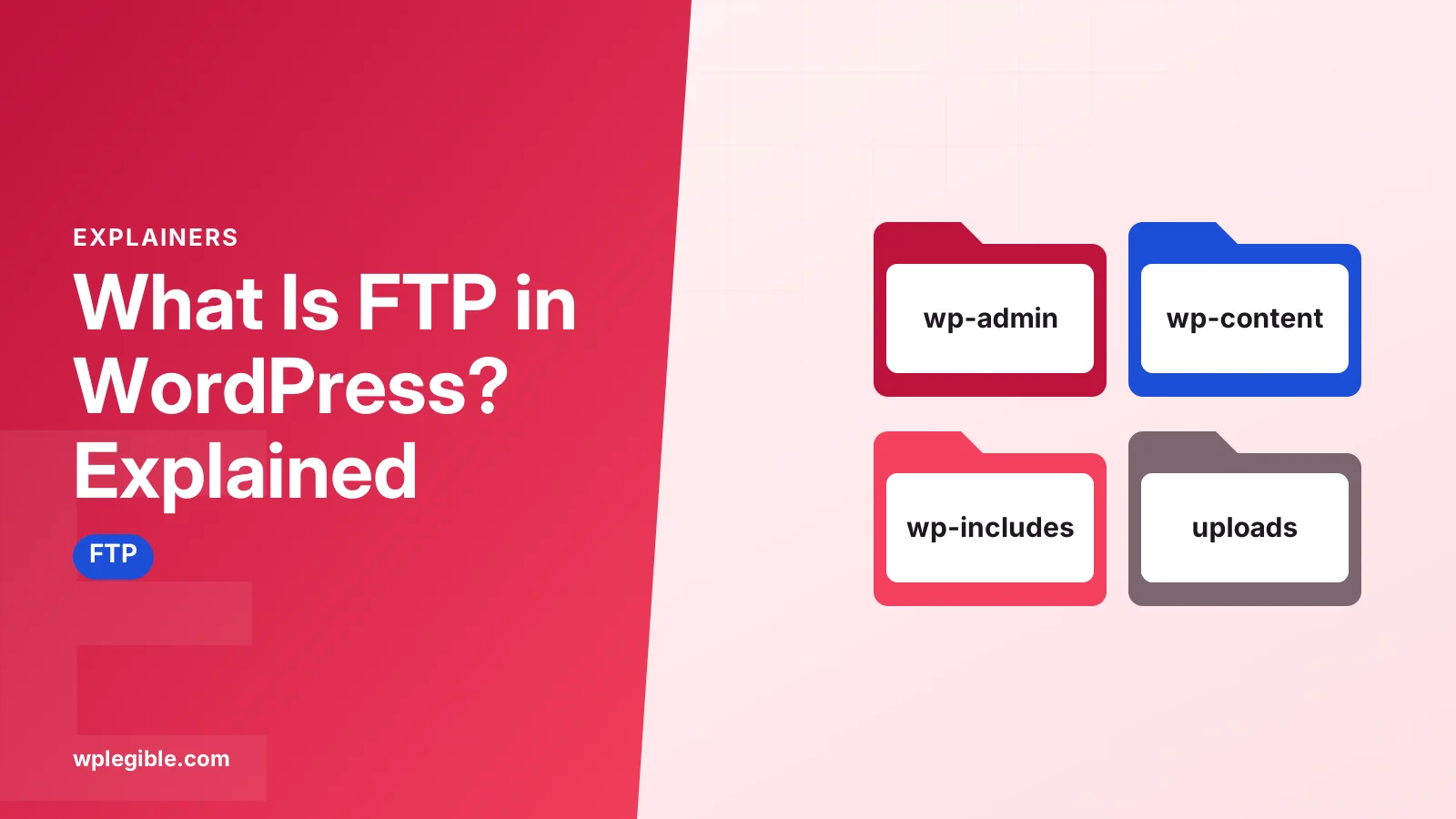
You will see your site's root folder, which holds the wp-admin, wp-content and wp-includes folders plus files such as wp-config.php and .htaccess.
The root folder is often called public_html, www or htdocs, depending on the host.
| Item | What it holds | Safe to edit? |
|---|---|---|
| wp-admin | Dashboard code | No, core file |
| wp-includes | WordPress core code | No, core file |
| wp-content/themes | Installed themes | Yes, with care |
| wp-content/plugins | Installed plugins | Yes, renaming to disable |
| wp-content/uploads | Media library files | Yes |
| wp-config.php | Database and site settings | Yes, with a backup |
| .htaccess | Server rules on Apache | Yes, with a backup |
Most of your work happens inside wp-content. Leave wp-admin and wp-includes alone, as updates replace them anyway.
If you cannot find wp-config.php, see our guide on where to find wp-config.php.
Why does WordPress ask for FTP details when installing plugins?
WordPress asks for FTP credentials when it cannot write files directly to the server, usually because of file ownership or permission settings.
You may see a Connection Information screen when you try to install or update a plugin. It asks for a hostname, FTP username and password.
This happens when the web server user does not own the WordPress files. WordPress then falls back to using FTP to write files.
The proper fix is to correct file ownership, which your host can do. Our guide on setting correct file permissions explains the usual values.
Some people add this line to wp-config.php:
define( 'FS_METHOD', 'direct' );That tells WordPress to write files directly. It only works if the server can actually write to the folders. The wp-config.php documentation lists FS_METHOD and the related FTP constants.
Do you still need FTP if your host has a file manager?
Not always, because most hosting panels include a web-based file manager that does the same job in your browser, though FTP is faster for many or large files.
cPanel, Plesk and custom host dashboards usually have a File Manager. It lets you upload, edit, rename and delete files without installing anything.
FTP still wins when:
- You move hundreds or thousands of files
- You want to download a full copy of the site
- Your host's file manager times out on large uploads
- You prefer working in a desktop app or code editor
If you use cPanel, our guide on getting to cPanel from WordPress shows how to reach the file manager.
Is FTP safe to use with WordPress?
FTP itself is not secure because it sends passwords unencrypted, but SFTP or FTPS with strong, unique passwords is a safe way to manage WordPress files.
Follow these habits:
- Use SFTP or FTPS whenever your host supports it.
- Give each person their own FTP account, and delete it when they no longer need it.
- Limit FTP accounts to the folders they need.
- Never save FTP passwords in a shared computer's client.
- Take a backup before you edit or delete anything.
Backup plugins can also send copies of your site to a remote server over FTP or SFTP. Our guide to UpdraftPlus FTP settings shows how that works.
Frequently asked questions
Is my FTP login the same as my WordPress login?
No. Your WordPress login opens the dashboard, while FTP accounts are created in your hosting control panel. They use different usernames and passwords. If you do not know your FTP details, check your hosting welcome email or create a new FTP account in the panel.
Can I break my site using FTP?
Yes. Deleting or editing the wrong file can take your site down. Always back up files before changing them, avoid editing core folders, and download a copy of any file before you edit it so you can put it back.
Do I need FTP on WordPress.com?
Only on plans that allow plugins and SFTP access. Lower WordPress.com plans do not give file access at all. Self-hosted WordPress sites almost always have FTP or SFTP through the hosting account.
What port does SFTP use?
SFTP normally uses port 22, the same as SSH. Some hosts use a custom port for security, so check your hosting panel. Plain FTP normally uses port 21, and implicit FTPS often uses port 990.
Is FileZilla free?
Yes, the FileZilla client is free and works on Windows, macOS and Linux. It supports FTP, FTPS and SFTP. Download it only from the official FileZilla project site to avoid bundled software from third-party download pages.
Sources
- File Transfer Protocol Wikipedia
- SSH File Transfer Protocol Wikipedia
- Editing wp-config.php WordPress Developer Resources
- FileZilla FileZilla Project
- Cyberduck Cyberduck
Is your product missing, or something out of date?
Tell us what to add or correct. We read every note and reply when we need a source. A message does not buy a ranking.
Thanks — we review requests within 3 business days.
Related guides

About the editors
Researched from the primary sources listed above and checked against our editorial rules before publishing.