Developer · Info
Where Is wp-config.php in WordPress? How to Find and Edit It Safely
Short answer
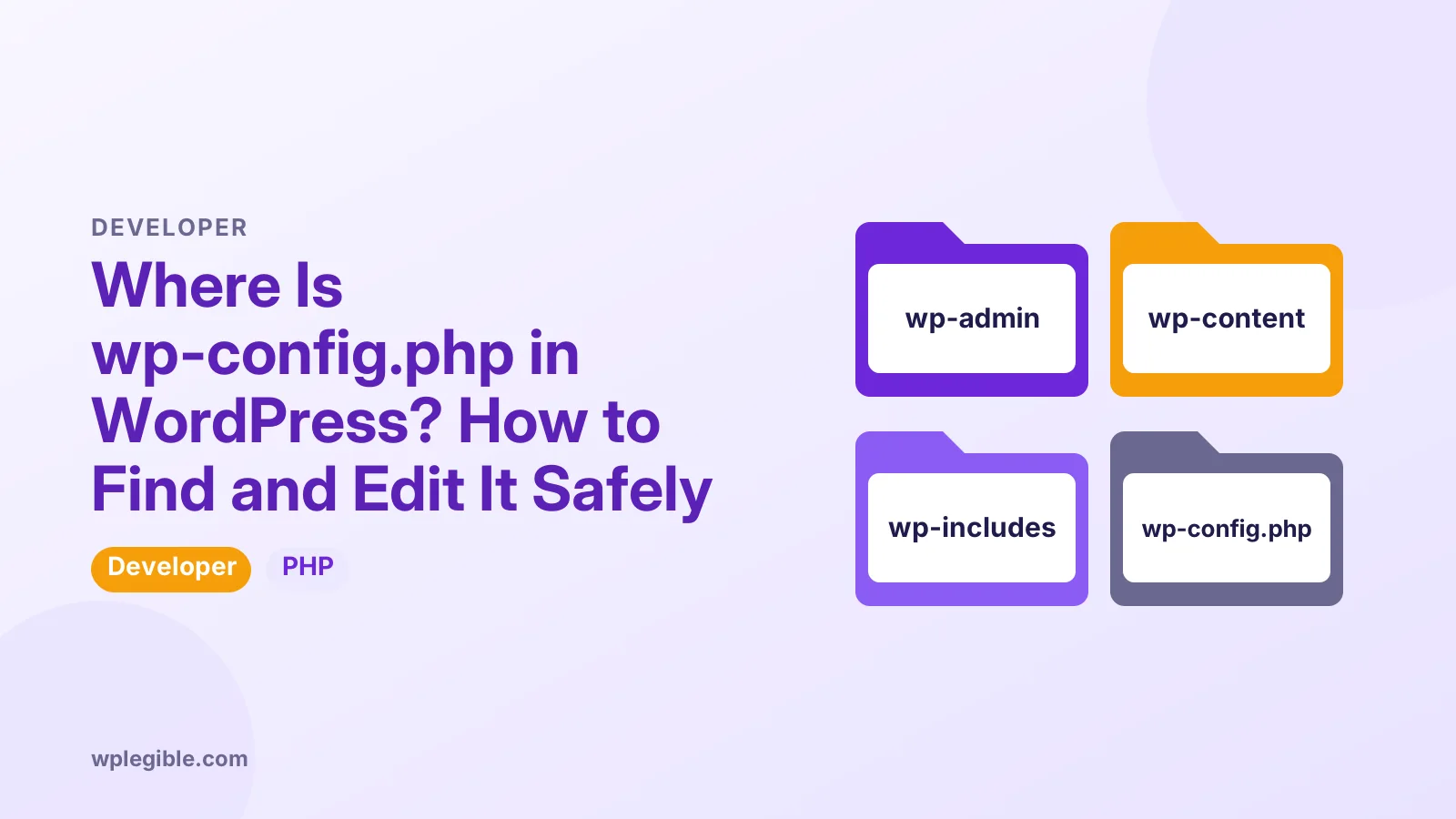
The wp-config file is in your WordPress root folder, the same folder that contains wp-admin, wp-content and wp-includes, often called public_html or www on shared hosting. WordPress also looks one folder above the root, so it may be there instead. Open it with your host's file manager, SFTP or SSH; it is not editable from the dashboard.
Key takeaways
- wp-config.php sits in the WordPress root folder next to wp-admin.
- It can also live one folder above the root for extra security.
- Use a file manager, SFTP or SSH; the dashboard cannot open it.
- WP-CLI's wp config path prints its exact location.
- Always back up the file before editing, since one typo can break the site.
Where is wp-config.php located?
It is in the root folder of your WordPress installation, alongside the wp-admin, wp-content and wp-includes folders and files such as index.php and wp-login.php.
On shared hosting, that root folder is usually called public_html, www or htdocs, or a folder named after your domain.
If WordPress is installed in a subfolder, such as a blog folder, the file is inside that subfolder.
The WordPress handbook page on wp-config.php explains the file and every setting it can hold.
Why might wp-config.php be one folder higher?
WordPress checks the folder above the installation if it cannot find the file in the root, so some hosts and developers move it there to keep it outside the public web folder.
This only works when WordPress is in the main web root and the parent folder is not itself another WordPress site.
If you cannot find the file in public_html, look one level up in your home directory.
The WordPress hardening guide covers this and other ways to protect the file.
How do you find it with the hosting file manager?
Log in to your hosting control panel, open the File Manager, go to the site's root folder, and look for wp-config.php among the files at the top level.
If you host several sites, open the folder for the right domain first.
Right-click the file and choose Edit or Code Editor to open it, after downloading a backup copy.
Some file managers hide dotfiles but still show wp-config.php, since its name does not start with a dot.
How do you find it with SFTP?
Connect with an SFTP client using the details from your host, browse to the site's root folder, and download wp-config.php to edit it on your computer.
The FileZilla documentation explains connecting, browsing and transferring files if you use that client.
Use SFTP rather than plain FTP. It encrypts your password and the file in transit.
After editing, upload the file back to the same folder and overwrite the old one.
How do you find it with WP-CLI?
Run wp config path from the WordPress folder over SSH, and WP-CLI prints the full path to the active wp-config.php file.
cd /path/to/wordpress
wp config path
The wp config path reference describes the command.
WP-CLI can also read and change settings with wp config get and wp config set, which avoids hand-editing mistakes.
How do you find it on a local install?
On local tools such as XAMPP, Local or WordPress Studio, open the site's folder on your computer; wp-config.php sits in the same root folder as wp-admin.
Many local tools have a button to open the site folder directly. On XAMPP, sites usually live inside the htdocs folder.
Why can't you find wp-config.php?
You may be in the wrong folder, WordPress may not be installed yet, the file may be one level up, or your host may manage it for you on a managed platform.
A fresh WordPress download only includes wp-config-sample.php. The installer creates the real file during setup.
Some managed hosts hide or lock the file and offer settings in their dashboard instead.
If you see wp-config-sample.php but no wp-config.php on a working site, check the parent folder.
What is inside wp-config.php?
It holds database connection details, the table prefix, authentication keys and salts, debug settings and optional constants that change how WordPress behaves.
| Setting | What it controls |
|---|---|
| DB_NAME, DB_USER, DB_PASSWORD, DB_HOST | Database connection |
| $table_prefix | Database table names |
| Keys and salts | Login cookie security |
| WP_DEBUG | Error reporting |
| WP_MEMORY_LIMIT | PHP memory for WordPress |
| DISALLOW_FILE_EDIT | Disables the theme and plugin editor |
New settings go above the line that says to stop editing. Anything below it may be ignored.
Our guide on enabling debug mode shows the debug settings in context.
How do you edit wp-config.php safely?
Download a backup copy first, make one change at a time in a plain text editor, keep the PHP syntax intact, then upload and test the site straight away.
One missing semicolon or quote can cause a white screen. Keep the backup ready to restore.
Do not use word processors. They add formatting that breaks PHP.
With SSH access, you can check the file for syntax errors before reloading the site using PHP's lint option, described in the PHP command line options.
Our guide on increasing the PHP memory limit is a common, low-risk example of an edit.
What if WordPress cannot write to the file?
Installers and some plugins try to edit wp-config.php automatically, and they fail when file permissions or ownership prevent writing.
Our guide on fixing unable to write to wp-config.php explains permissions and manual edits.
How should wp-config.php be protected?
Keep its permissions strict, never share it publicly, keep it out of public code repositories, and consider moving secrets to environment variables on advanced setups.
The file contains your database password. Anyone with it can read or change your data.
The OWASP Secrets Management Cheat Sheet explains good habits for storing passwords and keys.
Our guide on hardening WordPress on shared hosting covers file permissions and other protections.
Should you change the keys and salts?
Changing the authentication keys and salts logs every user out, which is useful after a security incident or when someone leaves a team.
WordPress.org offers a generator for fresh keys. Replace the whole block in one go, save, and log in again.
Can you edit wp-config.php from the dashboard?
No. WordPress does not include wp-config.php in the theme or plugin file editors, so you must use the file manager, SFTP, SSH or a plugin that writes specific constants.
Some plugins add settings that write to wp-config.php for you. Use them carefully and keep a backup.
If you change the file and lose access, restore the backup through the file manager.
Keep a dated copy of the working file somewhere safe, outside the website folder. It helps when you need to compare changes made months apart.
What else lives in the root folder?
The same folder holds .htaccess on Apache servers, index.php, wp-login.php and the core folders, so keep edits limited to the file you meant to change.
Our guide on editing the .htaccess file covers the other configuration file you may need there.
Do not edit core files such as wp-settings.php. Updates replace them and errors can break the site.
If you are unsure which folder is the live site, upload a small test file and open it in the browser. When it loads at your domain, you have found the right root folder. Delete the test file afterwards so it does not stay public.
Frequently asked questions
Where is wp-config.php in WordPress?
It is in the WordPress root folder, next to wp-admin, wp-content and wp-includes. That folder is often called public_html or www on shared hosting.
Why can't I find wp-config.php?
Check the folder above your WordPress root, since WordPress looks there too. A fresh download only has wp-config-sample.php until installation creates the real file.
Can I edit wp-config.php from the WordPress dashboard?
No. Use your host's file manager, SFTP or SSH instead. The theme and plugin file editors in the dashboard do not include wp-config.php.
Is it safe to move wp-config.php up one folder?
WordPress supports it when the site is in the main web root, and it keeps the file outside the public folder. Check your host's guidance first.
What happens if I make a mistake in wp-config.php?
A syntax error can cause a white screen or database error. Restore your backup copy through the file manager or SFTP to fix it quickly.
Sources
- wp-config.php WordPress Developer Resources
- Hardening WordPress WordPress Developer Resources
- wp config path WP-CLI Command Reference
- Using FileZilla FileZilla Wiki
- Secrets Management Cheat Sheet OWASP
Is your product missing, or something out of date?
Tell us what to add or correct. We read every note and reply when we need a source. A message does not buy a ranking.
Thanks — we review requests within 3 business days.
Related guides
About the editors
Researched from the primary sources listed above and checked against our editorial rules before publishing.