monday.com is the best of these teamwork alternatives for most teams, rated 4.7 out of 5 on G2 from 17,422 reviews with paid plans from $9 per seat a month. ClickUp is the cheapest full-featured pick at $7 a user a month, while Trello suits small teams that only need simple boards.
How we make this list: we compare pricing pages, product documentation and public user reviews, then re-check every price before each update. No product paid for a place. Disclosure.
monday.com leads on G2 at 4.7 out of 5 from 17,422 reviews, with paid plans from $9 per seat a month.
ClickUp is the cheapest full-featured pick at $7 a user a month, with native time tracking on Unlimited.
Zoho Projects undercuts every paid plan here at $4 a user a month, with Gantt charts on Premium.
Trello is the simplest board at $5 a user a month, but it has no native time tracking.
Smartsheet is the only tool here with no free plan, only a 30-day trial, and it starts at $9 a month.
Basecamp trades planning depth for calm all-in-one communication, and its $299 flat Pro plan suits large teams.
How do you pick the right teamwork alternatives?
Teamwork.com is built for client work, so the best replacement depends on what your team bills for. Agencies that track hours and invoice clients need time tracking and budgeting in the same tool, while internal teams can pick a simpler board and save money.
Price is the first filter. Paid plans here run from $4 a user a month for Zoho Projects to $15 for Basecamp Plus, and monday.com adds a 3-seat minimum that small teams should price in before they commit.
Ratings point the same way as the feature lists. monday.com sits top on G2 at 4.7 out of 5, ClickUp and Notion follow at 4.6, and Basecamp trails at 4.1, which matches its simpler feature set.
Client access is the feature most teams forget to check. Our guide on collaborating in WordPress shows how shared access changes a workflow, and the same applies here: check whether clients and guests are free or billed as seats before you pick.
monday.com is a visual work platform built around boards with typed columns for status, owner, date and budget. The free plan covers up to 2 seats and 3 boards, while Basic at $9 per seat a month billed yearly adds unlimited items, boards and viewers.
The trade off is the seat minimum. Every paid plan needs at least 3 seats, so a 2-person team still pays for 3, and automations only arrive on Standard at $12 a seat. It suits teams that want colourful, flexible boards without a long setup.
What we like
Highest G2 rating in this list at 4.7 out of 5
Boards are easy to shape around any workflow
Free plan is genuinely usable for a pair
Strong templates for marketing, sales and HR teams
ClickUp is an all-in-one work platform that bundles tasks, docs, whiteboards, chat, goals and time tracking in one workspace. The free plan covers unlimited tasks and members with 100 MB of storage, while Unlimited at $7 a user a month billed yearly adds unlimited storage, Gantt charts and custom fields.
The trade off is breadth. ClickUp packs in so many views and settings that new teams can take a while to settle on a setup, and AI features cost extra on top of the seat price. It suits teams that want to replace several tools with one workspace and can spend time setting it up.
Asana is a work management platform built around tasks, projects and deadlines, with list, board, calendar and timeline views. The free Personal plan covers up to 2 users with unlimited tasks, while Starter at $10.99 a user a month billed yearly adds timeline and Gantt views, workflow builder and unlimited automations.
The trade off is the tier jump. Portfolios, goals, workload and native time tracking sit on Advanced at $24.99 a user a month, more than double Starter. It suits teams that want clean, structured project tracking without a long setup.
What we like
Clean interface that is easy to learn
Strong timeline and reporting on Starter
Unlimited free guests on paid plans
Large review base on G2
Watch out for
No native time tracking on Starter
Big price jump to Advanced
Free plan is limited to 2 users
Advanced adds portfolios, goals and time trackingVisit asana.com
04
Notion
4.6/5on G2 (13,876 reviews, checked Nov 2026)
Paid from$10/mo
Best for docs-led project tracking
Free planYes, for individuals
Cheapest paid planPlus, $10/member/mo
Unlimited blocksPlus and up
Project trackingDatabases and boards
notion.com
Notion homepage, captured Nov 2026.
Notion is a flexible workspace that combines docs, wikis, databases and project tracking, so a team can keep plans and notes in the same place. The free plan covers personal use with basic databases, while Plus at $10 a member a month billed yearly adds unlimited collaborative blocks, unlimited file uploads and charts.
The trade off is structure. Notion gives teams a blank page and database tools rather than ready-made project workflows, so setup takes thought, and heavy AI use costs extra. It suits teams that already live in documents and want projects tracked beside them.
Smartsheet is a work management platform built around a spreadsheet-style grid, with board, calendar and Gantt views layered on top. Pro costs $9 per member a month billed yearly for 1 to 10 members, with 250 automations a month and 20 GB of storage, and a 30-day trial of Business is available instead of a free plan.
The trade off is the learning curve, the most common complaint on G2, and the fact that Gantt views, workload tracking and unlimited automations need Business at $19 a month. It suits teams that already plan in spreadsheets and want reports on top.
What we like
Largest G2 review base here at 23,251 reviews
Familiar grid layout for spreadsheet users
Strong reports and dashboards on Business
Good for tracking many projects at once
Watch out for
No free plan, only a 30-day trial
Steep learning curve for new users
Key views and features need the Business plan
Business adds Gantt, workload tracking and unlimited automationsVisit smartsheet.com
06
Trello
4.4/5on G2 (14,064 reviews, checked Nov 2026)
Paid from$5/mo
Best for simple Kanban boards
Free planYes, 10 boards
Cheapest paid planStandard, $5/user/mo
Automations250 a month on free
Calendar and timelineStandard and up
trello.com
Trello homepage, captured Nov 2026.
Trello is a visual Kanban tool from Atlassian, built around boards, lists and cards that a team can grasp in minutes. The free plan covers unlimited cards with 10 boards and 10 collaborators, while Standard at $5 a user a month billed yearly adds unlimited boards, calendar and timeline views and 1,000 automations a month.
The trade off is depth. Trello has no native time tracking or workload views, and bigger projects need Power-Ups or the Premium plan at $10 a user a month. It suits small teams that want the simplest possible board and little setup.
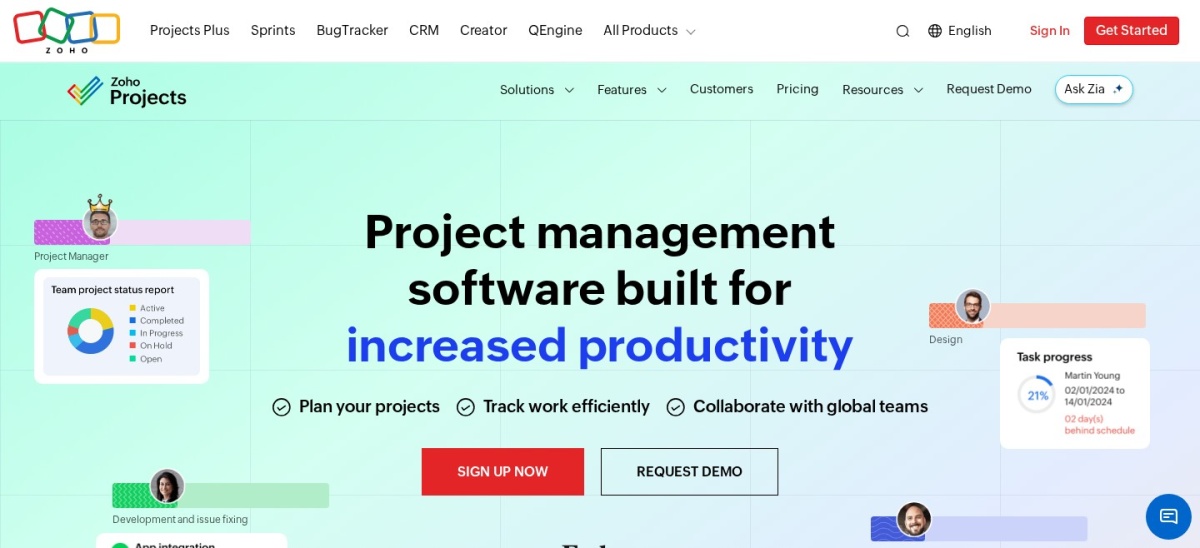
Zoho Projects is a structured project tool with tasks, Gantt charts, time tracking and budgeting, and it plugs into the wider Zoho suite. The free plan covers 3 users and 2 projects, while Premium at $4 a user a month billed yearly adds unlimited projects, time tracking, Blueprint automation and resource utilisation.
The trade off is polish. Reviewers rate its value highly but note the interface feels dated next to monday.com or Asana, and the best portfolio views need Enterprise at $9 a month. It suits small teams that want full project features at the lowest seat price here.
What we like
Cheapest paid plan here at $4 a user a month
Free plan includes a Gantt viewer
Time tracking included on Premium
Fits teams already using Zoho
Watch out for
Interface feels dated next to rivals
Smallest review base here at 598 G2 reviews
Portfolio views need Enterprise
Enterprise adds portfolio dashboards and custom fieldsVisit zoho.com
08
Wrike
4.2/5on G2 (4,614 reviews, checked Nov 2026)
Paid from$10/mo
Best for workload views at larger scale
Free planYes, unlimited users
Cheapest paid planTeam, $10/user/mo
Gantt chartsTeam and up
Workload viewsBusiness, $25/mo
wrike.com
Wrike homepage, captured Nov 2026.
Wrike is a work management platform with Gantt charts, workload views, approvals and custom workflows for teams that run many projects at once. The free plan covers basic task management, while Team at $10 a user a month billed yearly adds interactive Gantt charts, custom workflows and AI Essentials for 2 to 15 users.
The trade off is the step up. Past 15 users the whole team moves to Business at $25 a user a month, and the block-of-five seat buying can feel inflexible. It suits mid-size teams that need resource planning and approvals built in.
Basecamp bundles projects, message boards, chat, schedules and files into one simple place, with clients able to follow along without extra seat fees on the flat-rate plan. The free plan covers 1 project with 1 GB of storage, while Plus at $15 a user a month adds unlimited projects, 500 GB of storage and unlimited integrations.
The trade off is planning depth. Basecamp has no Gantt charts or workload views, and the per-user Plus price is steep for small teams next to Trello or Zoho Projects. It suits teams that want calm, all-in-one project communication rather than detailed planning.
Free plans cover the basics well. monday.com, ClickUp, Asana, Trello, Wrike, Zoho Projects and Basecamp all let you start free, with caps on seats, boards or projects.
Paid plans mostly add planning depth and volume. Gantt views, automations, time tracking and portfolio dashboards sit behind the paywall on most tools here.
Smartsheet is the exception, with no free plan at all. Start with its 30-day trial on a real project before you commit.
For a team leaving Teamwork.com, the first paid month is the real test. Pick the tool whose entry plan already includes time tracking if you bill clients by the hour.
How we chose
We started from the project tools most often named as Teamwork.com replacements on G2, then kept the nine with a public rating and a published paid price.
Prices come from each vendor's pricing page, checked on 29 November 2026. Ratings and review counts come from G2 on the same day. Where a vendor shows a sale, the list shows the regular price.
We left out tools with no public rating and quote-only enterprise tools. No vendor paid for a place, and we do not claim hands-on testing for this list.
How to choose a Teamwork alternative
Start with what Teamwork.com did for your team, then price the replacement for the whole team.
Work out what Teamwork.com did for you. If you billed clients, time tracking and budgeting are must-haves. If you only tracked tasks, a simpler board will do.
Price the whole team, not one seat. Check seat minimums: monday.com needs 3 seats, so a 2-person team pays for a third seat.
Check the free plan limits first. Trello caps free boards at 10 and Basecamp at 1 project, while ClickUp's free plan covers unlimited tasks.
Trial the top two on a real project. Run one live project in each for two weeks, then keep the one the team actually opens every day.
FAQ
What is the best alternative to Teamwork in 2026?
monday.com is the best alternative to Teamwork for most teams. It is rated 4.7 out of 5 on G2 from 17,422 reviews, with visual boards, automations and paid plans from $9 per seat a month.
What is the cheapest Teamwork alternative?
Zoho Projects is the cheapest paid pick at $4 a user a month for Premium. Trello follows at $5 a user a month, and ClickUp is the cheapest full-featured option at $7 a user a month.
Is there a free alternative to Teamwork?
Yes. ClickUp, Asana, Trello, Wrike, Zoho Projects, monday.com, Notion and Basecamp all have free plans. Smartsheet is the only tool in this list with no free plan, only a 30-day trial.
Which Teamwork alternative is best for client work and billing?
Zoho Projects is the closest budget fit, with time tracking and budgeting on Premium at $4 a user a month. Basecamp suits teams that want clients in the same simple workspace, though it has no native billing.
monday.com or ClickUp: which is better than Teamwork?
monday.com wins on ratings at 4.7 out of 5 against 4.6 for ClickUp, and its boards are easier to shape. ClickUp wins on price at $7 a user a month and packs in docs, chat and time tracking that monday.com gates behind higher plans.
Which Teamwork alternative is easiest for beginners?
Trello is the easiest to learn, with boards, lists and cards and almost no setup. Basecamp is next, with one simple place for projects, chat and files.
SaaS SEO and WordPress specialist with about 8 years of experience. Rakib compares WordPress plugins, themes, hosting and software using public pricing, documentation and user reviews. See how we rank.