Photopea is the best of the Pixlr alternatives for most people, with a full layered editor, PSD support and a 4.6 out of 5 rating on G2, all free with ads. Pick Canva for templates and social graphics, or Adobe Express if you already use Adobe tools.
How we make this list: we compare pricing pages, product documentation and public user reviews, then re-check every price before each update. No product paid for a place. Disclosure.
Photopea is the closest free match to Pixlr: a full layered editor with PSD support, free with ads, and Premium at $50 a year just removes the ads.
Canva is the template pick, rated 4.7 out of 5 on G2 from 7,659 reviews, with Pro at $144 a year for one person.
Adobe Express Premium costs $9.99 a month and adds 250 generative AI credits a month, brand kits and 100GB of storage.
Fotor Pro now costs $47.99 a year, up from $39.99, and bundles 100 AI credits a month with its editor.
PicMonkey is the only pick with no free plan: a 7-day trial, then $72 a year for Basic.
What should you look for in Pixlr alternatives?
A good Pixlr alternative keeps the core edit free. Layers, cropping, background removal and a clean export should not need a subscription for everyday edits.
Layered editing is the dividing line. Tools such as Photopea and Polarr handle layers, masks and PSD files, while template tools such as Canva and Snappa trade depth for speed.
Free plans differ most at export. Some add watermarks, cap resolution or limit saves per day, so check the export before you commit. Our guide on optimizing images for WordPress explains how to keep exports sharp without slowing a page down.
Paid plans mostly buy convenience, not new editing. The usual upgrades are watermark-free exports, more AI credits, premium templates and extra storage.
Photopea is a browser-based photo editor that works like Photoshop, with layers, masks, filters and adjustments, and it opens and saves PSD, AI and RAW files. Every editing feature is free, with ads beside the workspace, and files stay on your device because editing runs locally in the browser.
The trade off is the ads and the learning curve. Video ads sit beside the canvas, and the Photoshop-style interface takes time to learn. Premium at $50 a year removes the ads and adds 5GB of storage. It suits people who want real layered editing without installing software or paying a subscription.
Canva is a browser-based design platform with thousands of templates for social posts, flyers, presentations and photo edits. The free plan covers basic editing, templates and 5GB of storage, while Pro adds premium templates, background removal, brand kits and 100GB of storage.
The trade off is depth. Canva has no layered editing like Pixlr or Photopea, and the best templates sit behind Pro at $144 a year for one person. It suits creators who want fast, good-looking graphics and photo edits without learning an editor.
What we like
Largest template library in this list
Easiest tool here for beginners
Free plan covers basic edits well
Rated 4.7 out of 5 on G2 from 7,659 reviews
Watch out for
No layered, Photoshop-style editing
Best templates and tools need Pro
Pro covers one person only
Pro adds premium templates, background removal and brand kitsVisit canva.com
03
Adobe Express
4.4/5on G2 (1,109 reviews, checked Nov 2026)
Paid from$9.99/mo
Best for Adobe users and brand kits
Free planYes, with templates
Generative credits250 a month on Premium
Brand kitsPremium only
Paid planPremium, $9.99/mo
adobe.com
Adobe Express homepage, captured Nov 2026.
Adobe Express is Adobe's browser design tool for social posts, flyers and quick photo edits, built on Adobe Stock photos and Adobe Fonts. The free plan includes templates, basic editing and 5GB of storage, while Premium adds premium assets, brand kits, one-click resize and 250 generative credits a month.
The trade off is price for what you get. Premium at $9.99 a month is billed monthly with no yearly discount shown, and deep photo retouching still needs Photoshop. It suits people already in Adobe's world who want quick branded graphics.
What we like
Adobe Stock assets and 30,000+ fonts on Premium
Brand kits keep posts on brand
Firefly AI tools included on Premium
Rated 4.4 out of 5 on G2
Watch out for
Premium is monthly billing with no annual discount
No layered editing like Photopea
Free AI allowance is a daily cap Adobe does not publish
Premium adds 250 AI credits a month and brand kitsVisit adobe.com
04
Fotor
4.2/5on G2 (287 reviews, checked Nov 2026)
Paid from$47.99/yr
Best for AI photo tools on a budget
Free planYes, with limits
AI credits100 a month on Pro
Batch editingPro+ and Max
Paid planPro, $47.99/yr
fotor.com
Fotor homepage, captured Nov 2026.
Fotor is an online photo editor and design platform with AI tools for background removal, upscaling, headshots and image generation. The free plan covers basic edits, collages and templates, while Pro adds HD exports, transparent PNGs, batch background removal and 100 AI credits a month.
The trade off is the credit system. Pro's 100 credits a month cover only a few premium AI images, and Fotor repriced Pro from $39.99 to $47.99 a year during November 2026. It suits people who want one-click AI edits and collages at a low yearly price.
What we like
Wide AI toolkit: background removal, upscaling, headshots
Cheap yearly price for the editor
Unused credits roll over for up to 5 months
Rated 4.2 out of 5 on G2
Watch out for
100 AI credits a month run out fast
Price rose during November 2026
Free exports carry limits and watermarks
Pro adds HD exports, batch tools and 100 AI credits a monthVisit fotor.com
05
Picsart
4.5/5on G2 (800 reviews, checked Nov 2026)
Paid from$55.99/yr
Best for mobile and social creators
Free planYes, with ads
Mobile appiOS and Android
AI toolsGold unlocks full suite
Paid planGold, $55.99/yr
picsart.com
Picsart homepage, captured Nov 2026.
Picsart is a photo and video editor with stickers, collages, fonts and AI tools, built for creators who edit on their phone. The free plan covers basic editing with ads and watermarks on some exports, while Gold removes ads and watermarks and unlocks the full AI suite and premium content.
The trade off is that it is mobile-first. The browser editor is thinner than the app, and Gold costs $13 a month if paid monthly against $55.99 a year. It suits social creators who edit on a phone and want stickers, templates and AI effects in one app.
What we like
Strongest mobile editor in this list
Huge sticker, font and template library
AI background removal and generative fill
Rated 4.5 out of 5 on G2 from 800 reviews
Watch out for
Browser editor is thinner than the app
Free exports carry ads and watermarks
Gold is $13 a month when paid monthly
Gold removes ads and watermarks and unlocks all AI toolsVisit picsart.com
06
BeFunky
4.3/5on G2 (106 reviews, checked Nov 2026)
Paid from$83.88/yr
Best simple editor for quick edits
Free planYes, with ads
AI credits1,000 a month on Plus
Collage makerYes, with grids
Paid planPlus, $83.88/yr
befunky.com
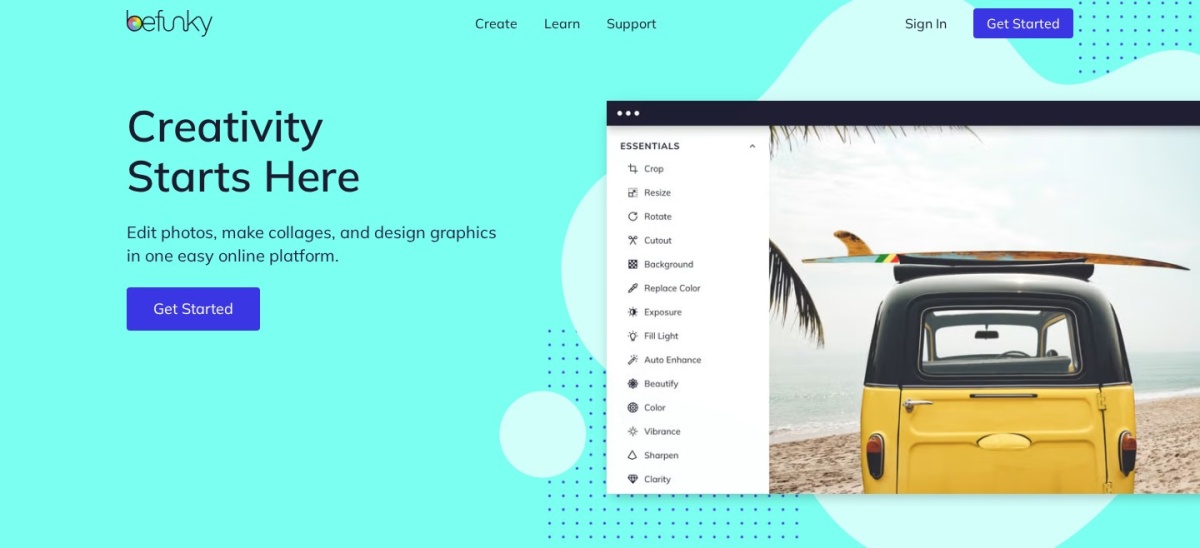
BeFunky homepage, captured Nov 2026.
BeFunky is a browser editor with a photo editor, a collage maker and a graphic designer side by side, built around one-click effects. The free plan covers basic edits and 20 AI generations, while Plus adds premium effects, templates and tools, plus 1,000 AI credits a month.
The trade off is depth and price. There is no layered editing, and Plus costs $14.99 a month if paid monthly against $83.88 a year. It suits beginners and small sellers who want quick edits, collages and product photos without learning layers.
What we like
Easiest learning curve in this list
Photo editor, collage maker and designer in one
1,000 AI credits a month on Plus
Rated 4.3 out of 5 on G2
Watch out for
No layered editing
Plus is $14.99 a month when paid monthly
Free plan shows ads and locks premium tools
Plus adds premium effects, templates and 1,000 AI credits a monthVisit befunky.com
07
PicMonkey
4.4/5on G2 (422 reviews, checked Nov 2026)
Starts at$72/yr
Best for branded templates and touch-ups
Free planNo, 7-day trial
Brand kitPro plan
Background removerPro plan
Paid planBasic, $72/yr
picmonkey.com
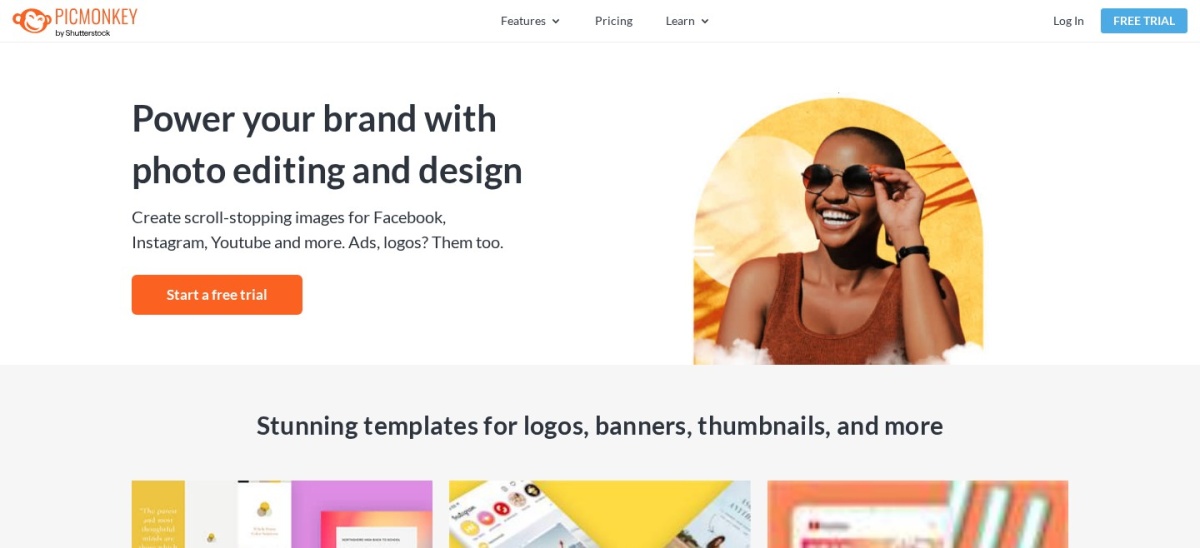
PicMonkey homepage, captured Nov 2026.
PicMonkey is an online photo editor and design tool for touch-ups, templates, logos and social graphics. There is no free plan, only a 7-day trial, and Basic at $72 a year adds 1GB of storage, premium effects and templates, while Pro adds unlimited storage, Smart Resize and a brand kit.
The trade off is the missing free tier. You cannot keep editing after the trial without paying, and the cheapest plan still locks background removal and brand kits behind Pro. It suits small businesses that want simple branded templates and are happy to pay from day one.
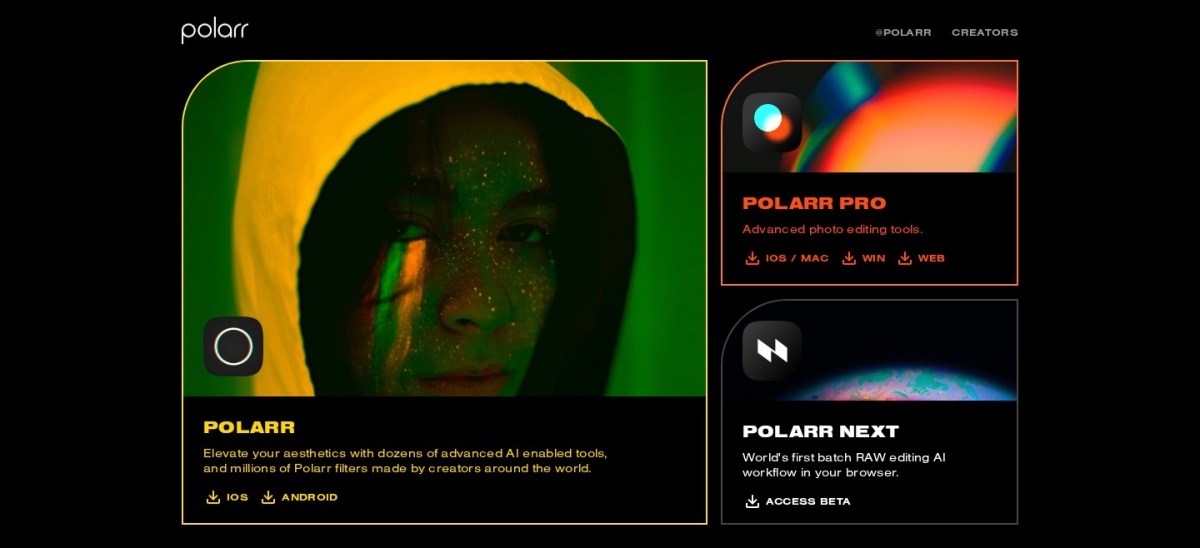
Polarr is a photo editor for iOS, Android, macOS, Windows and the web, built around custom filters, colour grading and masks. The free plan includes basic preset groups, core adjustments, layers and retouching, while Pro adds premium filters, masks, overlays and batch exports across up to five devices.
The trade off is scope. Polarr is a photo editor, not a design tool, so there are no templates or collage layouts, and Pro costs $7.99 a month if paid monthly against $47.99 a year. It suits photographers who want reusable filters and careful colour work.
What we like
Best custom filter system in this list
One Pro plan covers up to five devices
Masks, overlays and 3D LUT support on Pro
Rated 4.4 out of 5 on G2
Watch out for
No templates or collage maker
Pro is $7.99 a month when paid monthly
Smallest review base in this list at 46 G2 reviews
Snappa is a browser design tool for social posts, ads, blog images and thumbnails, with pre-sized templates for every network. The free plan gives 10 credits a month, one credit per image, while Pro at $120 a year gives 250 credits a month, background removal and custom fonts.
The trade off is the credit limit and the price. The free plan runs out after 10 images, and Pro at $120 a year is the joint-priciest pick here for a template tool. It suits marketers who need correctly sized graphics fast and want no learning curve.
Free plans cover everyday edits well. Most include cropping, filters, basic templates and simple exports, which is enough for occasional social posts.
Paid plans mostly add quality and credits. You get watermark-free HD exports, premium templates, more AI credits and no ads.
Check the export before you commit. Our guide on optimizing images for WordPress explains how to keep large image files fast without losing visible quality.
For a photo that goes on a website, the export matters more than the editor. A free plan that caps resolution or adds a watermark will cost you a subscription sooner than you expect.
How we chose
We started from the best-known browser photo editors and design tools positioned as Pixlr alternatives, then kept the nine with a published paid price and a public user rating.
Prices come from each vendor's pricing page or a dated price check of that page, checked on 29 November 2026. Ratings come from G2 on the same day. Where a vendor shows a sale, the list shows the regular price.
We left out tools with no published price and desktop-only editors that need an install. No vendor paid for a place, and we do not claim to have used these tools ourselves.
How to choose a Pixlr alternative
Start with the kind of editing you do most, then check the free export before you pay.
Decide layers or templates first. If you edit photos layer by layer, pick Photopea or Polarr. If you make social graphics, pick Canva, Snappa or Adobe Express.
Check the free export. Edit one photo on the free plan and look at the result. If it has a watermark or low resolution, that tool will cost you a subscription.
Count your AI use. Background removal and generation cost credits on Fotor, BeFunky and Snappa. Occasional use fits a free plan; daily use needs a paid tier with enough credits.
Check phone or computer. If your photos live on your phone, Picsart or Polarr work best. If you work on a computer, a browser editor such as Photopea or Fotor is faster.
FAQ
What is the best Pixlr alternative in 2026?
Photopea is the best Pixlr alternative for most people. It is a full layered editor with PSD support, free with ads, rated 4.6 out of 5 on G2, and Premium costs $50 a year only to remove the ads.
What is the best free alternative to Pixlr?
Photopea is the best free alternative, because every editing feature is free and it opens PSD files. Canva is the best free option for templates, and Fotor is the best free option for one-click AI edits.
How much does a Pixlr alternative cost?
Most paid plans in this list cost between $47.99 and $144 a year when billed yearly. The cheapest is Fotor Pro or Polarr Pro at $47.99 a year, while Canva Pro is the priciest at $144 a year.
Which Pixlr alternative is best for beginners?
Canva is the easiest pick for beginners, with templates and drag-and-drop editing and a 4.7 out of 5 rating on G2. BeFunky is the simplest true photo editor, with one-click effects and no layers to learn.
Which Pixlr alternative is best for small teams?
Canva Pro covers one person at $144 a year, so small teams should look at Adobe Express or Polarr instead. Polarr Pro covers up to five devices on one plan at $47.99 a year.
Photopea vs Canva: which is the better Pixlr alternative?
Photopea wins for photo editing, with layers, masks and PSD support that Canva does not offer. Canva wins for templates and social graphics, with a far larger template library and an easier interface. Pick Photopea to edit photos and Canva to design posts.
SaaS SEO and WordPress specialist with about 8 years of experience. Rakib compares WordPress plugins, themes, hosting and software using public pricing, documentation and user reviews. See how we rank.