Canva is the best of the PicMonkey alternatives for most people, with a free plan, 250,000+ templates and a 4.7 out of 5 G2 rating from 7,660 reviews. Pick Adobe Express for Adobe Stock assets at $9.99 a month, or Pixlr for the cheapest paid plan at $1.99 a month.
How we make this list: we compare pricing pages, product documentation and public user reviews, then re-check every price before each update. No product paid for a place. Disclosure.
Canva is the top pick: 4.7/5 on G2 from 7,660 reviews, with a free plan and Pro at $144 a year.
Adobe Express Premium costs $9.99 a month and brings 200M+ Adobe Stock assets and Firefly AI.
Pixlr Plus is the cheapest paid plan here at $1.99 a month billed yearly, or $24 a year.
Fotor Pro costs $40 a year, the cheapest full photo-editing upgrade after Pixlr.
VistaCreate Pro covers up to 10 team seats for one $120-a-year price.
Kittl Pro is the dearest at $168 a year, but holds the joint-highest rating at 4.7/5.
How do you pick the right PicMonkey alternative?
Start with what you edit most. PicMonkey pairs a photo editor with a design tool, so the closest swap depends on whether your work starts with a photo or a blank template.
Price spreads wider than it looks. The cheapest paid plan here is Pixlr Plus at $24 a year, while Kittl Pro costs $168 a year, and most tools sit between $84 and $144 a year.
Free plans are not equal. Canva's free plan covers 250,000+ templates, VistaCreate's Starter has no download cap, and Snappa's free plan stops at 3 downloads a month, so check the limit that bites first. Our guide to optimizing images for WordPress shows how to keep those exports light once they are made.
Ratings say as much about billing as about editing. Pixlr scores 4.4 on G2 but 2.1 on Trustpilot, where reviewers complain about renewals, so read both sides before paying.
Canva is a browser design platform with templates for social posts, posters, presentations and print, plus photo editing tools that cover most of what PicMonkey does. The free plan includes 250,000+ templates, 5GB of storage and basic Magic Studio AI tools.
The trade off is price. Pro costs $144 a year and adds 100GB of storage, the Brand Kit, background removal and the full AI allowance, so the best features sit behind the paywall. It suits anyone who designs every week and wants one tool for posts, print and presentations.
What we like
Largest template library in this list
Free plan covers everyday designs
Background remover and Magic Resize on Pro
Print-ready export and social scheduling
Watch out for
Best tools need Pro at $144 a year
Per-person pricing adds up for teams
Photo editing is lighter than a dedicated editor
Pro adds Brand Kit, 100GB storage and Magic ResizeVisit canva.com
02
Adobe Express
4.4/5on G2 (1,100 reviews, checked Nov 2026)
Paid from$9.99/mo
Best for Adobe Stock and Firefly AI
Generative credits250/mo on Premium
Stock assets200M+ on Premium
Free templates100,000+
Paid planPremium, $9.99/mo
adobe.com
Adobe Express homepage, captured Nov 2026.
Adobe Express is Adobe's lighter design app for quick template-led graphics, with Firefly AI built in and 200M+ Adobe Stock assets on Premium. The free plan covers basic editing, templates and a daily allowance of AI generations.
The trade off is credits. Premium costs $9.99 a month and adds 250 generative credits a month, 100GB of storage and 30,000 fonts, so heavy AI use can run through the allowance. It suits creators already in the Adobe world, since Premium comes with many Creative Cloud plans.
What we like
Firefly AI and Adobe Stock built in
Premium included with many Creative Cloud plans
30,000 fonts on Premium
Brand kits and 100GB storage on Premium
Watch out for
AI credits cap heavy use
Premium is billed monthly, $119.88 a year
Fewer templates than Canva
Premium adds 250 AI credits a month and 100GB storageVisit adobe.com
03
Fotor
4.1/5on G2 (342 reviews, checked Nov 2026)
Paid from$40/yr
Best budget photo editor
Free planBasic
Paid planPro, $40/yr
AI photo toolsYes
Collage makerYes
fotor.com
Fotor homepage, captured Nov 2026.
Fotor is a browser photo editor and design tool with one-click AI enhancement, background removal and templates for social posts and cards. The free Basic plan covers everyday edits, collages and a set of templates.
The trade off is the paywall. Pro costs $40 a year and unlocks the full AI toolset, batch editing and premium templates, while the free version shows ads and locks advanced tools. It suits people who edit photos first and design second.
Pixlr is a browser-based photo editor with layers, generative fill, background removal and quick design templates, and it needs no install. The free Pixlr E editor covers basic edits with a 10MB file cap.
The trade off is trust. Plus costs $1.99 a month billed yearly and removes ads, adds unlimited saves and 80 AI credits a month, but Pixlr's Trustpilot record is weak at 2.1 from 185 reviews, with complaints about renewals. It suits budget buyers who check their subscription dates.
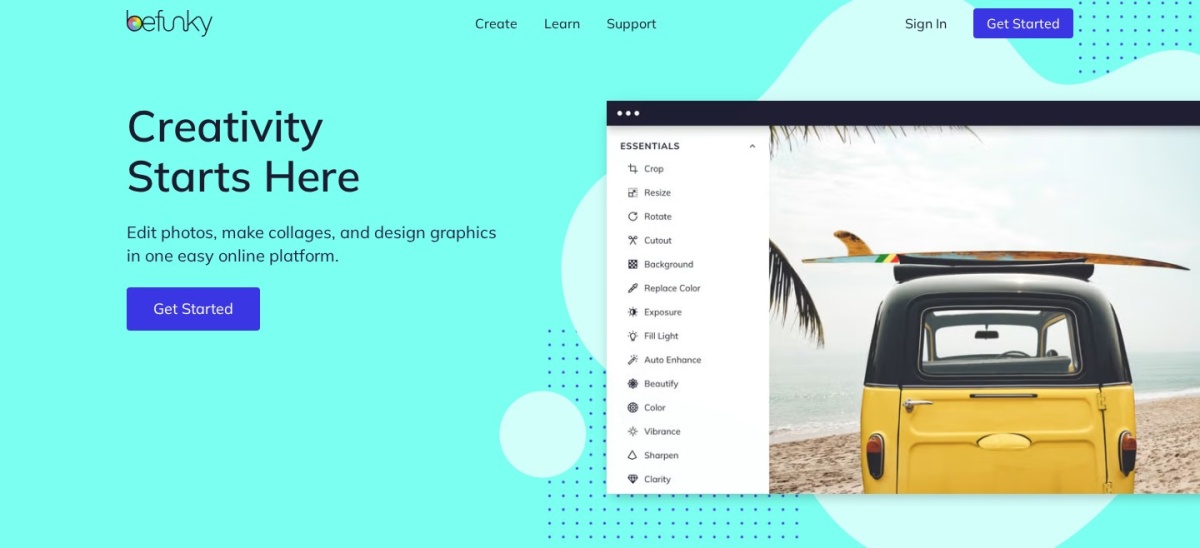
BeFunky is a browser photo editor, collage maker and graphic designer in one, with batch editing and a Collage Wizard. The free tier covers basic effects and collage layouts.
The trade off is price for what it is. Plus costs $83.88 a year and adds premium tools, 1,000 AI credits a month and full-resolution exports, while batch AI editing needs the Pro plan at $24.99 a month. It suits people whose designs start with an edited photo.
What we like
Photo editing and collage in one place
Collage Wizard for fast grids
1,000 AI credits a month on Plus
Easy to learn
Watch out for
Plus is dear for collage work
Batch AI editing needs Pro at $24.99/mo
Free collage layouts are limited
Plus adds 1,000 AI credits a month and full-resolution exportsVisit befunky.com
06
VistaCreate
4.5/5on G2 (171 reviews, checked Nov 2026)
Paid from$10/mo
Best flat price for a small team
Free templates50,000+
Paid planPro, $10/mo
Team seatsUp to 10 in one price
Brand KitsUnlimited on Pro
vistacreate.com
VistaCreate homepage, captured Nov 2026.
VistaCreate, formerly Crello, is a template design tool for social posts, ads and print, with animated templates and a strong free plan. Starter includes 50,000+ templates and over a million assets with no download cap.
The trade off is stability. Pro costs $10 a month billed yearly and adds premium assets, background removal and team accounts for up to 10 people, but reviewers report freezes and slow exports. It suits small teams who want one flat price for up to 10 seats.
Picsart is a mobile-first photo and video editor with stickers, collage tools and AI effects, plus a web editor for desktop work. The free plan covers basic editing, collage layouts and stickers.
The trade off is the price maze. Pro costs $10.50 a month billed yearly on the web, but plan names and prices differ between the web storefront and the app stores, where Gold still appears at $12.99 a month. It suits creators who edit mostly on their phone.
What we like
Huge sticker and template library
Strong mobile app
AI background removal and generative fill
Community content and remixable designs
Watch out for
Plan names and prices differ by storefront
Free exports carry a watermark
AI use capped by monthly credits on Pro
Pro removes the watermark and unlocks premium templatesVisit picsart.com
08
Snappa
4.6/5on G2 (41 reviews, checked Nov 2026)
Paid from$10/mo
Fastest for social graphics
Free downloads3/mo
Templates6,000+
Stock photos5M+
Paid planPro, $10/mo
snappa.com
Snappa homepage, captured Nov 2026.
Snappa is a deliberately small browser tool for fast static graphics: preset canvas sizes, a template, stock photos and text, with nothing extra in the way. The free plan gives access to every template and stock photo but caps downloads at 3 a month.
The trade off is scope. Pro costs $10 a month, or $120 a year, with unlimited downloads, background removal and custom font uploads, but Snappa exports JPG and PNG only, with no animation, video or PDF. It suits solo marketers who make thumbnails and social posts.
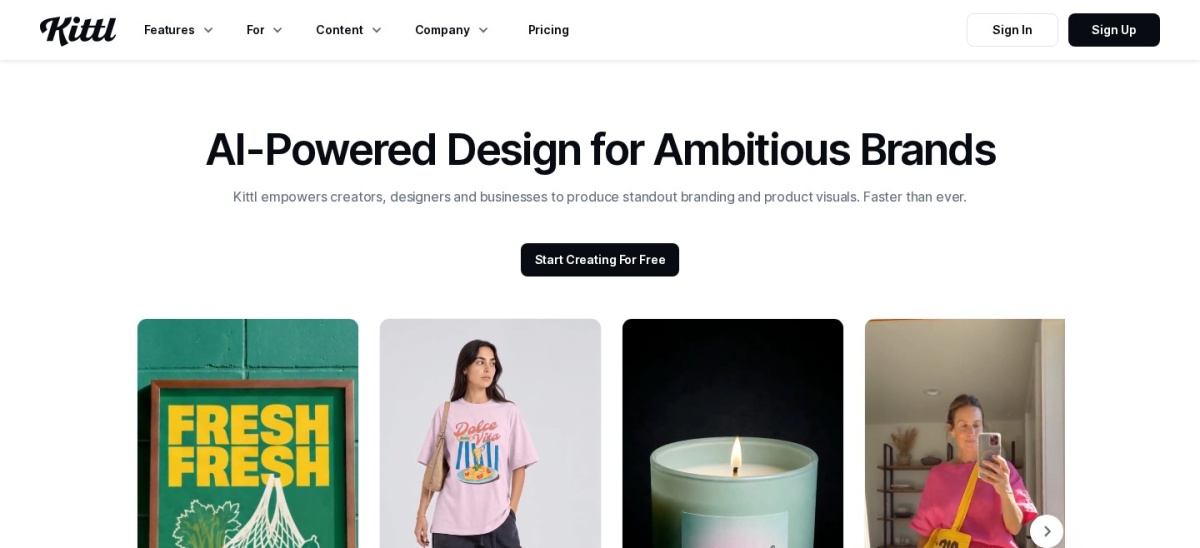
Kittl is an AI-first browser design platform built around typography, vector effects and print-on-demand merch graphics. The free plan includes 5 projects, professional templates and a one-time 200 AI token allowance.
The trade off is the token meter. Pro costs $14 a month billed yearly and adds unlimited projects, 2,000 AI tokens a month and a commercial licence, so heavy AI use means buying top-ups. It suits merch and logo designers who want strong type and vector tools.
What we like
Best typography and vector tools here
AI image and video generation
Commercial licence on Pro
4.7/5 G2 rating
Watch out for
AI use metered by tokens
Smaller template library than Canva
Pro at $168/yr is the dearest here
Pro adds 2,000 AI tokens a month and a commercial licenceVisit kittl.com
Free vs paid: what the free plan leaves out
Free plans cover the basics well. Most include templates, basic editing and exports, and Canva and VistaCreate are genuinely usable without paying.
Paid plans mostly add removal and resolution. Background removal, watermark-free export, full-resolution downloads and batch editing are the usual paywalled features.
AI is where the meter starts. Pixlr, BeFunky and Kittl all ration AI use by credits or tokens on paid plans, so check the monthly allowance against how much you generate.
How we chose
We started from PicMonkey's own alternatives pages and G2 comparison pages, then kept the nine tools with a numeric rating on G2 and a paid plan with a published price. Tools without a public rating, such as Photopea, were left out rather than given a guessed score.
Prices and ratings were checked on 29 November 2026 from each vendor's pricing page and G2. Where a vendor's page showed a sale price, we used the regular price, and where monthly and yearly billing differed, we used the yearly total.
No vendor paid for a place, and we do not claim hands-on testing for this list. We compared pricing pages, documentation and public reviews only.
How to choose a PicMonkey alternative
Work through these four steps before you pay for a year.
Name your main job first. Photo editing points to Fotor, Pixlr or BeFunky; template-led social design points to Canva, Adobe Express or VistaCreate.
Try the free plan with a real project. Make one post and one edited photo, and check the export for watermarks and resolution limits before you upgrade.
Price the year, not the month. Annual billing cuts Pixlr to $24 a year and BeFunky to $83.88, while monthly billing costs far more over twelve months.
Check the AI allowance and the renewal terms. Credits and tokens cap heavy use, and Pixlr's renewal complaints are a reason to set a calendar reminder before the plan renews.
FAQ
What is the best PicMonkey alternative in 2026?
Canva is the best PicMonkey alternative for most people. Its free plan covers 250,000+ templates, Pro adds the Brand Kit and background removal at $144 a year, and it holds a 4.7 out of 5 G2 rating from 7,660 reviews.
Is there a free PicMonkey alternative?
Yes, all nine tools in this list have a free plan. Canva and VistaCreate are the most generous: Canva's free plan includes 250,000+ templates, and VistaCreate's Starter plan has no download cap.
What is the cheapest PicMonkey alternative?
Pixlr is the cheapest paid option here. Plus costs $1.99 a month billed yearly, or $24 a year, and removes ads while adding unlimited saves. Fotor Pro at $40 a year is the next cheapest.
Canva vs Adobe Express: which replaces PicMonkey better?
Canva is the broader replacement, with more templates and a stronger free plan. Adobe Express wins if you already pay for Adobe apps, since Premium is included with many Creative Cloud plans and adds 200M+ Adobe Stock assets.
Which PicMonkey alternative is best for photo editing?
Fotor is the best photo-first pick, with one-click AI enhancement and batch editing on Pro at $40 a year. Pixlr adds layer-based editing in the browser, and BeFunky pairs editing with a collage maker.
Which PicMonkey alternative is best for beginners?
Canva is the easiest starting point, with preset sizes and templates for every format. Snappa is even simpler if you only make static social graphics, though its free plan caps downloads at 3 a month.
Can I use a PicMonkey alternative on my phone?
Yes. Picsart is the most mobile-first pick, with its strongest editor on iOS and Android. Canva, Adobe Express and VistaCreate also have mobile apps, while Pixlr, Fotor and Snappa work in a mobile browser.
SaaS SEO and WordPress specialist with about 8 years of experience. Rakib compares WordPress plugins, themes, hosting and software using public pricing, documentation and user reviews. See how we rank.