monday.com is the best of these linear alternatives for most teams: it holds a 4.7 out of 5 G2 rating from 17,144 reviews and paid plans start at $9 a seat a month. Pick ClickUp for the deepest feature set at $7 a seat, or Trello for the simplest boards at $5 a seat.
How we make this list: we compare pricing pages, product documentation and public user reviews, then re-check every price before each update. No product paid for a place. Disclosure.
monday.com leads with 4.7/5 on G2 from 17,144 reviews, the highest rating in this list.
ClickUp's Unlimited plan at $7 a seat a month is the joint-cheapest paid plan here and includes unlimited storage and Gantt charts.
Trello and Todoist both start at $5 a seat a month, the lowest paid entry points in the list.
Every tool has a free plan; Jira and Shortcut keep theirs free for up to 10 users.
Asana Starter is the priciest entry plan at $10.99 a seat a month, with Advanced jumping to $24.99.
What should you look for in Linear alternatives?
Linear wins on speed, so the first test for any replacement is how fast it feels day to day. A tool that takes three clicks to log a task will slow a team that is used to keyboard-first issue tracking, no matter how many features it lists.
Price per seat is where the alternatives split. Entry paid plans in this list run from $5 to $10.99 a seat a month billed annually, and most vendors charge per seat, so a 20-person team pays $100 to $220 a month before add-ons.
Free plans are worth a real trial, not a glance. Jira and Shortcut stay free for up to 10 users, Trello for up to 10 boards, and ClickUp for unlimited members, so a small team can run a real project before paying. Our guide on planning a content calendar shows the same trial-first approach for editorial work.
Ratings matter most when the review base is large. monday.com, ClickUp, Notion, Asana and Trello each carry more than 13,000 G2 reviews, while Shortcut has only 177, so treat its 4.4 rating as a weaker signal than the 4.4s with thousands of reviews behind them.
monday.com is a visual work platform built around boards that hold tasks, timelines and files for every project in one place. Its free plan covers up to 2 seats and 3 boards, while Basic at $9 a seat a month billed annually adds unlimited items and free viewers, and Standard at $12 adds timeline and Gantt views.
The trade off is seat math. Paid plans start at 3 seats, so a small team pays for three even with two people, and time tracking and workload views need Pro at $19 a seat a month. It suits teams that want every project visible on boards and dashboards without building the system themselves.
What we like
Highest G2 rating here at 4.7/5 from 17,144 reviews
Portfolio boards and dashboards show all projects at once
Over 200 templates to start a project fast
Unlimited free viewers on Basic
Watch out for
Paid plans start at 3 seats
Time tracking and workload views need Pro
Large boards can feel busy
Standard adds Gantt views and automations; Pro adds time trackingVisit monday.com
02
ClickUp
4.6/5on G2 (13,719 reviews, checked Nov 2026)
Paid from$7/mo
Best for the most features per dollar
Free storage100 MB
Free planUnlimited members
Entry paidUnlimited, $7/user/mo
G2 rating4.6/5 (13,719 reviews)
clickup.com
ClickUp homepage, captured Nov 2026.
ClickUp is an all-in-one workspace that combines tasks, docs, whiteboards, chat and sprint tracking in one login. The free plan allows unlimited members and tasks with 100 MB of storage, while Unlimited at $7 a user a month billed annually adds unlimited storage, Gantt charts, custom fields and native time tracking.
The trade off is complexity. The depth that makes ClickUp flexible also means a longer setup, and AI features cost extra through the Brain add-on at $9 a user a month. It suits teams that want to replace several tools with one workspace and are willing to spend a week setting it up.
What we like
Joint-cheapest paid plan here at $7 a seat a month
Unlimited members on the free plan
Gantt, docs and chat in one product
1,000 automations a month on Unlimited
Watch out for
Steep learning curve
AI features cost extra
Performance can lag on very large workspaces
Business adds workload views and 5,000 automations a monthVisit clickup.com
03
Notion
4.6/5on G2 (13,767 reviews, checked Nov 2026)
Paid from$10/mo
Best for docs and tasks in one place
Free planIndividuals, 10 guests
Page history7 days on free
Entry paidPlus, $10/member/mo
G2 rating4.6/5 (13,767 reviews)
notion.com
Notion homepage, captured Nov 2026.
Notion is a workspace where pages, databases and tasks live together, so a project plan, its docs and its board sit in one place. The free plan works for one person with unlimited pages and blocks, 10 guests and 7-day page history, while Plus at $10 a member a month billed annually adds unlimited file uploads and collaborative blocks.
The trade off is structure. Notion gives you building blocks rather than a ready-made tracker, so sprints, dependencies and reporting take setup, and costs rise as members and AI features are added. It suits teams that live in docs and wikis and want their tasks beside them.
What we like
Docs, wikis and tasks in one workspace
Flexible databases with subtasks and dependencies
Generous free plan for individuals
Large library of community templates
Watch out for
No ready-made sprint workflow
Setup time before it feels like a tracker
Paid cost grows with each member
Business adds advanced permissions and admin controlsVisit notion.com
04
Todoist
4.5/5on G2 (870 reviews, checked Nov 2026)
Paid from$5/mo
Best for simple shared task lists
Free plan5 personal projects
Entry paidPro, $5/user/mo
PlatformsWeb, mobile, desktop
G2 rating4.5/5 (870 reviews)
todoist.com
Todoist homepage, captured Nov 2026.
Todoist is a focused task manager built around quick capture, due dates and shared lists rather than full project boards. The free Beginner plan covers 5 personal projects, while Pro at $5 a month billed annually adds unlimited projects, reminders, calendar layout and filters.
The trade off is scope. There are no Gantt charts, workload views or project budgets, so it works as a task list, not a project system, and the Business plan at $8 a user a month is needed for team admin controls. It suits individuals and small teams that manage work as lists.
Asana is a work management platform for tracking projects with owners, deadlines, timelines and goals across teams. The free Personal plan covers up to 2 users, while Starter at $10.99 a user a month billed annually adds Timeline and Gantt views, reporting dashboards, unlimited automations and unlimited free guests.
The trade off is price. Starter is the most expensive entry plan in this list, and Advanced jumps to $24.99 a user a month for approvals, proofing and time tracking. It suits teams that need clear ownership and reporting across departments.
What we like
Clearest ownership and timelines
Unlimited free guests on Starter
Strong goals and portfolio views
100+ free integrations
Watch out for
Priciest entry plan in this list
Advanced features need Advanced
Free plan caps at 2 users
Advanced adds approvals, proofing and time trackingVisit asana.com
06
Trello
4.4/5on G2 (14,064 reviews, checked Nov 2026)
Paid from$5/mo
Best for simple visual boards
Free plan10 boards, 10 collaborators
Entry paidStandard, $5/user/mo
AutomationButler, on paid plans
G2 rating4.4/5 (14,064 reviews)
trello.com
Trello homepage, captured Nov 2026.
Trello is a visual Kanban tool where work lives on boards, lists and cards that anyone can learn in minutes. The free plan covers up to 10 boards and 10 collaborators per workspace with unlimited cards, while Standard at $5 a user a month billed annually adds unlimited boards, advanced checklists and Butler automation.
The trade off is depth. Native reporting is basic, there is no built-in time tracking or workload view, and larger projects outgrow boards quickly. It suits small teams that want the simplest possible tracker and do not need sprints or reports.
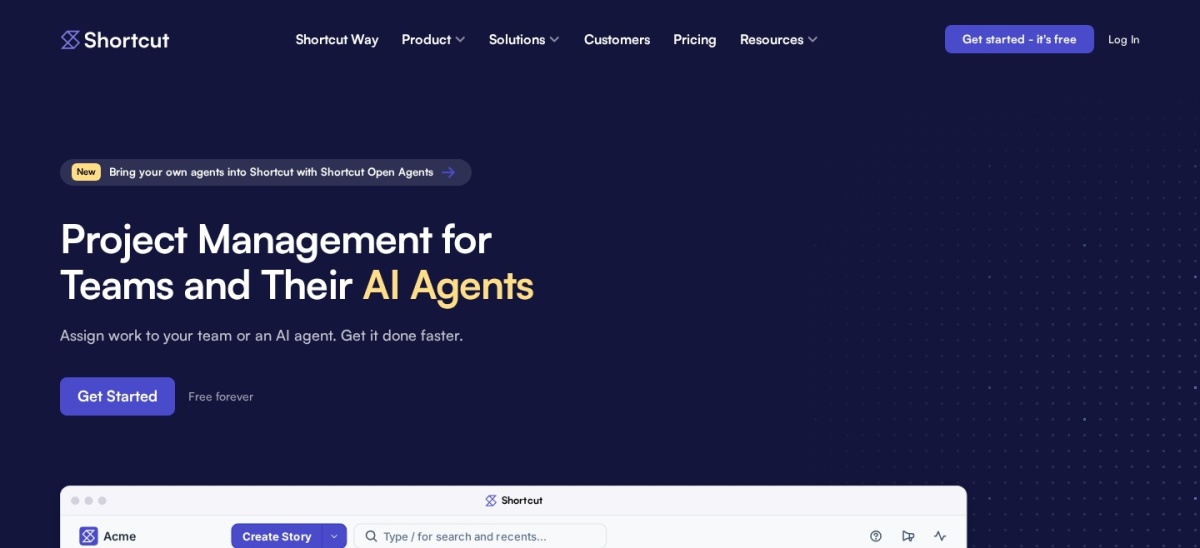
Shortcut is a project tool built for software teams, with stories, epics, iterations and roadmaps that mirror how developers already work. The free plan covers up to 10 users, while Team at $8.50 a user a month adds unlimited teams and workflows, and Business at $12 adds advanced permissions and reporting.
The trade off is review depth. Only 177 G2 reviews back its 4.4 rating, far fewer than the big names here, and reporting options are thinner than Jira or Wrike. It suits small dev teams that want Linear-style speed without Linear's price.
Jira is Atlassian's issue tracker turned agile platform, built around backlogs, sprints, boards and custom workflows. The free plan covers up to 10 users with boards, backlogs, timelines and dashboards, while Standard at $8.48 a user a month adds user permissions and Atlassian's Rovo AI.
The trade off is weight. Setup and admin take real effort, and costs climb with add-ons and higher tiers, with Premium at about $16 a user a month. It suits software teams that run formal agile and need deep customization.
Wrike is a work management platform for cross-functional projects, with Gantt charts, proofing, approvals and resource views in one place. The free plan covers basic task management, while Team at $10 a user a month billed annually adds interactive Gantt charts, shareable dashboards and time tracking.
The trade off is fit. Team is sized for 2 to 15 users, Business jumps to $25 a user a month, and smaller teams find the setup heavier than Trello or Asana. It suits mid-size teams that run review cycles and need workload planning.
What we like
Proofing and approvals built in
Workload and resource views
Strong dashboards and reporting
Scales to enterprise
Watch out for
Lowest G2 rating in this list at 4.2
Team plan caps at 15 users
Setup is heavier than simpler tools
Business adds templates, integrations and automationsVisit wrike.com
What you give up leaving Linear
Speed is the hardest thing to replace. Linear's keyboard-first design and instant loading set the pace, and none of these nine tools feels quite as fast, even if Shortcut comes closest for dev teams.
GitHub-native workflows are the second gap. Linear ties issues to pull requests with little setup, while Jira and Shortcut need their integrations configured and the broader tools in this list treat code as an add-on.
What you gain is breadth. monday.com, Asana and Wrike handle marketing, operations and client work that Linear was never built for, and their free plans cover teams Linear would charge for.
How we chose
We started from the tools G2 lists as Linear alternatives and kept the nine with a public numeric rating and a published pricing page.
Prices come from each vendor's pricing page, checked on 29 November 2026, with annual billing used where a vendor discounts it; ratings and review counts come from G2 on the same day. Where a vendor shows a sale, the list shows the regular price.
We left out Height, whose G2 page shows a single review, and tools with no public rating at all. No vendor paid for a place, and we do not claim hands-on testing for this list.
How to choose a Linear alternative
Start with your team's shape, then test the top two on a real project.
Count who actually needs a seat. Free plans cap users, boards or storage, so count editors first. Jira and Shortcut stay free to 10 users, while Asana's free plan stops at 2.
Match the tool to the work, not the hype. Dev teams should shortlist Jira or Shortcut; mixed departments fit monday.com or Asana; a solo user or tiny team can live in Todoist or Trello.
Run one real project on the free plan. Move a current sprint or launch across and check that labels, assignees and integrations survive. See how to plan a content calendar for a trial project you can run end to end.
Price the team you will have in a year. Multiply the per-seat price by next year's headcount, not today's. A $5 plan that jumps to $25 at the next tier, like Wrike's Business, can cost more than a $9 plan that stays flat.
FAQ
What is the best Linear alternative in 2026?
monday.com is the best Linear alternative for most teams in 2026. It holds a 4.7 out of 5 G2 rating from 17,144 reviews, the highest in this list, and its boards, portfolios and dashboards cover both software and non-software work. Paid plans start at $9 a seat a month billed annually.
Which Linear alternative is cheapest?
Trello and Todoist are the cheapest paid options here at $5 a seat a month billed annually. ClickUp is next at $7. All nine tools have a free plan, and Jira and Shortcut keep theirs free for up to 10 users, so a small team can often start without paying.
Is there a free Linear alternative?
Yes, every tool in this list has a free plan. Trello's free plan covers up to 10 boards and 10 collaborators, Jira's covers up to 10 users, and ClickUp's allows unlimited members with 100 MB of storage. Free plans cap storage, history or boards, so check the limits before committing.
Which Linear alternative is best for software teams?
Jira is the strongest pick for software teams that run formal agile, with backlogs, sprints and deep customization. Shortcut is the closer Linear match for small dev teams, with stories, epics and iterations in a faster interface. ClickUp sits between them with sprints plus docs and chat.
Is monday.com better than ClickUp as a Linear alternative?
monday.com rates higher, at 4.7 out of 5 on G2 from 17,144 reviews against ClickUp's 4.6 from 13,719, and its boards are easier to learn. ClickUp costs less at $7 a seat a month against $9, and packs docs, whiteboards and chat into one product. Pick monday.com for visibility, ClickUp for depth per dollar.
Do I need to pay to switch from Linear?
No. Every tool here has a free plan, and most offer importers for tasks from other tools. Start on the free plan, move one project across, and check that your boards, labels and integrations carry over before paying for seats.
SaaS SEO and WordPress specialist with about 8 years of experience. Rakib compares WordPress plugins, themes, hosting and software using public pricing, documentation and user reviews. See how we rank.